The spare parts inventory system provides real-time tracking of stock, including details such as product code, name, pricing, and stock status. This allows field sales teams to monitor availability and manage assets efficiently. It ensures cost-effective operations by displaying both price and cost of items. The stock status and condition checks help prevent stockouts and delays. Overall, it improves order fulfillment and customer satisfaction.
Step by step instructions to add an inventory item/ service
Click on Supplies from the left menu.
Choose the Parts & Supply option
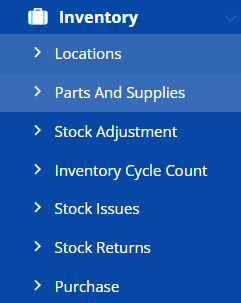
It will show the price book / catalog
Click on New Parts and Supplies button on top right
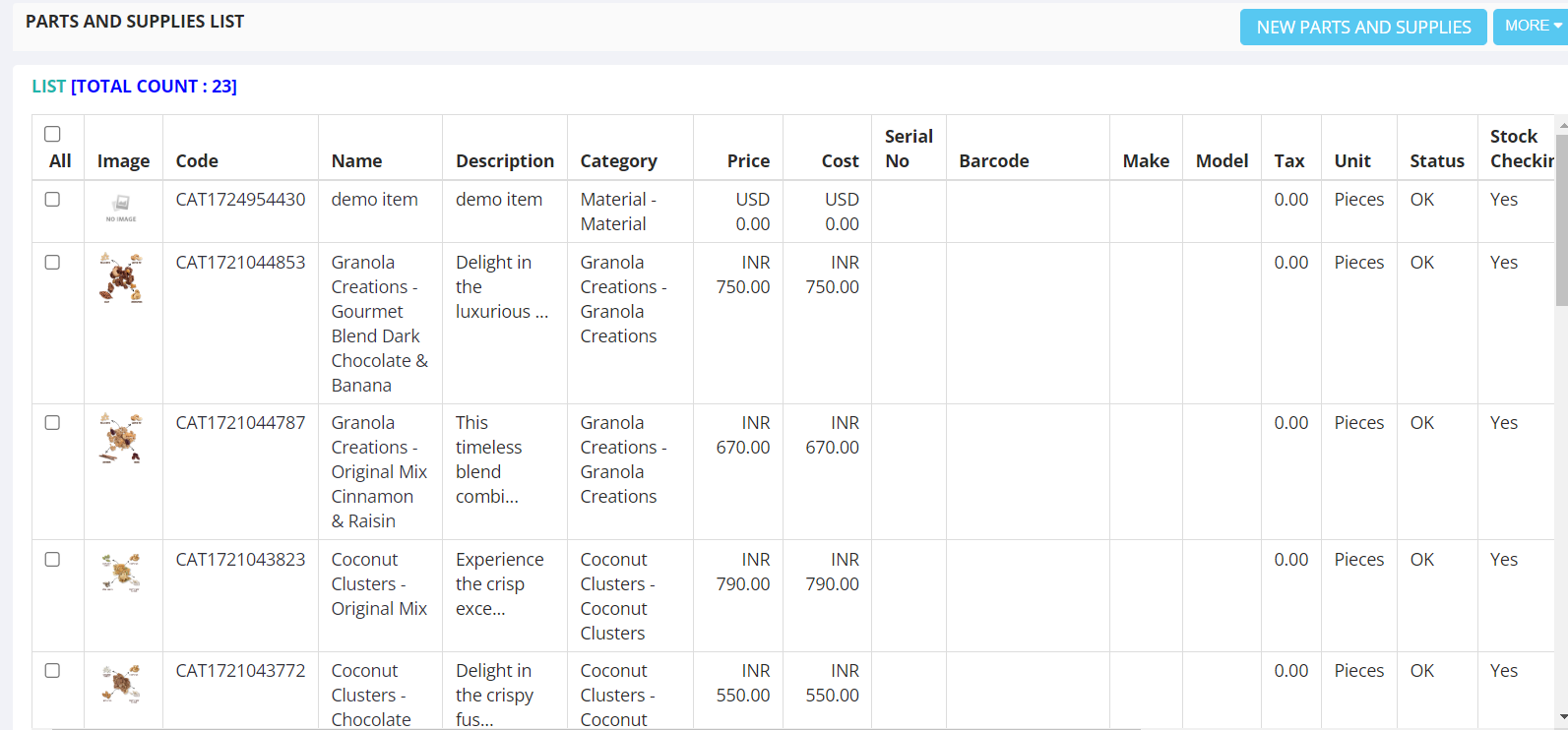
It will open the Supply parts entry page
The first section is General to enter the name description, Status and other optional information

Click on Identity section
Enter the serial number codes
Click on the Auto Generated RFID to generate RFID code

Click on the Group section to select the account group and item category

In the financial section, Price is to enter the Sale price
Cost means the purchase price
Order Unit: Select the unit of the item to be used in inventory and billing
Reorder Qty: Put a value to determine the minimum stock expected. It helps to decision making in procurement
If it is a service item then uncheck the box, It should be checked if it is an inventory item

Click on choose file to upload an image for the item. You can also add a personnel in case you want to authorize someone for certain items.

Save the item on clicking Save button