Stock Transfer Delivery
The Stock Transfer Delivery feature in DreamzCMMS provides a structured workflow for executing and documenting the physical movement of equipment, tools, and spare parts between facilities or locations. It ensures every delivery is initiated properly, tracked in real time, and recorded for a complete audit trail — improving inventory control and operational coordination across your organization.
Overview
While a Stock Transfer Order defines what needs to move and where, a Stock Transfer Delivery is the execution step — it records the actual dispatch of those items from the source location to the destination. Each delivery captures the source and destination, the items and quantities being sent, issue type, and any additional instructions or notes for the receiving team.
If you haven't created a Stock Transfer Order yet, see Stock Transfer Order first.
Before You Begin
- You must have Admin or Manager permissions to create a Stock Transfer Delivery.
- The items being delivered must be available at the source location in your inventory.
- Both the source location and destination location must already exist in the system.
- It is recommended to have a corresponding Stock Transfer Order in place before creating a delivery.
How to Create a Stock Transfer Delivery
Step 1 – Navigate to Stock Transfer Delivery
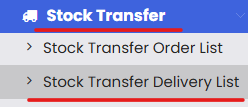
From the main menu, go to Stock Transfer → Stock Transfer Delivery List. This opens the list of all existing delivery records.
Step 2 – Click "New Stock Transfer Delivery"
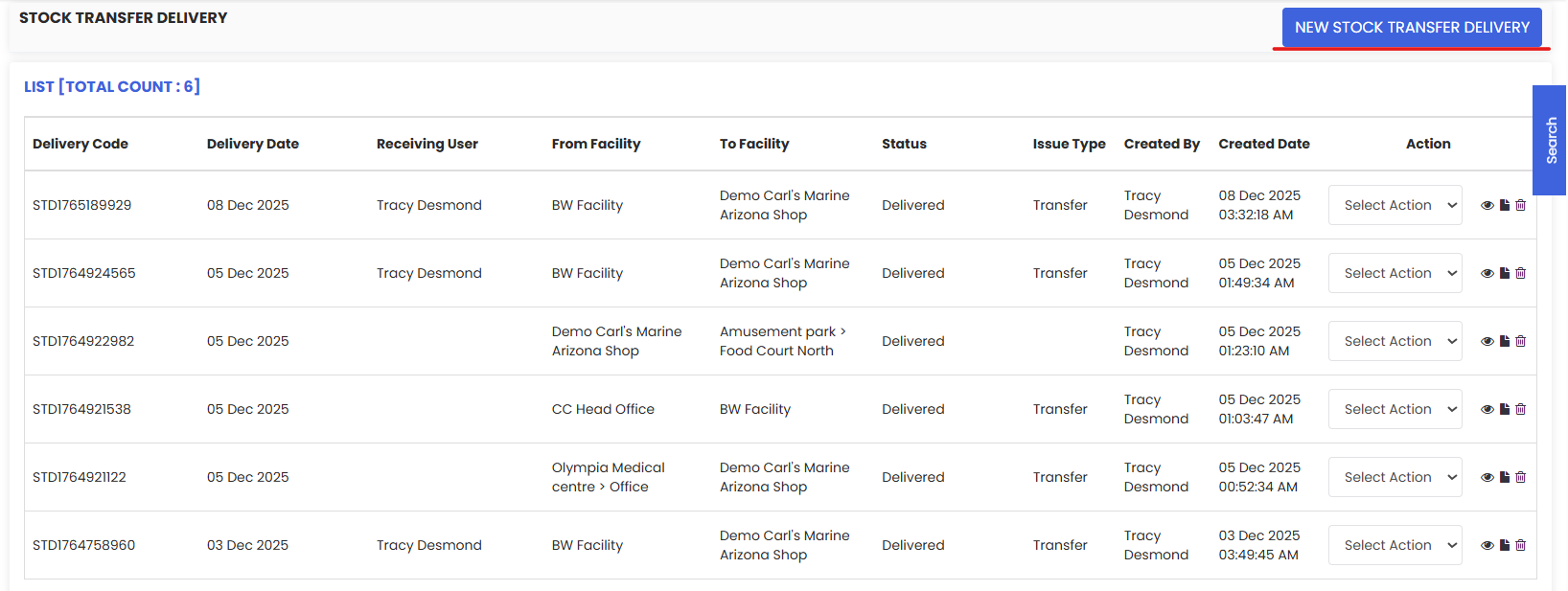
On the listing page, click New Stock Transfer Delivery to open the delivery creation form.
Step 3 – Fill in the Delivery Details
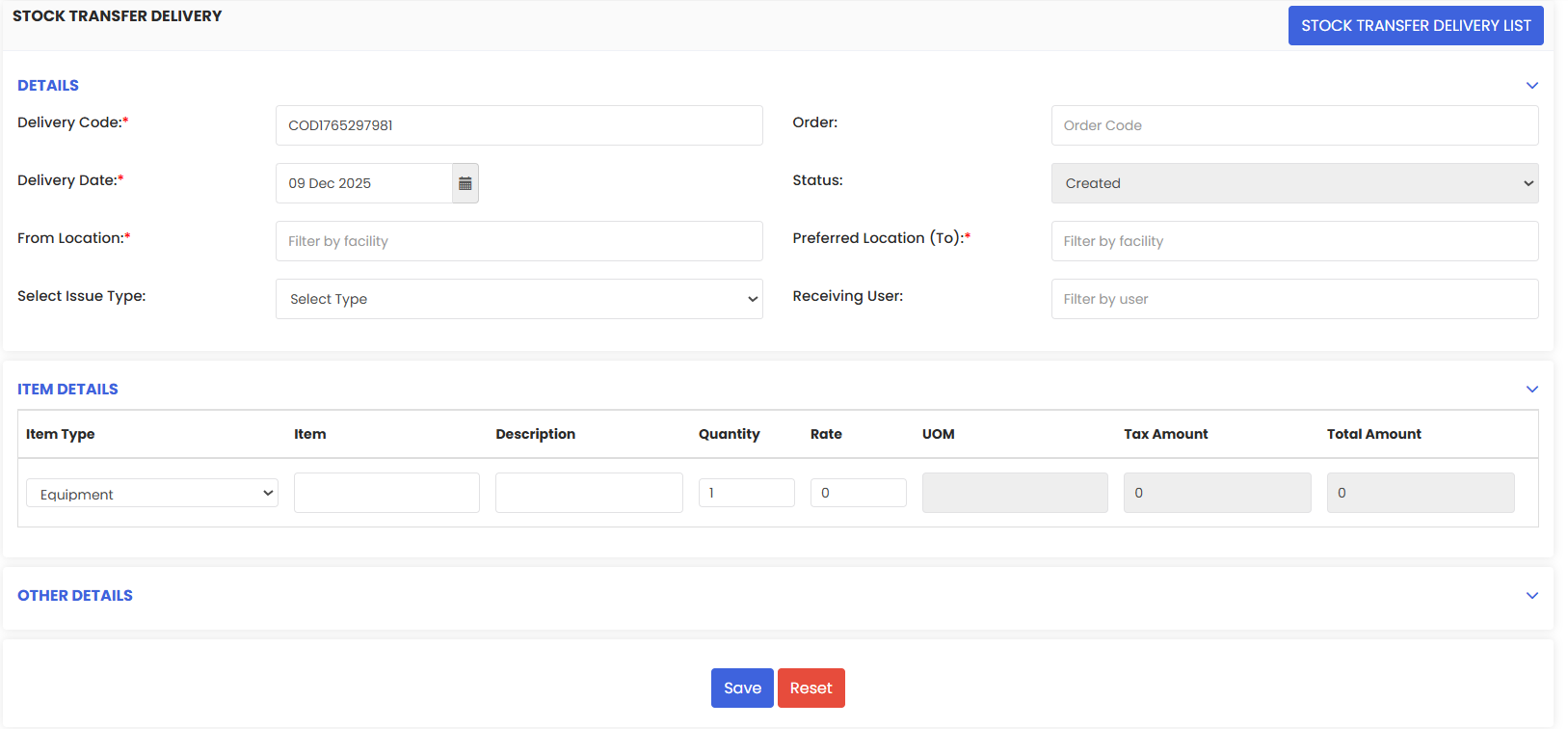
Complete the following fields:
- Source Location — Select the location the items are being dispatched from.
- Destination Location — Select the location the items are being delivered to.
- Issue Type — Select the reason or context for the delivery (e.g., maintenance use, project allocation, replenishment).
- Date — Set the date of the delivery.
- Status — Set the current status of the delivery (e.g., Draft, In Transit, Delivered).
Step 4 – Add Items
In the Item Details section, click Add Item for each item being delivered. For each item, enter:
- Item Type — Select the type (e.g., Part, Consumable, Equipment).
- Item — Search for and select the item from your inventory.
- Quantity — Enter the number of units being delivered.
Repeat for each additional item included in this delivery.
Step 5 – Add Notes (Optional)
Use the Notes field to include any special instructions, handling requirements, or additional context for the receiving team.
Step 6 – Save the Delivery
Once all details are complete, click Save to record the Stock Transfer Delivery. The system will update inventory levels accordingly — deducting from the source and crediting the destination.
Tip: You can print the delivery record directly from this page for use as a physical dispatch note or delivery confirmation.
Tips for Managing Stock Transfer Deliveries
- Always link deliveries to a Transfer Order. This ensures traceability and keeps your records consistent.
- Keep statuses up to date. Moving a delivery from "In Transit" to "Delivered" promptly ensures inventory records stay accurate.
- Double-check quantities before saving. Errors in quantity at this stage will directly affect stock levels at both locations.
- Use the Notes field. Especially helpful for partial deliveries, fragile items, or time-sensitive materials.
- Print the delivery record. A printed copy can serve as a handover document when physically handing items to the receiving team.
Frequently Asked Questions
What is the difference between a Stock Transfer Order and a Stock Transfer Delivery?
A Stock Transfer Order is the request or plan to move items — it defines what needs to be transferred and where. A Stock Transfer Delivery is the execution — it records the actual dispatch of those items.
Can I create a delivery without a Transfer Order?
Yes, the system allows you to create a delivery directly. However, it is best practice to have a Transfer Order in place to maintain proper documentation and approval records.
What happens to inventory when a delivery is saved?
The system deducts the delivered quantity from the source location and adds it to the destination location, keeping stock levels accurate across both sites.
Can I deliver multiple items in one delivery record?
Yes. You can add as many items as needed in the Item Details section of a single delivery.
Can I edit a delivery after saving?
Deliveries in Draft status can typically be edited. Once a delivery is marked as Delivered or Completed, it may be locked to protect the inventory audit trail.
Can I add attachments to a delivery?
Yes, if your organization requires supporting documents such as signed delivery notes or photos, these can be attached in the notes/other details section of the form.
Related Articles
Stock Transfer Order ← [HYPERLINK]