RFID-Based Jewelry Inventory Tracking with DreamzCMMS RFID
A jewelry showroom's inventory is high-value, easy to misplace, and hard to audit by hand — especially across a multi-branch chain. DreamzCMMSRFID tags every ring, chain, bangle, and stud with a unique RFID identity, tracking each piece from the moment it arrives from a vendor or carrier, through vault movement and showcase transfers, all the way to sale, exchange, or a repair send-out.
Overview
DreamzCMMSRFID works in two parts. The mobile app is what your showroom and vault team use every day: tagging pieces individually or in bulk, verifying stock, locating a specific item instantly, moving pieces between the vault and showcase, dispatching and receiving transfers between branches or workshops, and recording every sale, exchange, and return. A fixed RFID antenna at the showroom exit and billing counter reads every tagged item in real time, triggering an alarm if anything unbilled tries to leave. The web portal is where your management team gets the full picture — product and facility master data, antenna health across every branch, and detailed audit reports covering every scan, transfer, inquiry, and sale, exportable to Excel, PDF, or SAP.
Here is a reference video:
Before You Begin
- You must have access to DreamzCMMSRFID, including the mobile app for showroom and vault staff and the web portal for management and reporting.
- Your product catalog (designs, metal type, purity, carat, and weight details) should already be set up so items can be registered and serialized correctly.
- Fixed RFID antennas should already be installed at the billing counter and showroom exit, and your team should have handheld RFID scanners for tagging and inquiries.
Tagging and Registering Jewelry
Step 1 – DreamzCMMSRFID Introduction
This walkthrough covers the DreamzCMMSRFID app and portal, showing how a jewelry showroom — whether you run one store or a multi-branch chain — uses it to track every piece from the day it arrives from a carrier or vendor, through vault movement and showcase transfers, right through to the sale, exchange, or a repair send-out.
Step 2 – Jewelry Item Tracking Details
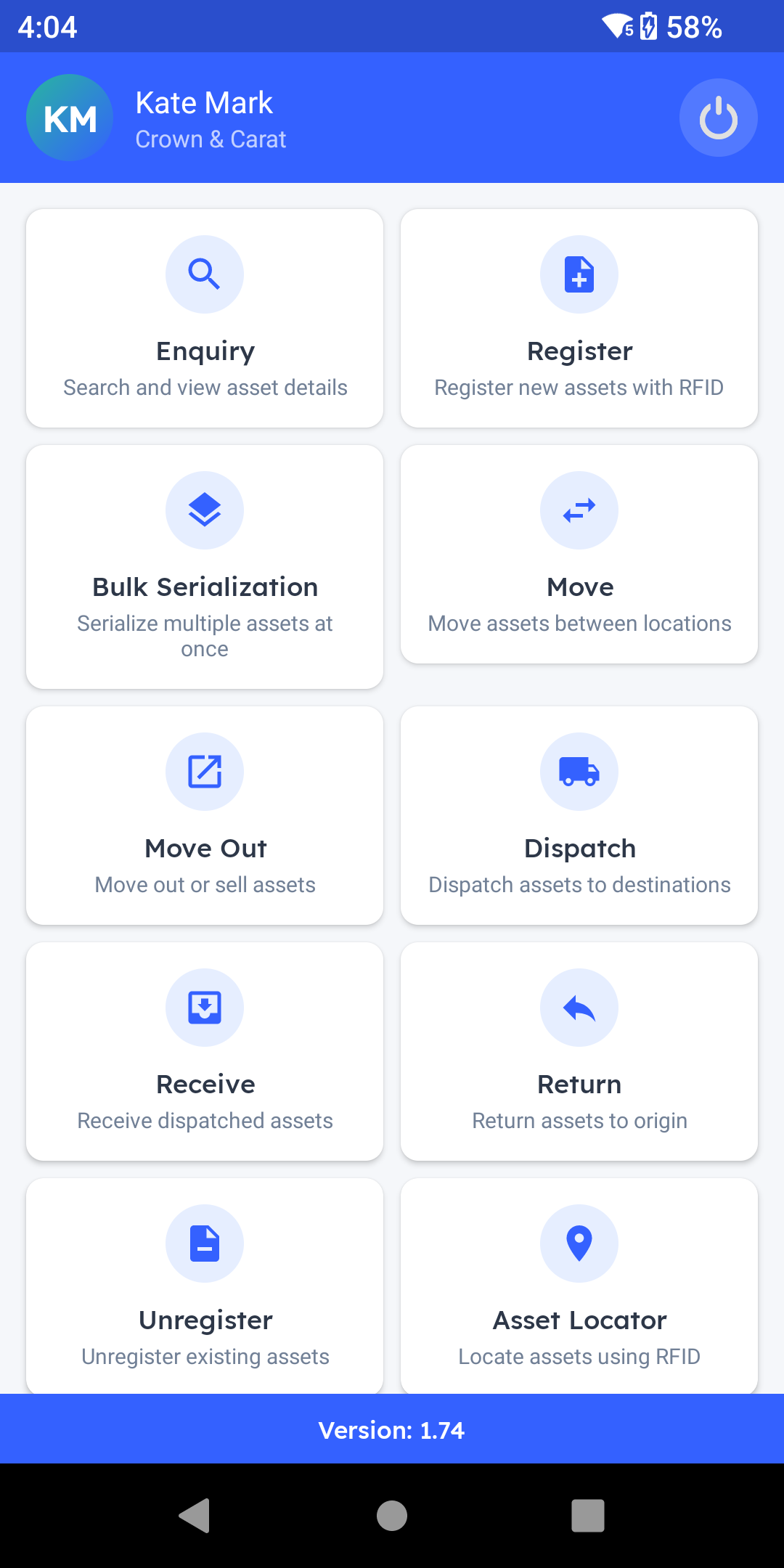
Every ring, chain, bangle, and stud is tracked individually, down to its own purity, weight, and hallmark. This is the platform your showroom and vault team use every day.
 Step 3 – RFID Tag Attachment Benefits
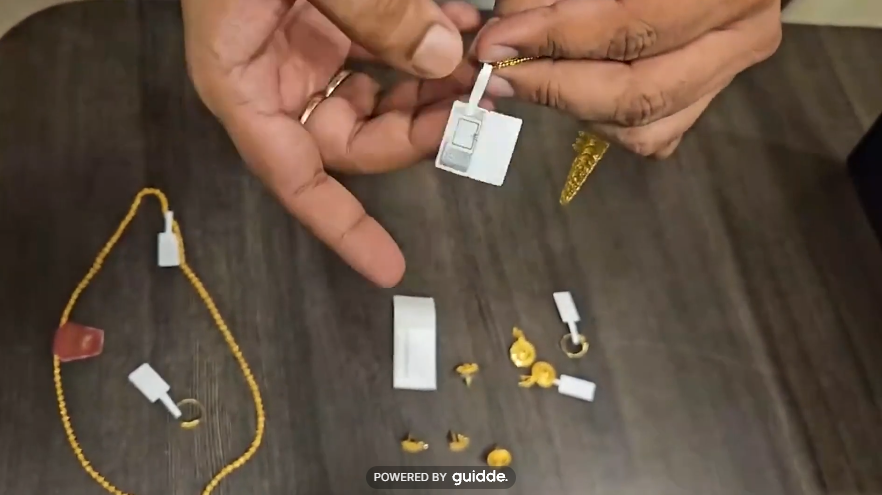
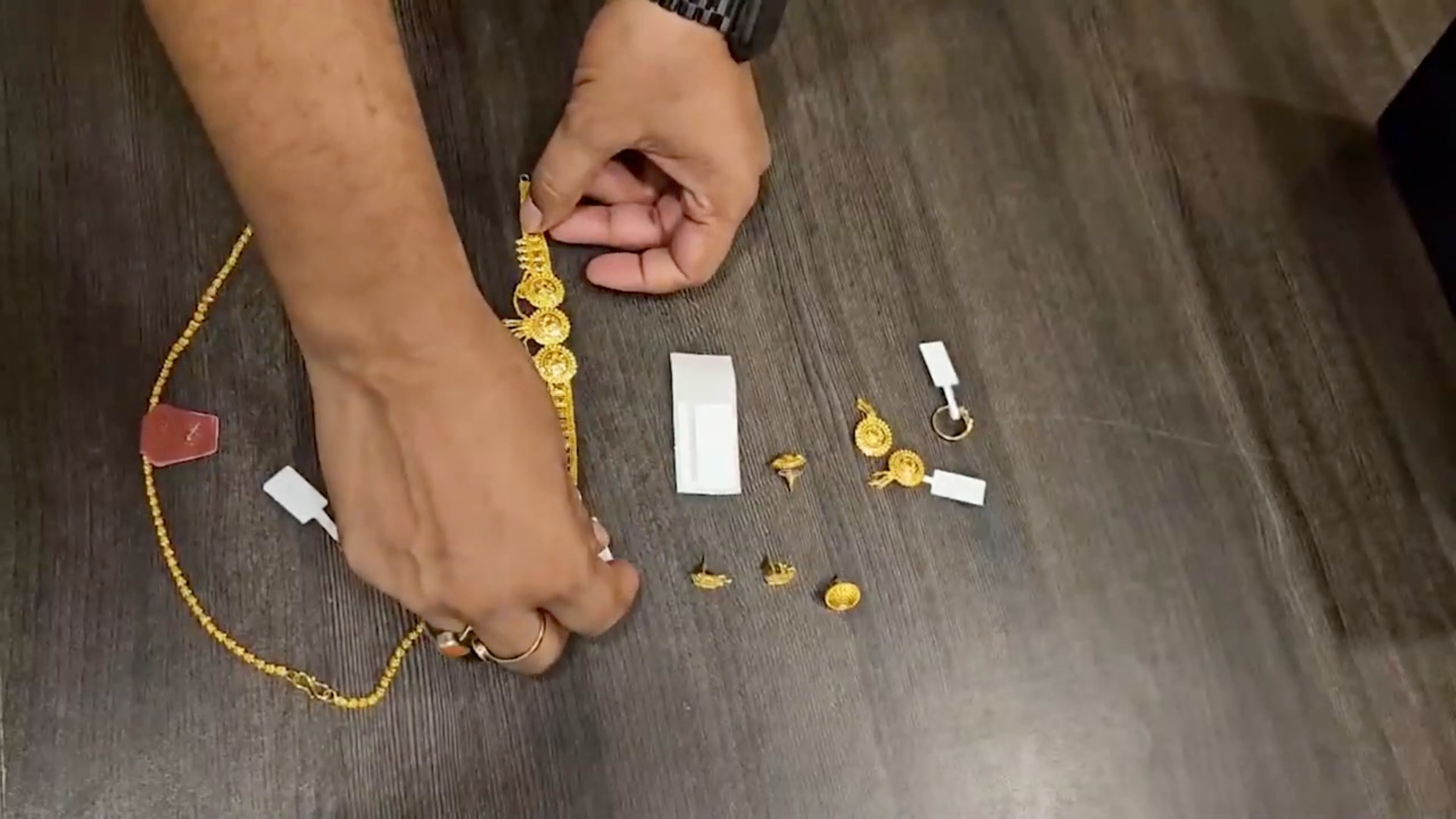
Attaching RFID tags to jewelry is simple. Whether it's a small ring, a delicate pendant, or a heavy gold necklace, every piece can be fitted with a discreet RFID tag containing a unique electronic ID. Once tagged, each item can be identified instantly and tracked in real time throughout the store, giving you accurate inventory visibility, faster stock verification, and enhanced security, all without affecting the appearance or elegance of the jewelry.
Step 4 – Registering Unique Pieces
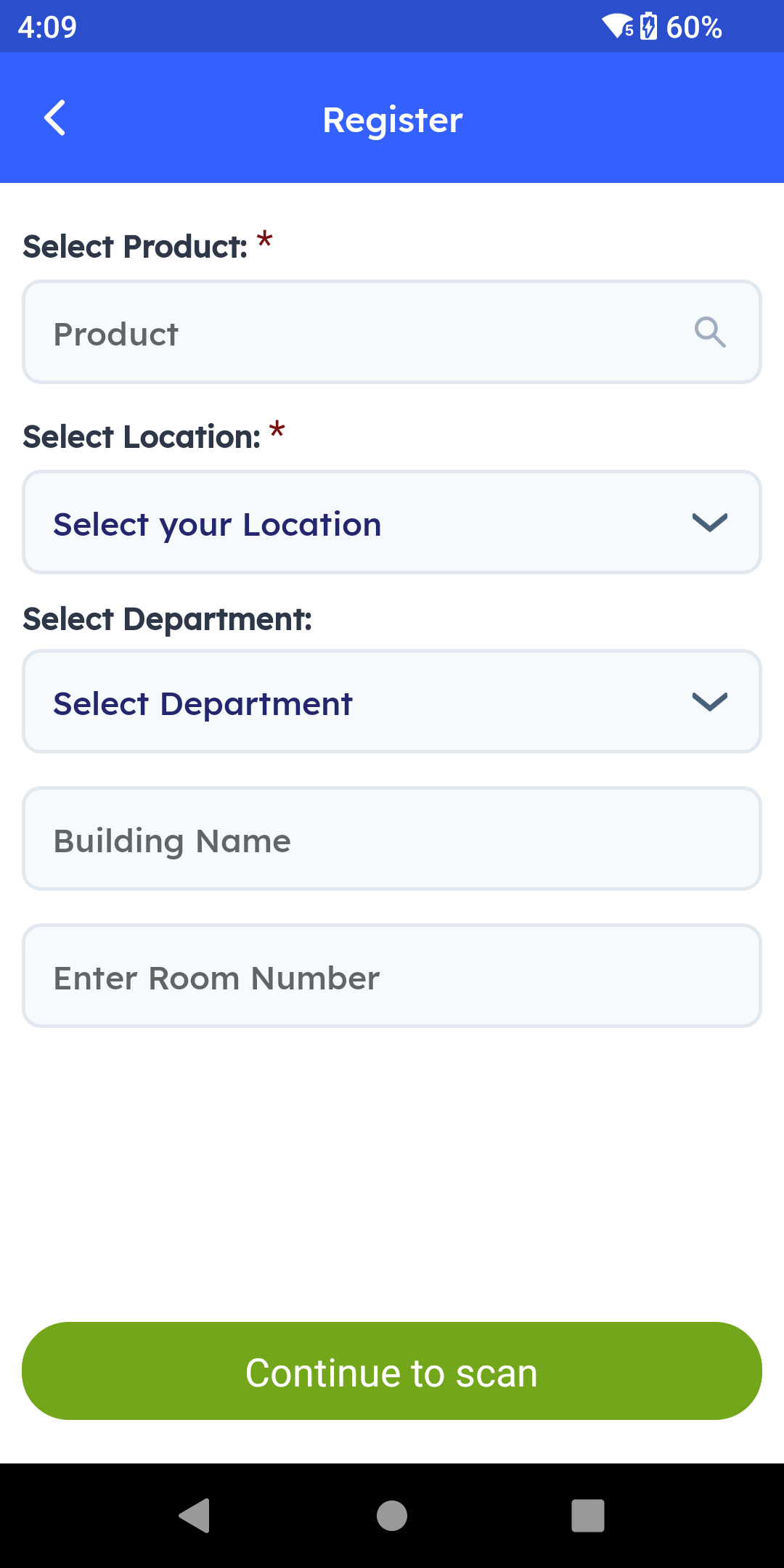
Every piece's journey starts the moment it arrives from your vendor or in-house carrier. For a single, one-of-a-kind piece — a signature necklace or a custom bridal set — use Register. Select the product and the location, and, if you track that level of detail, the vault or room it's stored in.
Step 5 – Bulk Serialization Process
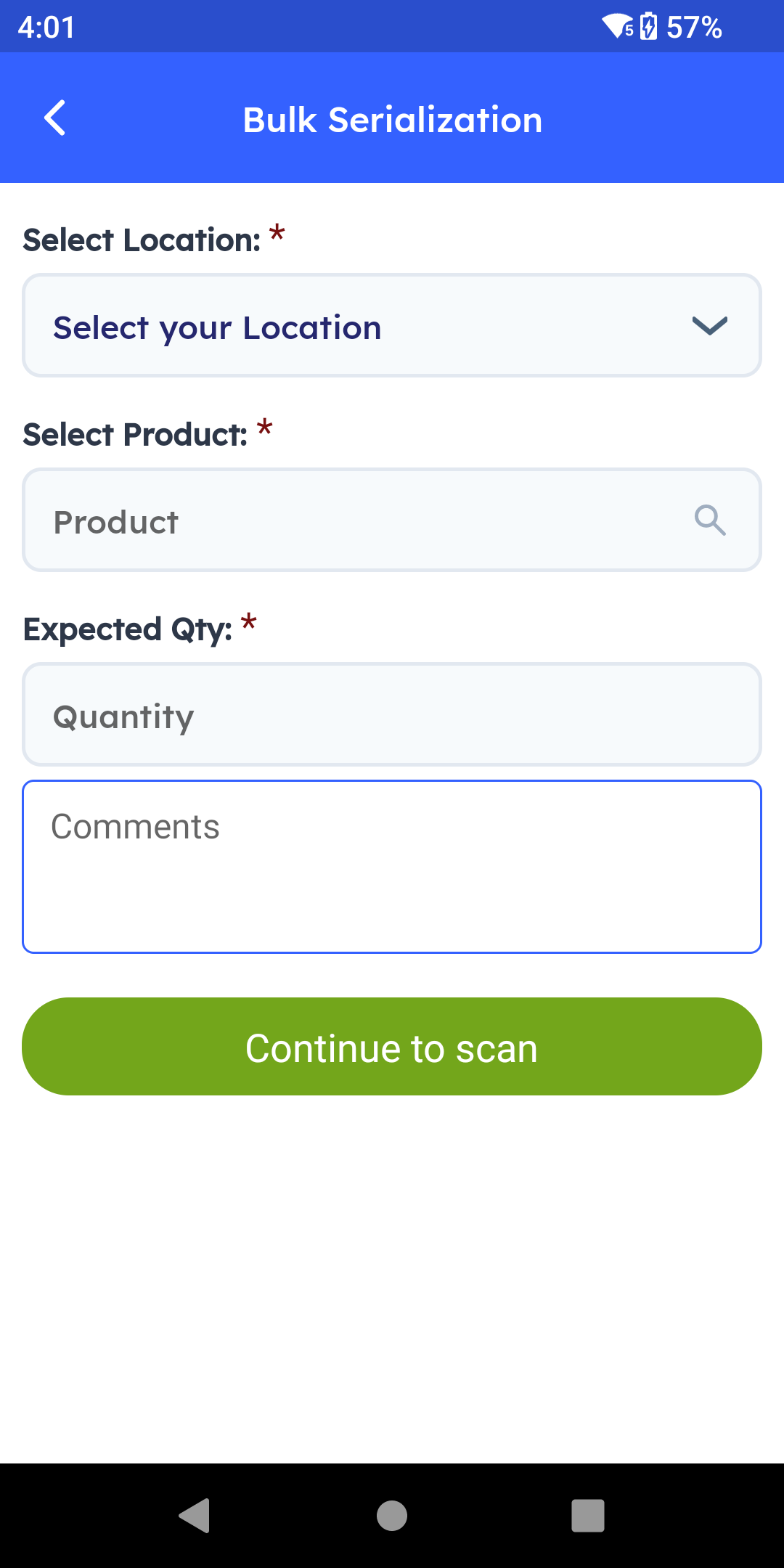
For a full consignment at once — say, 50 identical bangles of the same design and purity — Bulk Serialization takes over. Select the location, the product, and the expected quantity, then continue to scan. Point the handheld RFID scanner at the tray, switch to multi-scan, and every tag is captured. In seconds, even though the pieces look identical, each one now carries its own unique serial number tied to its own purity, gross and net weight, and hallmark certificate. For anything not yet RFID tagged, the same scan screen also supports a quick barcode or QR code scan as a fallback.
Verifying and Locating Inventory
Step 6 – Routine Stock Verification
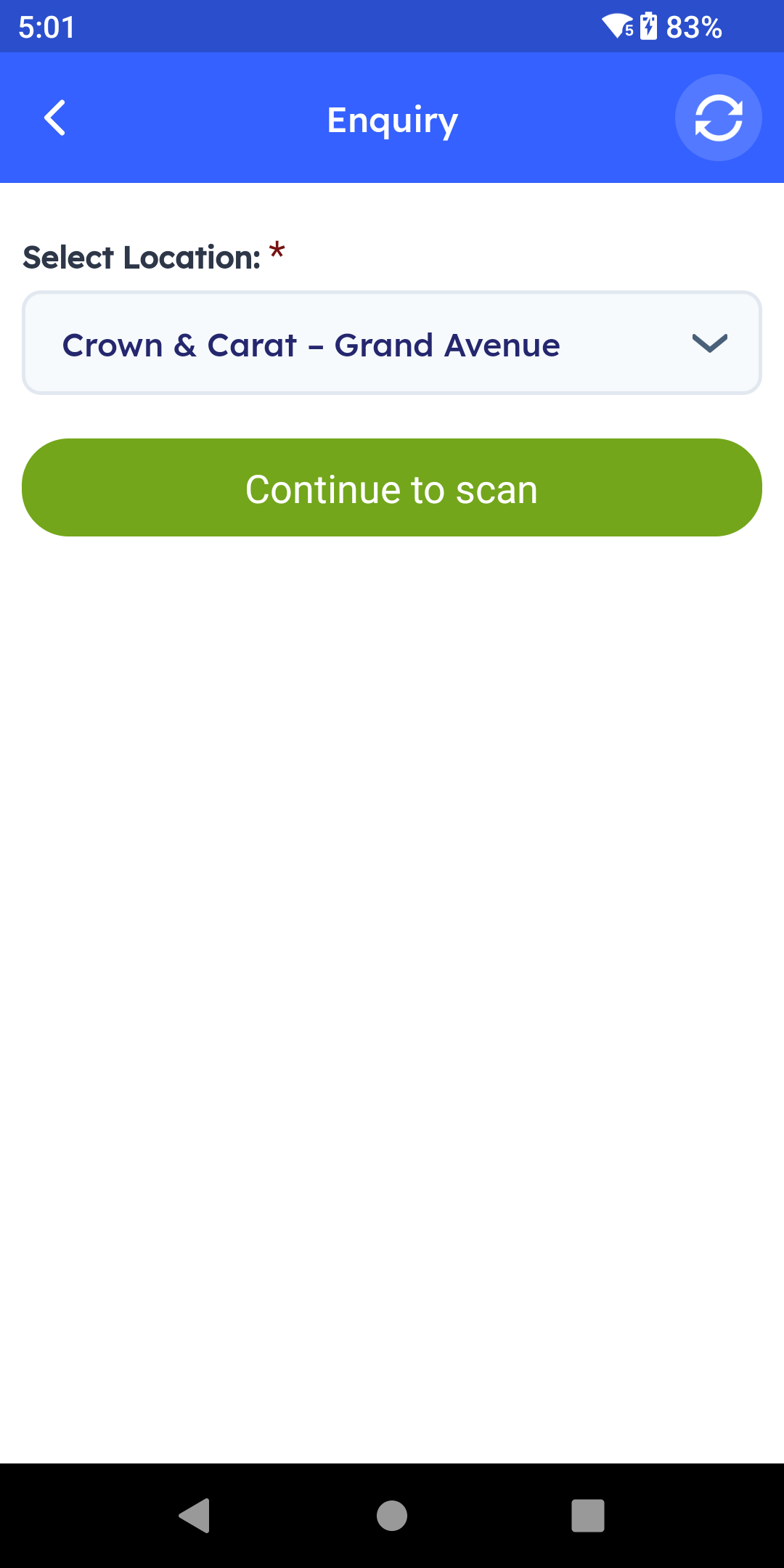
Given the value sitting in every showcase, stock verification isn't occasional here — it's routine. Open Inquiry, select the location, and scan the showcase or vault shelf.
Step 7 – Inventory Count Methods
Instantly see everything on hand, right down to the individual piece and its weight — ideal for an opening or closing count or a surprise audit.
Step 8 – Asset Locator Usage
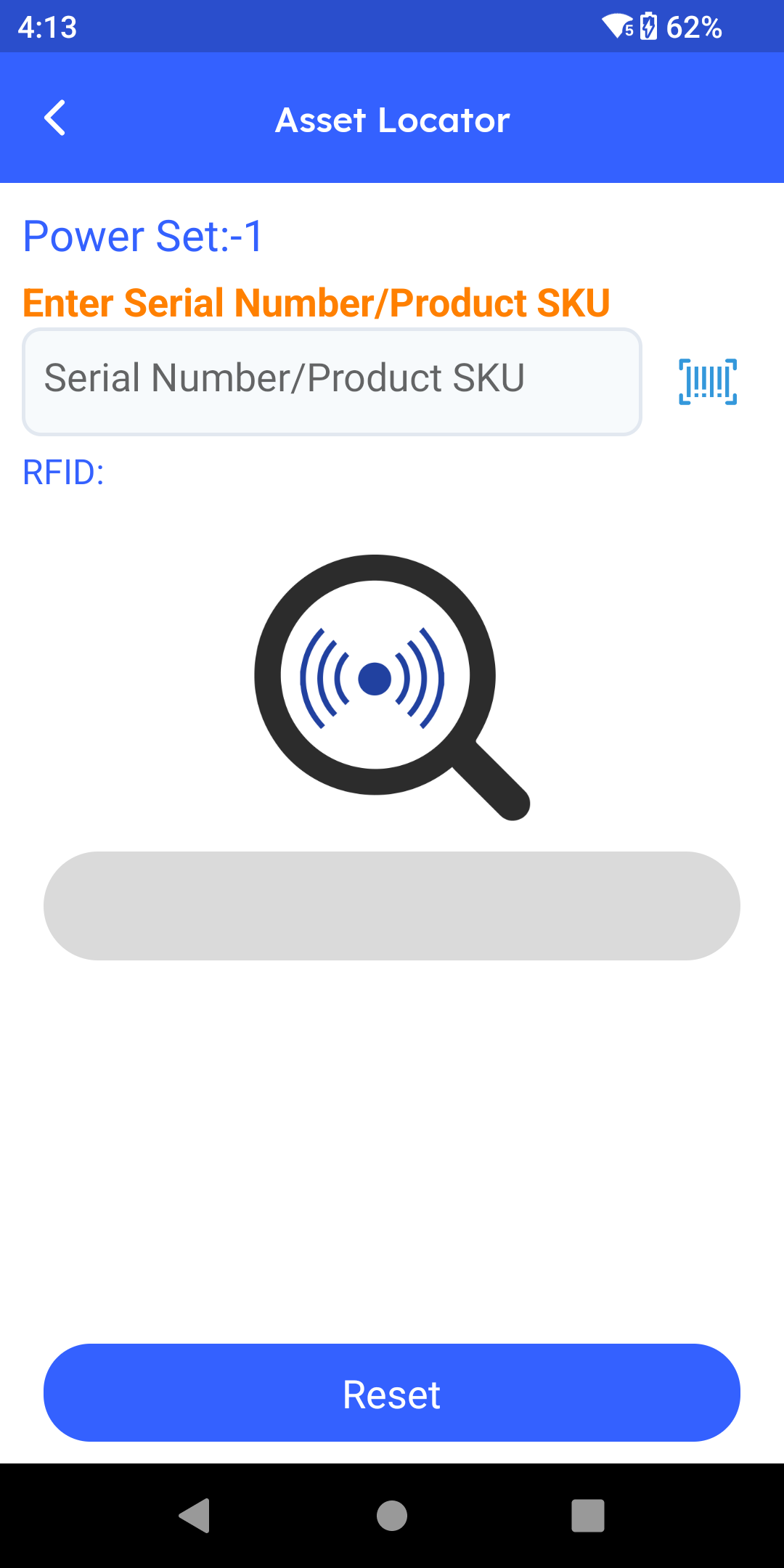
Need one specific piece — a particular 18-carat diamond solitaire a customer wants to see again, or an item named in an insurance claim? That's Asset Locator. Type in the serial number, product SKU, or hallmark reference, or search by RFID, and the app takes you straight to it no matter which showcase or vault shelf it's on.
Moving, Dispatching, and Selling Items
Step 9 – Move Feature for Transfers
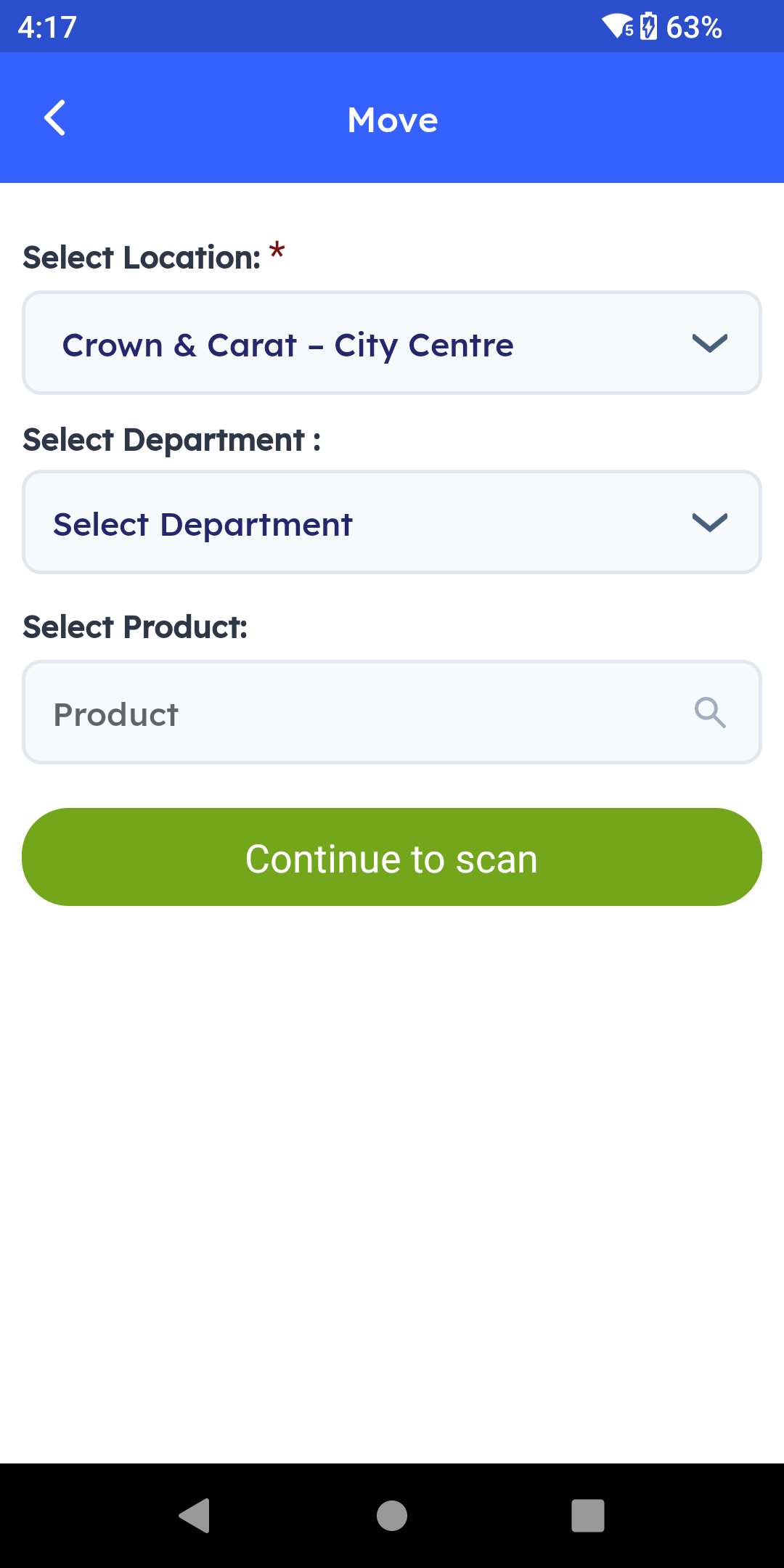
Moving a piece from the showcase to the vault for storage, or between showcases on the floor, is exactly what the Move feature is for. Select the location and department, then scan to confirm. Every movement of high-value stock to the vault shelf is logged with a timestamp and the staff member who moved it.
Step 10 – Dispatch and Receive Tracking
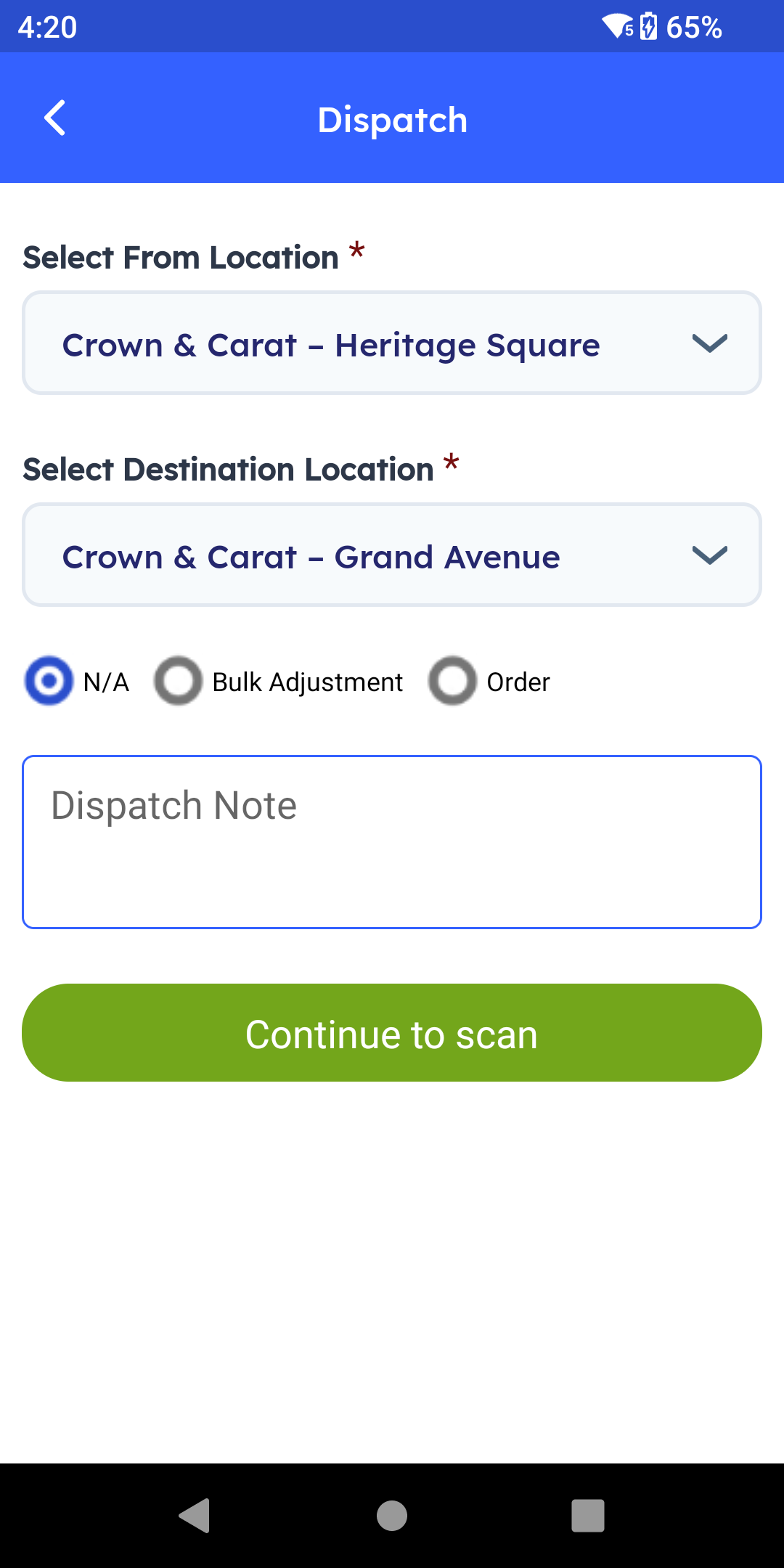
For a multi-branch business, or when a piece needs to go out for polishing, repair, or recertification, Dispatch and Receive give you the same end-to-end tracking.
Step 11 – Dispatch and Receive Workflow
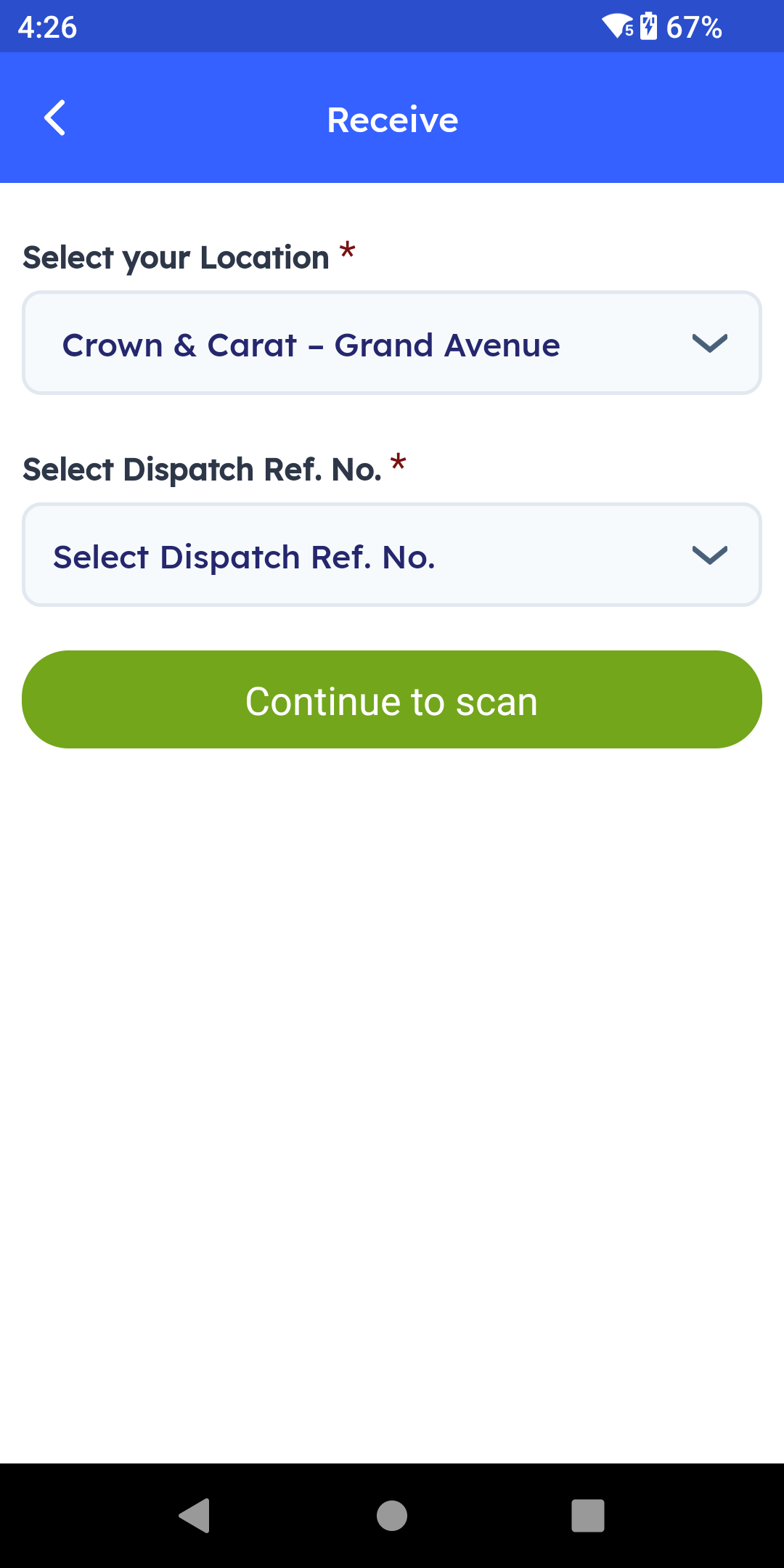
On the sending side, open Dispatch, select the From and Destination locations, add a note if needed, and scan every item going out. On the receiving side — whether that's another branch or a piece coming back from the carrier — select your location, choose the matching dispatch reference number, and scan the incoming pieces to confirm they've arrived. No piece leaves the building without a logged, scannable trail.
Step 12 – Move Out at Sale
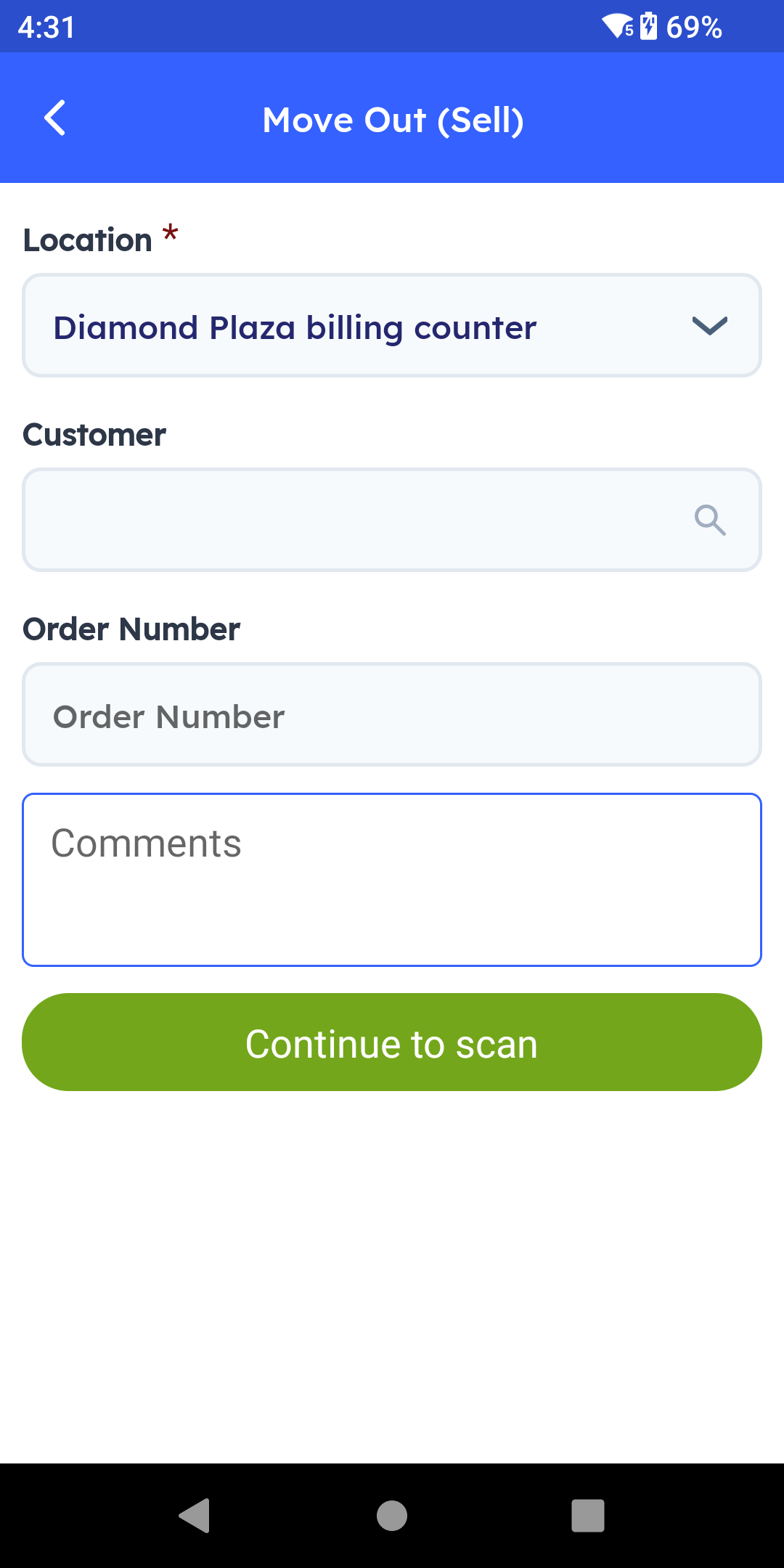
At the moment of sale, use Move Out. Select the location, attach the customer and order invoice number, then place the piece or full set on the scanner. At the billing counter, every tagged item is read at once and confirmed as sold. Stock updates immediately, and the sale is tied directly to the item's exact serial number, purity, and weight — useful for the invoice and for any future warranty or buyback claim.
Step 13 – Exchanges and Returns Process
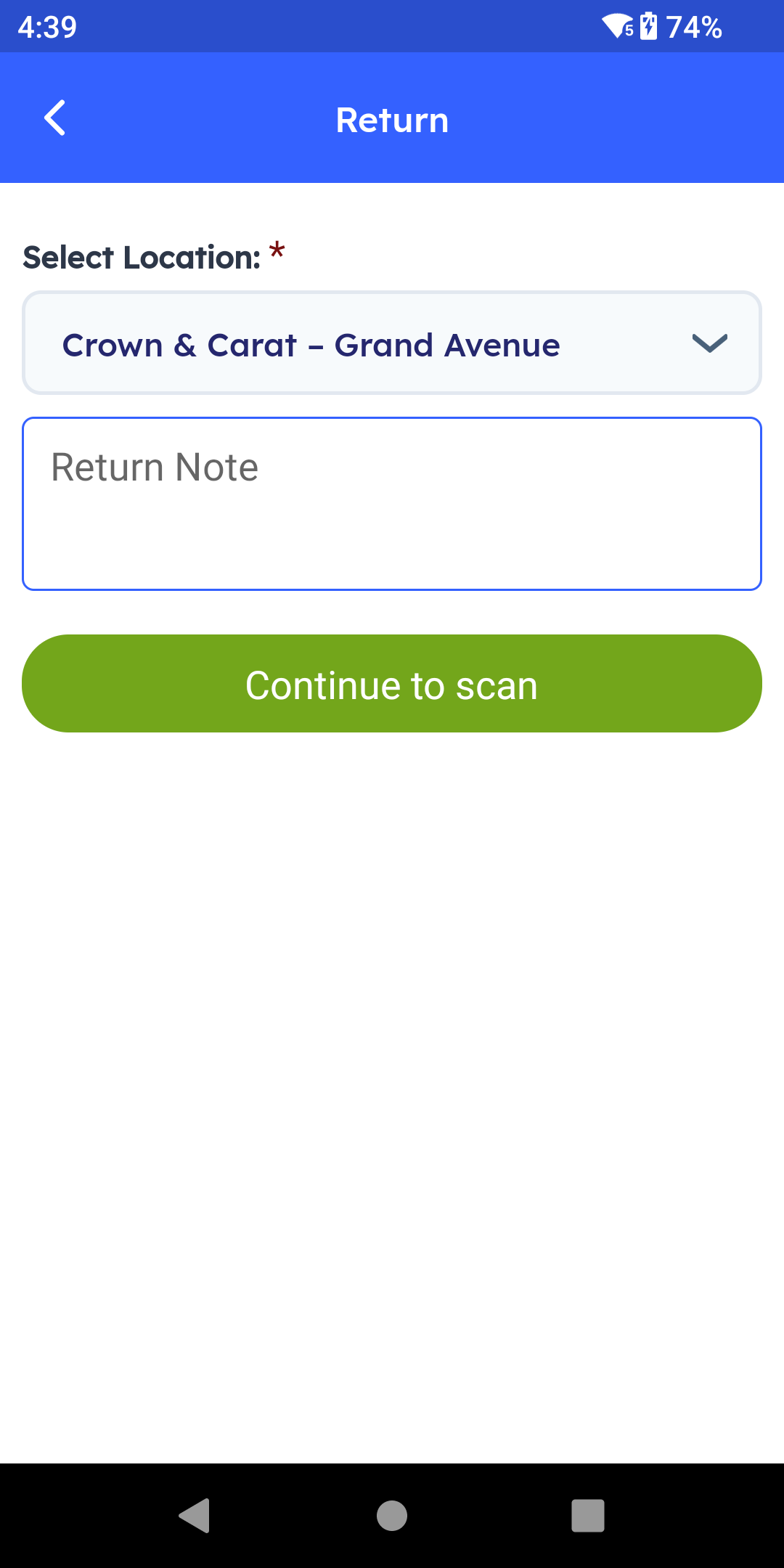
Exchanges and returns are common in jewelry — a size adjustment or a design swap ahead of an occasion. Return brings the piece back into active inventory just as easily. Select the location, add a note if needed, and scan the item back.
Showroom Security and Lifecycle Recap
Step 14 – Showroom Exit Security
Note: This is arguably the most important safeguard for a jewelry business. At the showroom exit, a fixed RFID antenna reads every tagged item passing through in real time. If a piece that hasn't been billed — and is still marked as active inventory — passes through that exit, the system triggers an alarm and a red light at the gate instantly, whether that's a genuine oversight at the counter or something more serious.

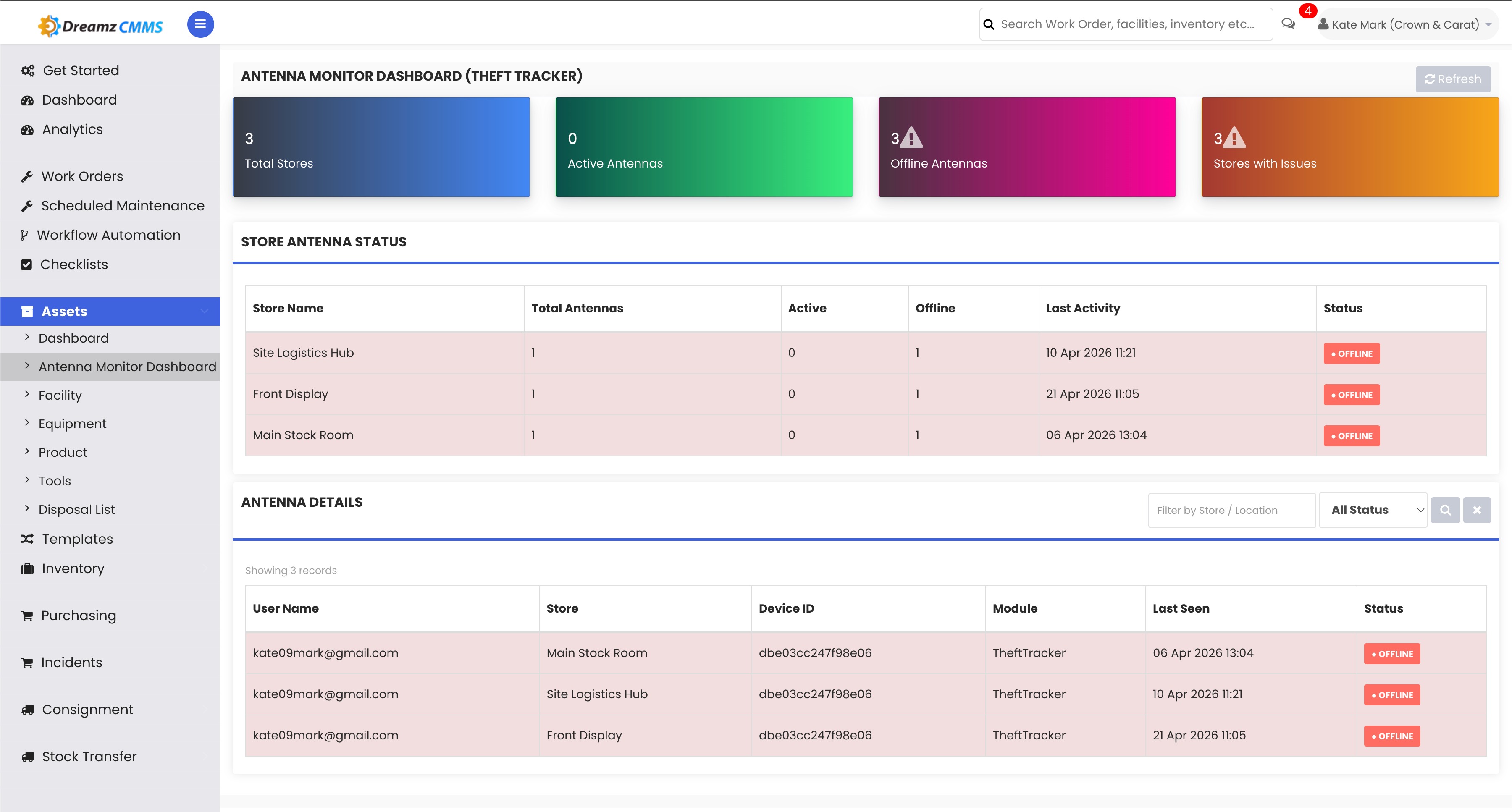
Step 15 – Event Logging and Dashboard
Every triggered event is logged with a timestamp, and the web dashboard lets your team monitor every antenna at every branch in real time.
Step 16 – Unregistering Items
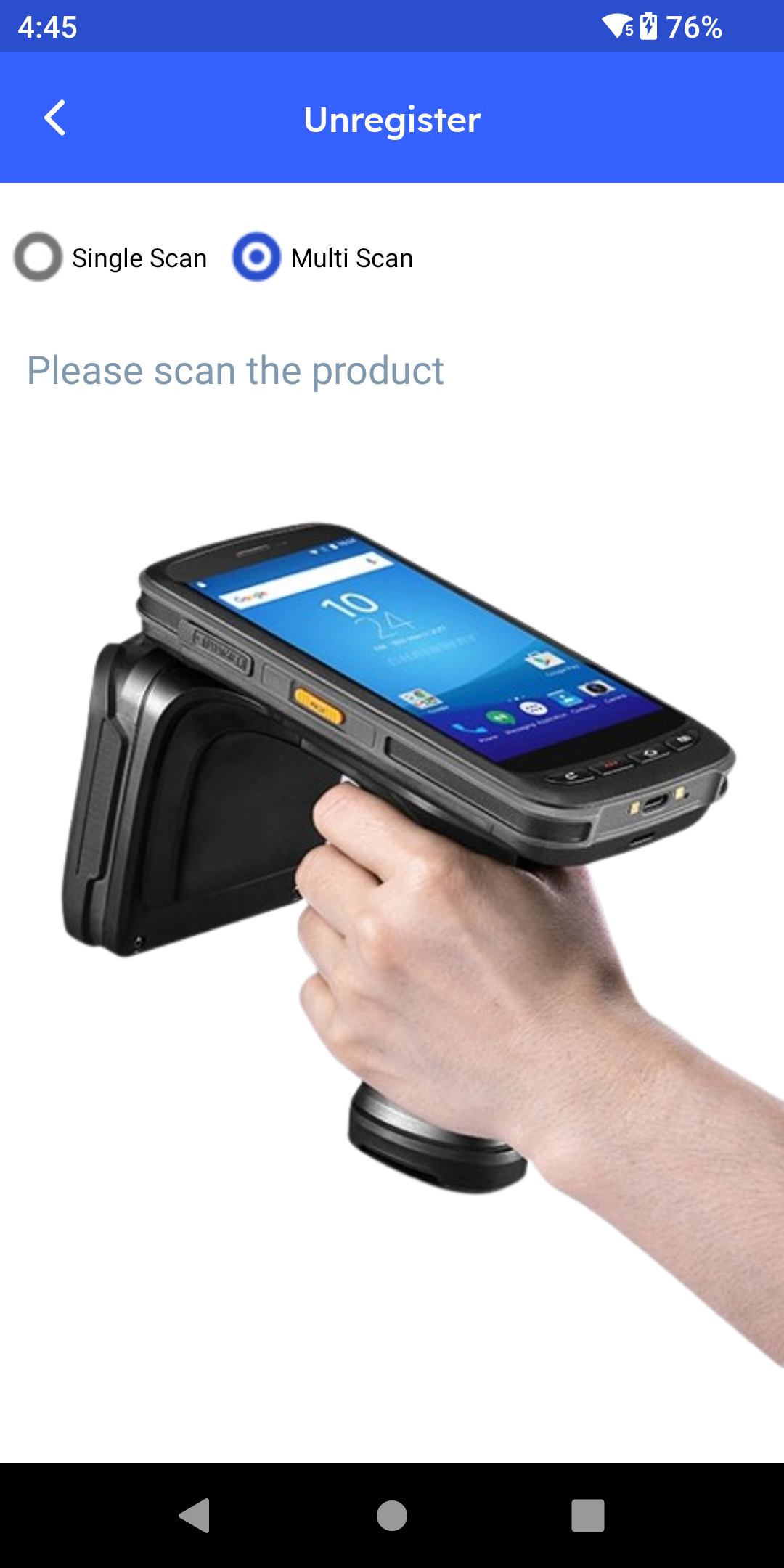
When a piece is sent for melting, returned to a consignment vendor, or permanently written off, Unregister removes it from active inventory with the same quick scan.
Step 17 – Inventory Lifecycle Recap
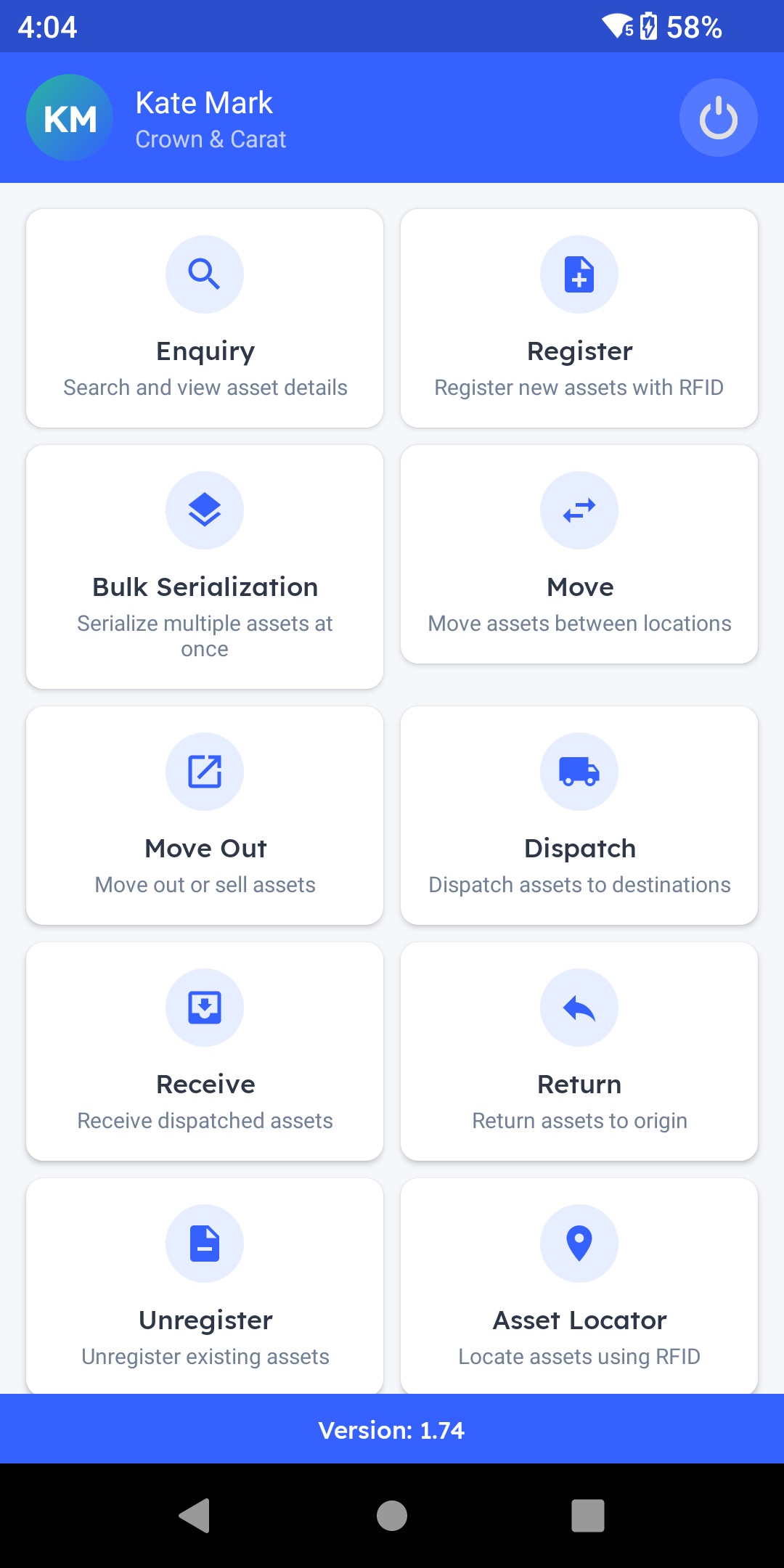
To recap, every piece is tagged through Register and Bulk Serialization, checked instantly through Inquiry and Asset Locator, moved between the vault and showcase through Move, transferred between branches or out to a workshop through Dispatch and Receive, sold through Move Out, and returned or retired through Return and Unregister — backed by fixed readers at the billing counter and the exit for a complete, tamper-proof record of every high-value piece.
Web Portal: Master Data and Monitoring
Step 18 – Web Portal Overview
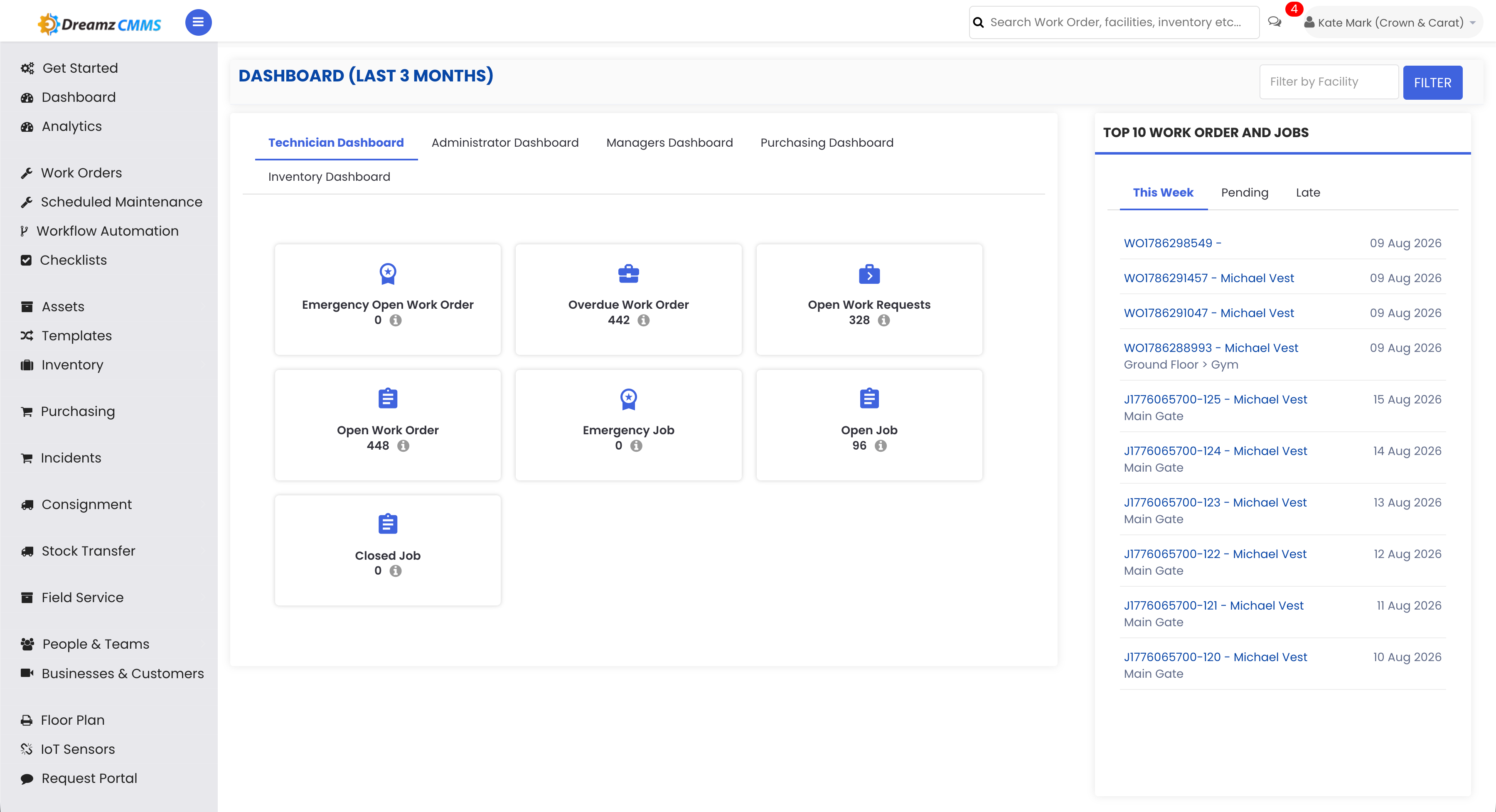
That's the app your showroom and vault team use every day. Switching to the web portal, this is where your management team gets the full picture — everything in the app is backed by master data here in the portal.
Step 19 – Facility Location List
Facility lists every showroom and vault location your business operates.
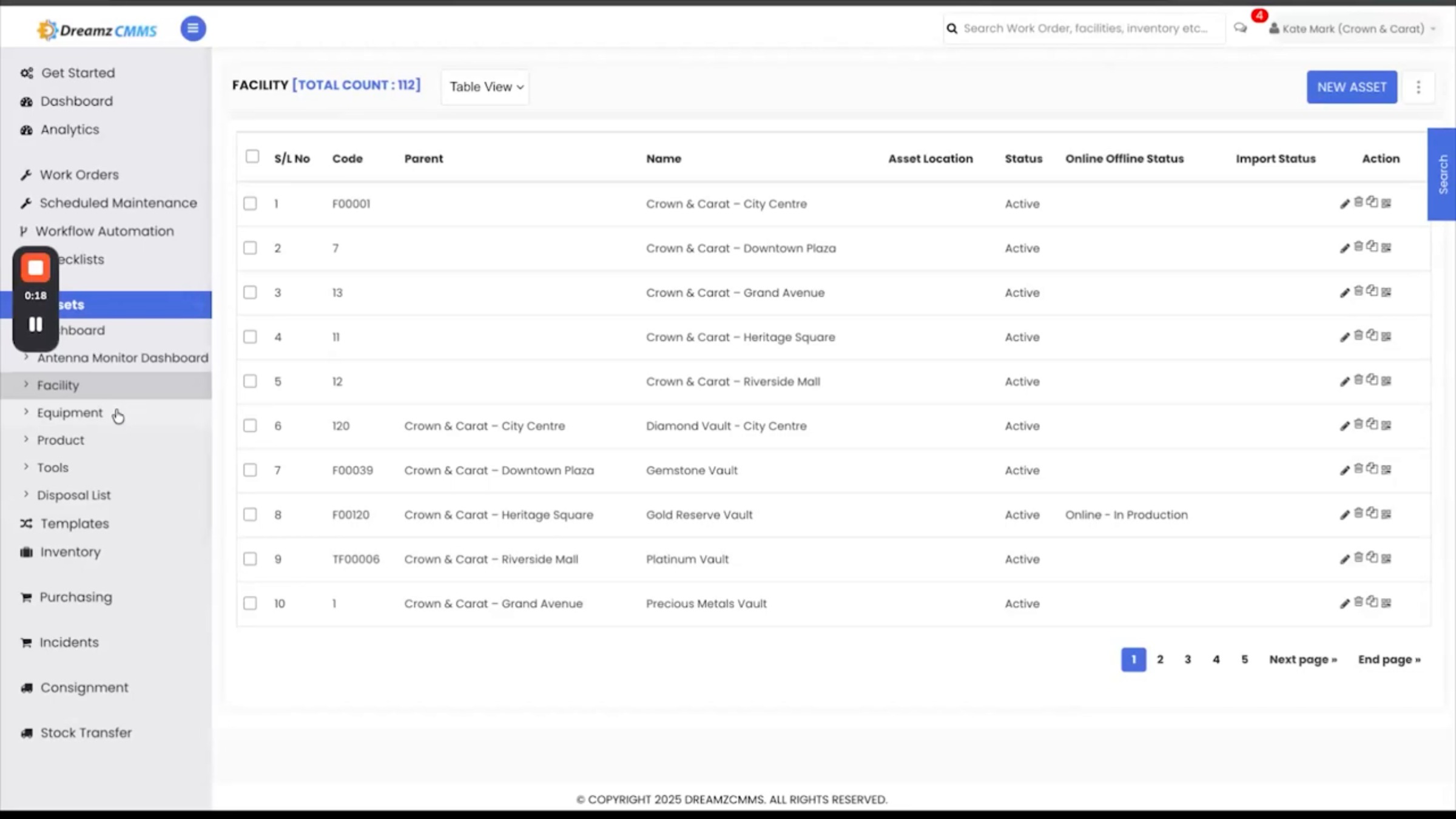
Step 20 – Product Catalog and Equipment
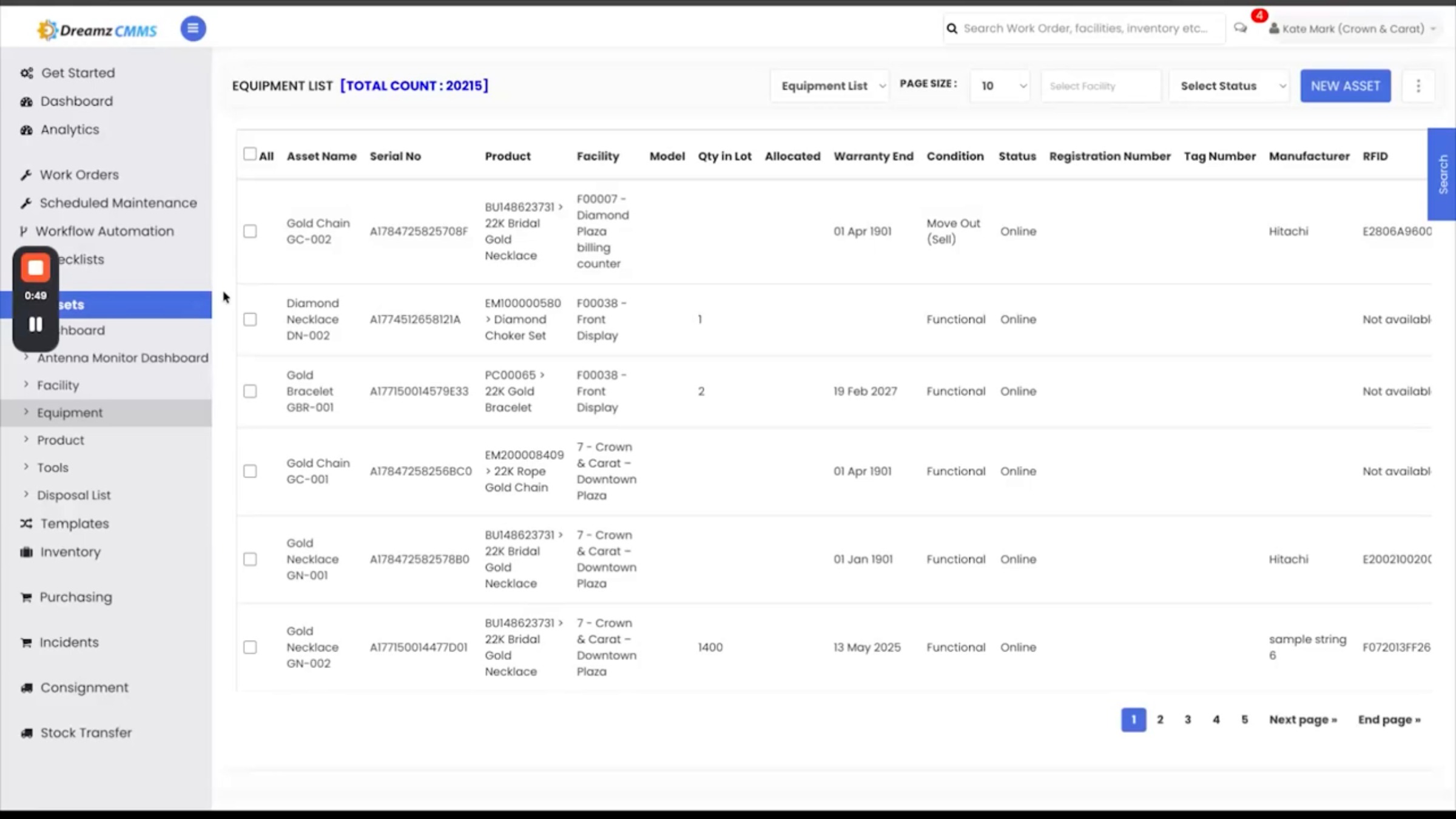
Product holds your full design catalog — metal type, purity, carat, gross and net weight, and stone details for each design. Equipment is the live registry of every individual tagged piece, each with its own serial number, parent design, facility, hallmark certificate, and status.
Step 21 – Antenna Monitor Dashboard
This is where your team monitors it. The Antenna Monitor dashboard shows, at a glance, how many branches are covered, how many antennas are active right now, and which ones have gone out, so a hardware issue at any location never goes unnoticed.
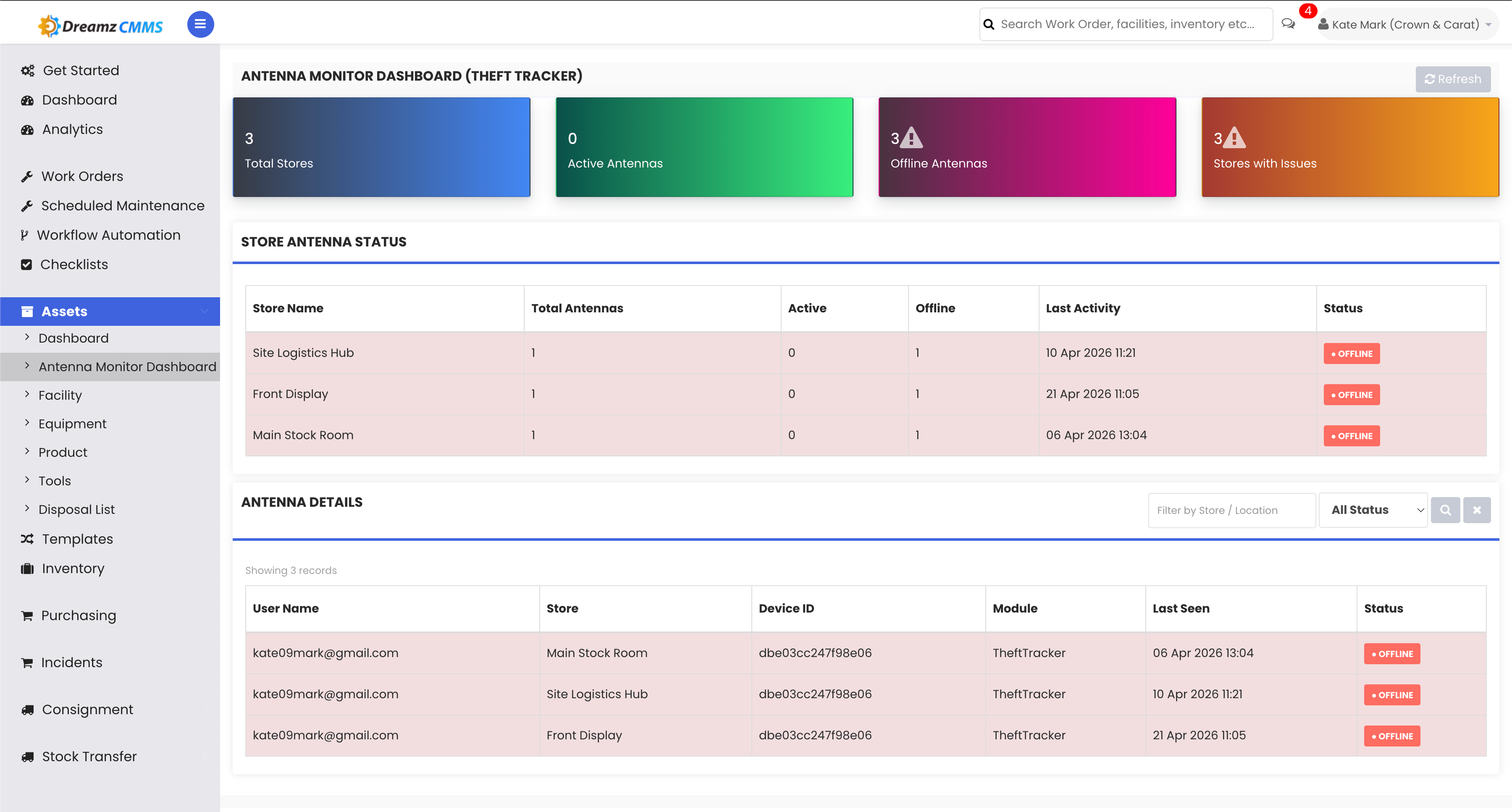
Step 22 – Branch Antenna Status and Reports
Drill into any branch to see its antenna status and last activity. Every action in the app feeds a report here, so nothing happens without a paper trail — for a jewelry business, that's your audit and insurance documentation.
Reports and Audit Trail
Step 23 – Detailed Audit Reports
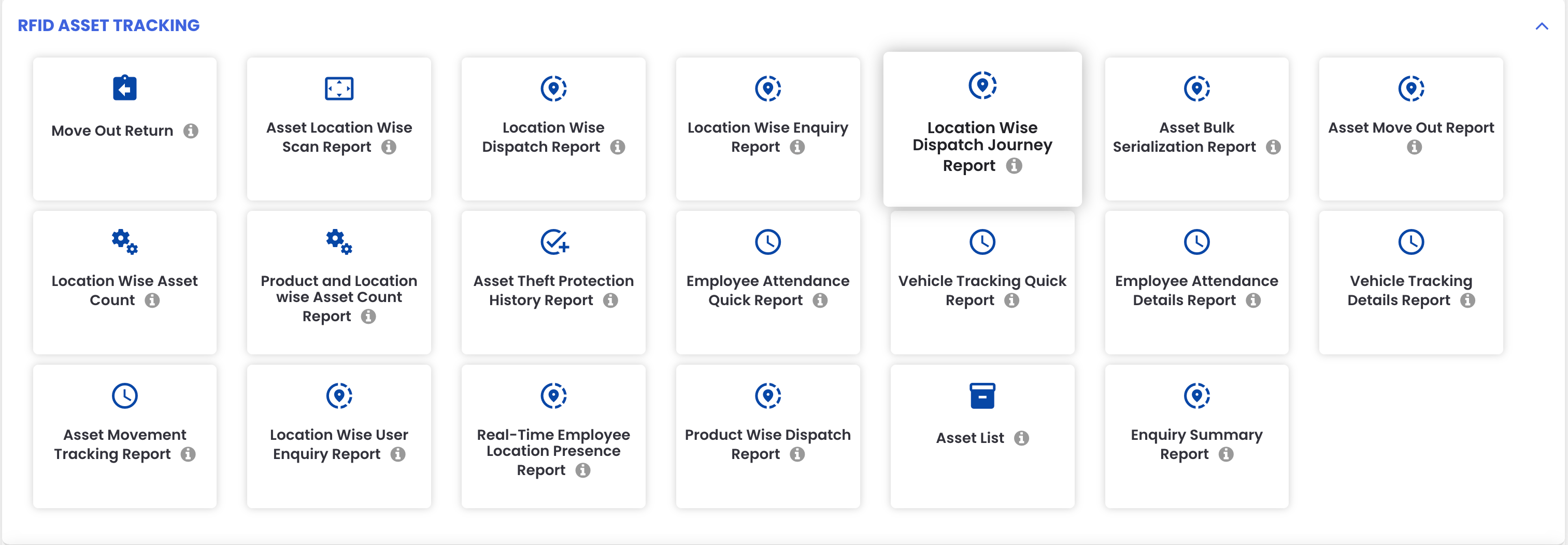
The Facility-Wise Scan Report shows every action and every scan by location, asset counts, successful reads, and anything missing, letting you audit accuracy branch by branch, right down to the vault or showcase. For transfers, the Location-Wise Dispatch Report and the Facility-Wise Dispatch Journey Report both track every movement end-to-end — what left the vault or branch, what arrived, and any mismatch flagged automatically for follow-up, whether that's a branch transfer or a workshop send-out. For stock checks, the Location-Wise Inquiry Report and Inquiry Summary Report roll up every inquiry across all branches: valid assets, missing assets, and anything unexpected showing up where it shouldn't.
Step 24 – Sales Audit and Export
The Asset Move Out report is your full sales audit trail, showing every piece sold, by whom and when, right down to the serial number, purity, and weight. All of these reports can be exported to Excel or PDF, with a dedicated SAP export available for dispatches.
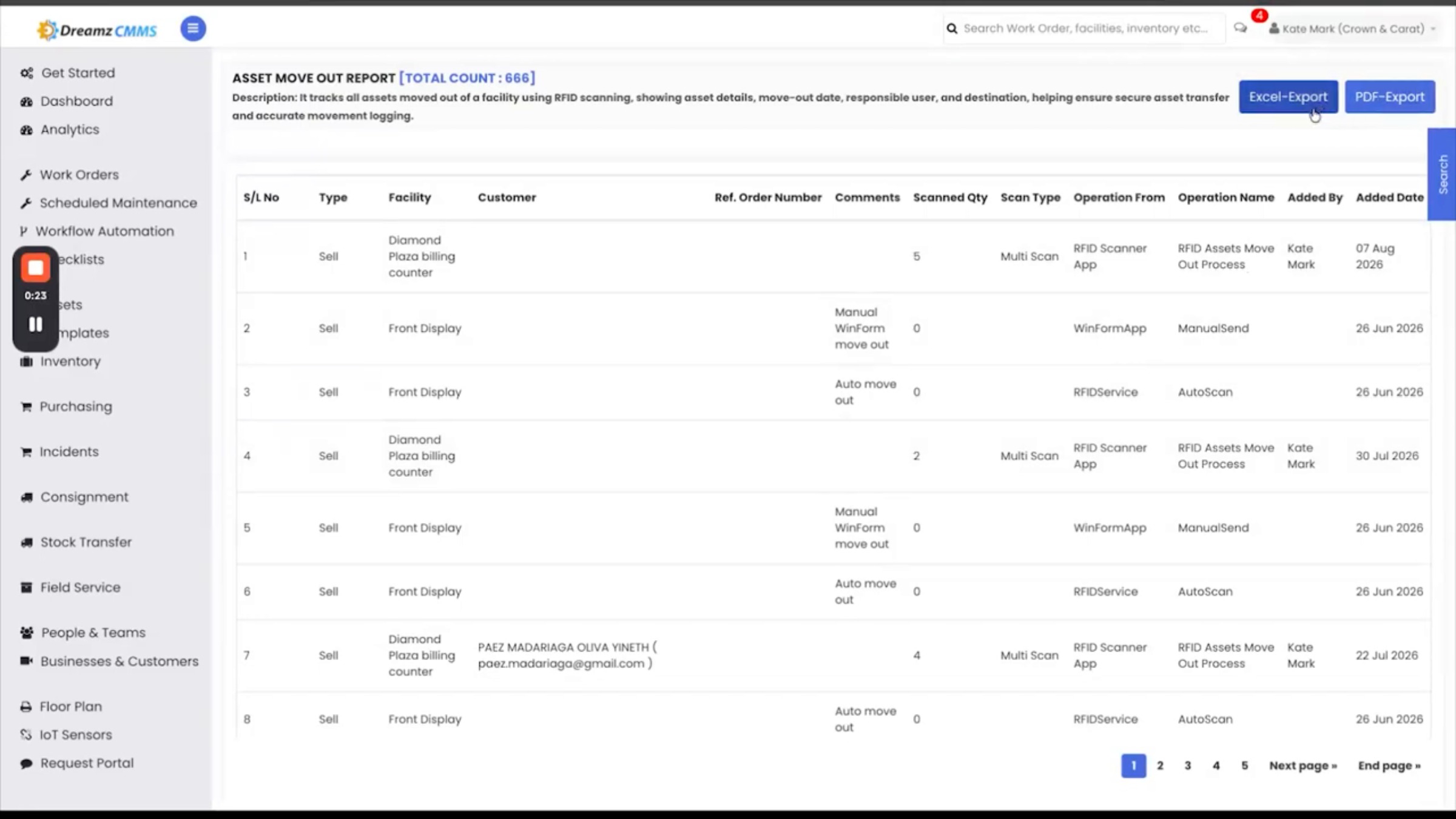
Step 25 – Complete Tamper-Proof Record
Between the app on the showroom floor and in the vault, and this portal in the office, you get a complete, tamper-proof record of every piece from the day it arrives to the day it's sold. That's the full DreamzCMMSRFID platform. If you'd like your team walked through a live, hands-on session, DreamzTech is happy to set that up.
After Setup — What's Next?
With every piece tagged and every antenna covering the billing counter and exit, DreamzCMMSRFID gives you a live, tamper-proof record of your jewelry inventory from arrival to sale. Once your rollout is complete, you can:
- Schedule routine stock verification using Inquiry so counts stay current between opening, closing, and surprise audits.
- Check the Antenna Monitor dashboard regularly so a hardware issue at any branch is caught quickly.
- Export sales and dispatch reports to Excel, PDF, or SAP as part of your regular audit and insurance documentation.
Ready to see DreamzCMMSRFID for jewelry inventory in action? Contact DreamzTech to schedule a personalized demonstration.
Tips for Showroom and Vault Teams
- Use Bulk Serialization for identical-design consignments instead of registering each piece one at a time — it's built for exactly that.
- Reach for Asset Locator whenever a customer or insurance claim needs one specific piece found fast, rather than searching showcase by showcase.
- Always confirm a dispatch reference number on the receiving end so incoming pieces reconcile cleanly with what was sent.
- Treat any showroom exit alarm as an immediate priority — it's your primary safeguard against unbilled stock leaving the building.
Frequently Asked Questions
What happens if an item leaves the showroom without being billed?
The fixed RFID antenna at the showroom exit detects any tagged item still marked as active inventory and triggers an alarm and red light at the gate instantly.
How do I tag a large consignment of identical pieces at once?
Use Bulk Serialization: select the location, product, and expected quantity, then multi-scan the tray so each piece gets its own serial number tied to its individual purity, weight, and hallmark.
Can I track a piece sent out for repair or recertification?
Yes. Dispatch and Receive give you end-to-end tracking for any piece leaving for polishing, repair, or recertification, with a logged, scannable trail on both the sending and receiving ends.
How do I confirm a report is accurate across multiple branches?
The Facility-Wise Scan Report and Location-Wise Inquiry Report roll up asset counts, successful reads, and any missing or unexpected items branch by branch, flagging mismatches automatically for follow-up.
Related Articles
- Registering and Serializing Jewelry Items in DreamzCMMSRFID
- Setting Up Facilities, Products, and Equipment Records
- Monitoring Antennas and Exporting Audit Reports
- Create and Manage Work Orders