RFID-Based User Check-In and Check-Out with DreamzCMMS RFID
Keeping track of who and what is on site — every employee, every vehicle, every time — is hard to do reliably with badges, sign-in sheets, or manual gate checks. DreamzCMMSRFID replaces all of that with hands-free RFID scanning, giving any organization, whether it runs one site or fifty, a fully automatic, tamper-proof record of every check-in and check-out.
Overview
DreamzCMMSRFID works in two parts. The mobile app is what your gate and front desk teams use every day — registering employees and vehicles, linking RFID tags to their profiles, and running automatic, hands-free attendance at the gate with no manual checking or proxy check-ins possible. The web portal is where your management team gets the full picture: every scan from the app feeds facility lists and detailed reports, including quick and detailed attendance reports for both employees and vehicles, and a real-time report showing exactly who's on site right now. Together, the app and portal provide a complete, tamper-proof record of everyone who comes through your doors.
Here is a reference video:
Before You Begin
- You must have access to DreamzCMMSRFID, including the mobile app for gate and front desk staff and the web portal for management and reporting.
- Employees and vehicles must be issued RFID tags before they can be registered and tracked in the system.
- Fixed RFID antennas should already be installed at your gate or entrance for automatic, hands-free check-in and check-out to work.
Mobile App: Tracking Users and Vehicles at the Gate
Step 1 – DreamzCMMSRFID Overview
This walkthrough covers the actual DreamzCMMSRFID app and portal, showing how any organization — whether running one site or fifty — uses it to keep every employee and every vehicle accounted for. That includes looking someone up and registering them, hands-free check-in and check-out at the gate, and the same automatic tracking for every vehicle that comes on site.
Step 2 – DreamzCMMSRFID Platform Introduction
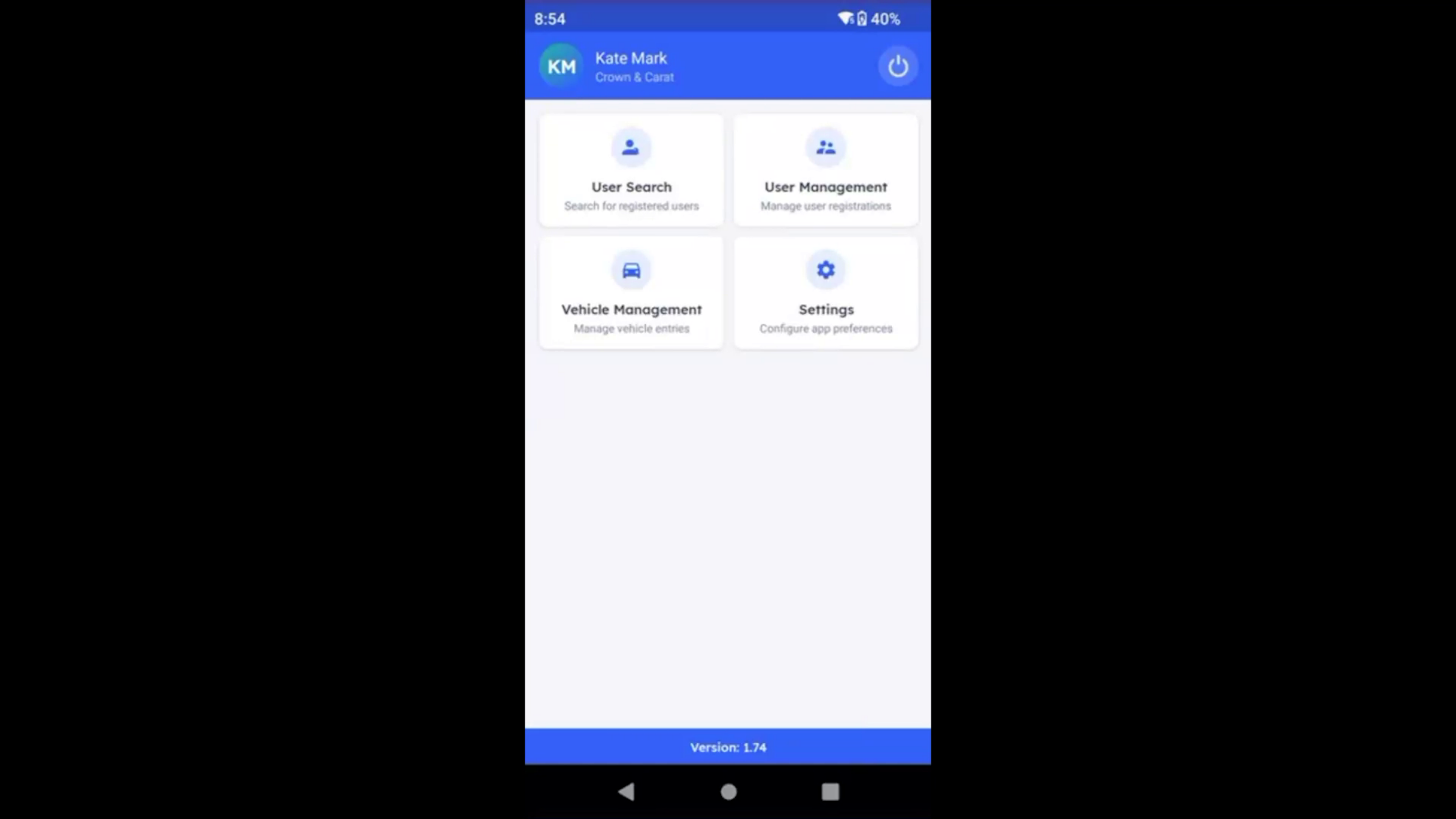
This is DreamzCMMSRFID, the platform your team uses every day.
Step 3 – User Management Features Explained
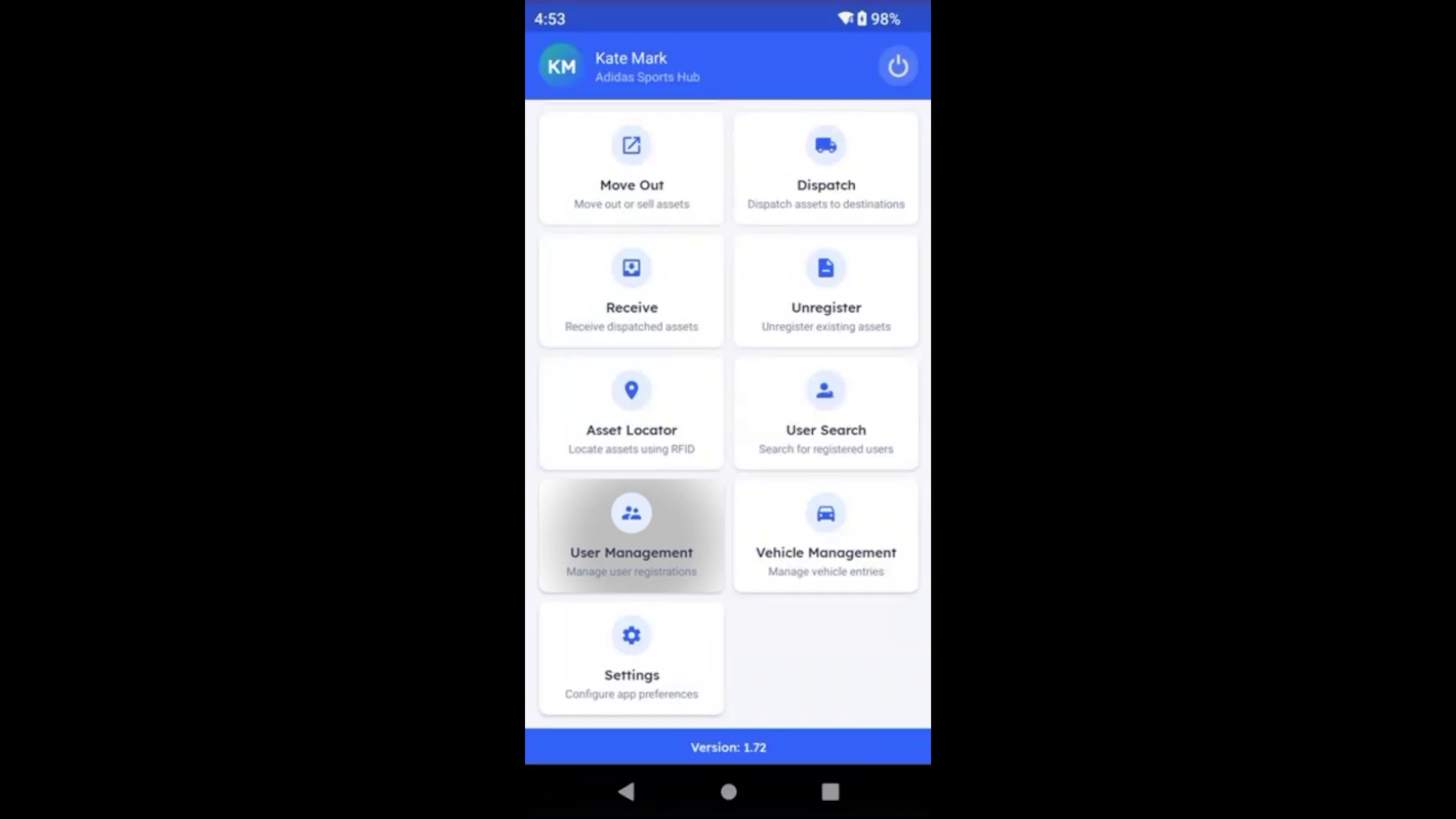
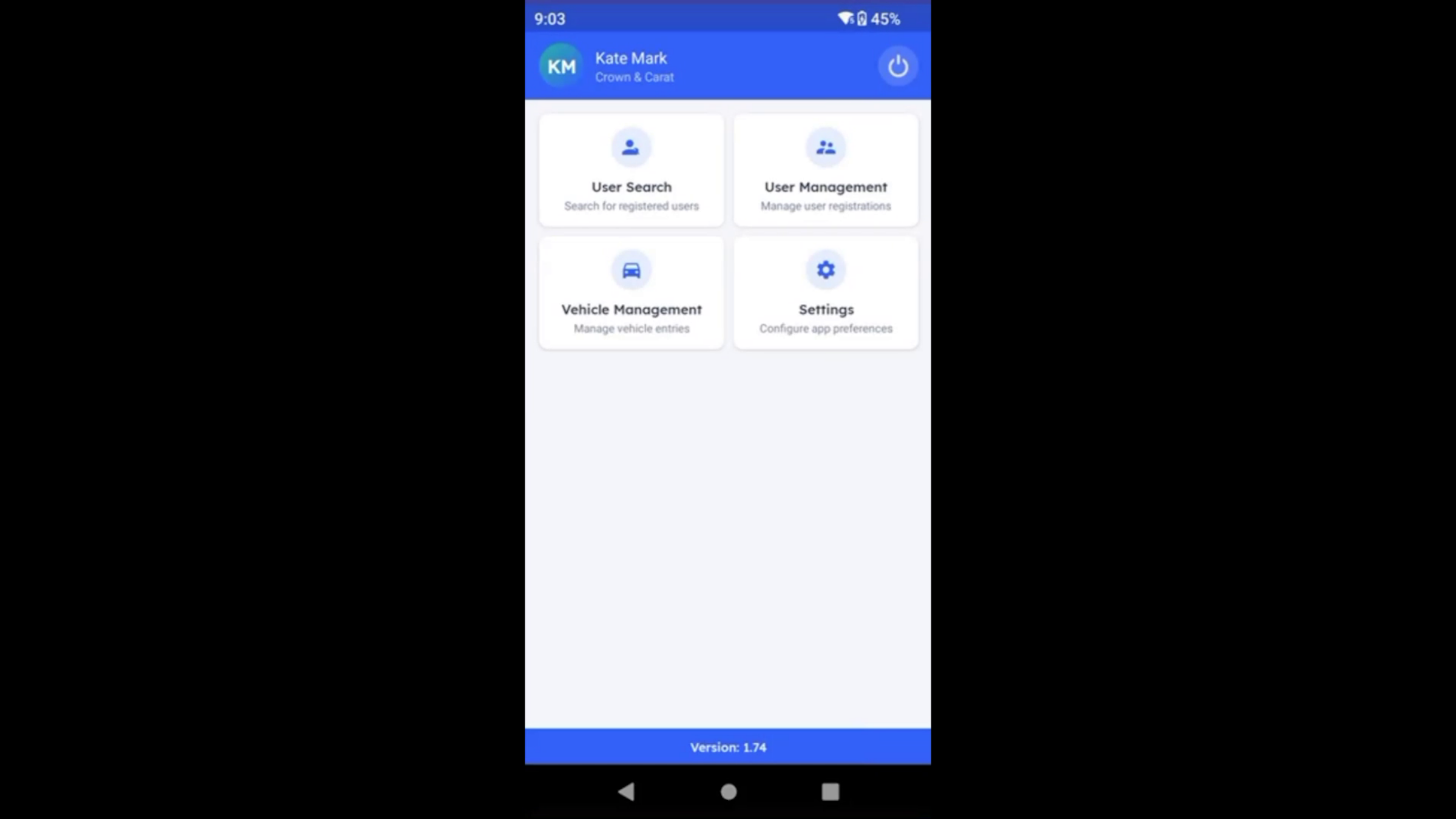
User management handles your people with three quick options. User Register signs someone up for the first time — select the person and scan their RFID tag to link it to their profile. User Attendance is what runs at the gate: start it, and every registered person passing through is automatically logged in or out, with no manual checking needed. User Unregister removes that link with the same quick scan. To find one specific person fast, use User Search — type in the employee ID and the app takes you straight to their registration details.
Step 4 – Automatic Employee Attendance Tracking
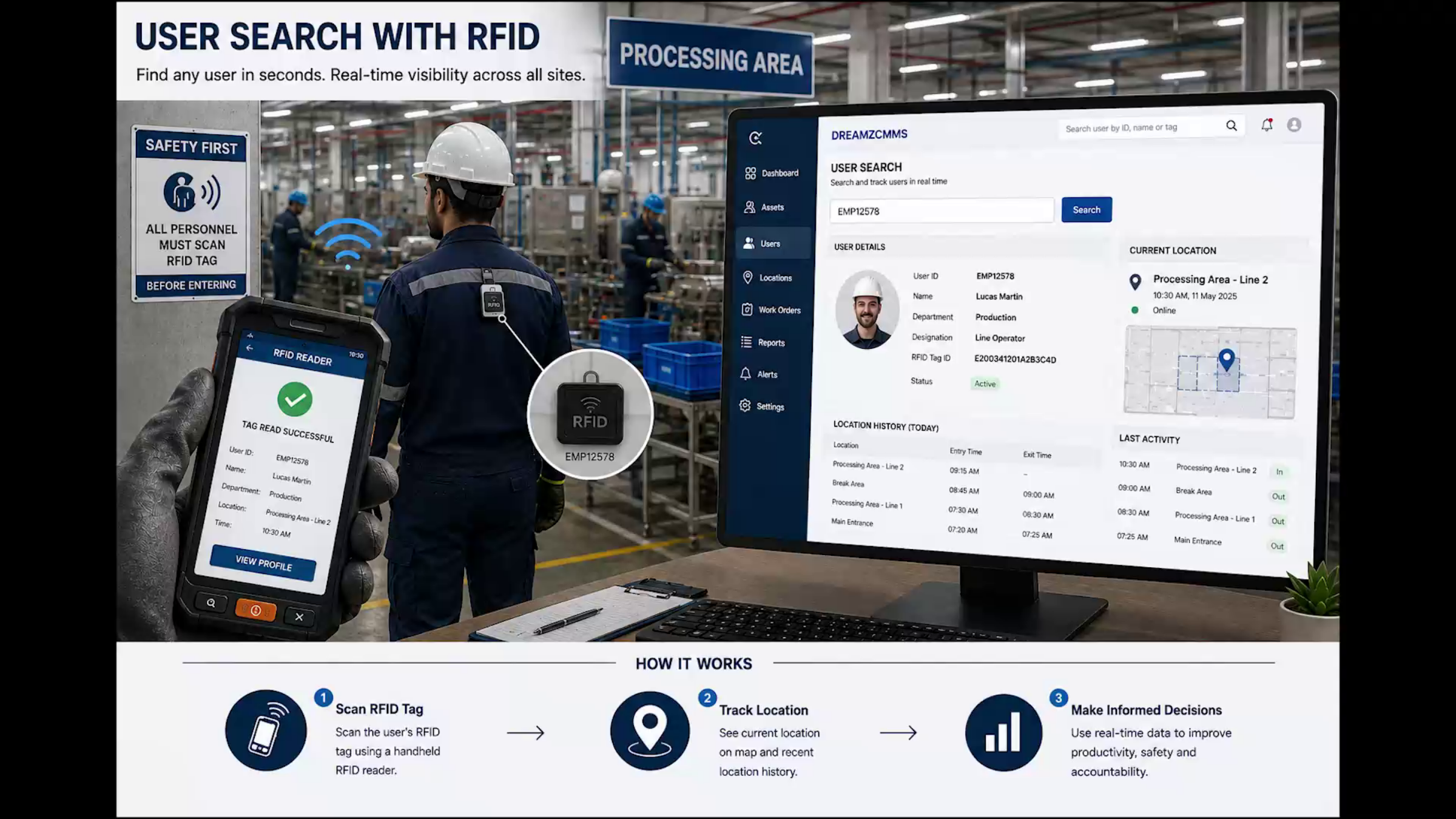
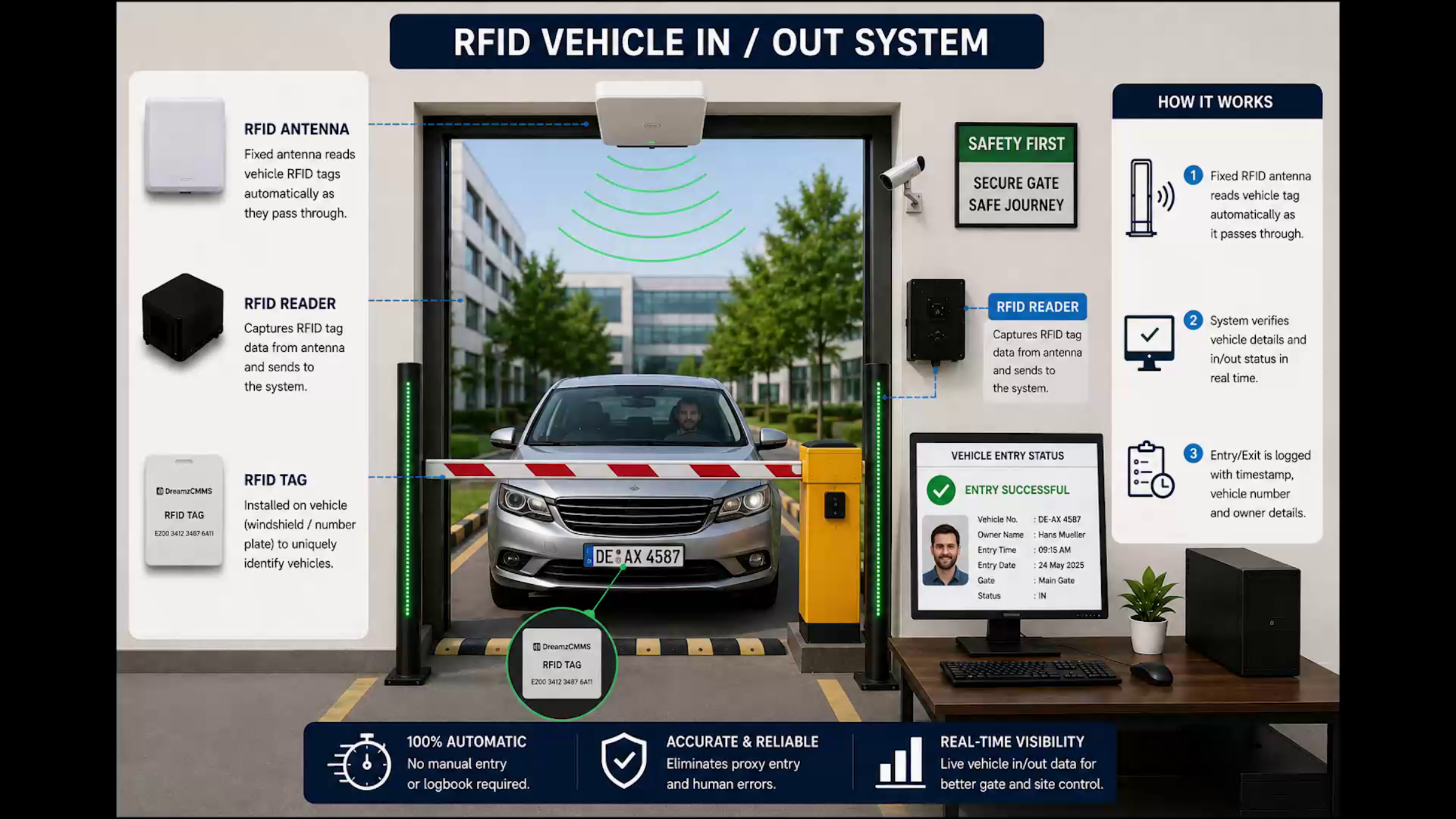
Note: Attendance tracking doesn't stop at the handheld device. At the entrance, a fixed RFID antenna reads every employee's tag automatically as they walk through — no badge required. The reader captures the tag and sends it straight to the system, which confirms the check-in or check-out in real time, down to the employee, department, and timestamp. Because the scan relies on the employee's own tag, proxy check-ins for someone else aren't possible, and there's no manual entry or attendance sheets to maintain.
Step 5 – Vehicle Registration and Tracking
Scan any vehicle to pull up its full registration record, including the owner and serial number. Vehicles get the same automatic treatment at the gate: a fixed RFID antenna reads the vehicle's tag as it passes through the barrier, sends the data straight to the system, and within seconds the vehicle is detected. Its details and in-out status are verified and logged — vehicle number, owner, gate, and timestamp — all without anyone stepping out of the car.
Step 6 – Summary of User and Vehicle Tracking
Every employee is tracked from User Search and User Management through to hands-free automatic check-in and check-out at the gate, and every vehicle gets the same treatment through vehicle management and automatic gate-in and gate-out. That means you always know exactly who and what is on site, and when — this is the app your gate and front desk teams use every day.
Web Portal: Master Data and Reporting
Step 7 – Web Portal Management Introduction
Switching to the web portal, this is where your management team gets the full picture — everything in the app is backed by master data here in the portal.
Step 8 – Facility Lists and Reporting Overview
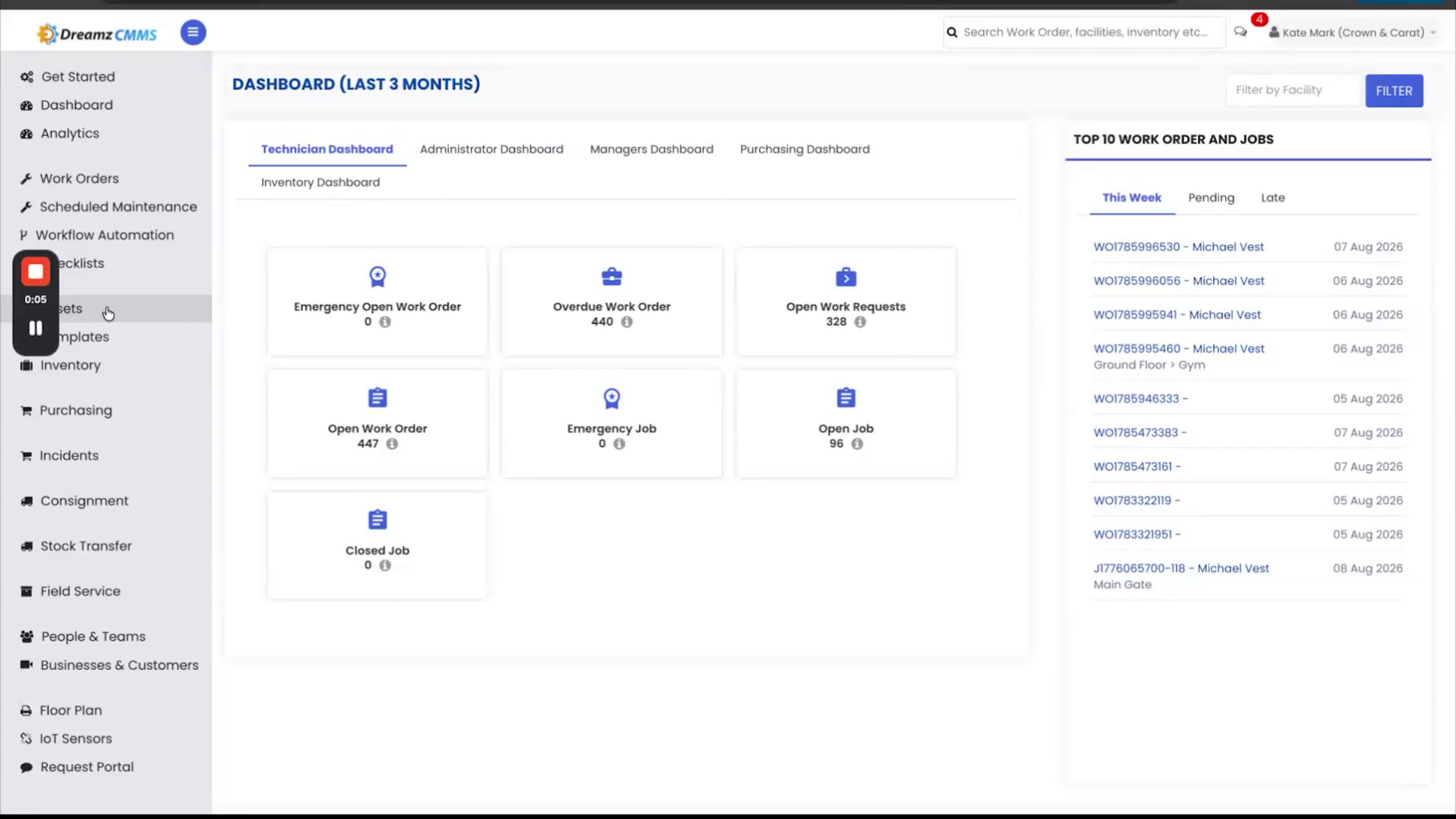
The Facility list shows every location your business operates. Every action in the app feeds a report here, so nothing happens without a paper trail.
Step 9 – Employee and Vehicle Attendance Reports
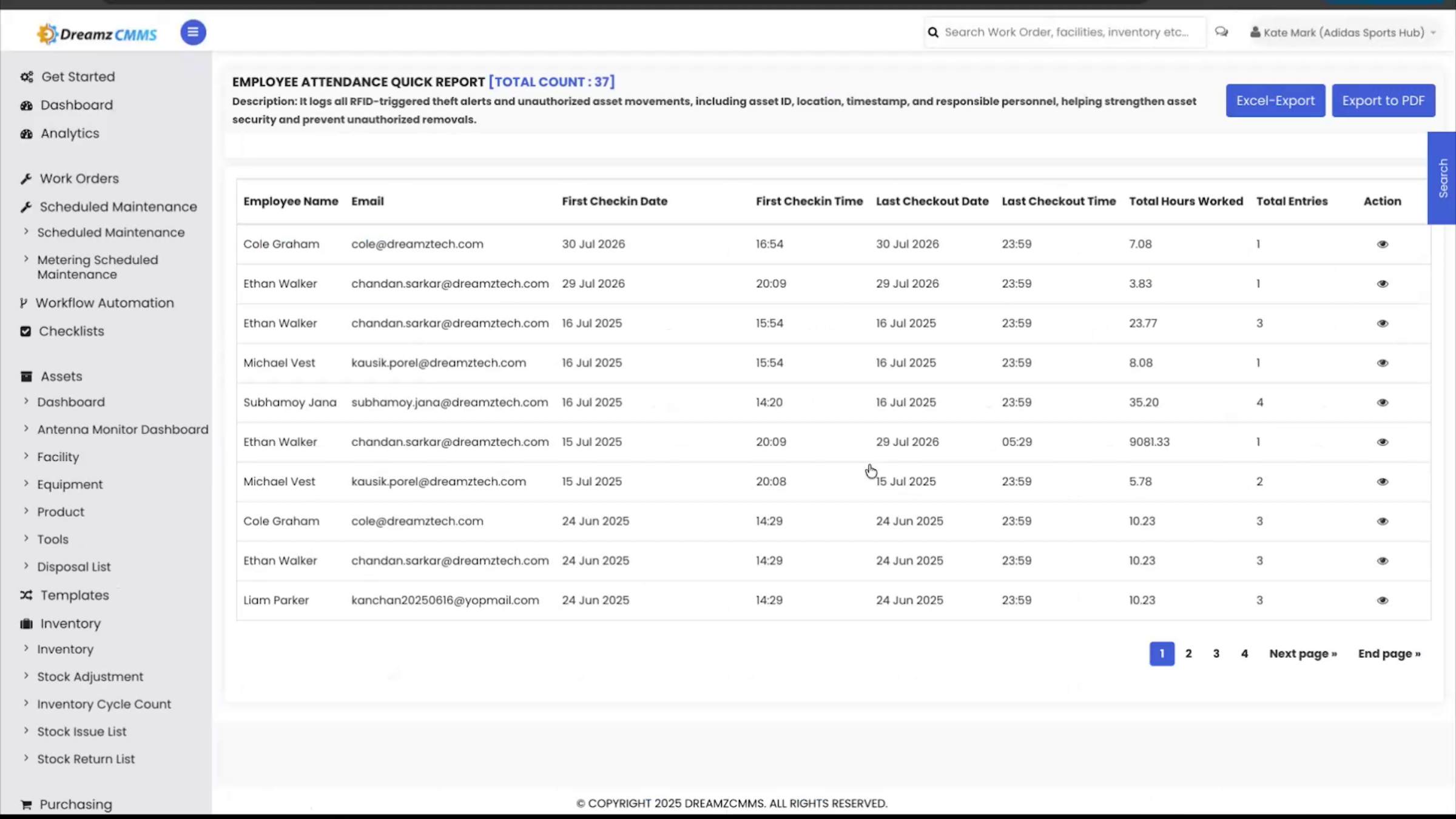
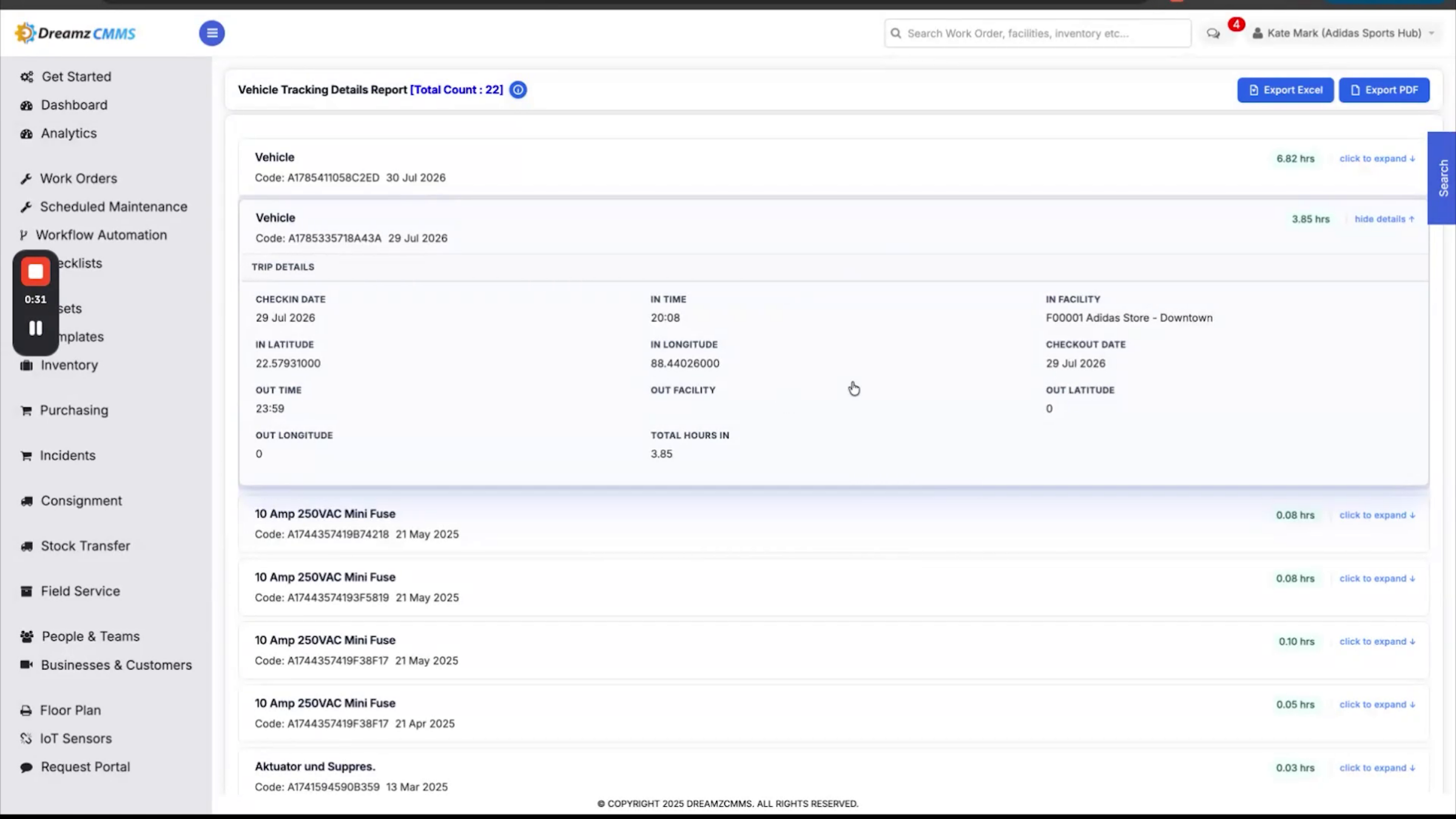
For your people, the Employee Attendance Quick Report rolls up each employee's first check-in, last checkout, and total hours worked per day, while the Employee Attendance Details Report lists every individual in-out event, down to the gate and GPS location, for a full history. Vehicles get the same two-tier view: the Vehicle Tracking Quick Report shows total hours on site with first-in and last-out times, and the Vehicle Tracking Details Report breaks down every entry and exit trip in full, including the facility and coordinates for each scan.
Step 10 – Real-Time Employee Facility Report
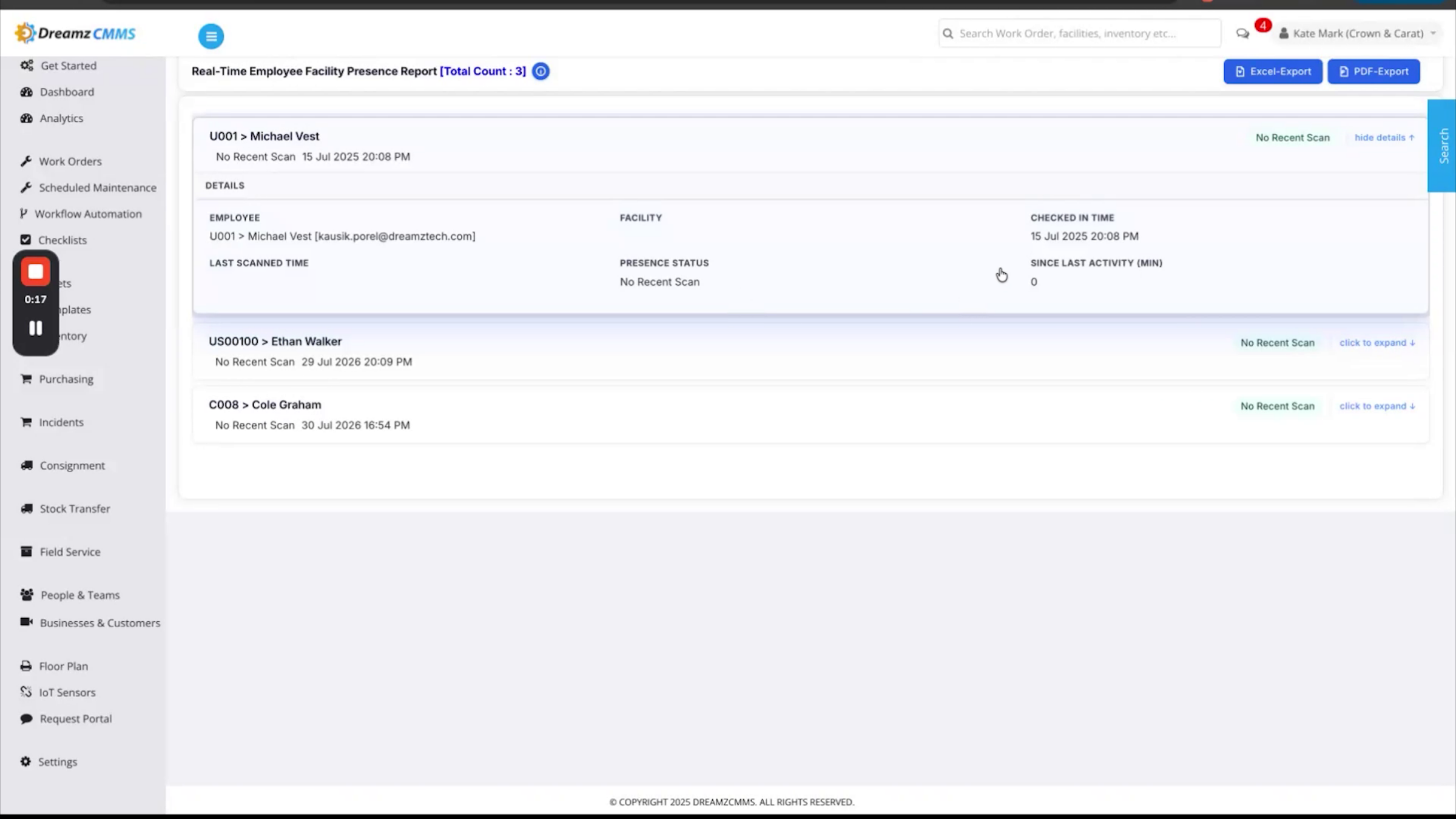
For a life-safety check, the Real-Time Employee Facility Report shows exactly who's on site right now, their last scan location, and how long it's been since their last activity.
Step 11 – Tamper-Proof Record Benefits
Together, the app on site and the portal in the office provide a complete, tamper-proof record of every person and vehicle that comes through your doors, from the moment they check in to the moment they leave.
Step 12 – DreamzCMMSRFID Platform Closing
That's the full DreamzCMMSRFID platform, end-to-end.
Step 13 – Live Session Invitation and Thanks
If you'd like your team walked through a live, hands-on session, DreamzTech is happy to set that up. Thanks for watching.
After Setup — What's Next?
With RFID tags linked to every employee and vehicle, and gate antennas capturing every check-in and check-out automatically, DreamzCMMSRFID gives you a live, tamper-proof picture of who and what is on site at all times. Once your rollout is complete, you can:
- Review the Real-Time Employee Facility Report regularly as part of your site safety and evacuation procedures.
- Pull the Employee and Vehicle Attendance Details Reports for payroll, compliance, or audit purposes.
- Add new facilities to the portal as your organization grows, so reporting scales with you across every site.
Ready to see DreamzCMMSRFID in action? Contact DreamzTech to schedule a personalized demonstration.
Tips for Gate and Facility Teams
- Register employees and vehicles in the app as soon as their RFID tags are issued so they're picked up correctly at the gate from day one.
- Use User Search when you need to quickly confirm someone's registration details instead of scrolling through the full list.
- Check the Real-Time Employee Facility Report first during any emergency or headcount situation — it shows exactly who's on site at that moment.
- Remember to run User Unregister or vehicle unregistration promptly when someone leaves or a vehicle is decommissioned, so reports stay accurate.
Frequently Asked Questions
Do employees need to badge in or scan anything themselves at the gate?
No. Once registered, employees simply walk through the gate — a fixed RFID antenna reads their tag automatically and logs the check-in or check-out with no badge or manual action required.
Can someone check in on behalf of another employee?
No. Because the system reads each person's own RFID tag directly, proxy check-ins for someone else aren't possible, which keeps the attendance record reliable.
Does DreamzCMMSRFID track vehicles the same way it tracks employees?
Yes. Vehicles are registered the same way employees are, and a fixed RFID antenna at the gate automatically detects and logs the vehicle number, owner, gate, and timestamp for every entry and exit.
What reports are available for tracking who is on site?
The portal offers quick and detailed attendance reports for both employees and vehicles, plus a real-time facility report that shows exactly who's on site right now and their last scan location.
Related Articles
- Registering Employees and Vehicles in DreamzCMMSRFID
- Setting Up Facilities and Gate Locations
- Running Real-Time and Historical Attendance Reports
- Create and Manage Work Orders