DreamzPMS AI Workforce: Six Agents That Run Routine Work For You
Running a property portfolio means hundreds of small tasks every single day — answering the same leasing questions, chasing late rent, retyping vendor invoices, writing the same letters over and over. DreamzPMS includes six AI agents that handle this routine work around the clock, so your team can spend their time on residents, owners, and growth instead of data entry.
Overview
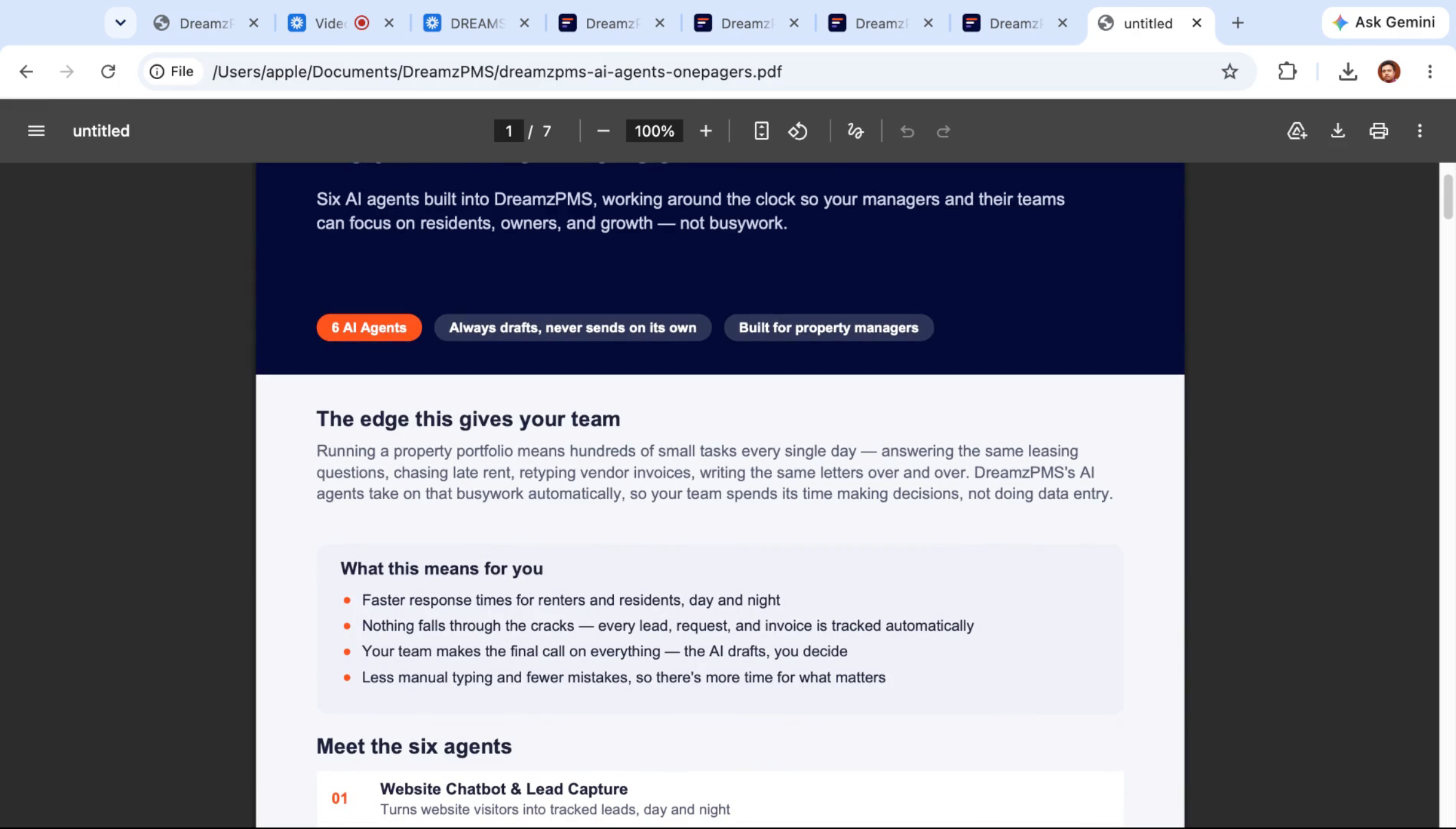
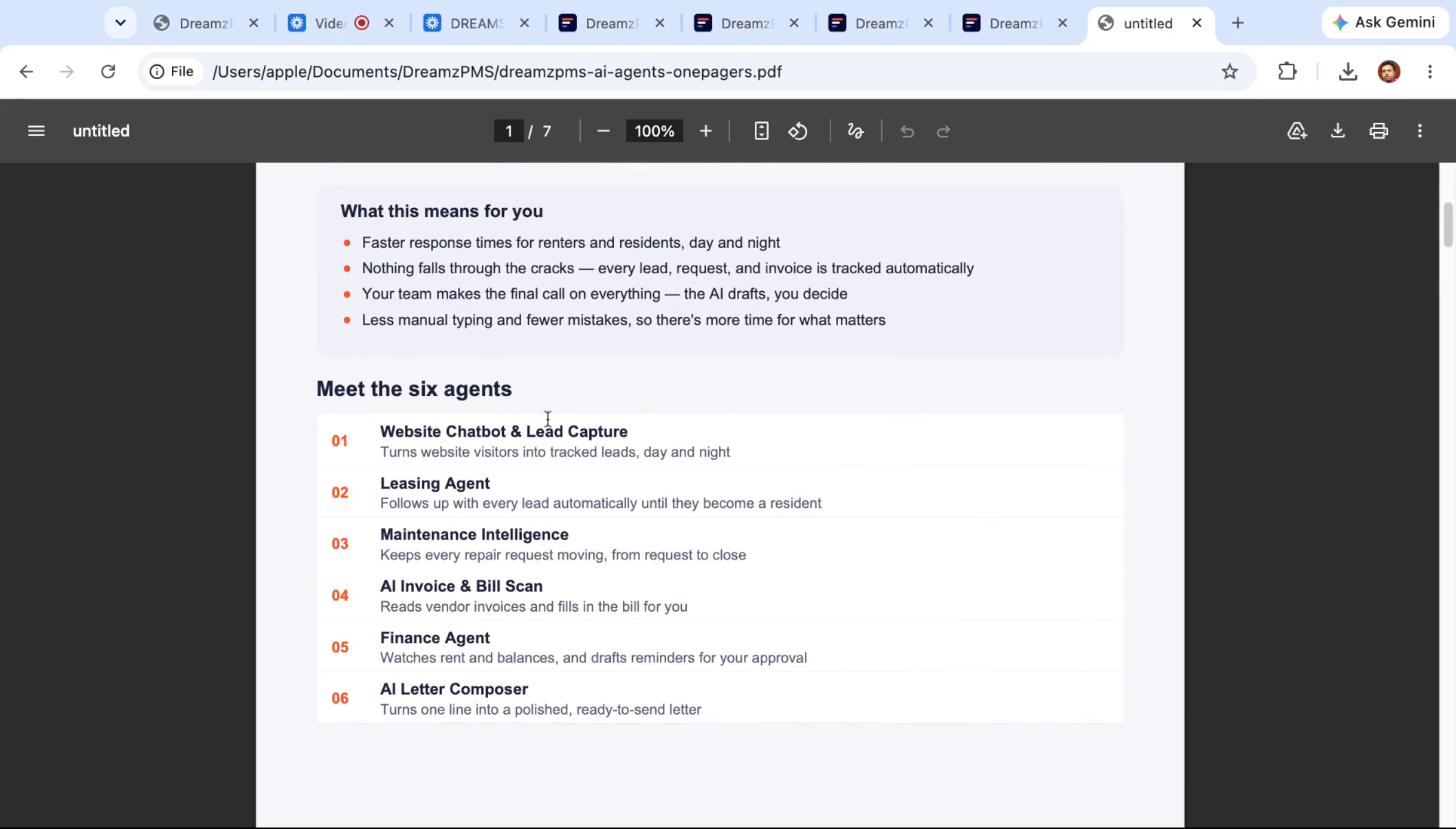
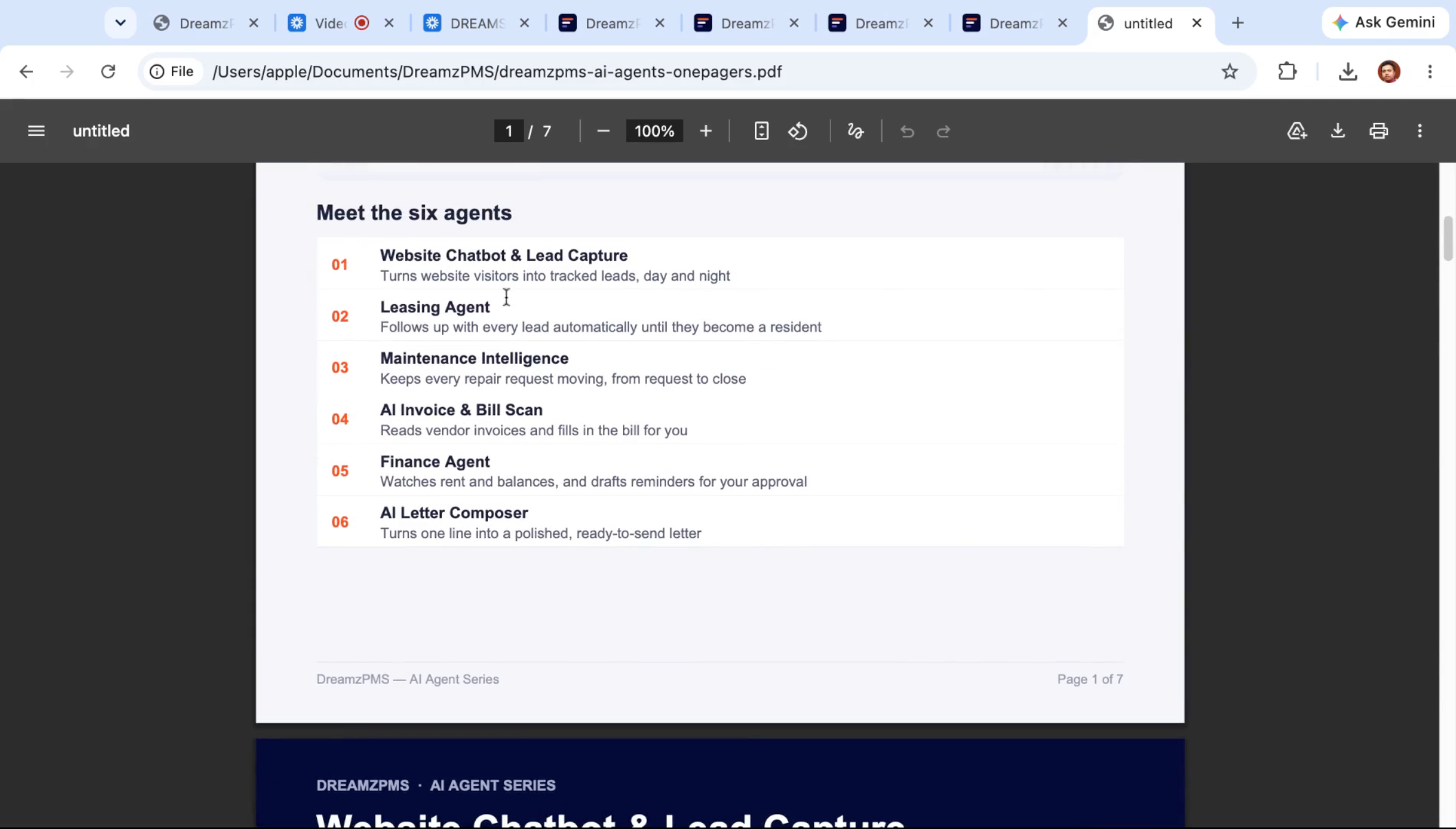
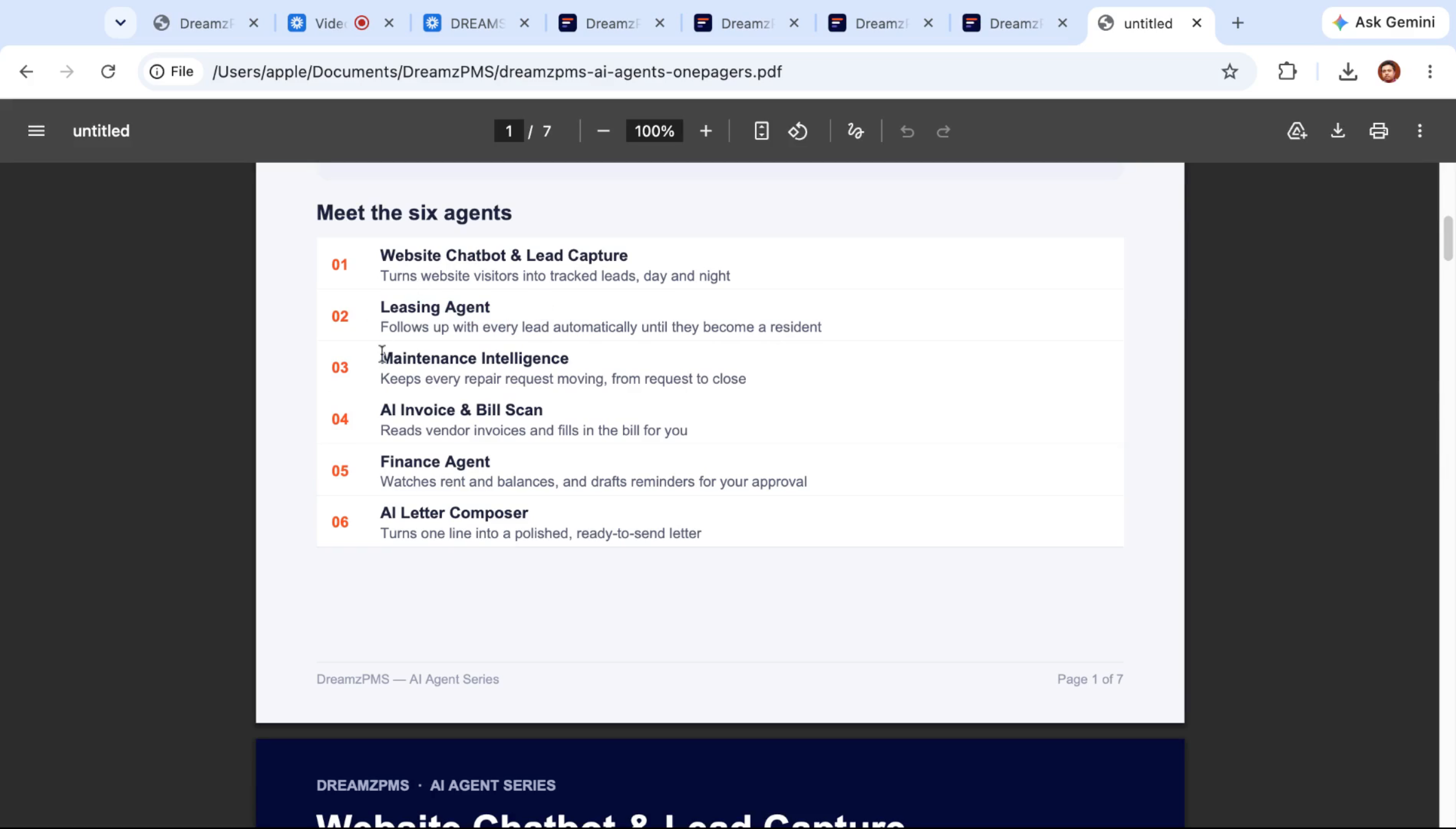
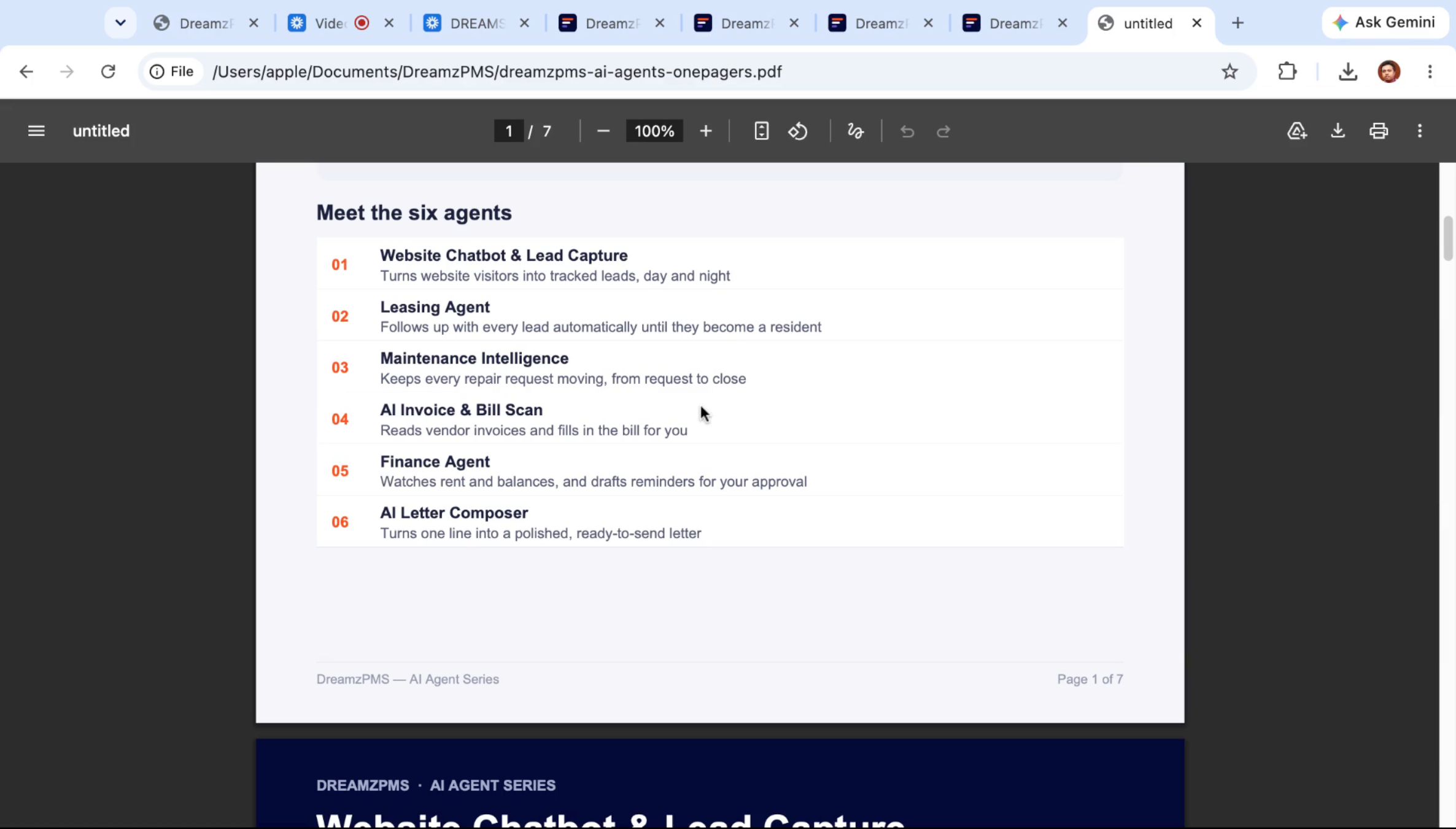
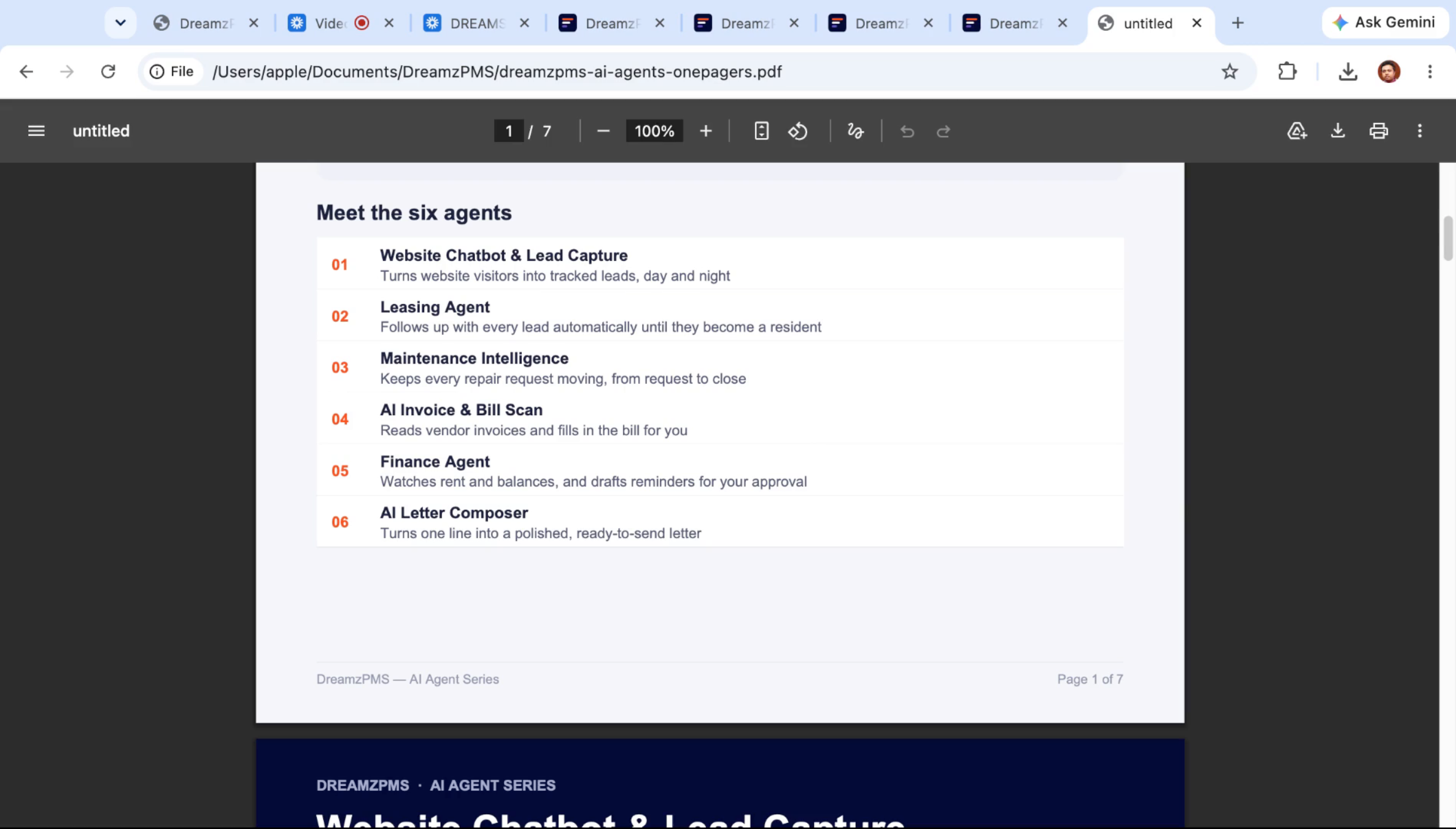
The DreamzPMS AI workforce is built around six agents that cover the full lifecycle of a property: a website chatbot that captures leads day and night, a leasing agent that follows every lead through to a signed lease, a maintenance intelligence agent that moves repair requests from request to close, an AI invoice and bill scanner that reads vendor invoices automatically, a finance agent that watches balances and drafts rent reminders, and an AI letter composer that drafts every message sent through the platform. Response times get faster and nothing falls through the cracks, but your team always makes the final call — the AI drafts, and you decide how your property runs.
Here is a reference video:
Before You Begin
- You'll need access to DreamzPMS with permissions across the leasing, maintenance, and accounting/finance modules to see all six agents in action.
- Your public listing site, resident and vendor portals, and property records should already be set up so the AI agents have real data to work from.
- Decide on your automation rules in advance — follow-up cadences, rent reminder timing, and finance thresholds — since each agent lets you configure these in plain language.
Meet the DreamzPMS AI Workforce
Step 1 – Introduction to the AI Workforce
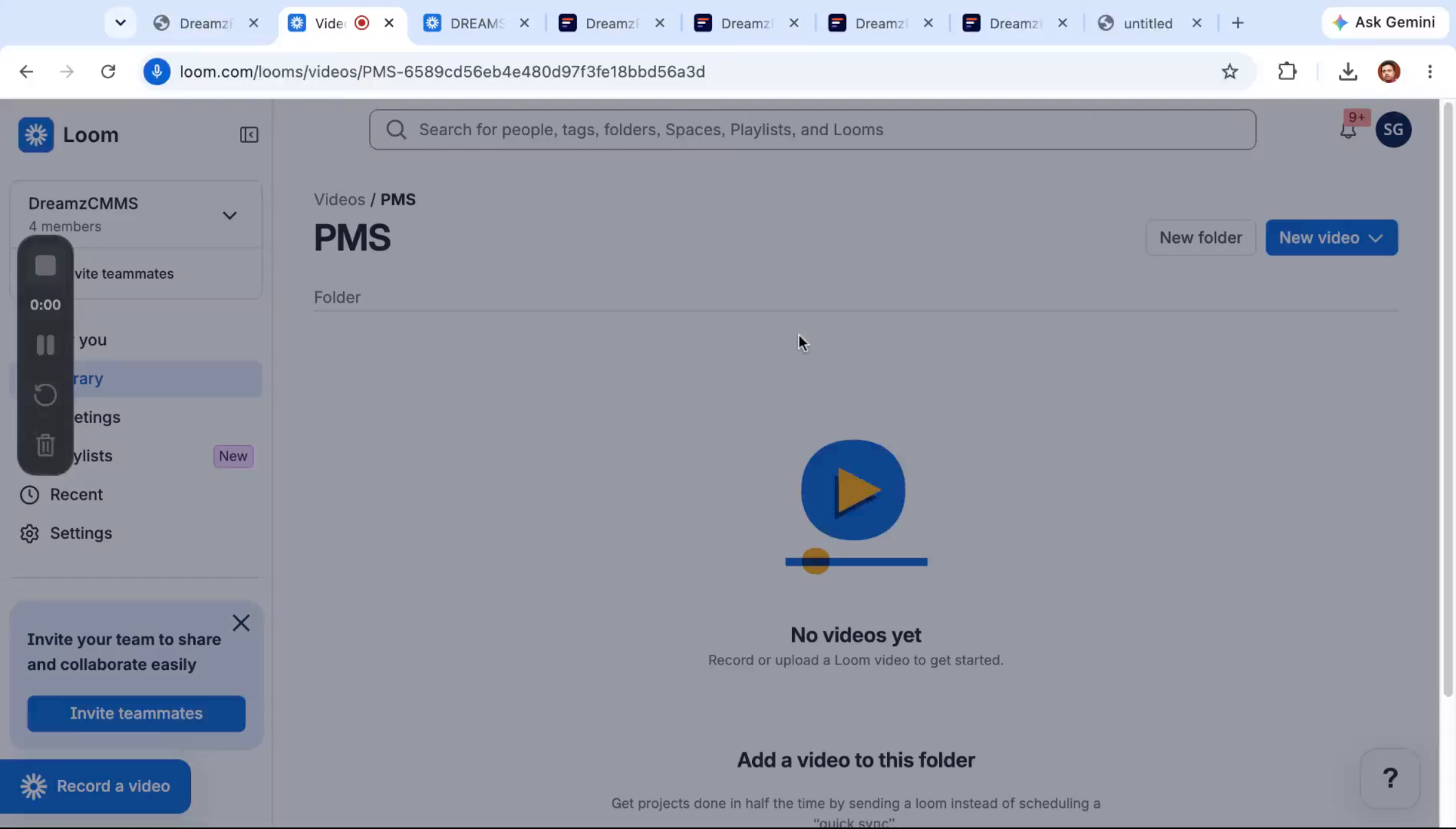
DreamzPMS includes an AI workforce built specifically for property management — a set of agents designed to take on the everyday tasks your team currently handles manually.
Step 2 – AI Agents Automate Routine Tasks
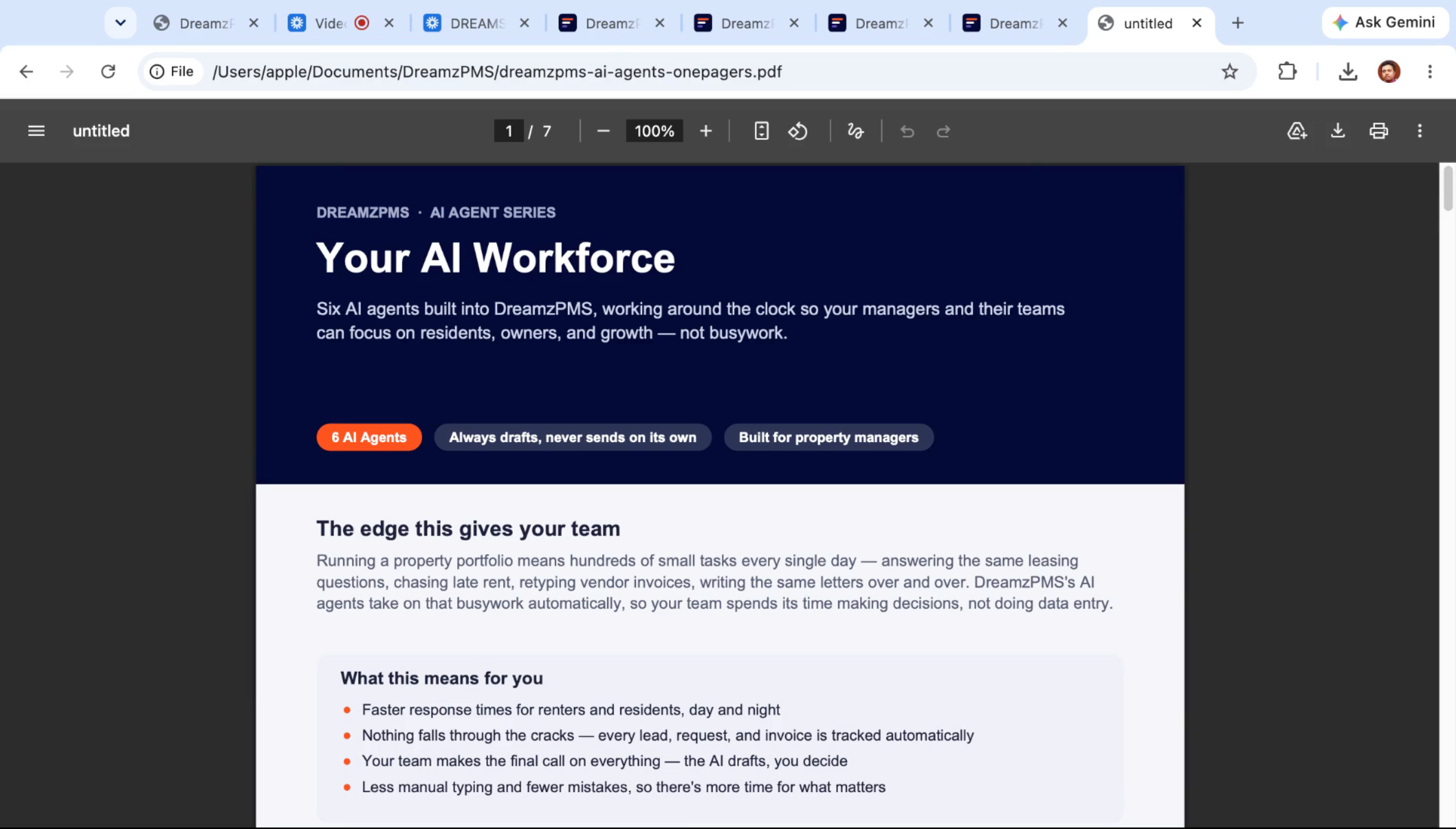
Six AI agents work around the clock so managers and their teams can focus on residents, owners, and growth instead of routine busywork. Running a portfolio means hundreds of small tasks each day — answering the same leasing questions, chasing late rent, retyping vendor invoices, and writing the same letters over and over — and these agents take that work on automatically.
Step 3 – Benefits of AI Automation
With the agents handling routine work, your team spends more time making decisions and less time on data entry. Response times get faster, and every lead, request, and invoice is tracked automatically so nothing falls through the cracks. Everything the AI drafts still goes through your team, so you decide how your property runs — and less manual typing means fewer mistakes and more time for the things that matter.
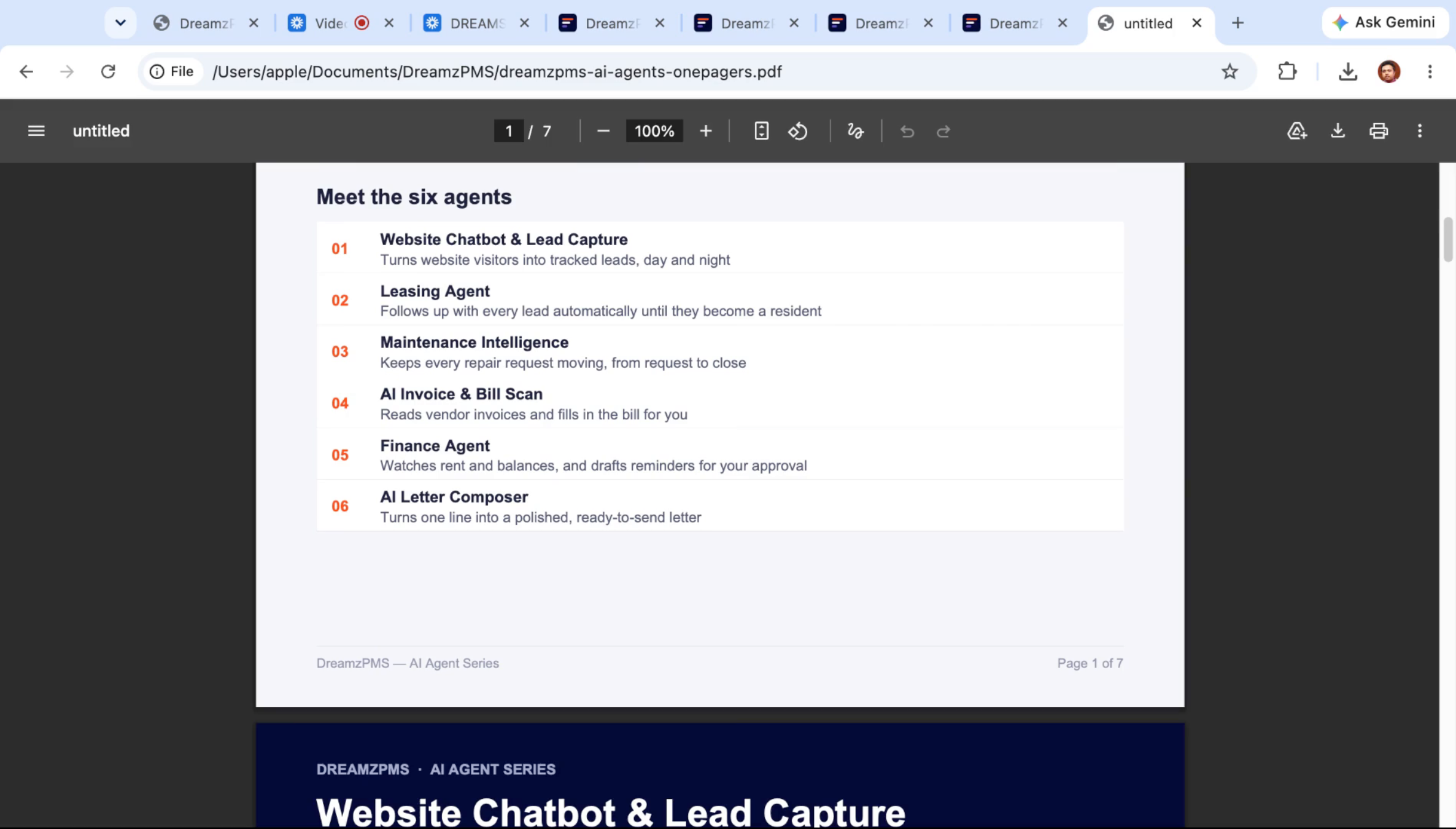
The Six AI Agents at a Glance
Step 4 – Agent 1: Website Chatbot and Lead Capture
The first agent is the website chatbot and lead capture tool. It turns website visitors into tracked leads day and night, even when no one is in the office.
Step 5 – Agent 2: Leasing Agent
The leasing agent follows up with every lead automatically until they become a resident or a rental owner. Whether a lead comes from the chatbot, a phone call, or a meeting, it flows to the leasing agent, whose job is to carry that lead all the way to conversion.
Step 6 – Agent 3: Maintenance Intelligence
Maintenance intelligence keeps every repair request moving, from the initial request through to close.
Step 7 – Agent 4: AI Invoice and Bill Scanning
This agent reads every vendor invoice and fills in the bill for you — you don't have to type anything in. It handles handwritten invoices, printed invoices, and invoices generated by other third-party systems, scanning each one and preparing it for your review.
Step 8 – Agent 5: Finance Agent
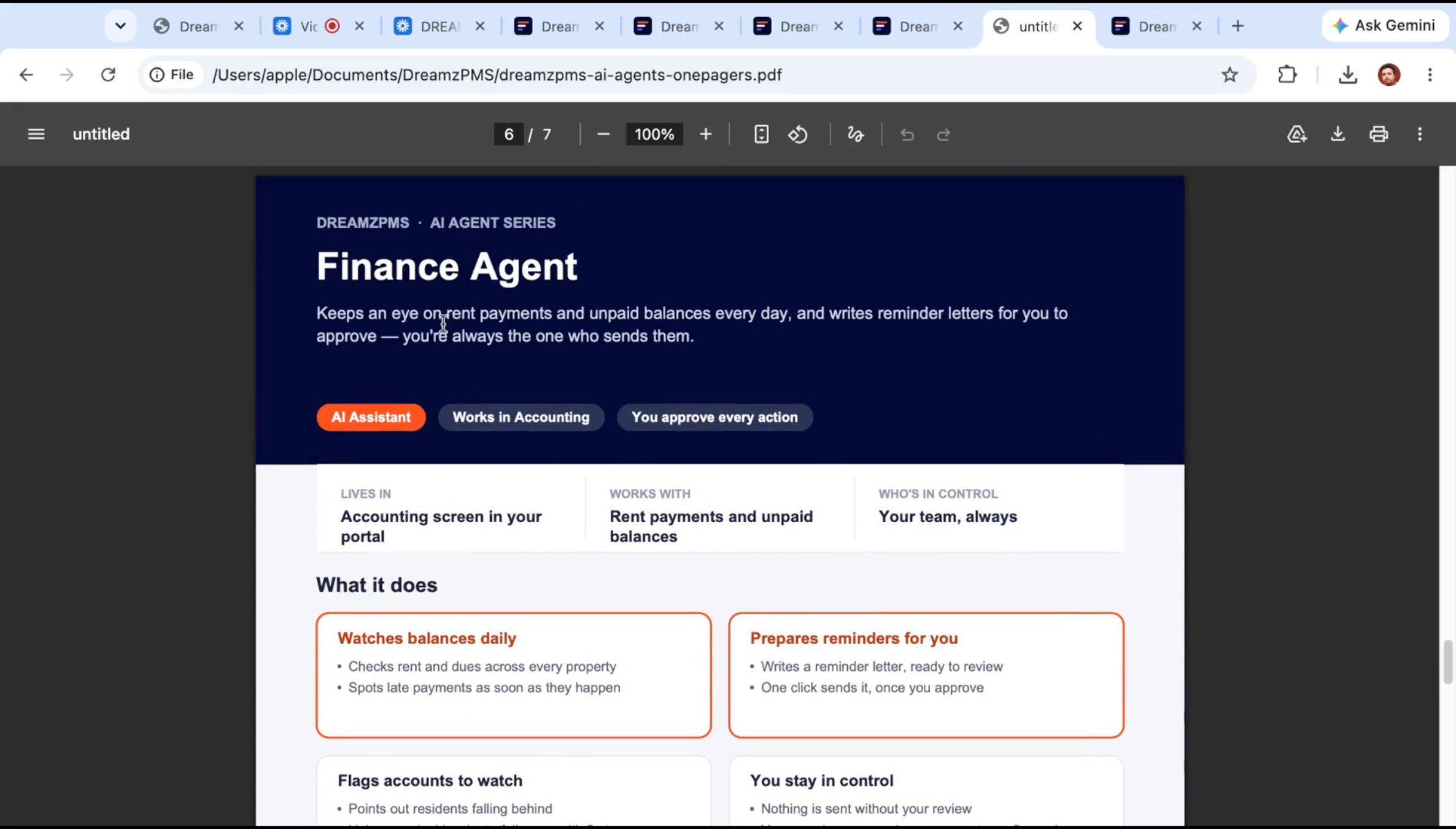
The finance agent watches every unpaid balance and rent that's due, then drafts reminders for your approval.
Step 9 – Agent 6: Custom Rules and AI Letter Composer
The finance agent also lets you set your own rules per property — for example, automatically notifying any resident or owner once their balance passes a set amount, described in plain language. The AI letter composer works throughout the platform wherever you can send a message by WhatsApp, SMS, email, or app notification, drafting each letter for you.
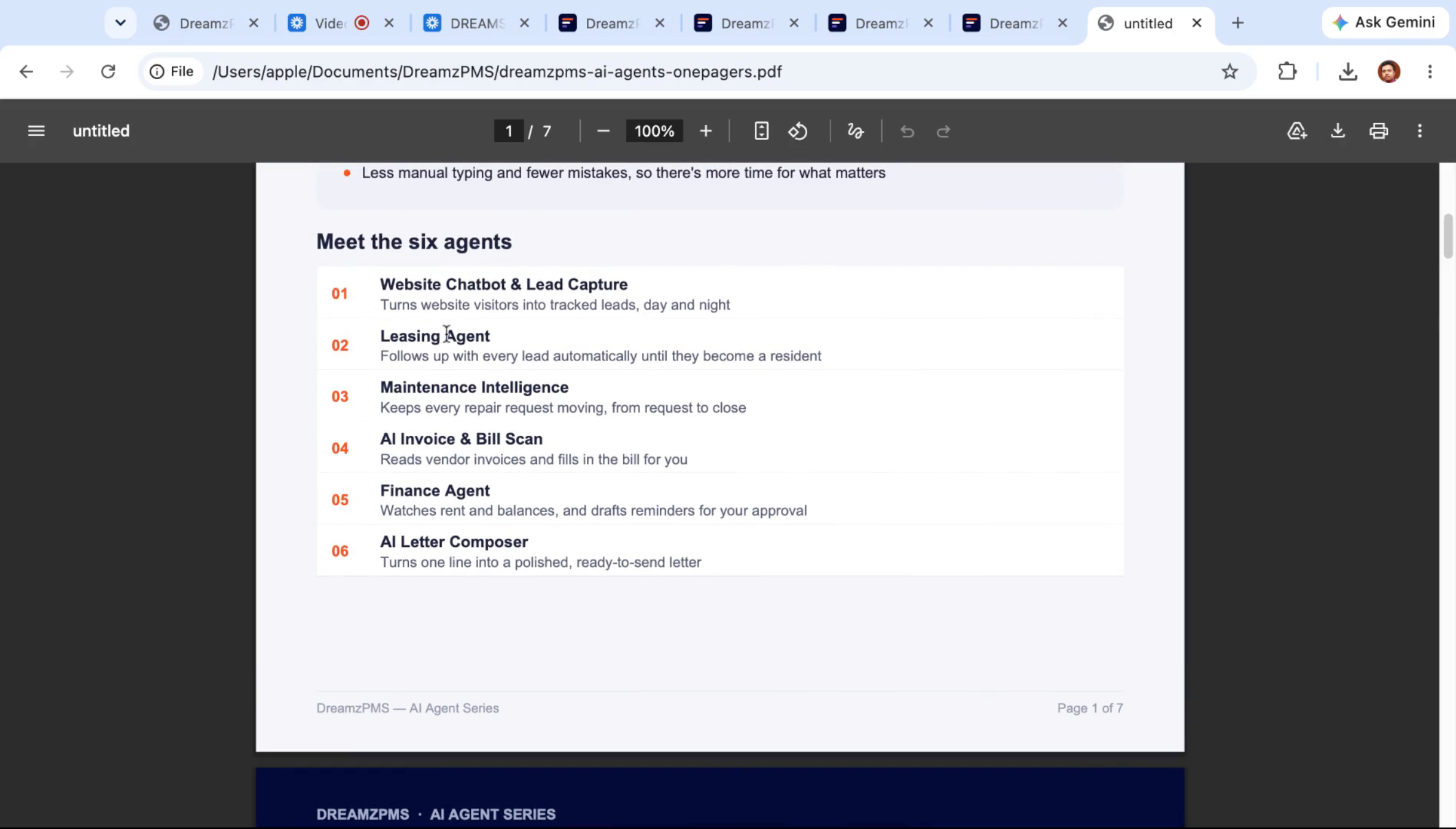
Website Chatbot and Lead Capture in Action
Step 10 – Website Chatbot Features
The website chatbot automatically answers questions, gives visitors pricing and availability instantly, and stays available even after your office closes. Instead of an operator, it captures a visitor's name, phone, and email and turns them into a lead, sending it straight to your leasing team.
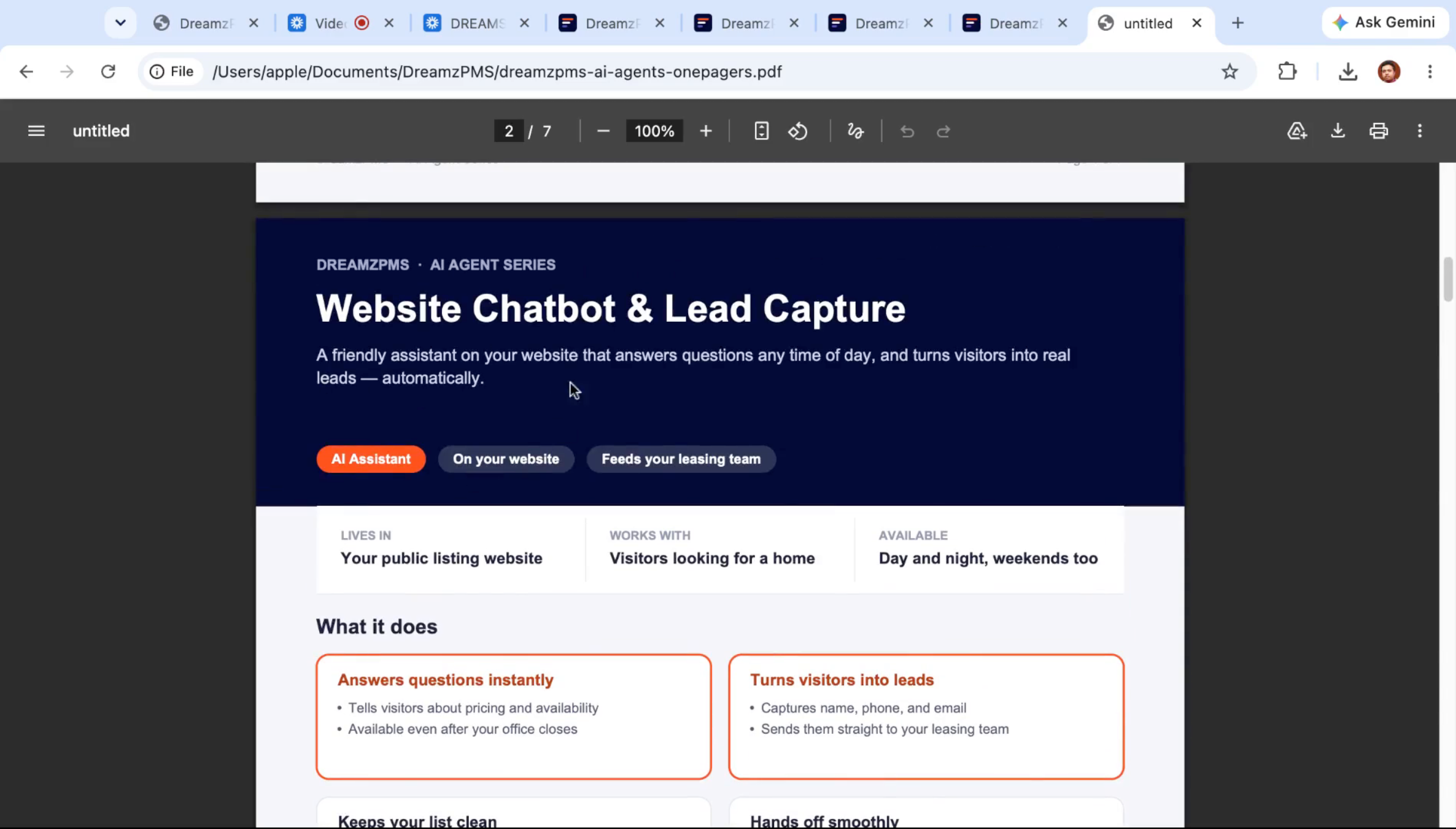
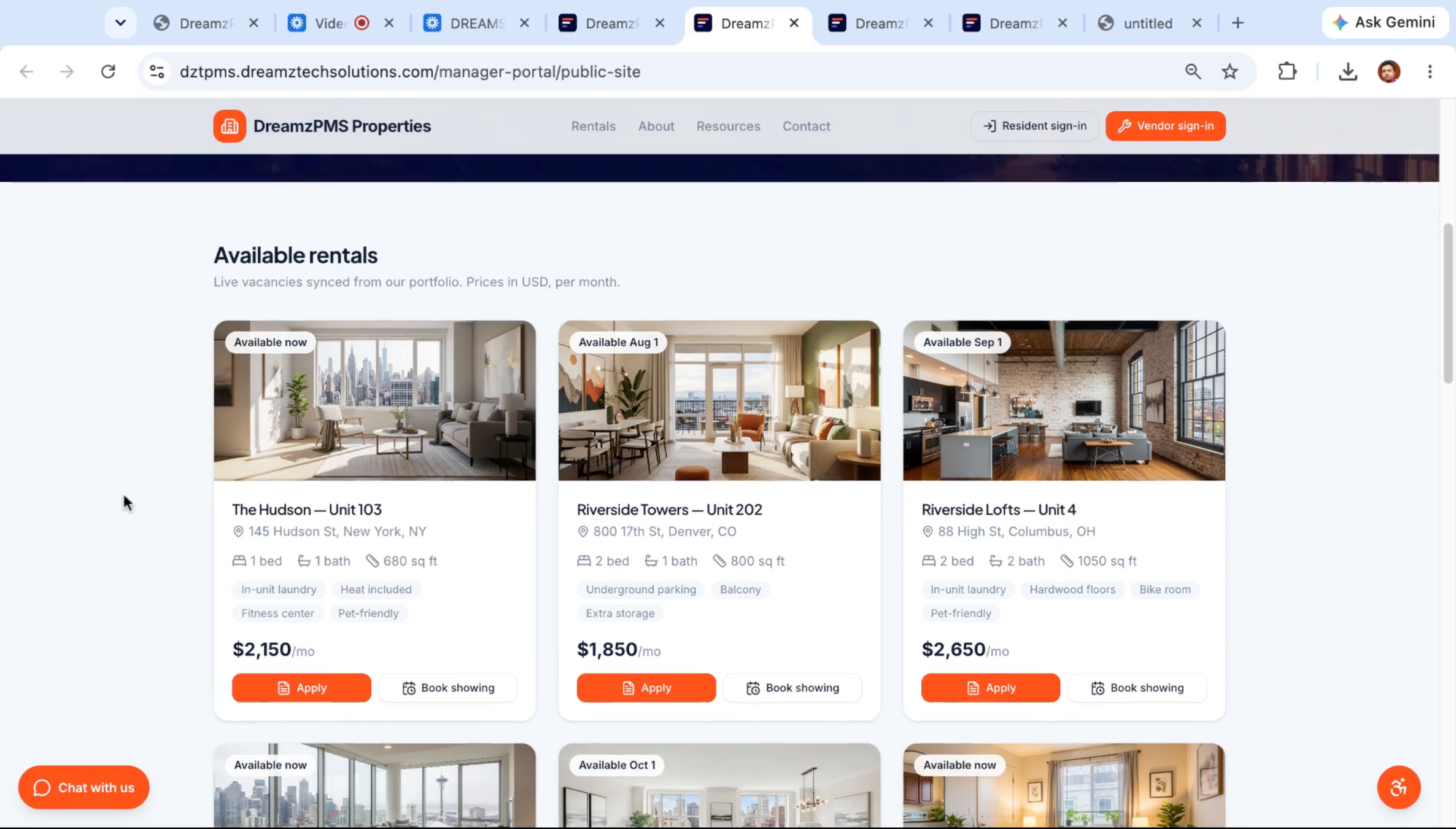
Step 11 – Public Listing Site Design
Every DreamzPMS account gets a public listing site you can design with your own company branding and logo, showing all your available rental properties.
Step 12 – AI Chatbot Engages Visitors
Even late at night with no one in the office, the AI agent is there representing you, ready to start a chat with a potential resident the moment they land on the site.
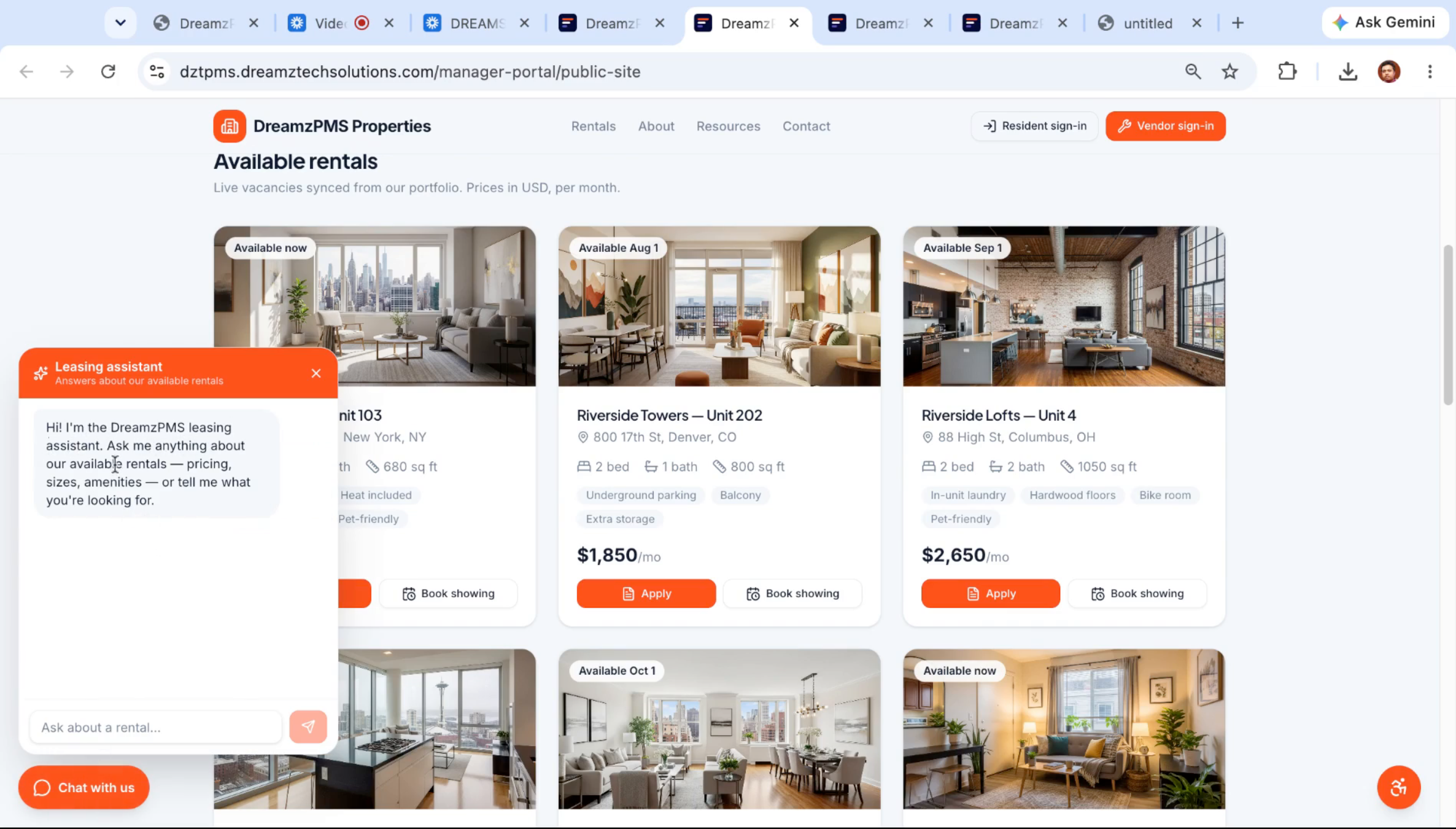
Step 13 – Leasing Agent Chat Introduction
The chatbot introduces itself as the DreamzPMS leasing agent and invites the visitor to ask anything about available rentals and pricing.
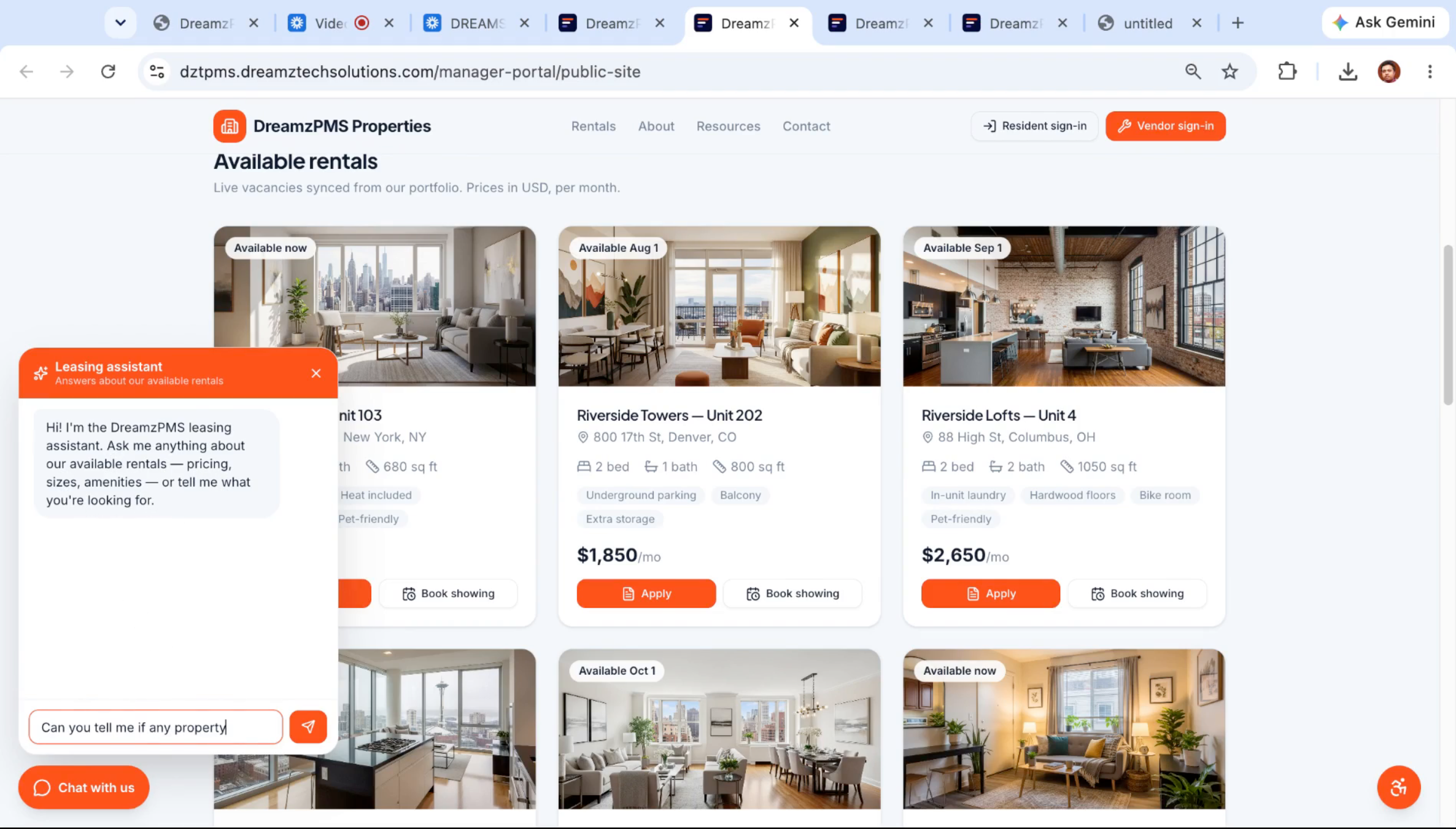
Step 14 – Property Availability Inquiry
A visitor can ask a direct question, such as whether any properties are available in a specific city.
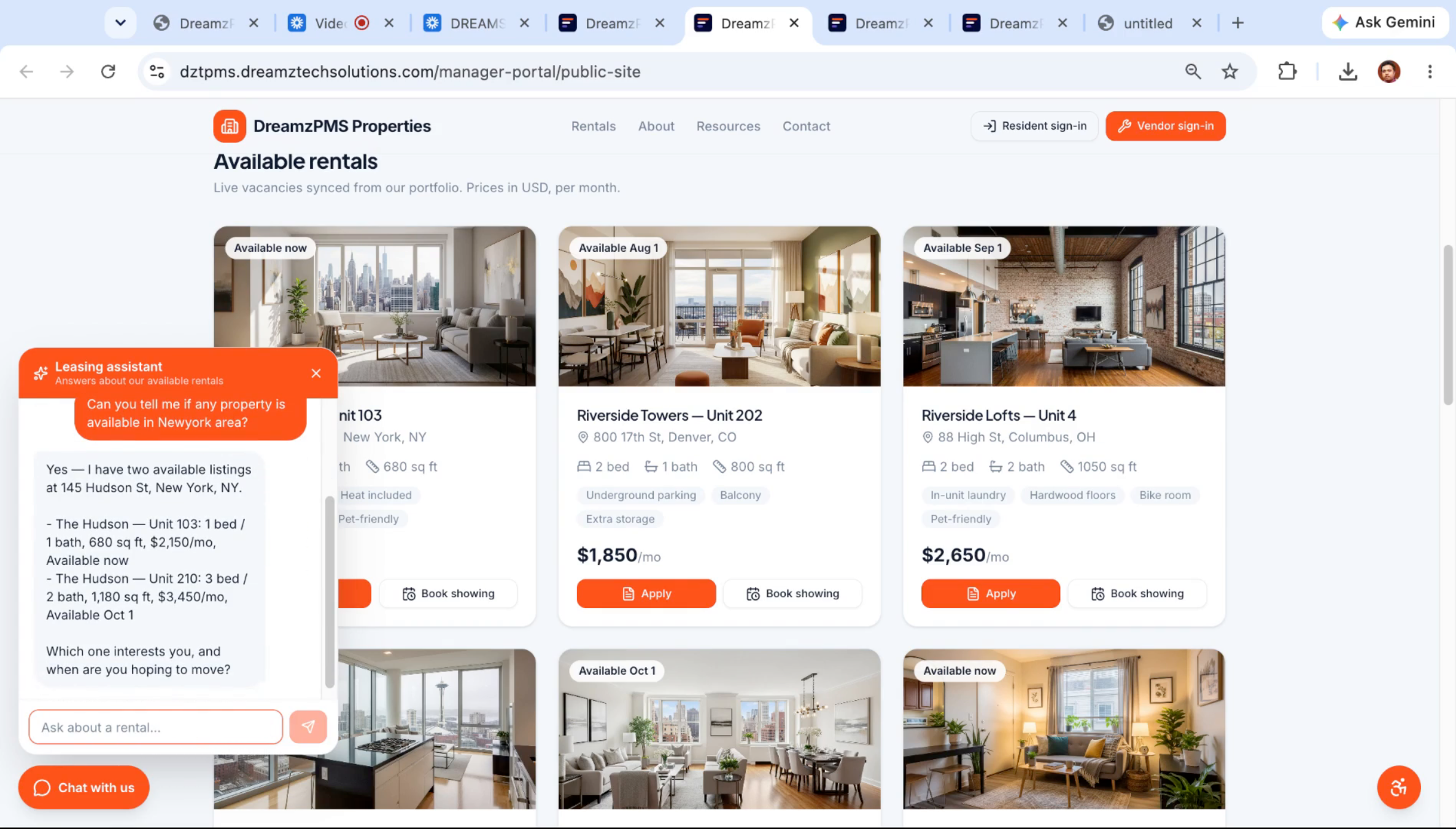
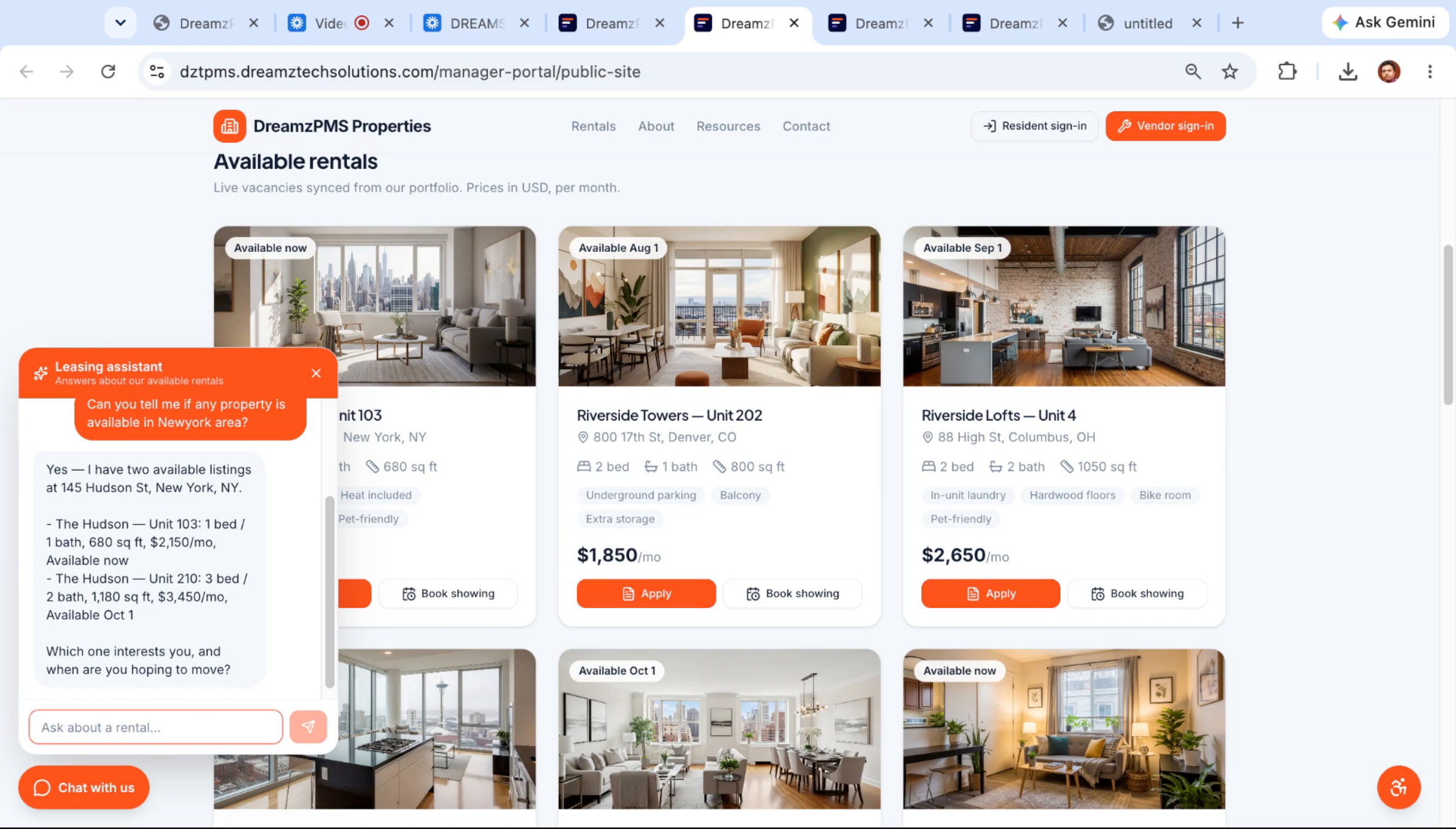
Step 15 – AI Provides Available Listings
The chatbot doesn't make anything up — it checks live system data and responds with actual available units, then asks which one interests the visitor and when they're hoping to move.
Step 16 – Scheduling a Property Visit
Once the visitor picks a unit type and move-in timing, the chatbot confirms it's available on that timeline and asks about scheduling a showing and getting their name.
Step 17 – Visitor Contact Information Capture
After the visitor gives their name and a preferred visit date, the chatbot confirms interest in a showing and asks for the best email or phone number so a leasing agent can follow up.
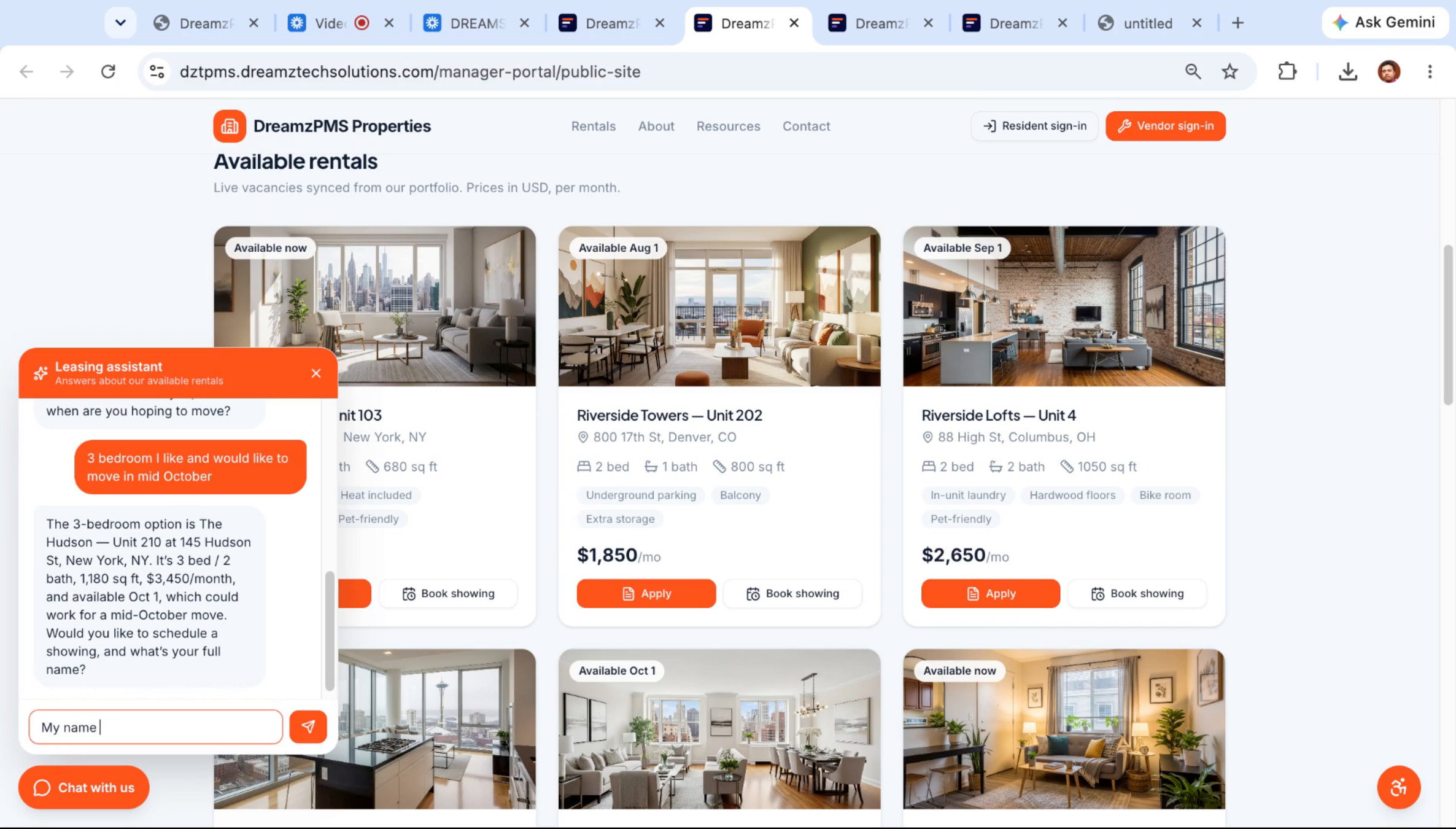
Step 18 – Leasing Agent Follow-Up Setup
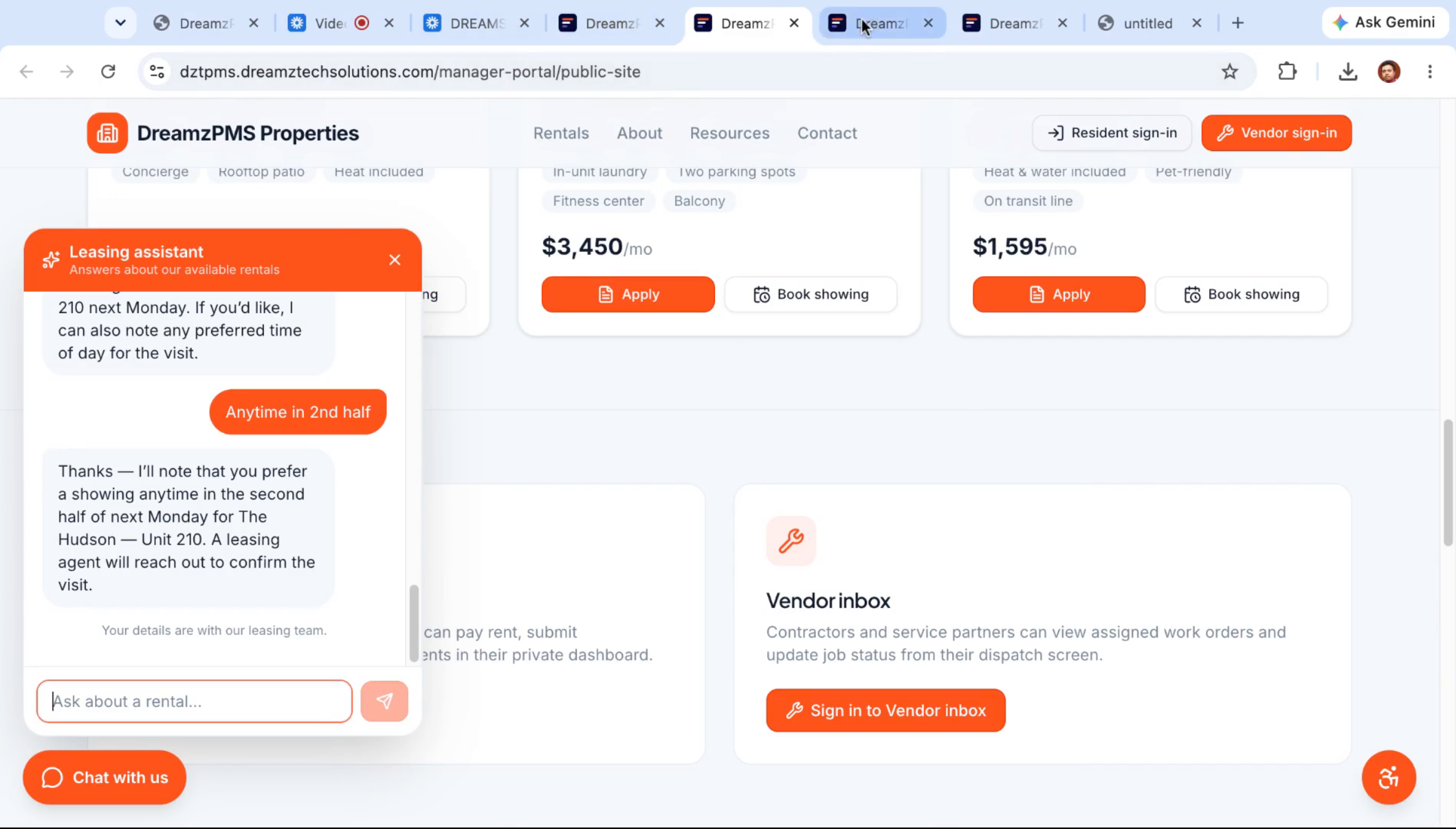
The chatbot confirms the showing request and can capture additional preferences, such as a preferred time of day, before wrapping up.
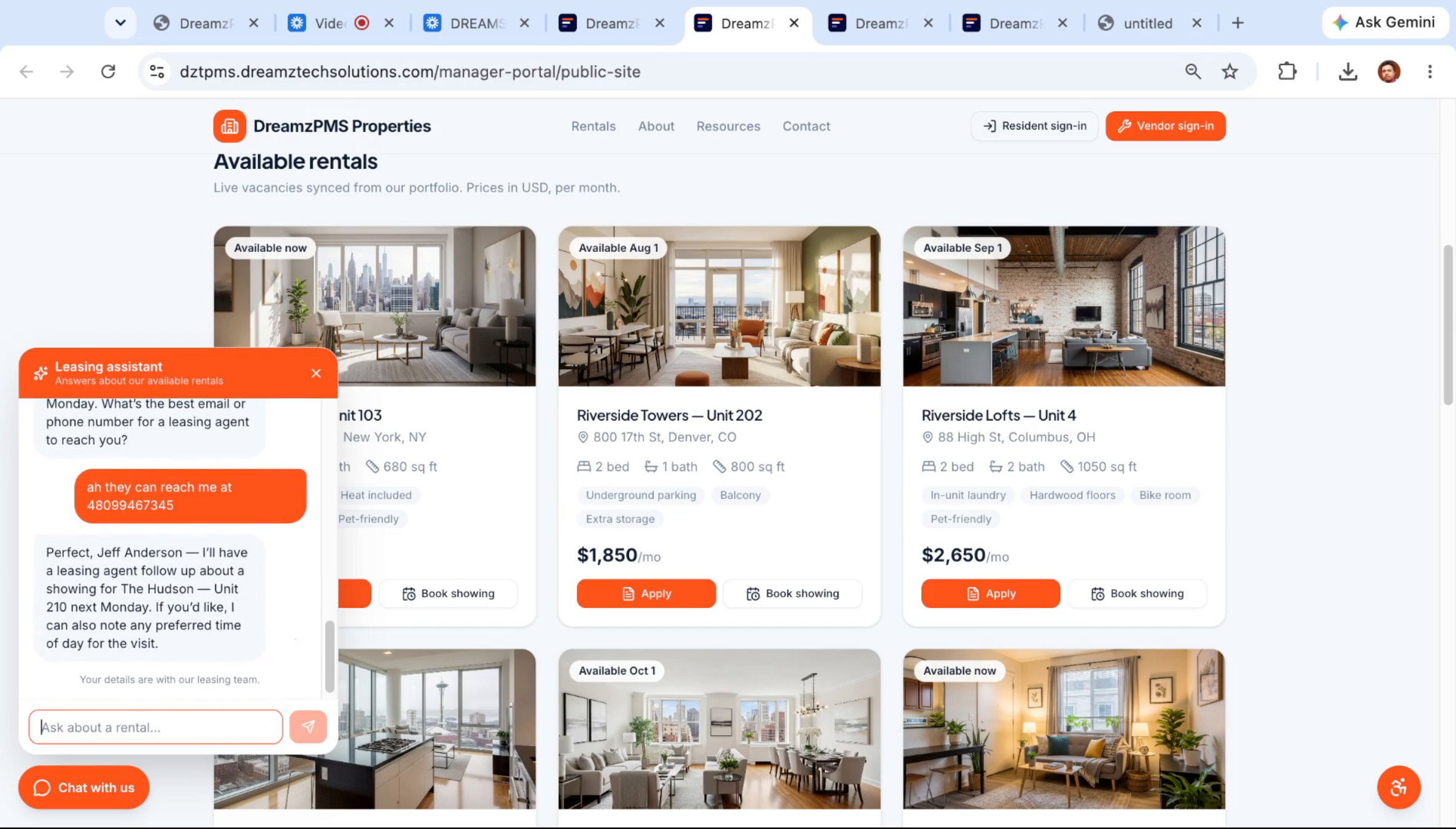
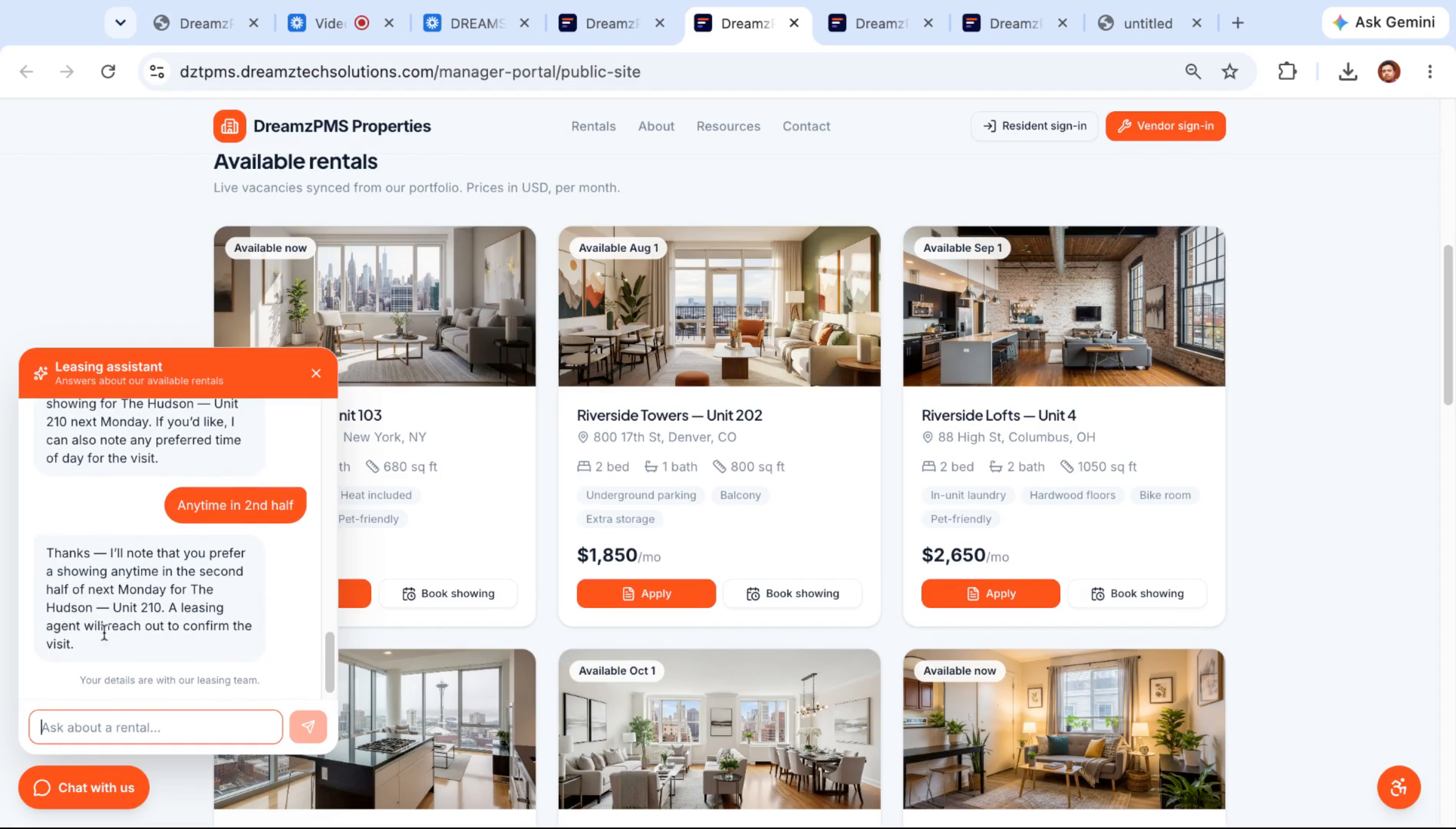
Step 19 – Leasing Agent Confirmation
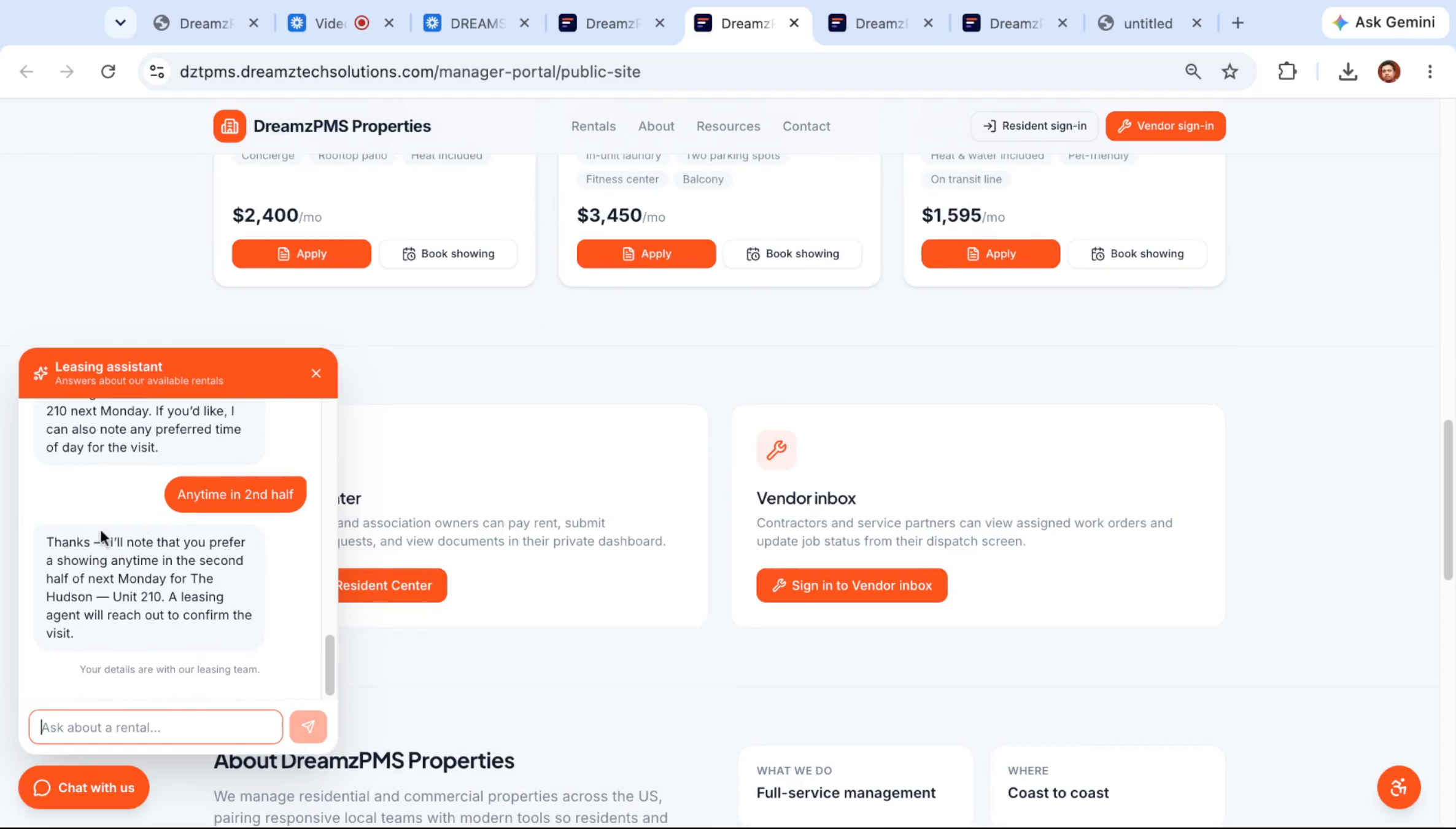
The chatbot lets the visitor know a leasing agent will reach out to confirm the visit — all handled automatically outside office hours.
From Lead to Signed Lease: The Leasing Agent
Step 20 – Prospect Tracking in the Portal
The next morning, the manager opens the Prospects area of the portal and sees the overnight chatbot conversation waiting there as a new prospect record with the visitor's details already captured.
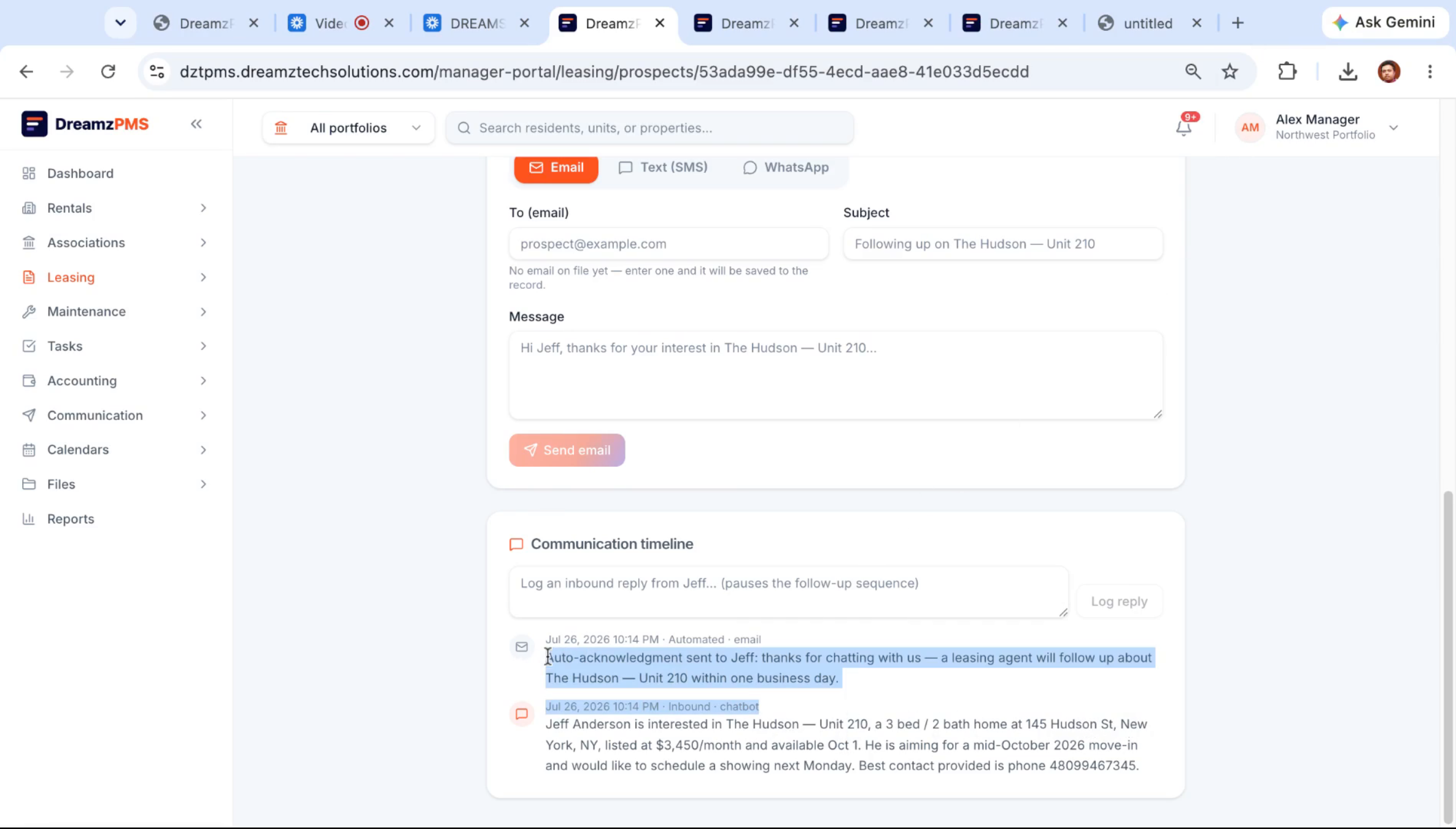
Step 21 – Lead Communication Timeline
Opening the prospect record shows exactly what they said and want, with a communication timeline already tracking every message exchanged so far.
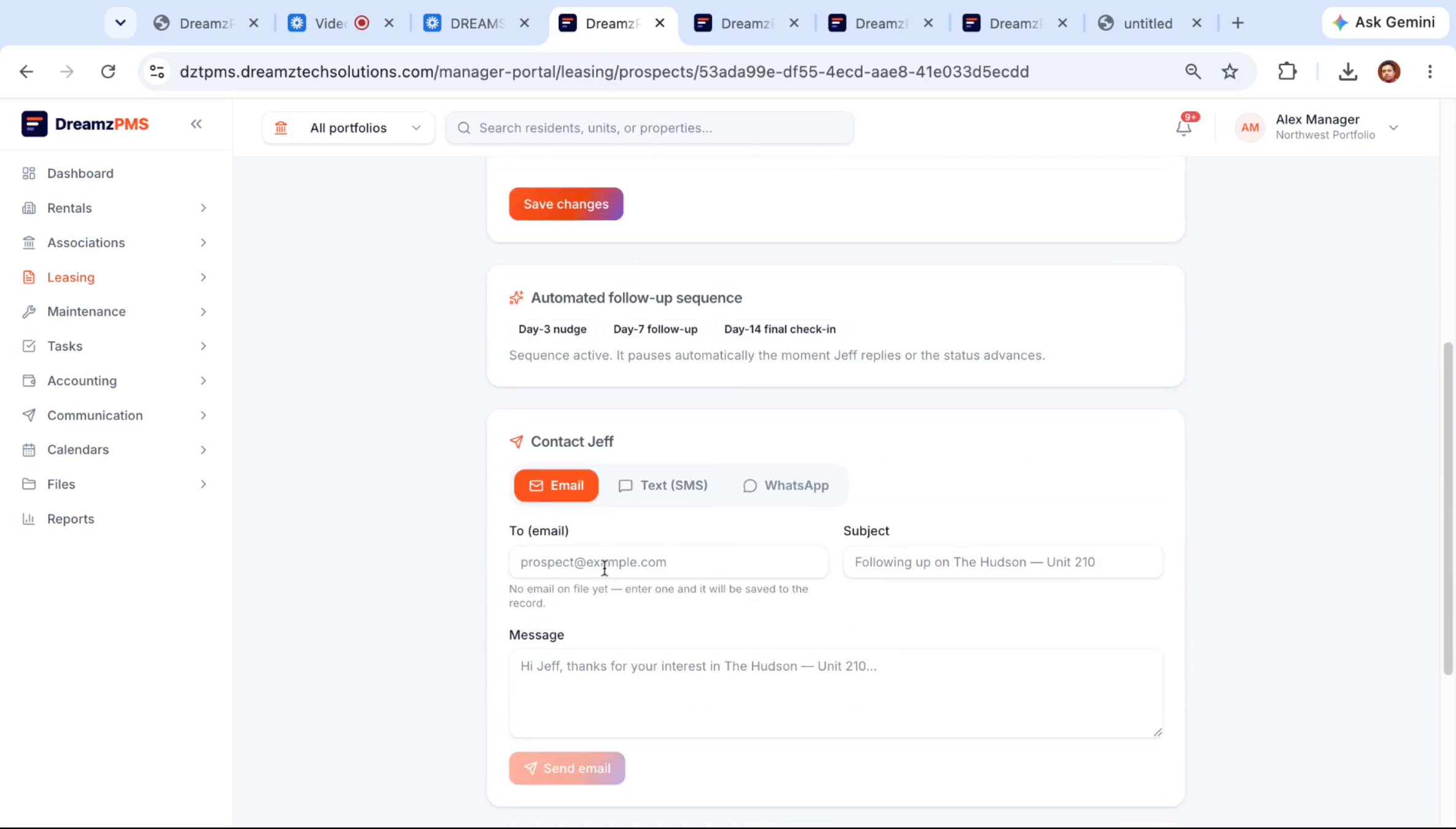
Step 22 – Lead Contact Options and Screening
From the lead record, the manager can reach out by email, SMS, or WhatsApp, and once ready, convert the lead into an applicant to kick off screening.
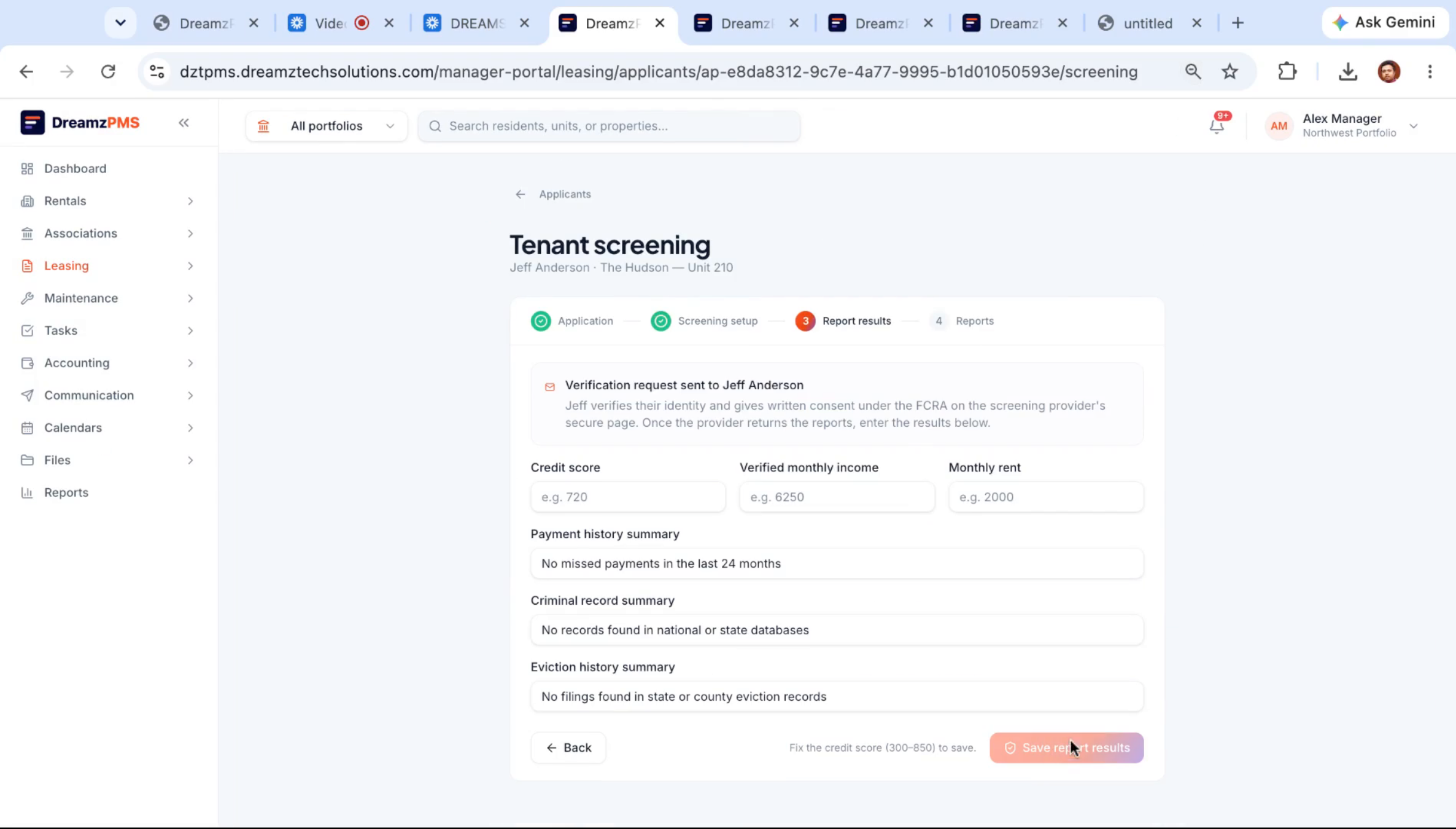
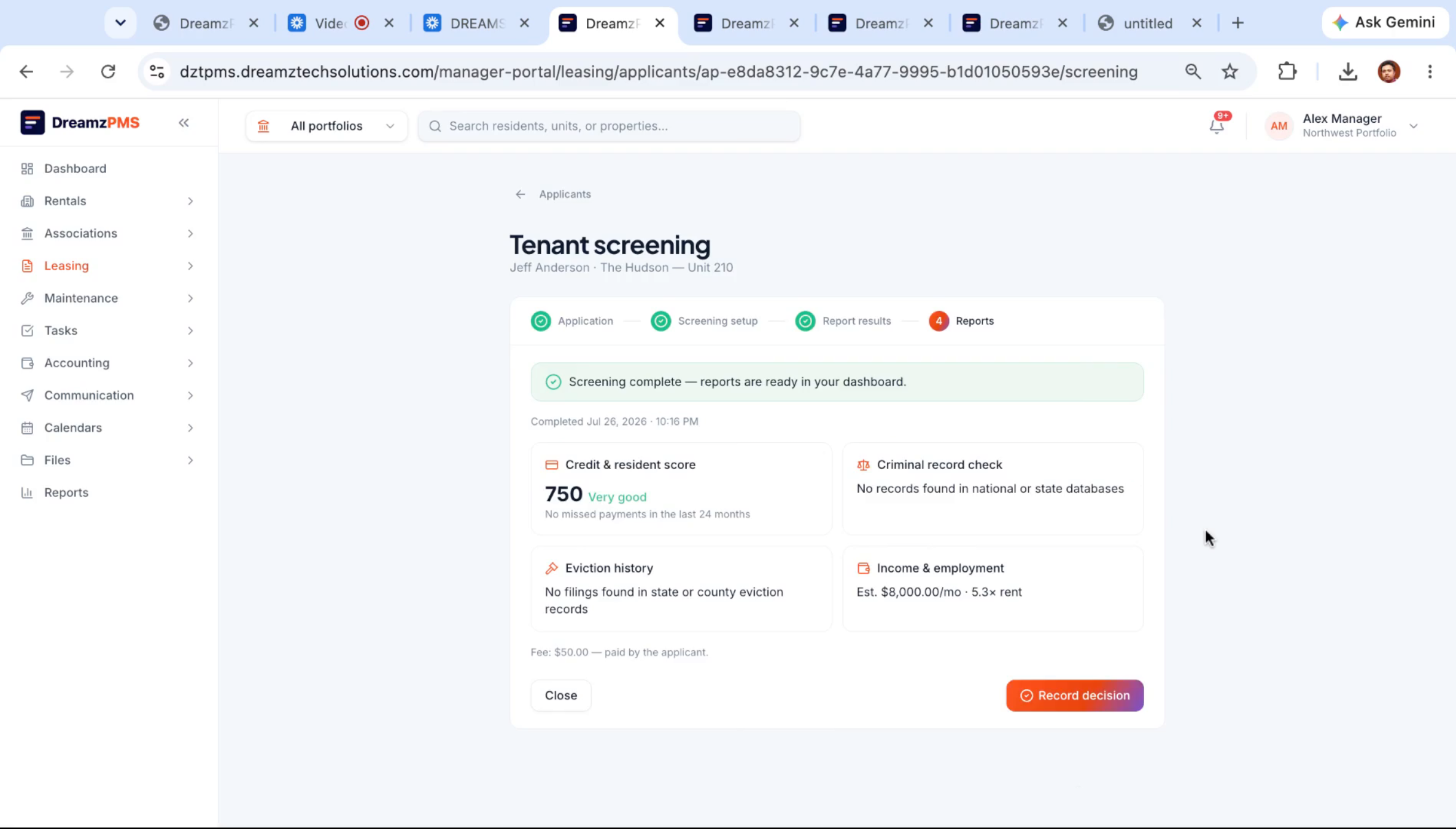
Step 23 – Screening Result Review
During screening, income and other supporting figures the applicant provides are recorded as part of their file.
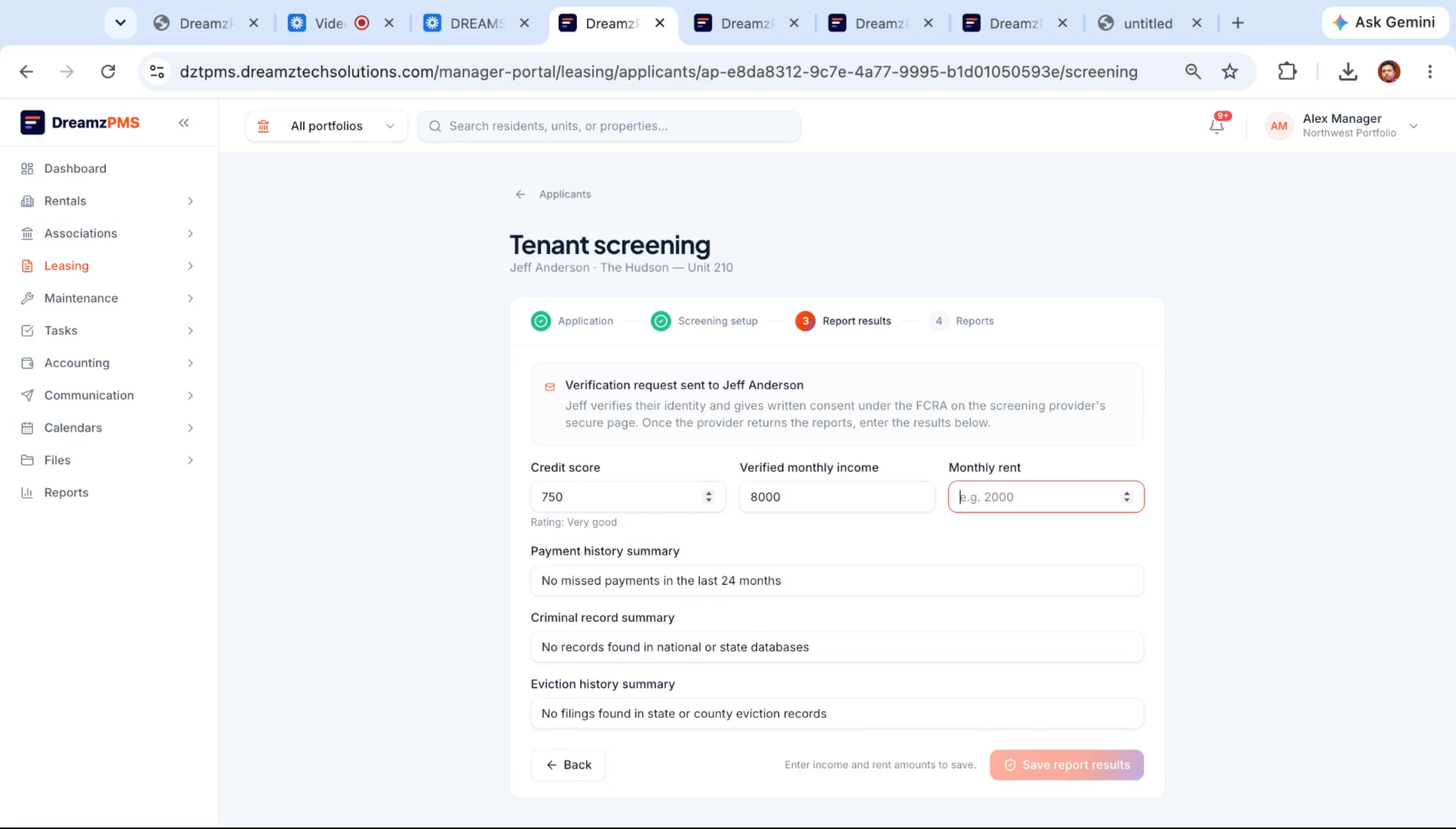
Step 24 – System-Generated Screening Data
The screening figures come directly from the system rather than being typed in manually, which keeps the applicant's record accurate and consistent.
Step 25 – AI Approval and Notification
When the manager records a decision, the AI reviews the screening results, recommends approval, and prepares a congratulatory note letting the applicant know their lease will be prepared shortly — ready for the manager to approve and send.
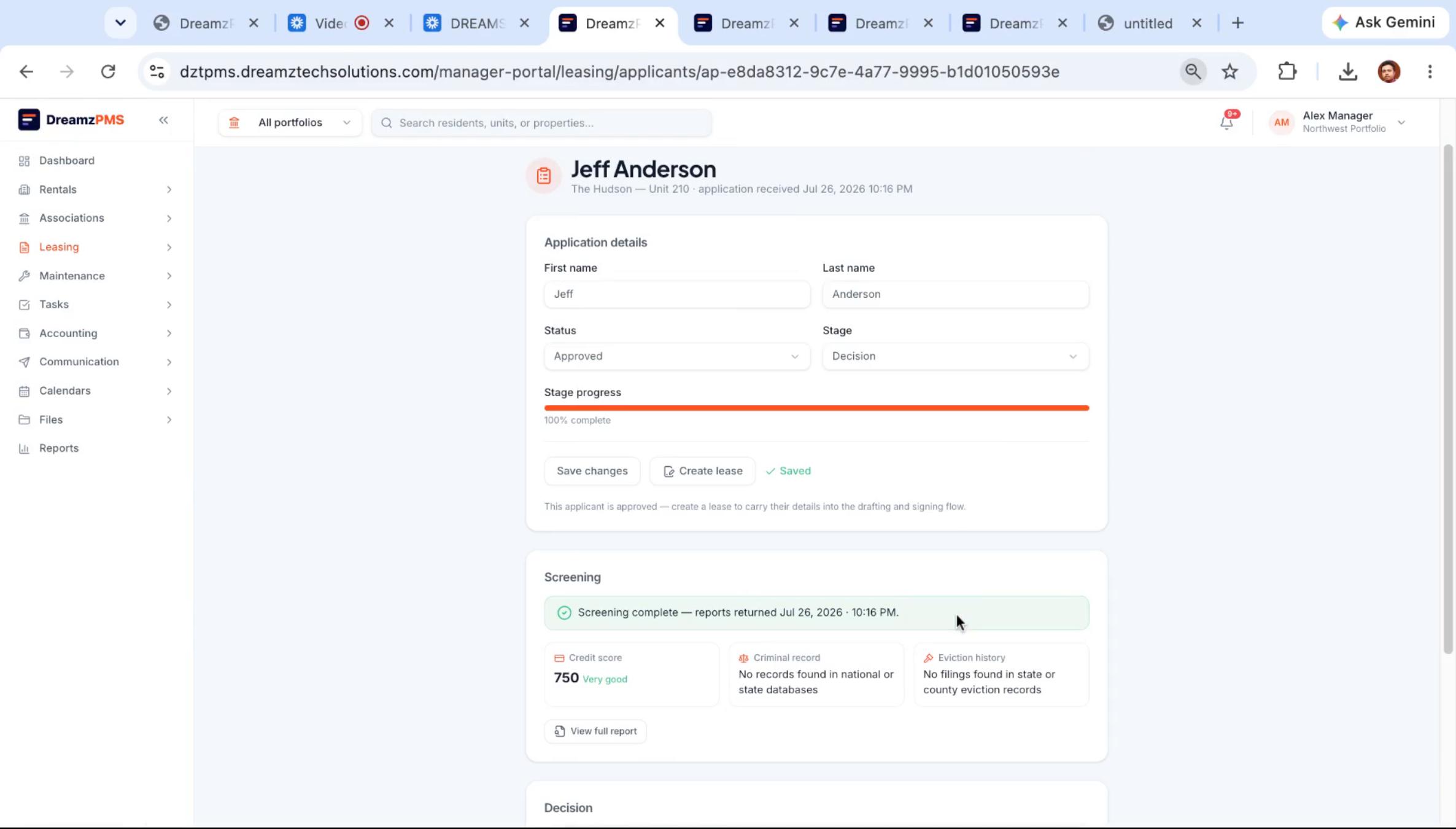
Step 26 – Lead Conversion to Lease
The website lead has now been carried all the way from first chat to an approved applicant, and the manager can create a lease for them directly from this record.
Step 27 – Leasing Agent Automated Follow-Up
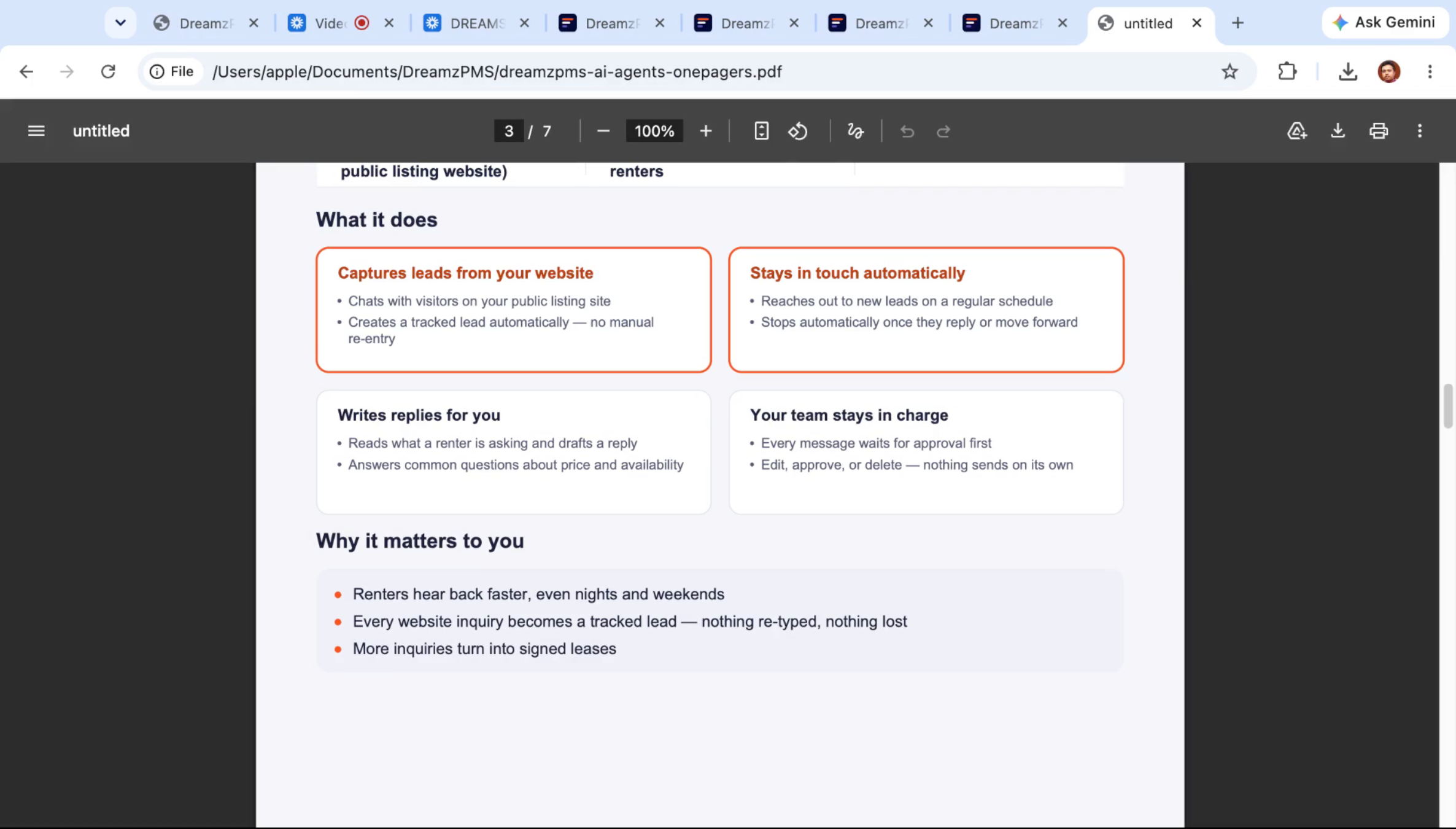
Beyond capturing leads, the leasing agent chats with prospects, creates a tracked lead automatically, reads what a renter is asking, drafts replies, answers common questions, and reaches out to every lead — new or old — about upcoming visits.
Step 28 – Leasing Agent Morning Briefing
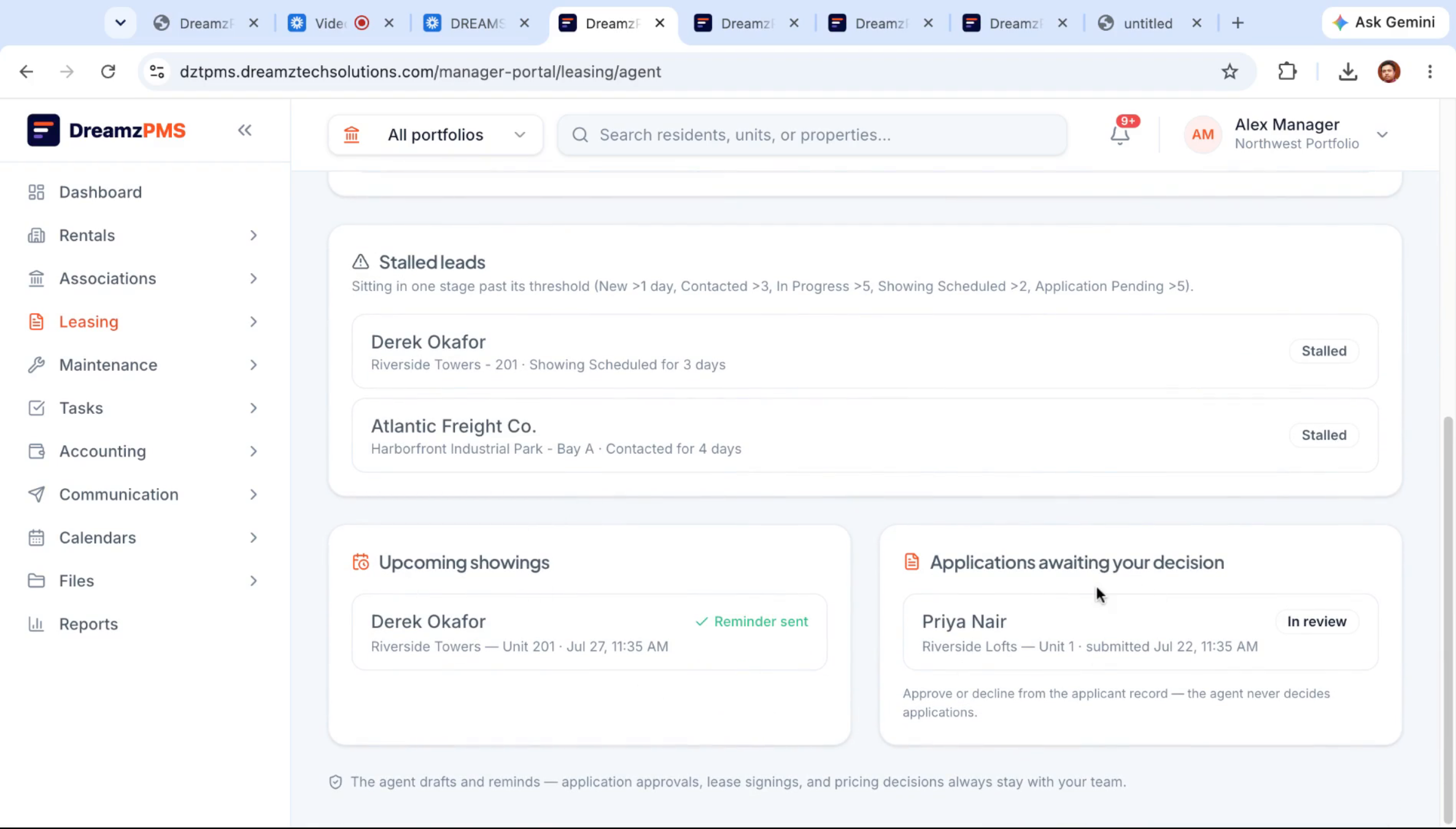
Each morning, the leasing agent delivers a briefing on which follow-ups are due, which leads have stalled, and which showings are coming up — along with any applications waiting on a decision.
Step 29 – AI Chatbot for Lead Engagement
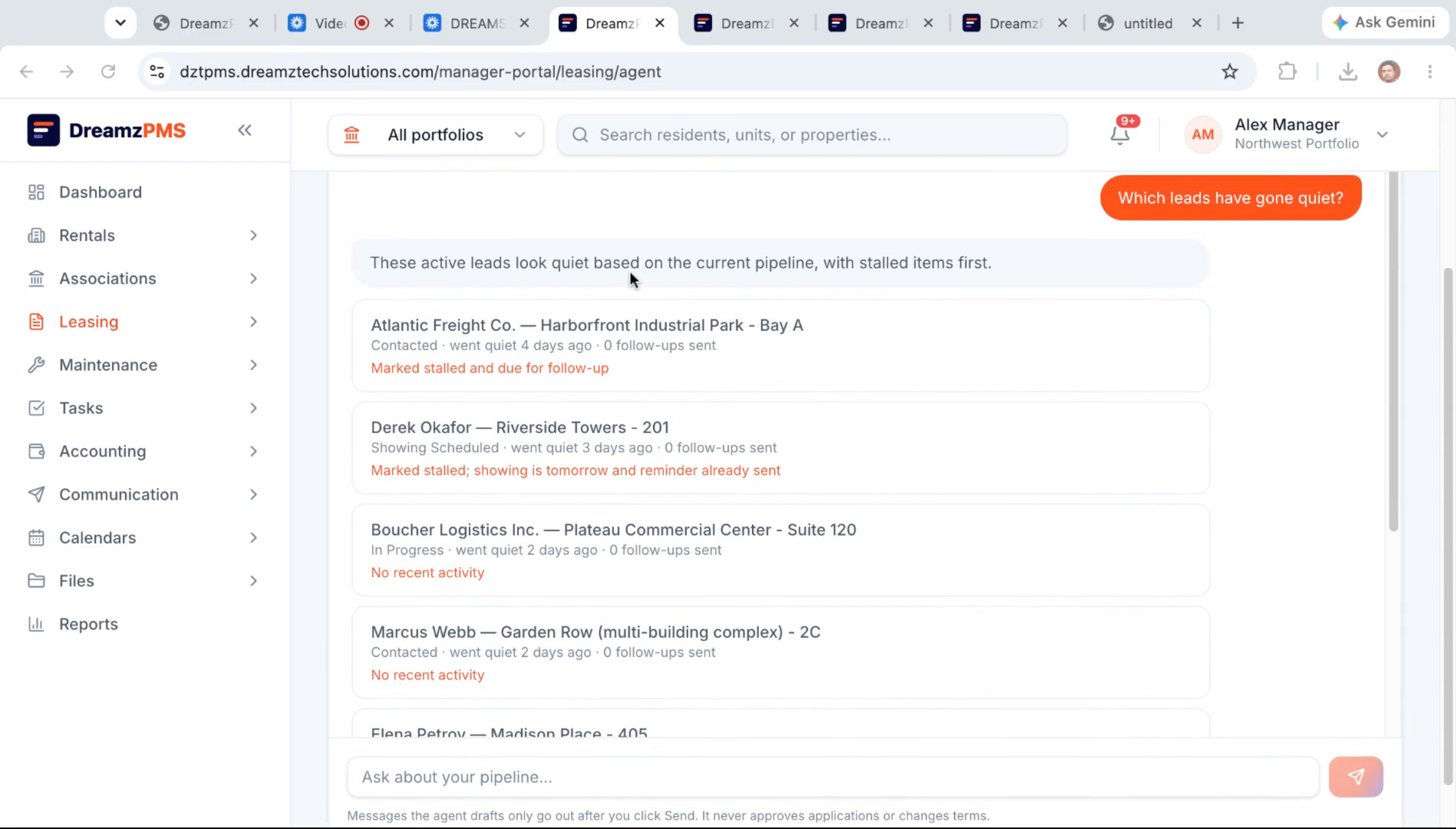
Managers can chat directly with the AI to see which leads have gone quiet and pick up the conversation with them.
Step 30 – Follow-Up Automation Rules Setup
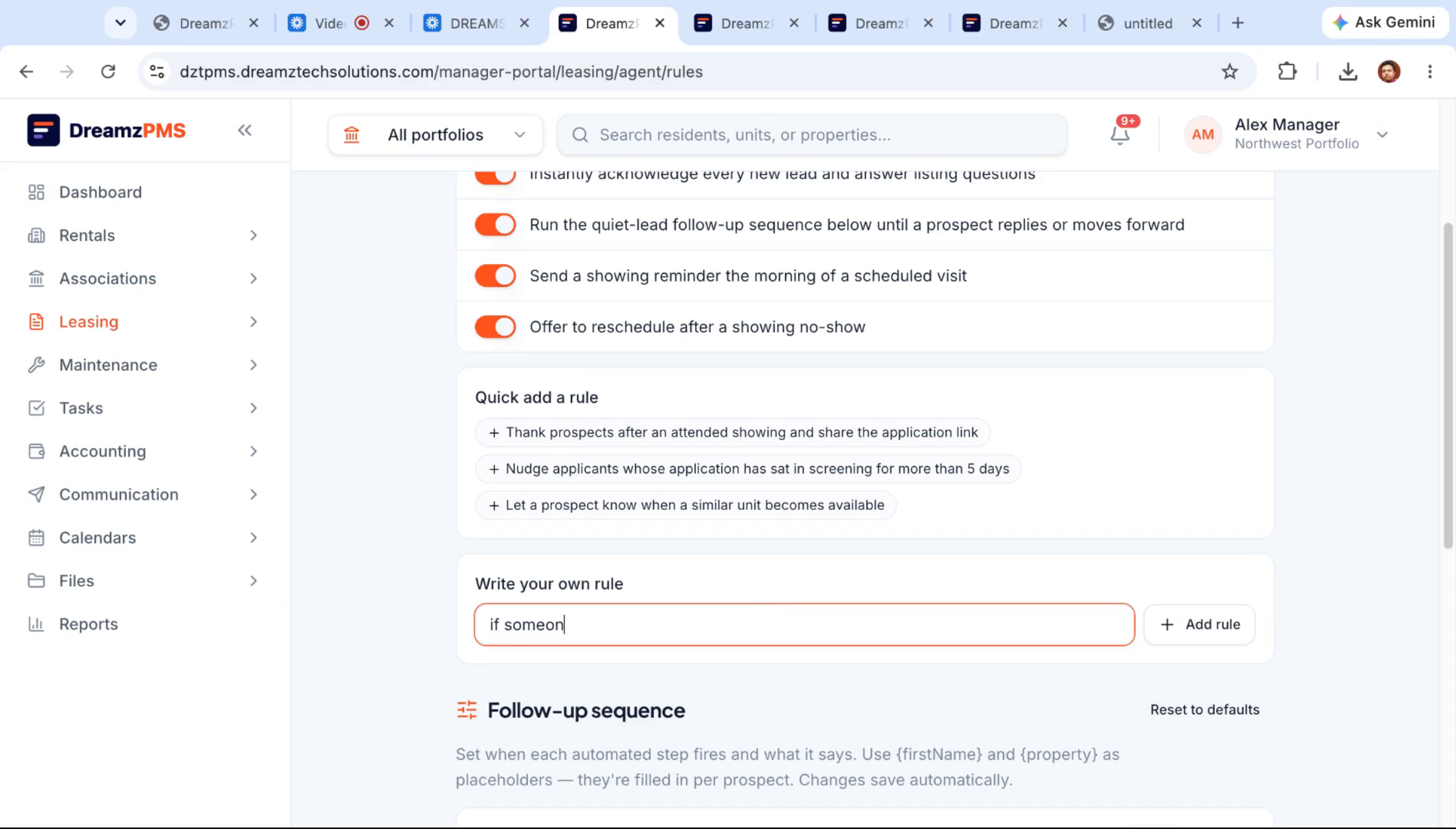
The active leads list shows the current pipeline, including how long it's been since a lead was first contacted and whether any follow-up has gone out. From here, managers can set up automated follow-up sequences — for example, a nudge after three or four days and a final check after seven — by describing the rule in plain language.
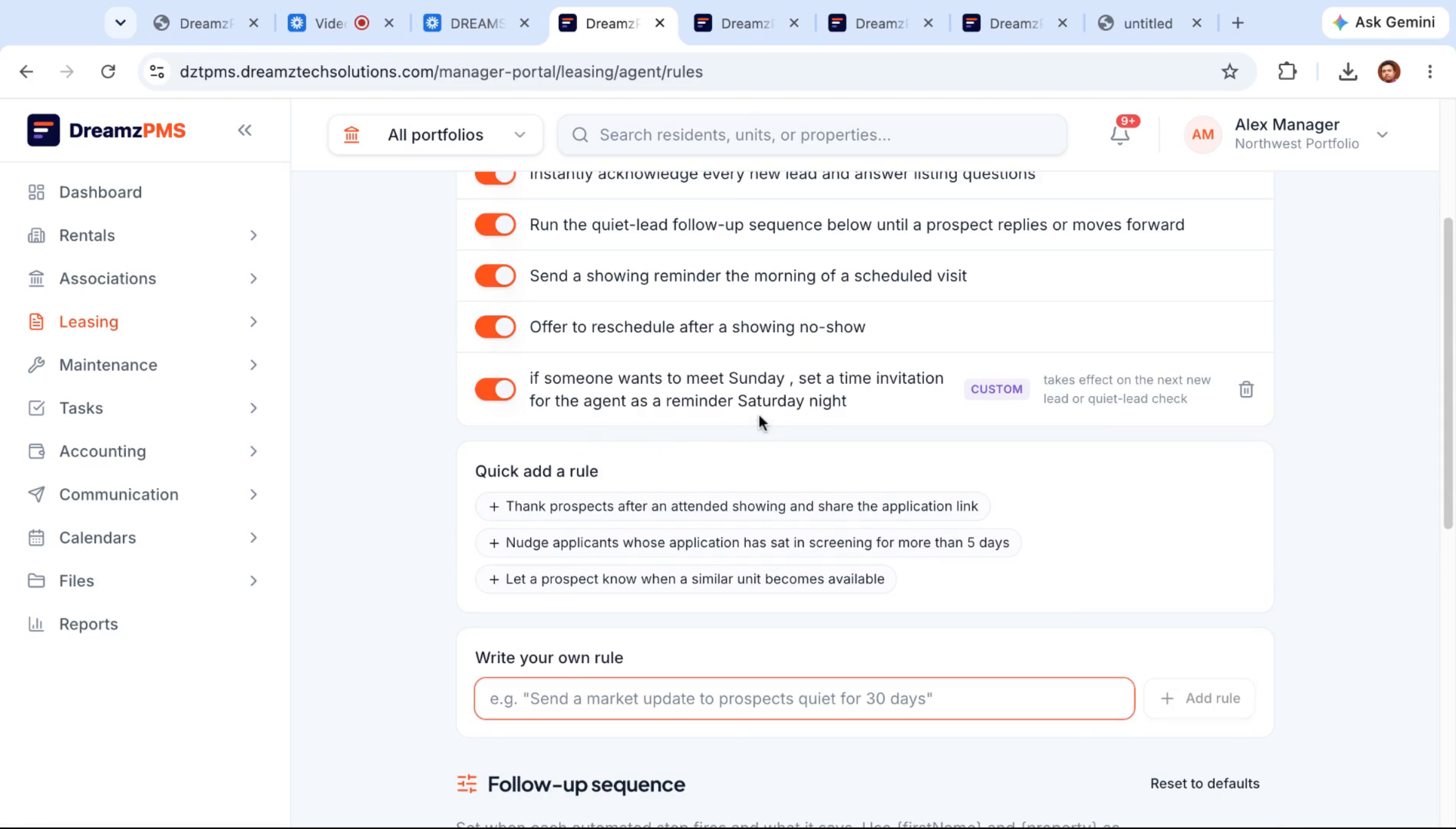
Step 31 – Custom Scheduling Rules Examples
Custom rules can cover scheduling scenarios too — for example, sending a reminder invitation ahead of a weekend showing — all set up using the same plain-language rule builder.
Maintenance Intelligence: From Request to Vendor Payment
Step 32 – Maintenance Intelligence Agent
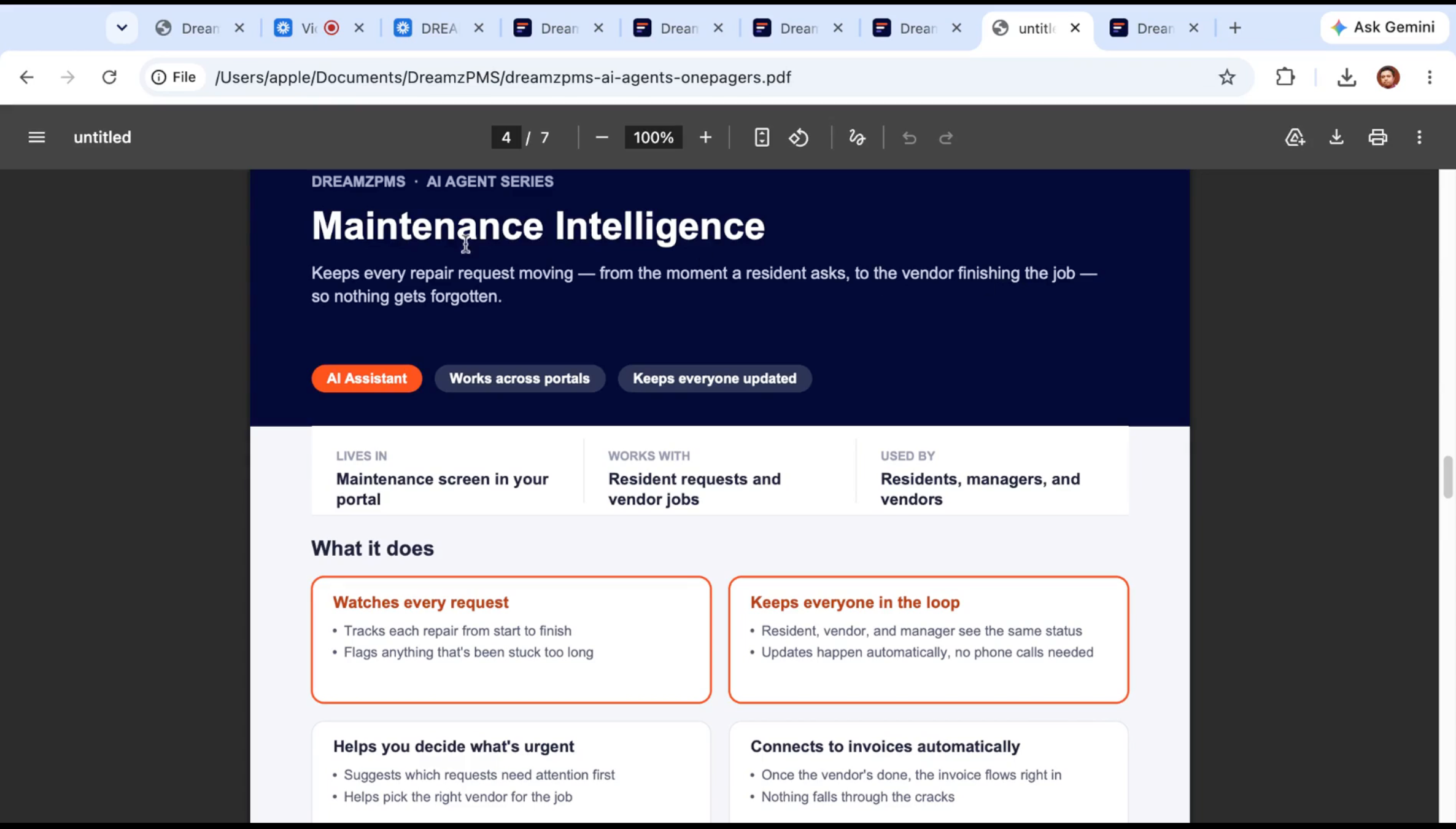
The maintenance intelligence agent keeps every repair request moving, from the moment a resident asks to the moment the vendor finishes the job — tracking each repair, flagging anything that's stuck, and keeping residents, vendors, and managers all looking at the same status.
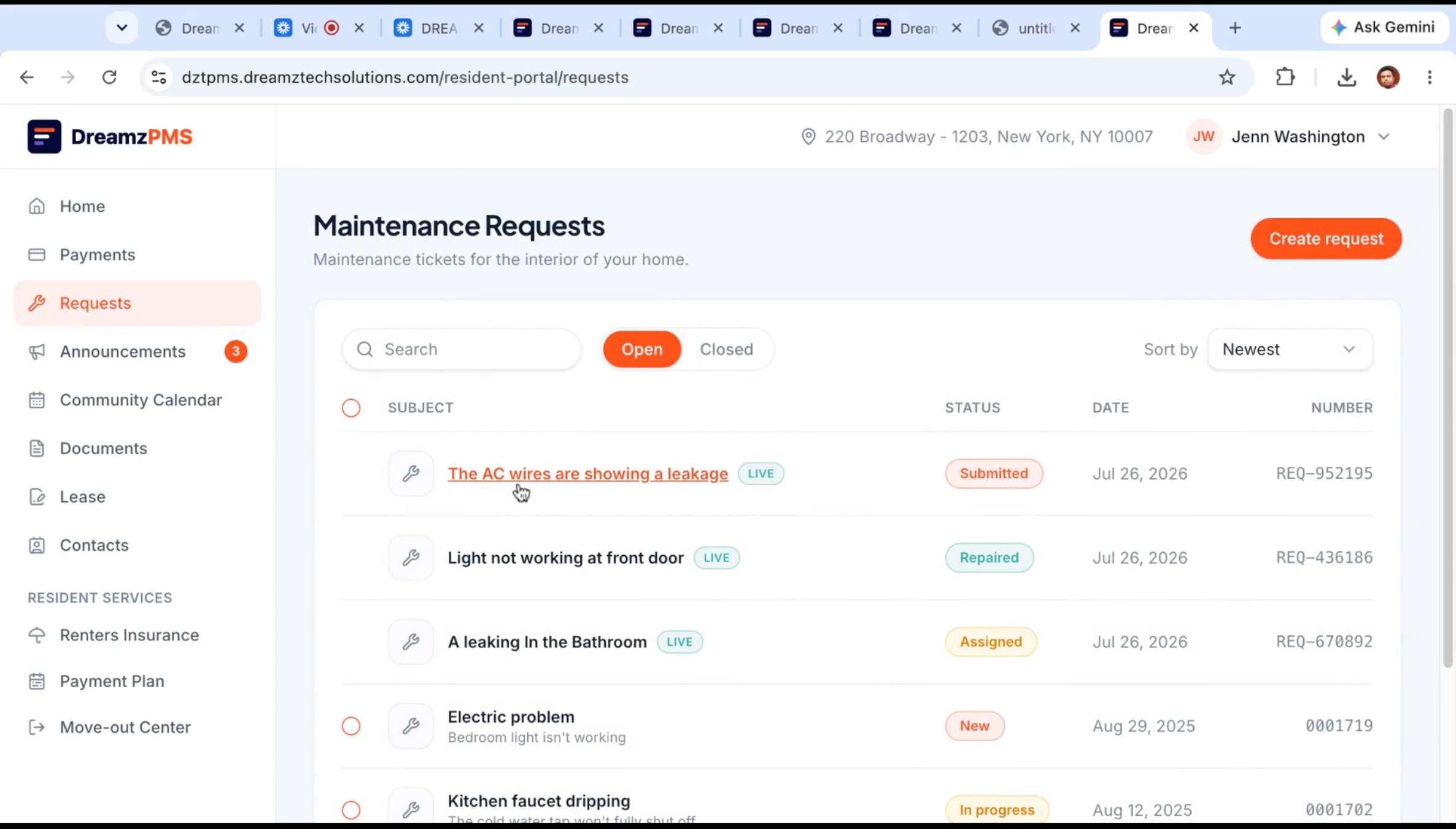
Step 33 – Resident Repair Request Submission
From the resident portal or mobile app, a resident can submit a new request — for example, an HVAC issue — setting the urgency, noting whether entry permission or pets are involved, and adding any other notes before sending.
Step 34 – Repair Request Generation
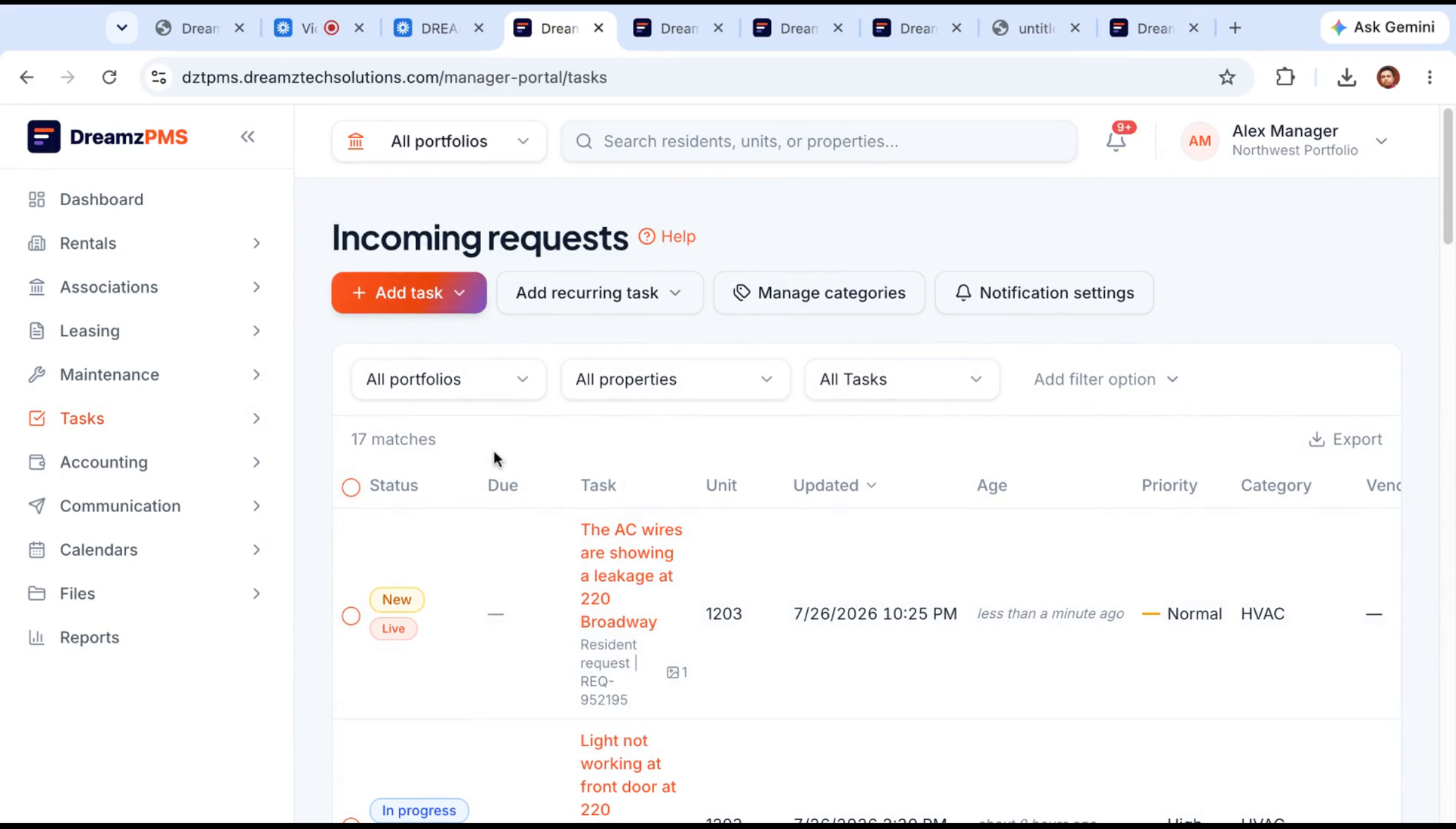
Once submitted, the request — for example, an AC unit showing a leak — appears immediately in the incoming requests section for the maintenance team to review.
Step 35 – Manager Work Order Processing
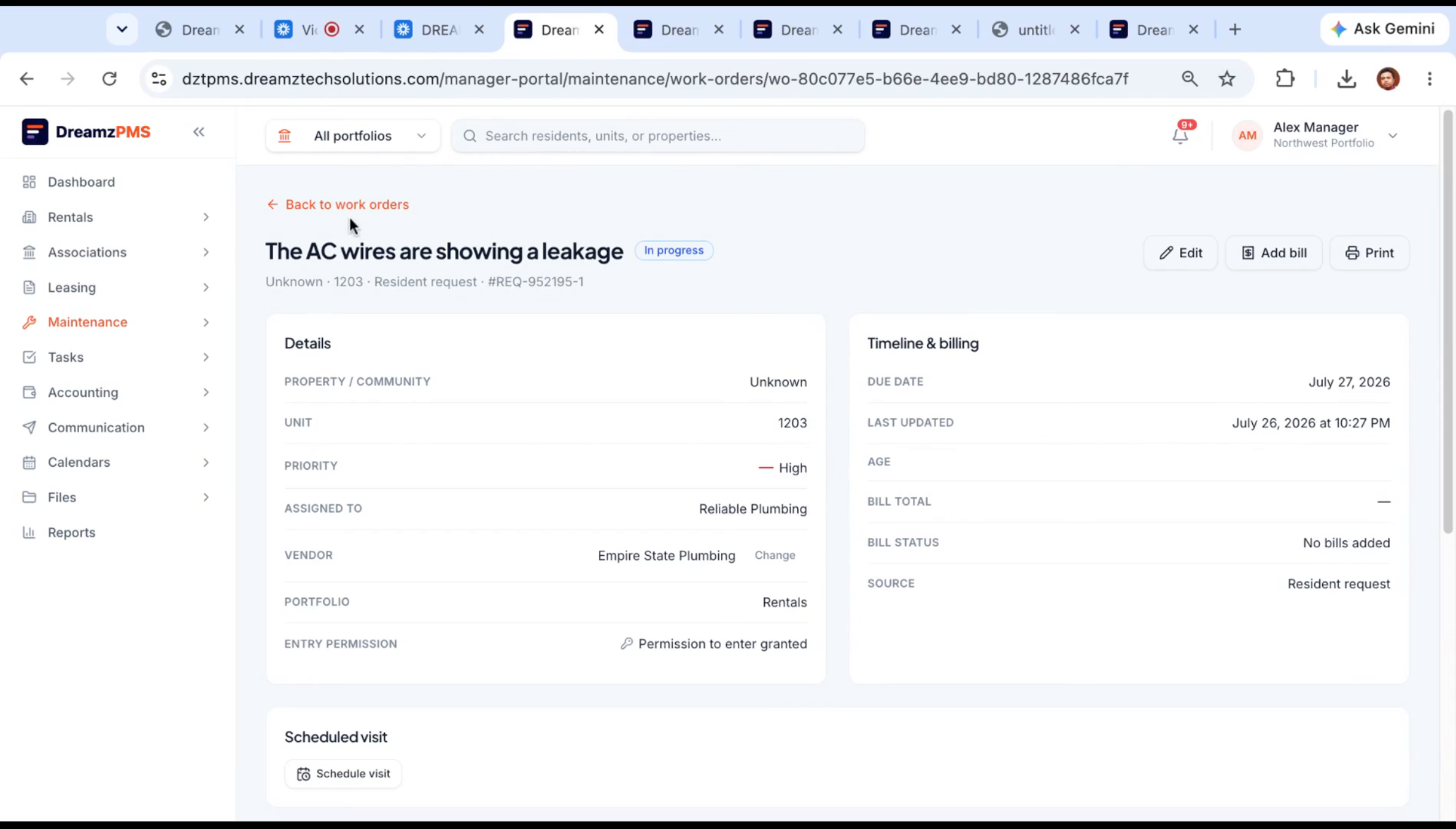
The property manager reviews the new issue, selects a priority, chooses a vendor, sets a target completion date, and converts the request into a work order.
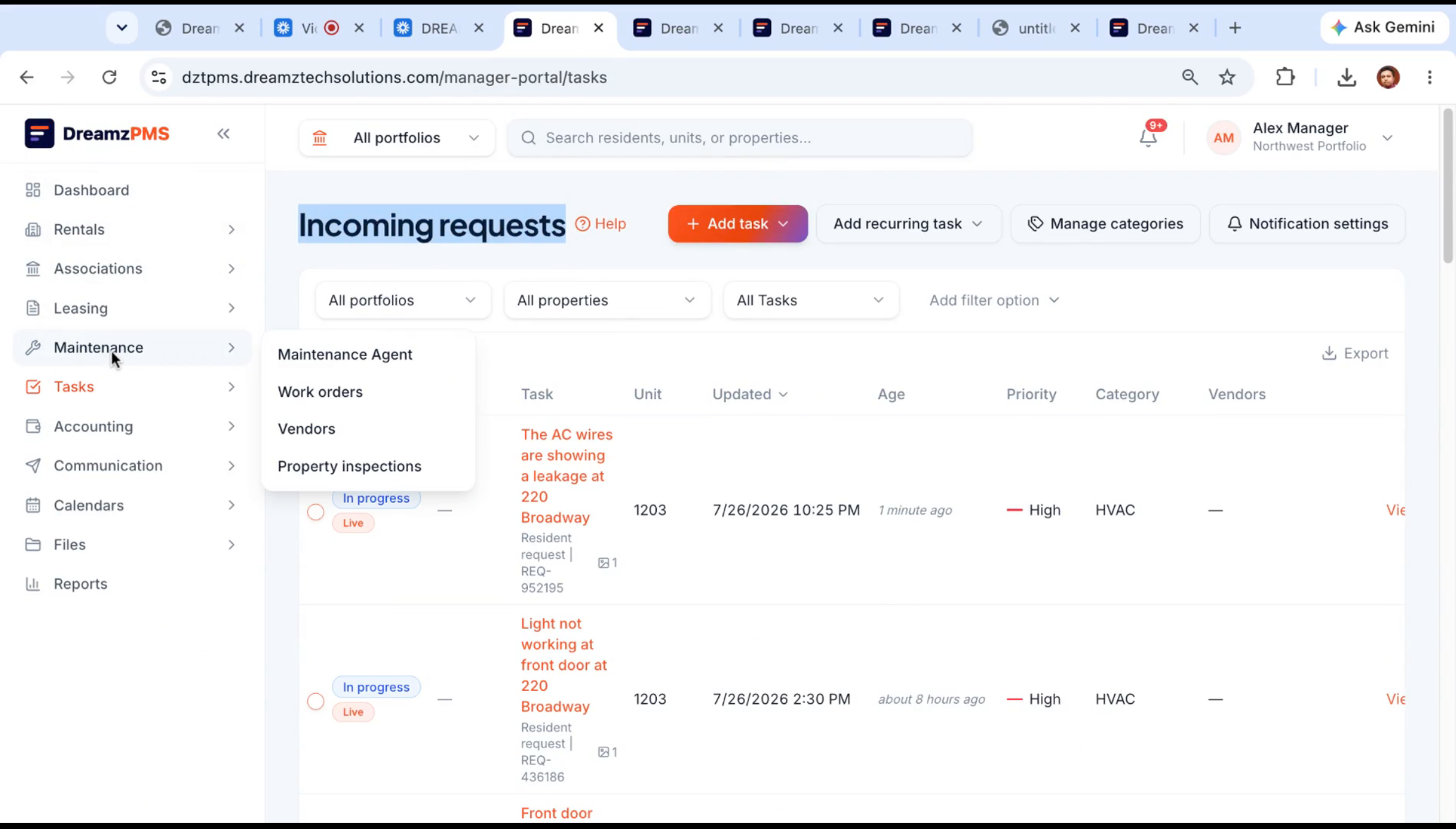
Step 36 – Maintenance Agent Work Order View
From the maintenance view, you can see every active work order, change the assigned vendor if needed, and track updates as they come in from the resident portal.
Step 37 – Vendor Portal Work Order Handling
The assigned vendor gets a notice that a new work order is waiting under their name. Logging into the vendor portal, they can see the issue — the AC leak, in this example — start the job, and mark it complete once finished.
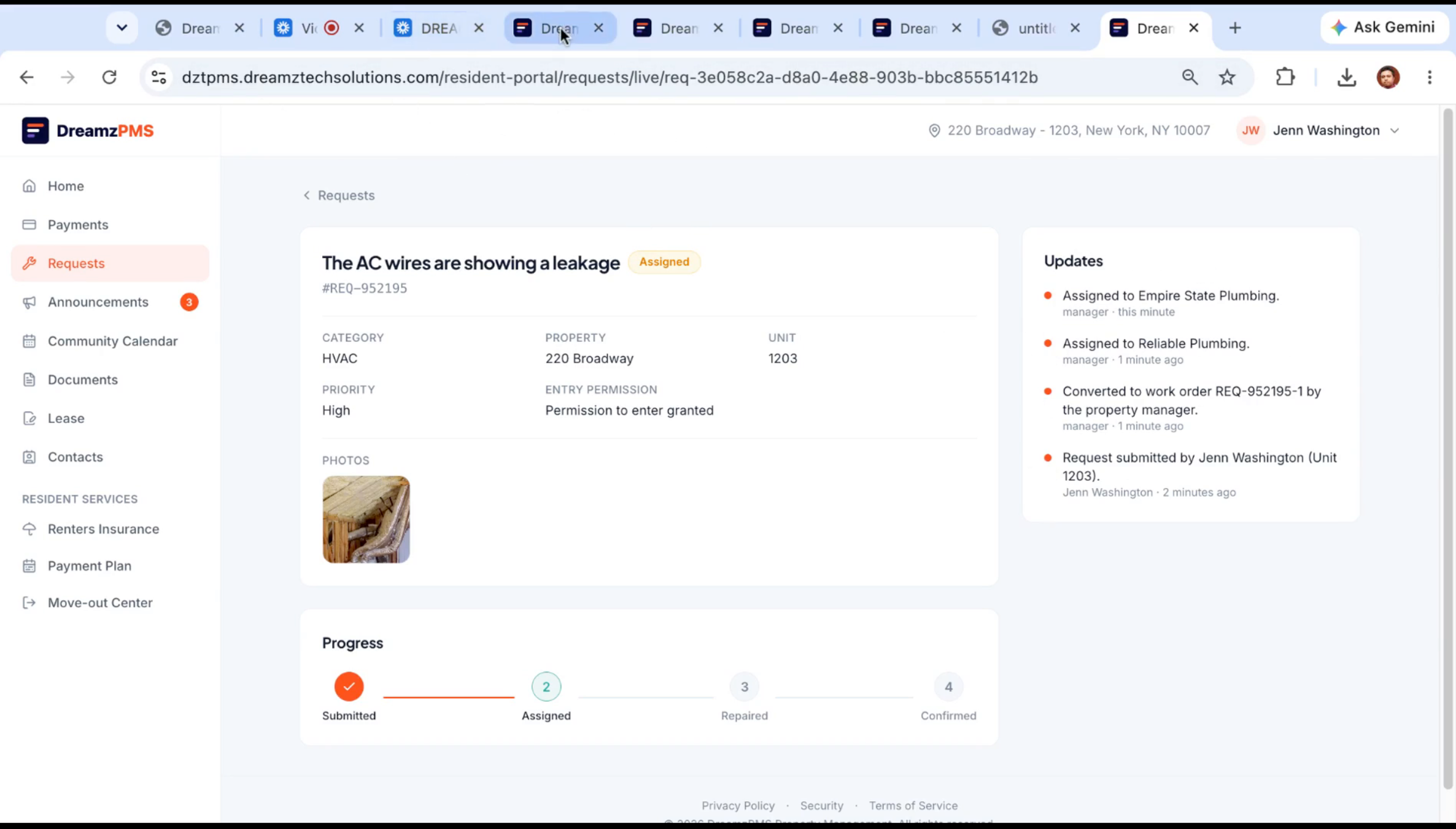
Step 38 – Maintenance Agent Daily Checks
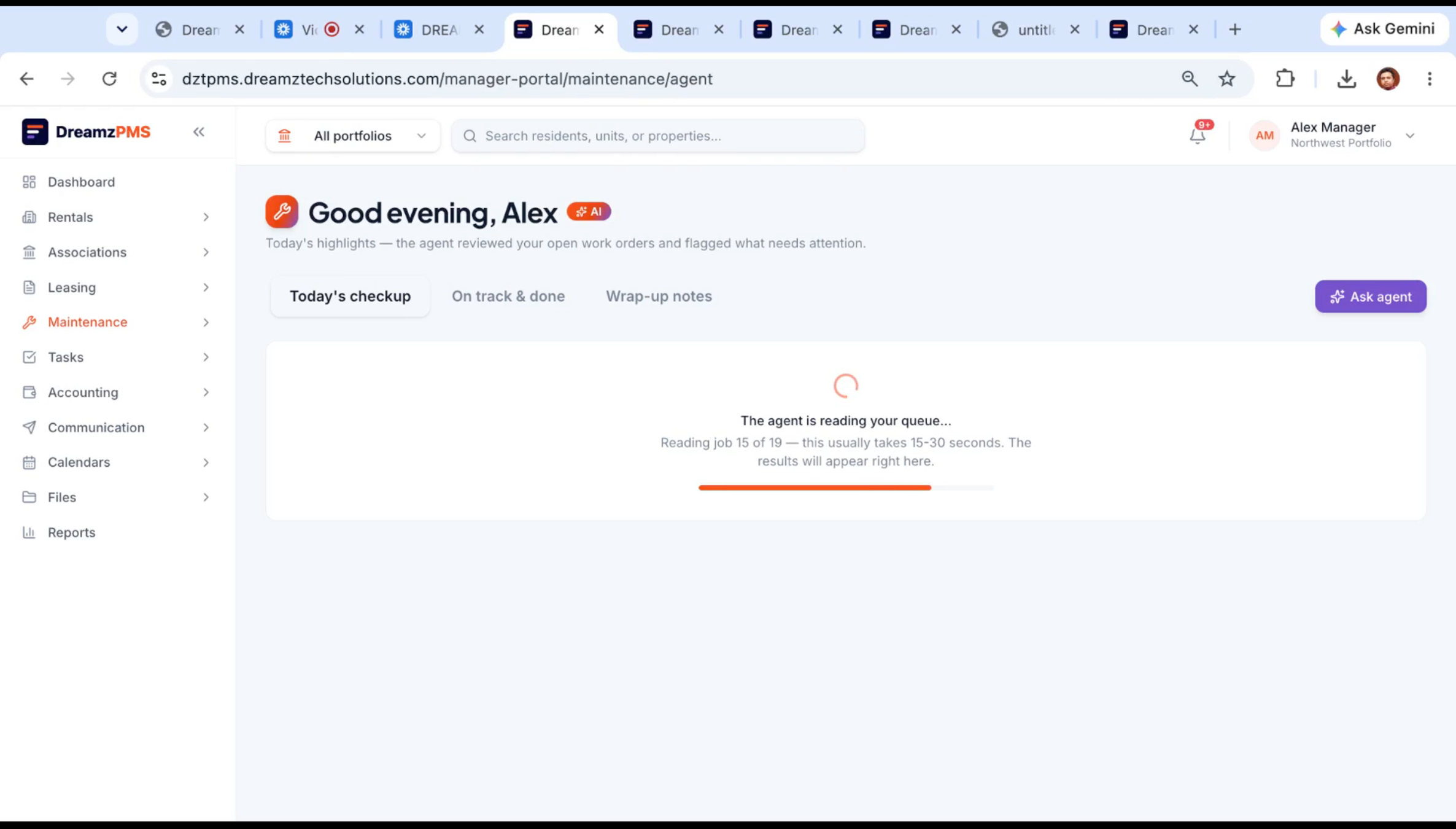
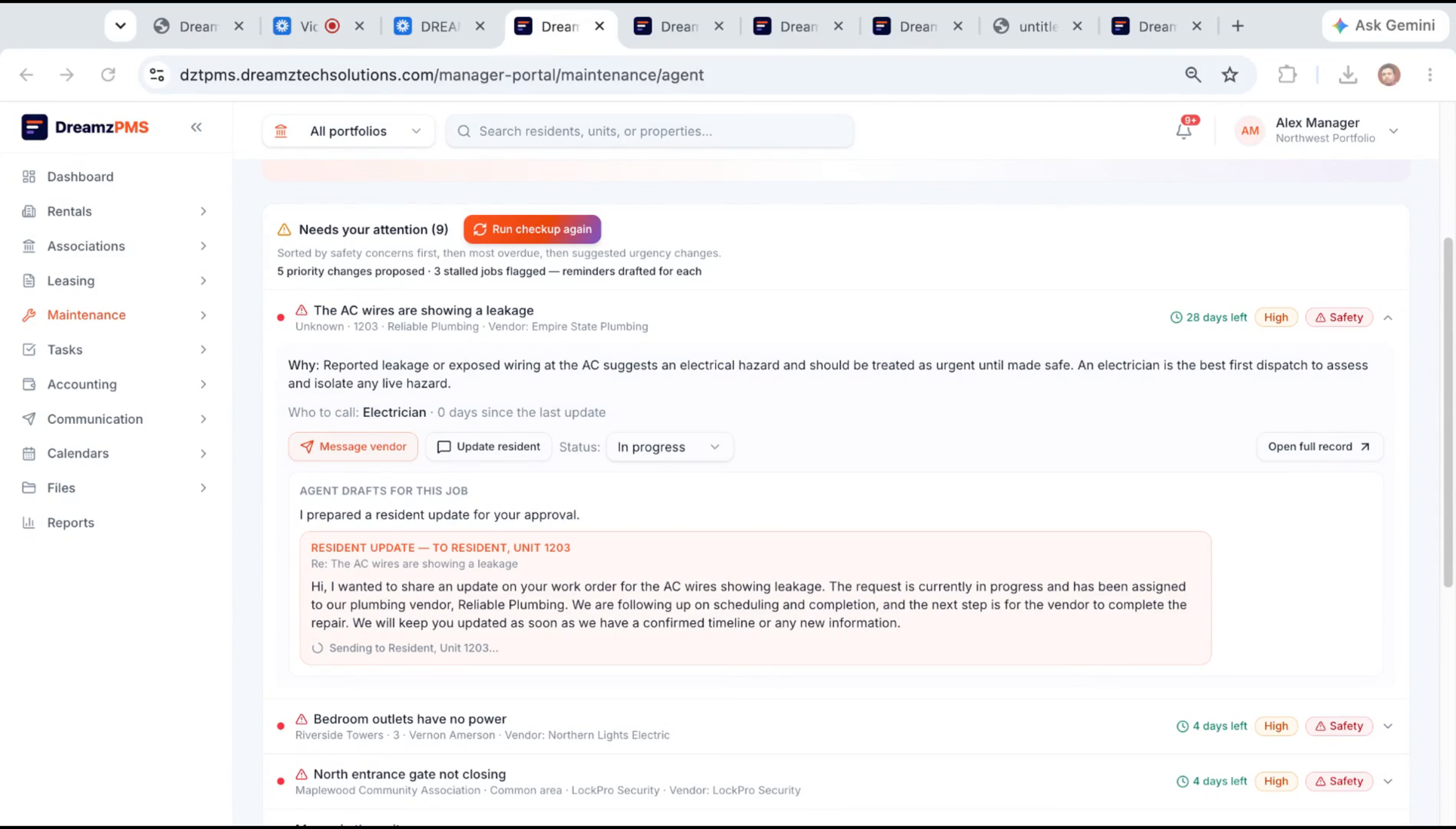
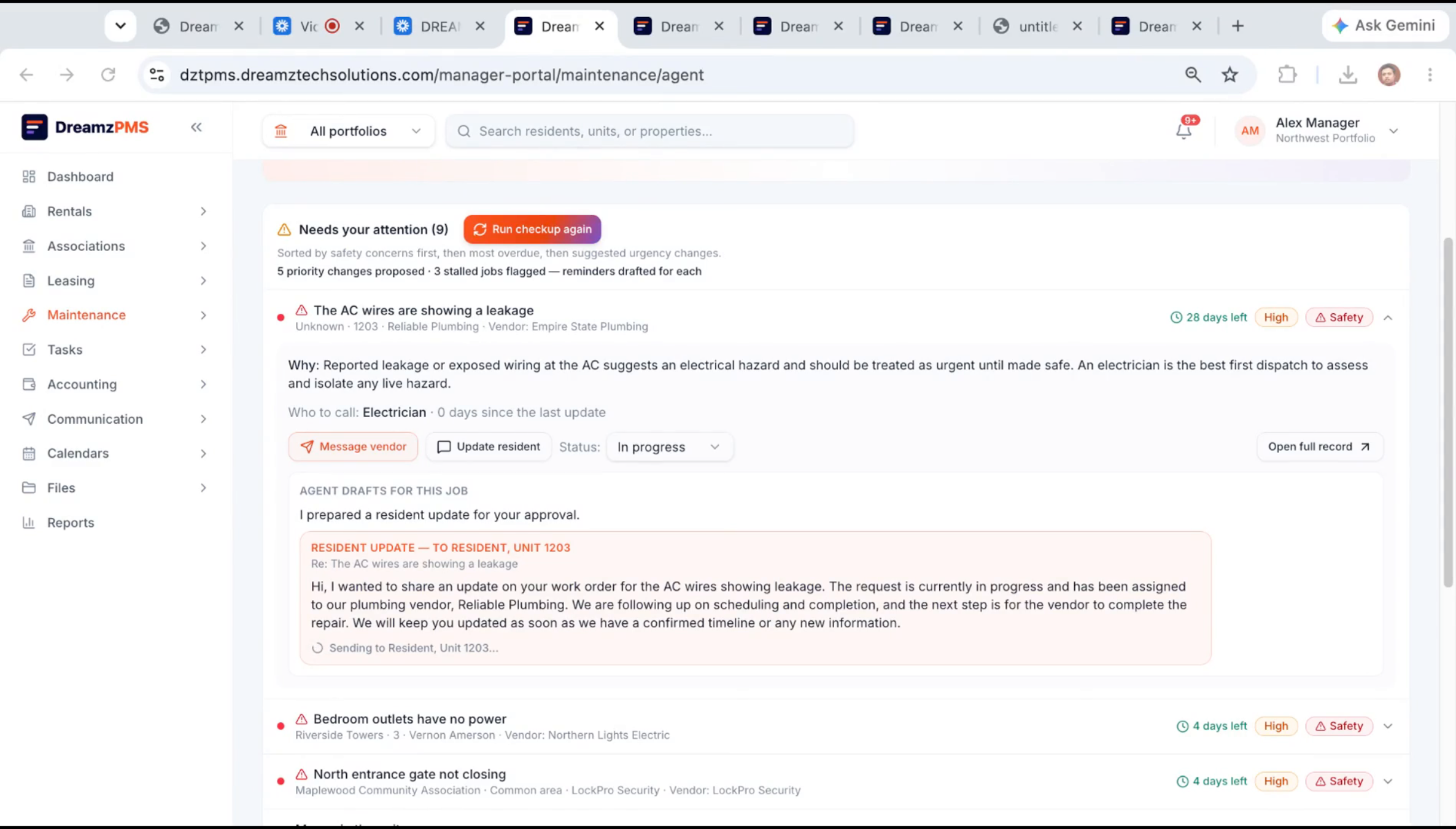
The maintenance agent runs an automatic check every day without any manual intervention, reading the full queue and sorting it by priority so you know what needs attention right now. You can also trigger a manual check any time.
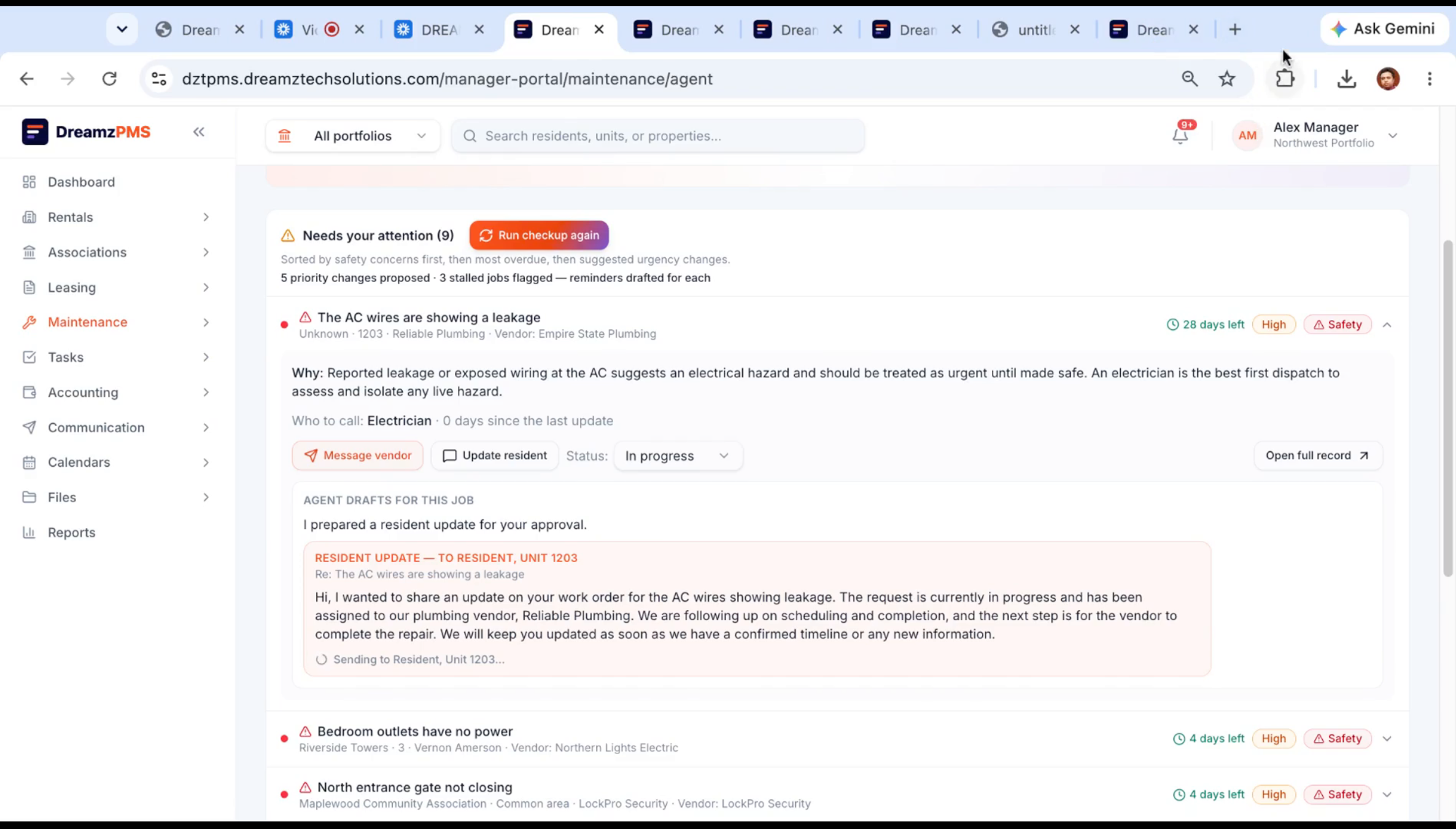
Step 39 – Vendor Communication Drafting
Note: Within seconds, the agent reads every open work order and flags anything that needs a nudge. It drafts a message to the vendor requesting a progress update, along with a status update for the resident, which you can review and edit before sending by email, SMS, WhatsApp, or app notification — on your behalf, but only once you choose to send it.
Step 40 – Job Completion and Invoice Upload
Once the vendor finishes the job, they mark it complete and submit their invoice for the work — for example, around one thousand dollars for the repair.
Step 41 – Invoice Submission Process
The vendor logs their hours and uploads the invoice for submission.
Step 42 – Invoice Review and Approval
On the manager's side, the submitted invoice for the completed job shows up as unapproved, waiting for review.
Step 43 – AI Invoice Reading and Saving
Whether the vendor uploaded a PDF, a handwritten note, or a third-party system-generated invoice, clicking Record as Bill has the AI read it and capture the details automatically — the amount, vendor, and other fields — with no manual retyping. If you swap in a different invoice, the AI reads that one just as reliably before you save it.
Step 44 – Invoice Payment Notification
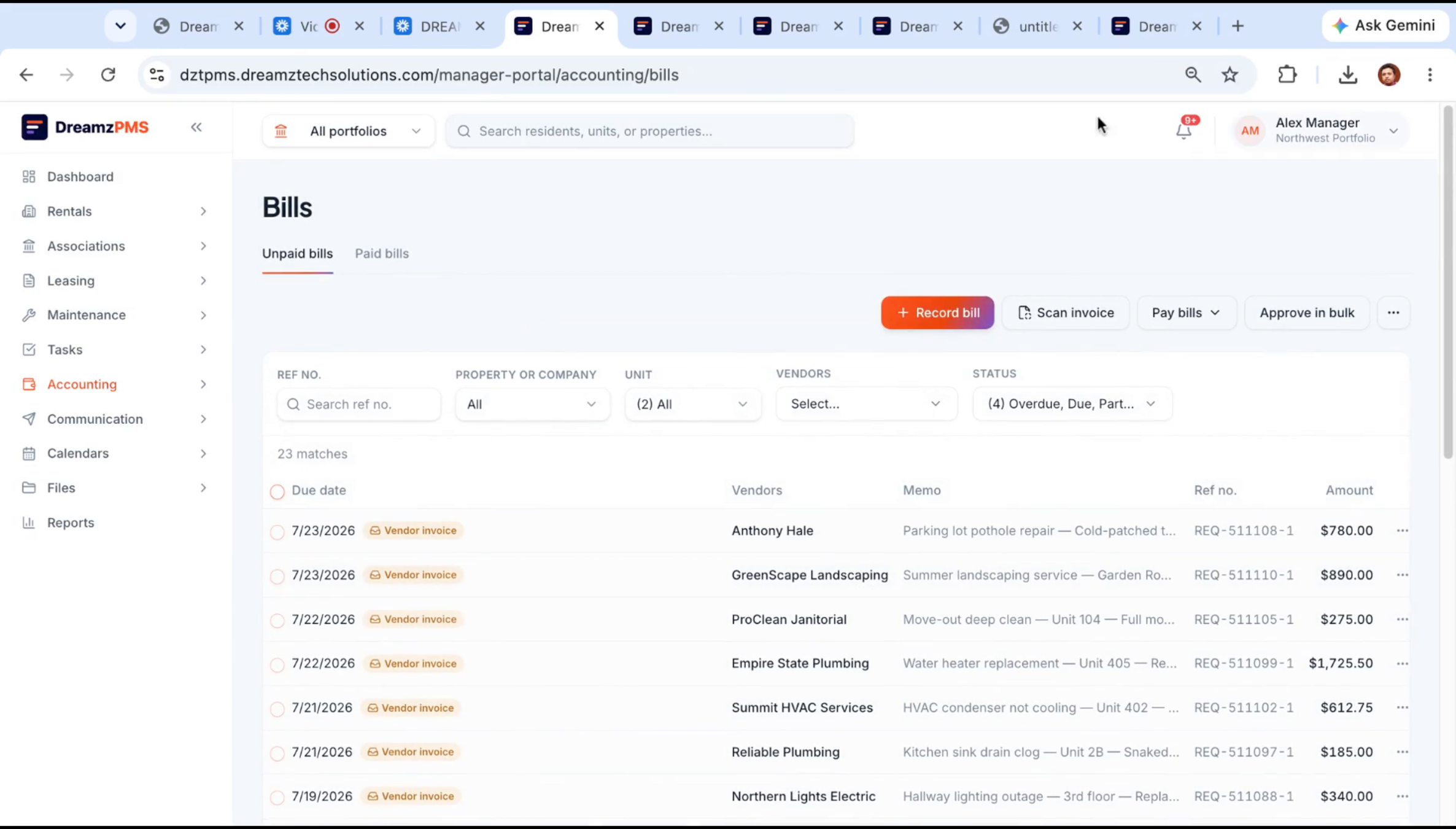
Once approved, everyone gets notified and the bill amount is recorded as paid to the vendor — closing out the maintenance and billing loop for that job.
Finance Agent and AI Letter Composer
Step 45 – Finance Agent Overview and Briefing
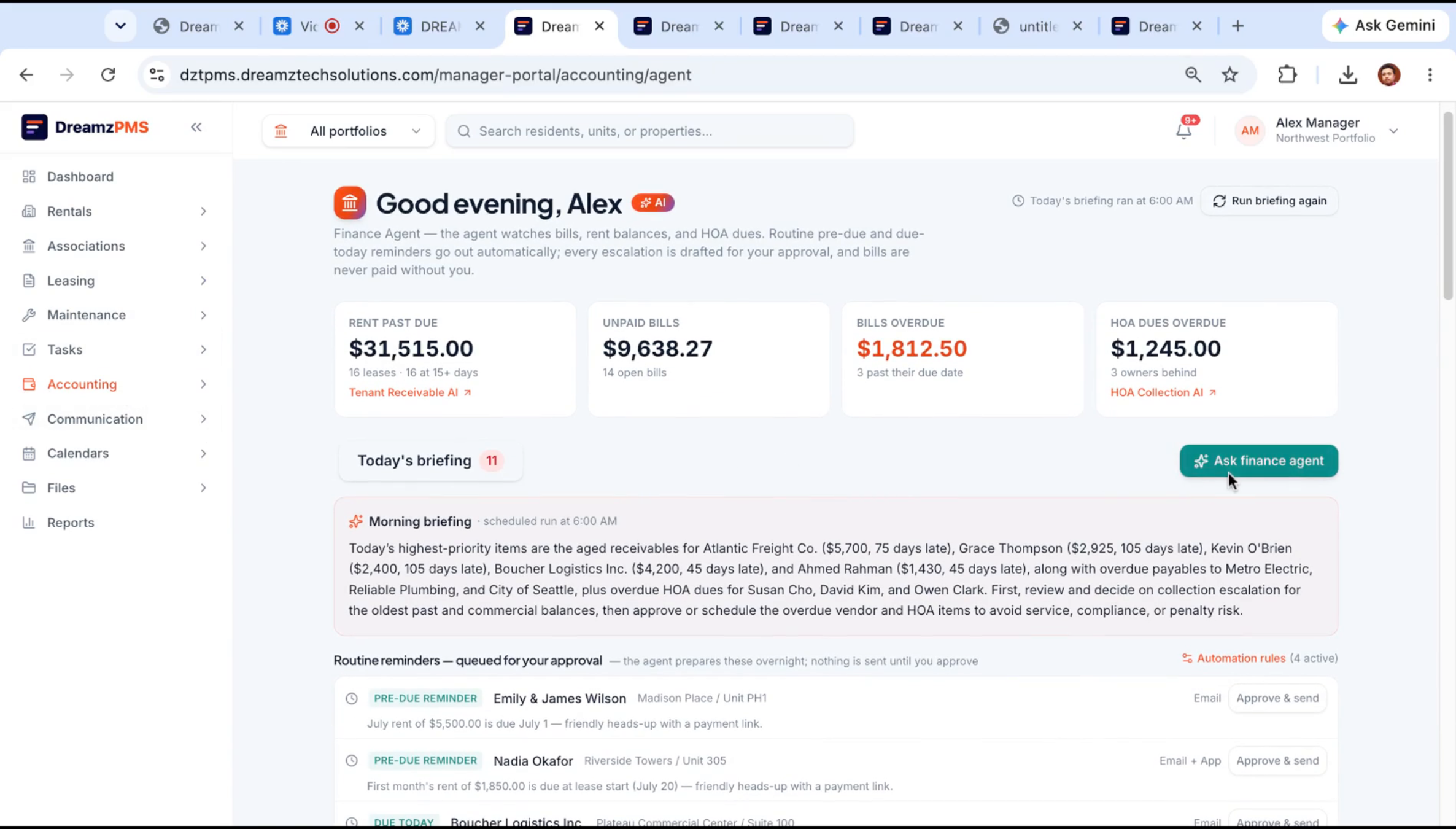
The finance agent checks rent and dues across every property, spots late payments as soon as they happen, and delivers a regular briefing summarizing what needs your attention.
Step 46 – Automated Rent Reminder Letters
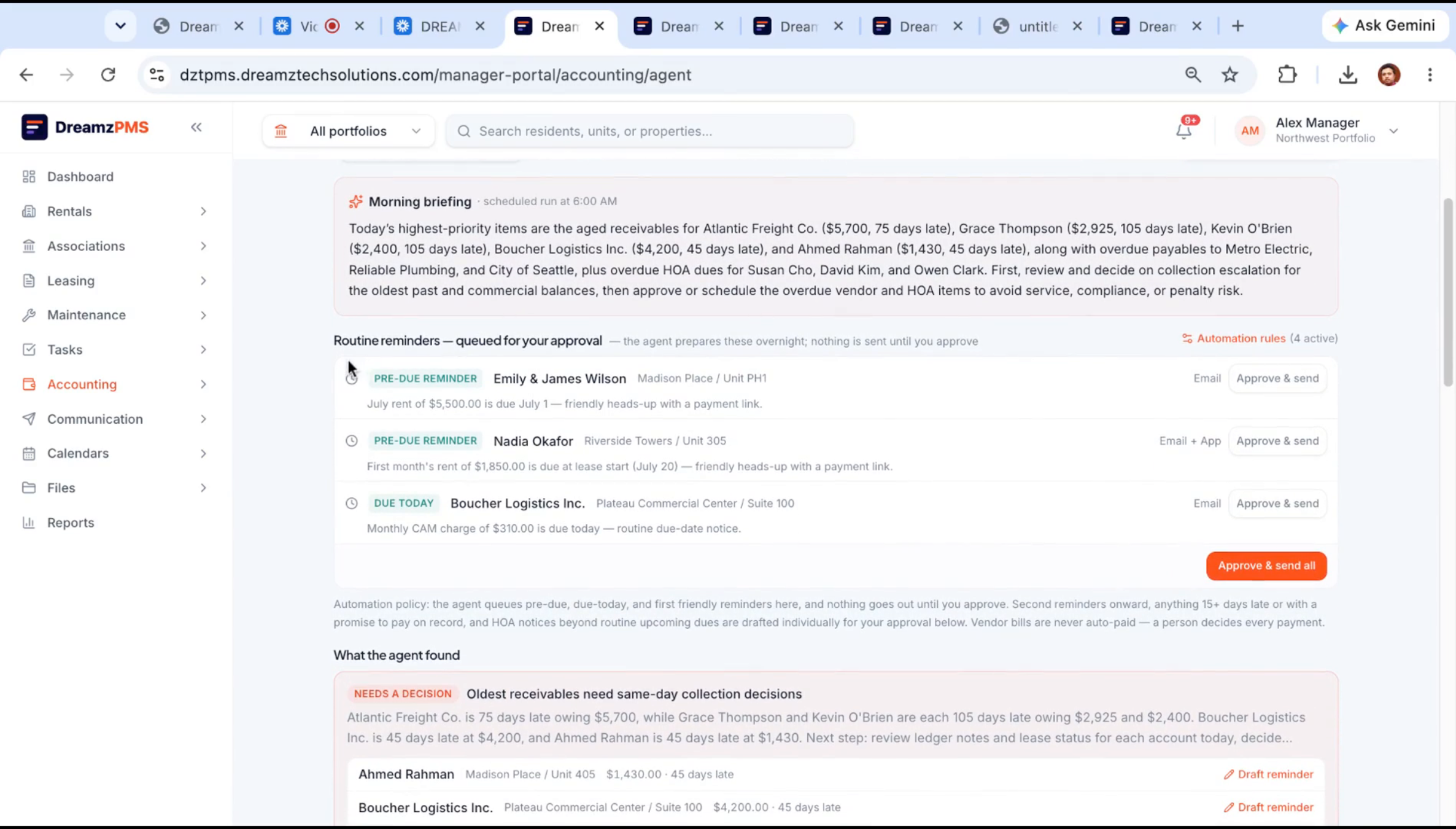
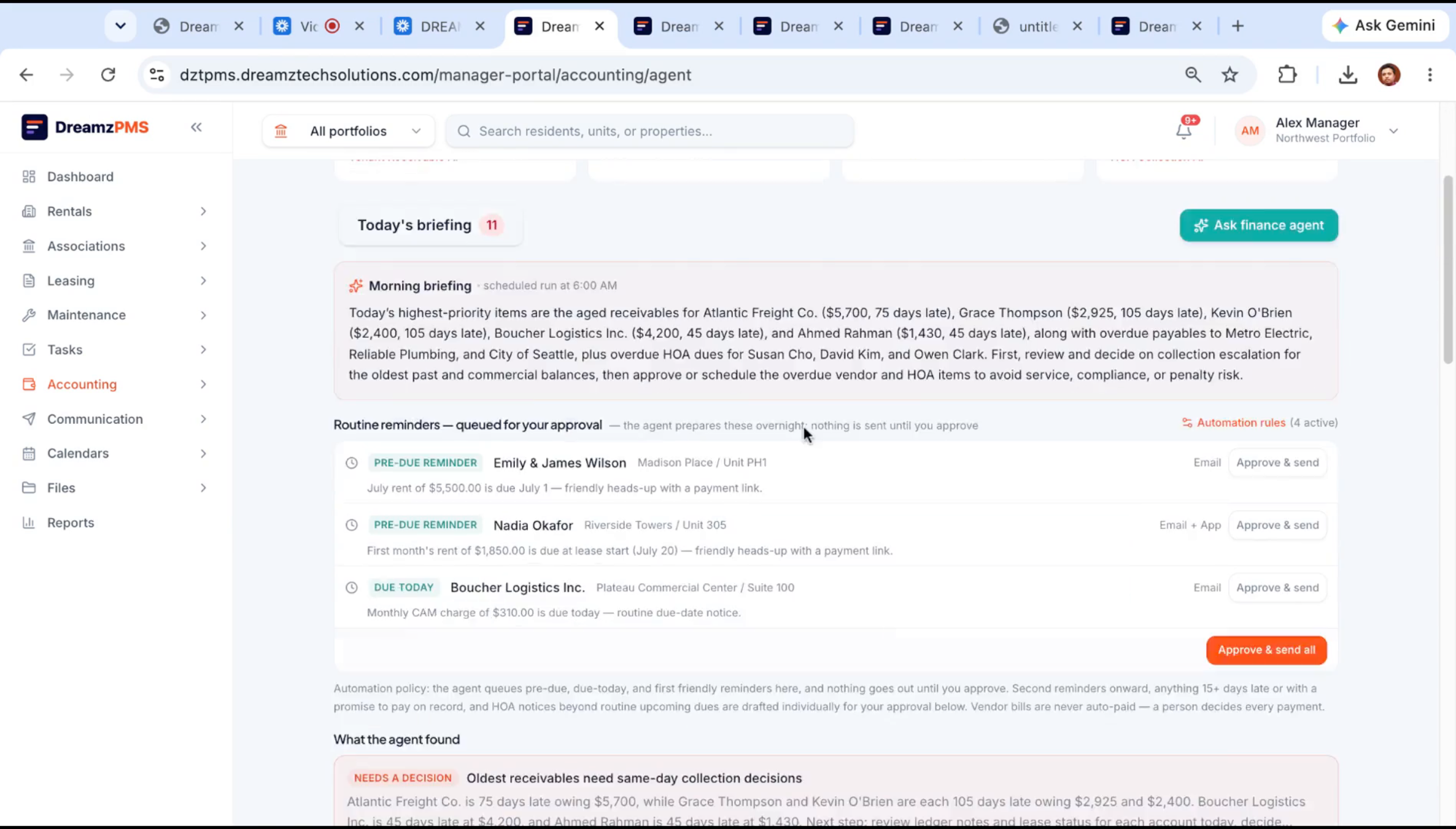
Routine reminders go out automatically based on the rules you've set — a pre-due reminder here, a follow-up there. The briefing also highlights receivables that need a decision, grouping late accounts by how overdue they are (for example, 45, 75, or 100 days late) so you know where to focus. Clicking Draft Reminder has the AI write a reminder note for that specific customer, which you can edit before sending.
Step 47 – Custom Finance Automation Rules
The automation rules section is where these reminders are configured — for example, a friendly rent reminder two days before it's due, or a rule that reminds a tenant once their balance passes a set amount. Each property can have its own rule set, described in plain language and translated into working automation by the AI engine.
Step 48 – Chat Interaction with Finance Agent
You can also chat directly with the finance agent to get a list of pending payments — including overdue HOA assessments for homeowners associations — instead of pulling a report manually.
Step 49 – AI Letter Composer Features
The AI letter composer is available anywhere you write to a resident or owner in the Communications module, helping draft the message for you.
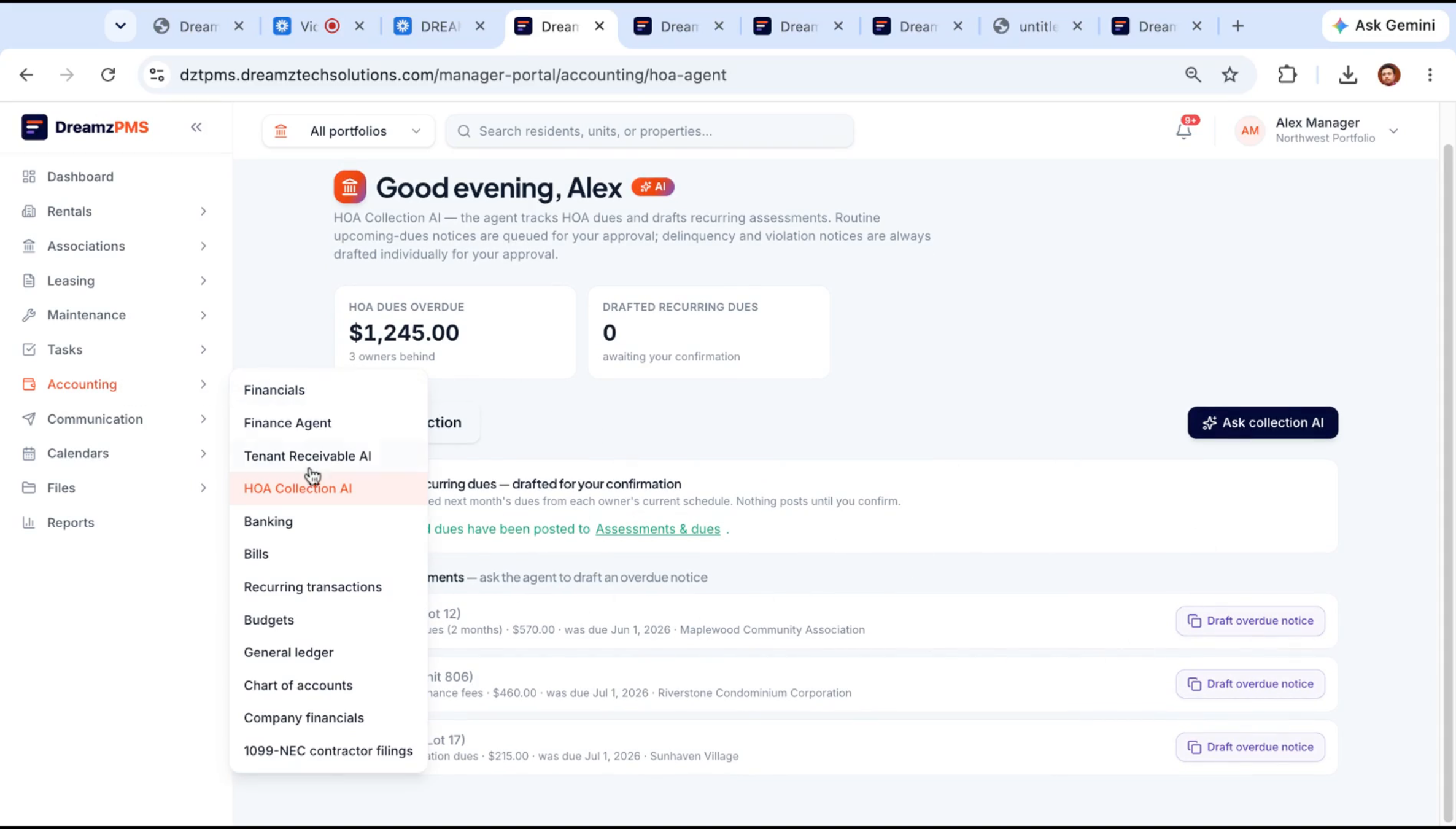
Step 50 – Notice Drafting and Sending
For something like a rent payment notice, the composer writes a draft you can review and send to the recipient of your choice.
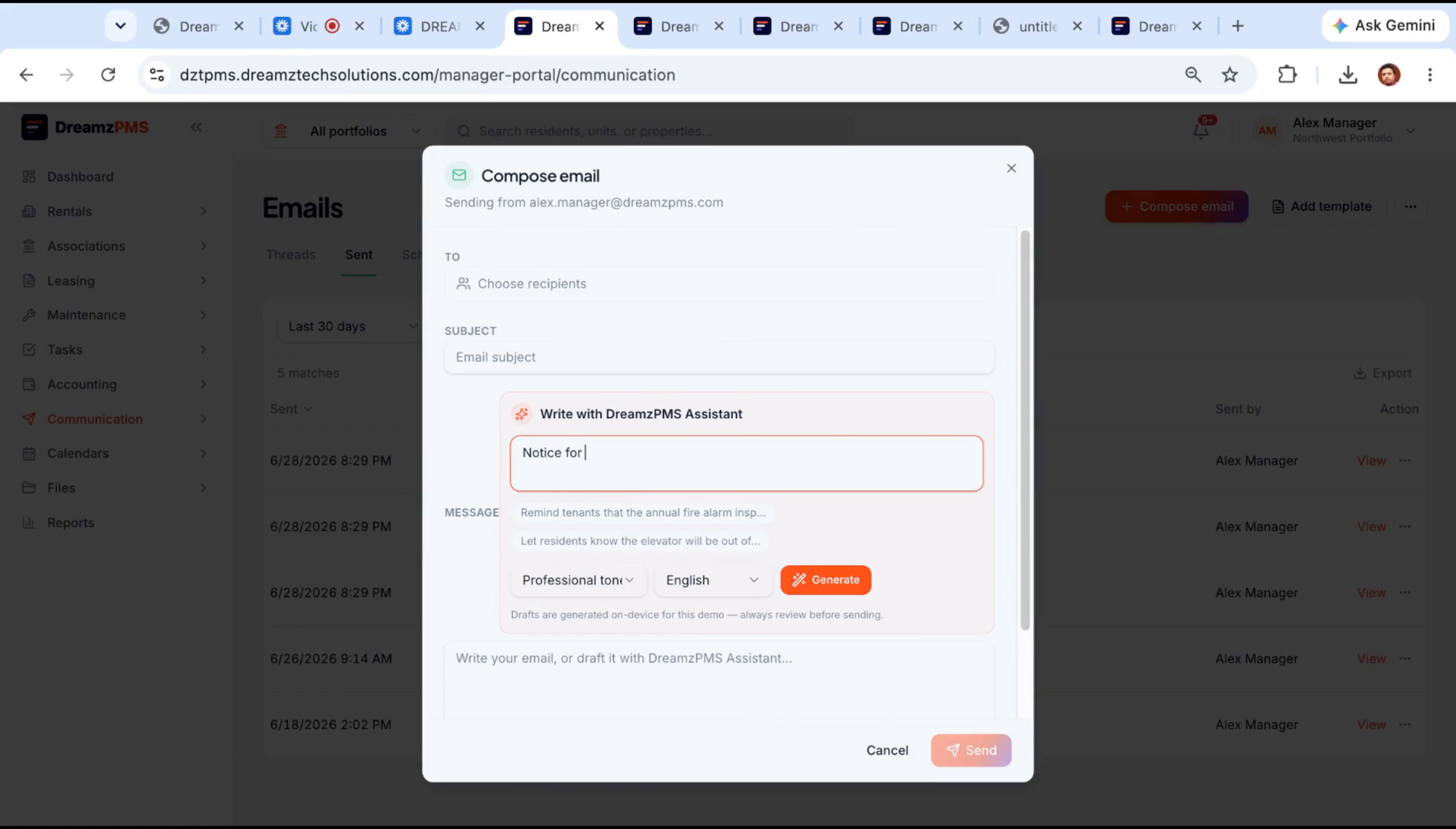
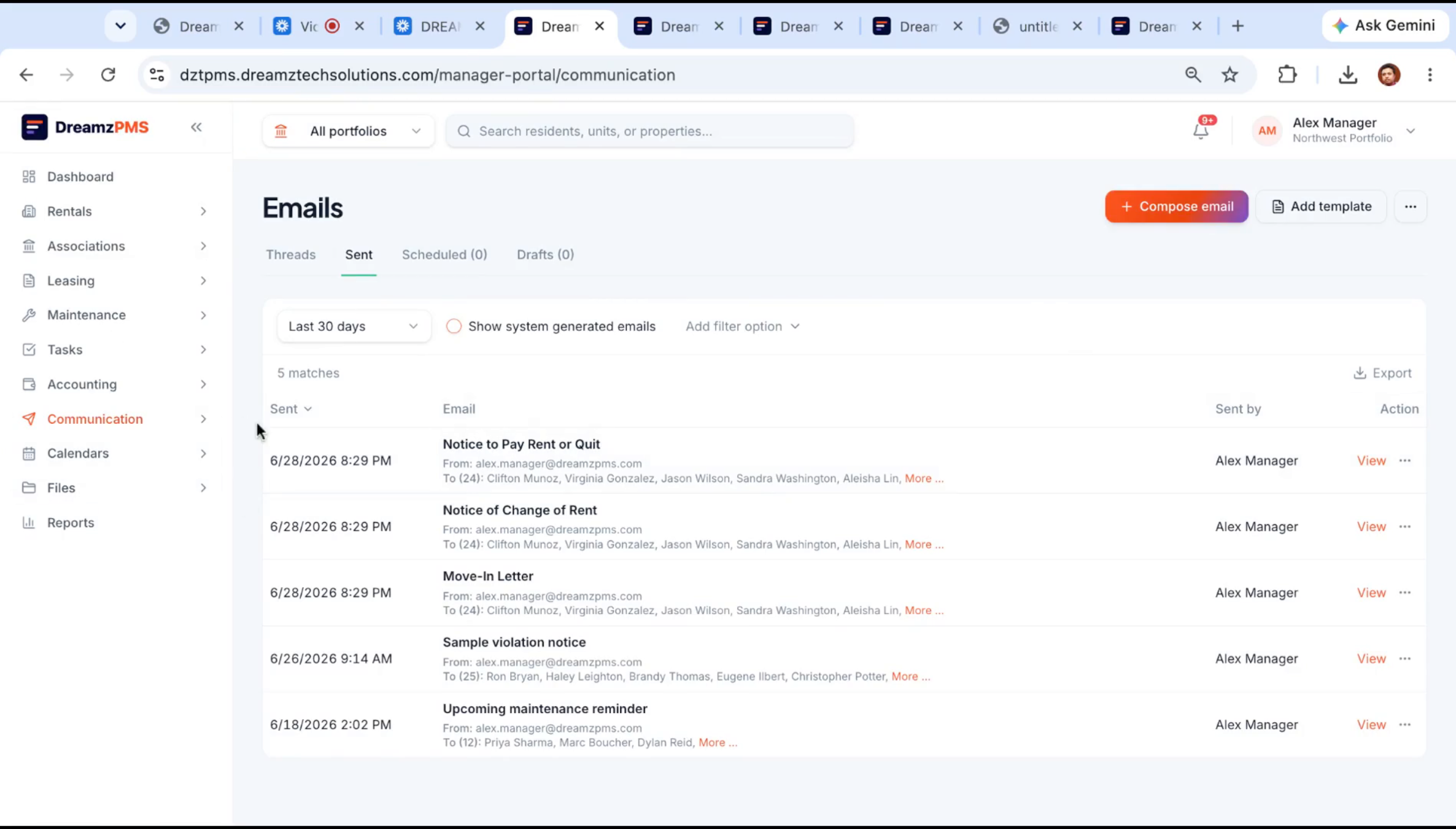
Step 51 – Communication and Lease Automation
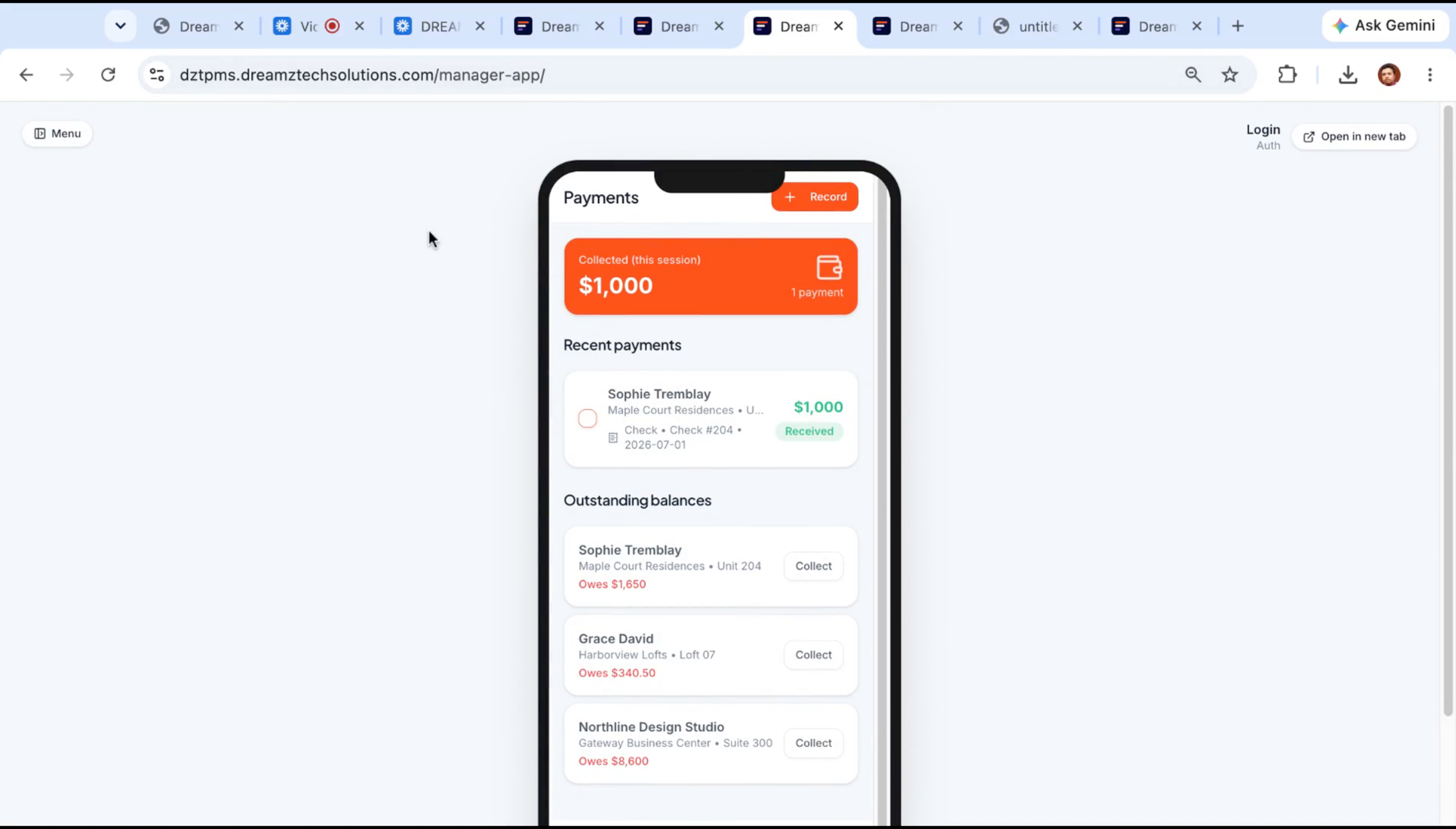
The composer helps with text messages, mailed letters, payment notifications, and lease agreements alike — you can generate previews, create leases, and send everything from one place. Residents get a mobile app to view amenities, submit requests, and make payments, while managers get their own app to collect payments and manage day-to-day operations.
After Setup — What's Next?
With six AI agents covering leasing, maintenance, invoicing, and finance, your team can shift its attention from routine tasks to the decisions that actually need a person. Once you're comfortable with the core workflow, you can:
- Fine-tune your website chatbot and leasing agent's follow-up cadence so no lead goes quiet without a nudge.
- Set up custom finance rules per property so rent reminders and late-fee notices go out consistently across your whole portfolio.
- Encourage vendors to upload invoices directly — PDF, scan, or photo — so the AI invoice scanner can handle the data entry.
This is the full picture of the DreamzPMS AI workforce — six agents working alongside your team every day.
Ready to see the DreamzPMS AI workforce in action? Contact DreamzTech to schedule a personalized demonstration.
Tips for Getting the Most Out of the AI Workforce
- Let the website chatbot handle after-hours inquiries fully — check the Prospects list each morning rather than trying to staff live chat around the clock.
- Write your follow-up and finance automation rules in plain language and review them periodically; each property can have its own set of rules.
- Have vendors upload invoices directly, even handwritten ones — the AI invoice scanner reads them just as reliably as a typed PDF.
- Review AI-drafted reminders and letters before sending, especially finance communications, to make sure the tone and details are right for that resident.
Frequently Asked Questions
Does the website chatbot make up availability information?
No. It checks the live system data for actual available units and only responds with real listings, not generated guesses.
Can vendors submit handwritten invoices?
Yes. The AI invoice and bill scanning agent reads handwritten invoices, printed invoices, and invoices from other systems the same way, extracting the details automatically.
Do rent reminders get sent automatically without review?
Routine reminders follow the rules you've configured, but the finance agent drafts individual reminder letters for your approval before anything goes out to a resident.
Can I set different automation rules for different properties?
Yes. Each property can have its own follow-up, finance, and reminder rules, described in plain language and turned into working automation by the AI.