TransKit AI Overview: Smarter Shipment Management from Dispatch to Delivery
Every day, dispatchers juggle phone calls, chase drivers for updates, and dig through spreadsheets just to answer one question — where's my shipment? That's not a software problem, it's a missing brain. TransKit is an AI-powered transportation management system (TMS) built to simplify every stage of your logistics operations, from shipment creation to load building to truck assignment.
Overview
TransKit centers everything around a single dashboard, giving dispatchers a clear view of shipments, key metrics, and anything that needs attention. From there, AI does the heavy lifting: reading pasted emails or uploaded bills of lading to pre-fill shipment forms, building optimized truckloads from multiple LTL shipments, and recommending the best truck and driver for every load. At the core of it all is AI Pilot — a conversational assistant that can brief you on what needs attention, book shipments, assign trucks, or add customers, all while keeping a human in the loop for final confirmation.
Here is a reference video:
Before You Begin
- You must have a TransKit account with dispatcher-level access to create shipments, build loads, and assign trucks.
- Have your shipment source ready — a shipment email you can paste in, or a bill of lading (BOL) you can upload — so TransKit AI can extract the details automatically.
- Make sure your fleet data (vehicles, drivers, hours of service) is up to date, since AI recommendations for load building and truck assignment rely on this information.
How TransKit AI Works, Step by Step
Step 1 – Start From Your Dashboard
The dashboard provides a centralized view of your transportation operations, helping dispatchers monitor shipments, track key metrics, and quickly identify items that need attention before they become problems.

Step 2 – Create a Shipment Automatically from an Email or BOL
Shipment management shouldn’t mean re-entering the same freight information over and over. Instead of manually filling out lengthy forms, simply paste a shipment email or upload a bill of lading. TransKit AI instantly reads the document, extracts key shipment details — shipper, consignee, pickup and delivery locations, freight information, weights, references, and more — and automatically populates every field. Within seconds, your shipment is pre-filled, validated, and ready to create, and TransKit automatically generates a standardized digital BOL as a clean, searchable system record.
Step 3 – Create Shipments by Chatting with AI Pilot
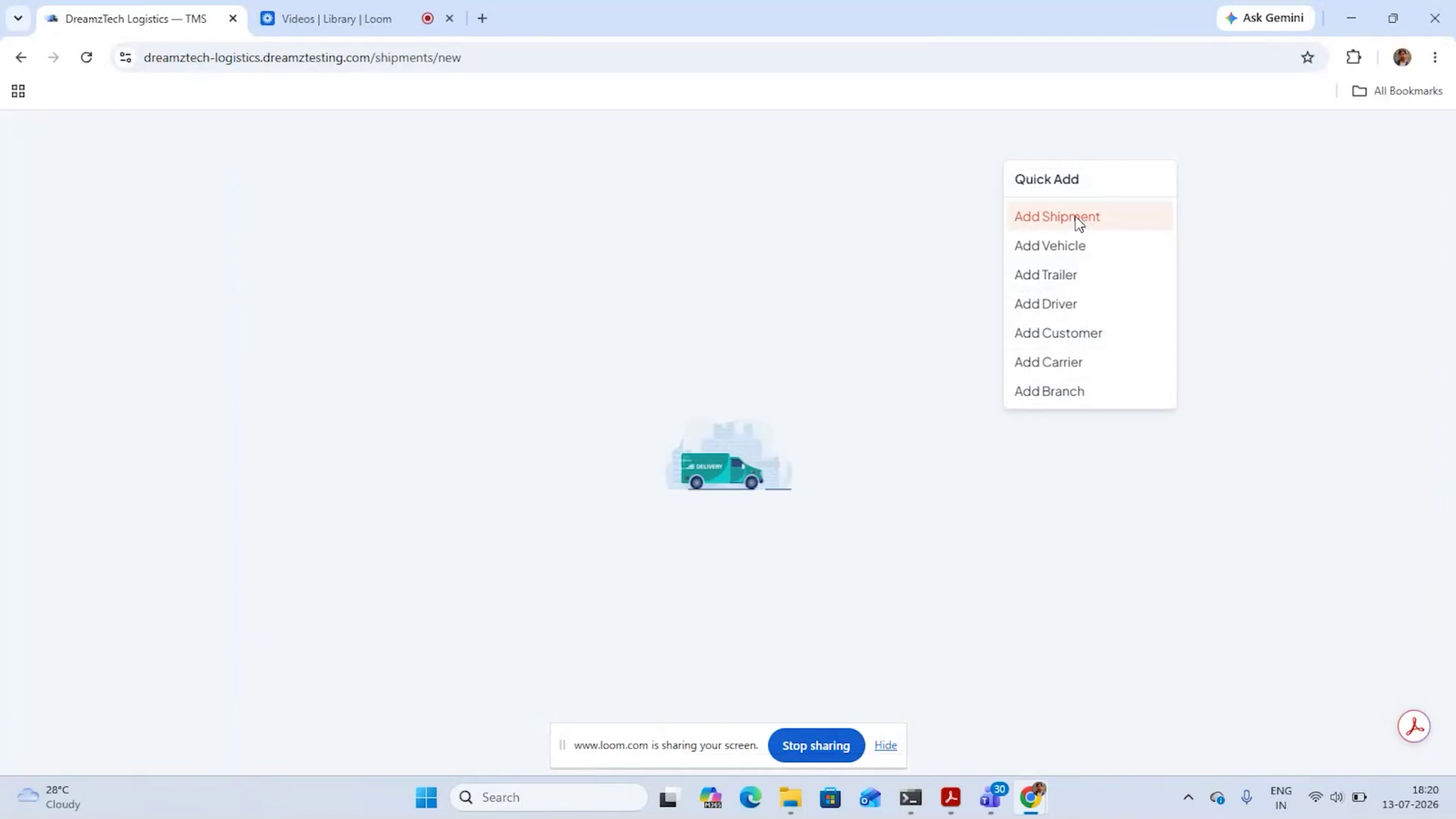
Creating an LTL shipment can be as easy as sending a chat message. With AI Pilot, dispatchers don’t even need to open a shipment form — they can chat with the AI using natural language, or pick from a library of ready-to-use prompts they customize with shipment details. AI Pilot understands the request, extracts all the required information, validates the details, and automatically generates the complete LTL shipment along with its digital bill of lading, prepping it for dispatch. From there, AI Load Builder can quickly convert multiple LTL shipments into optimized truckloads.
Step 4 – Build and Optimize Loads
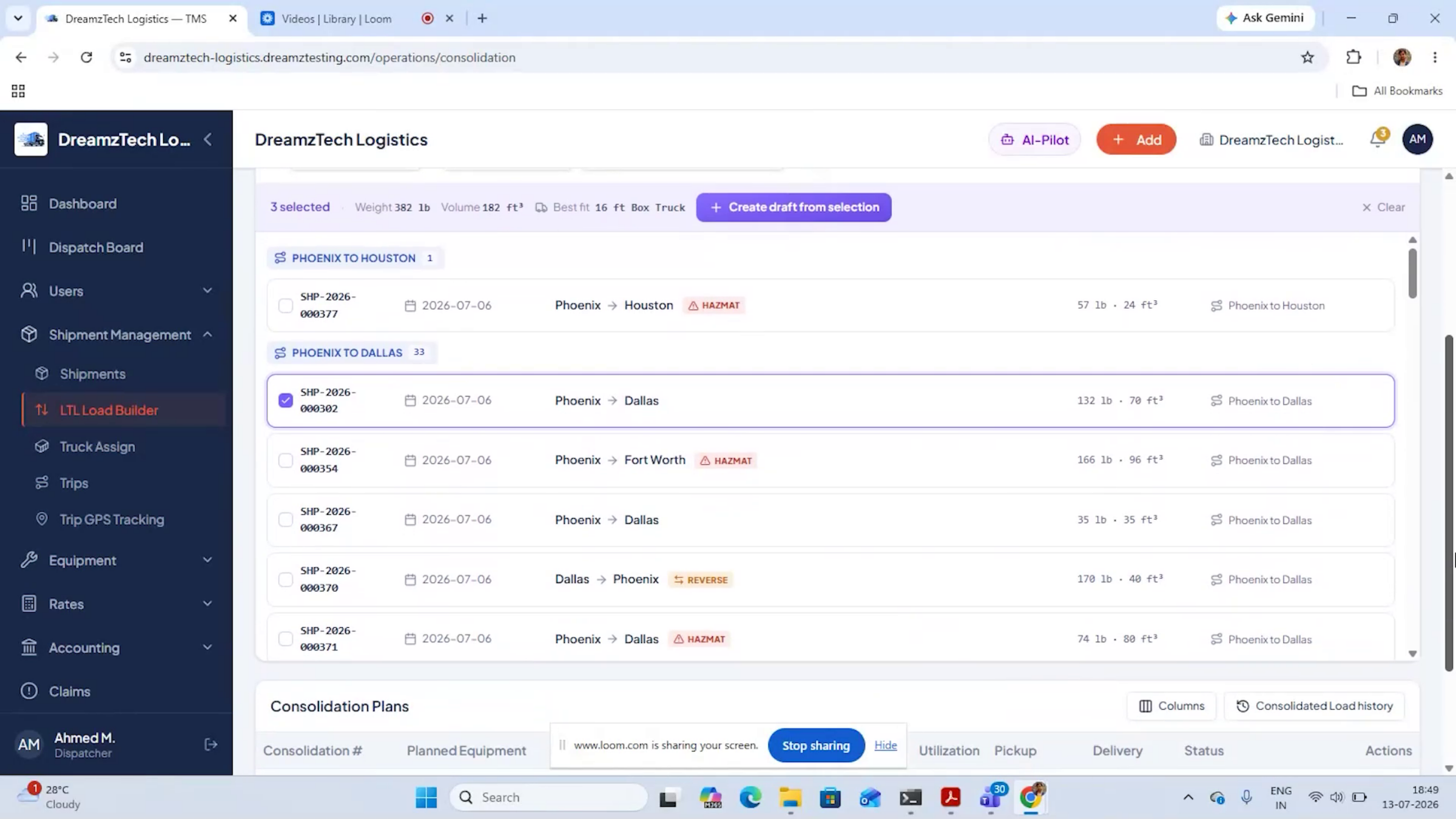
The AI automatically groups shipments by predefined route corridors based on pickup and delivery locations. As dispatchers select shipments to build a load, TransKit tracks weight, volume, and pallet count, recommends the best-fit equipment, and — if capacity allows — suggests additional compatible shipments along the same route to maximize trailer utilization and reduce empty space. For faster planning, the AI planning tool can analyze all selected shipments in one click and group them into the most efficient loads based on available vehicles, capacity, route corridors, weight, volume, and business rules, with a clear explanation for every grouping decision. Dispatchers can then approve multiple AI-generated plans at once.
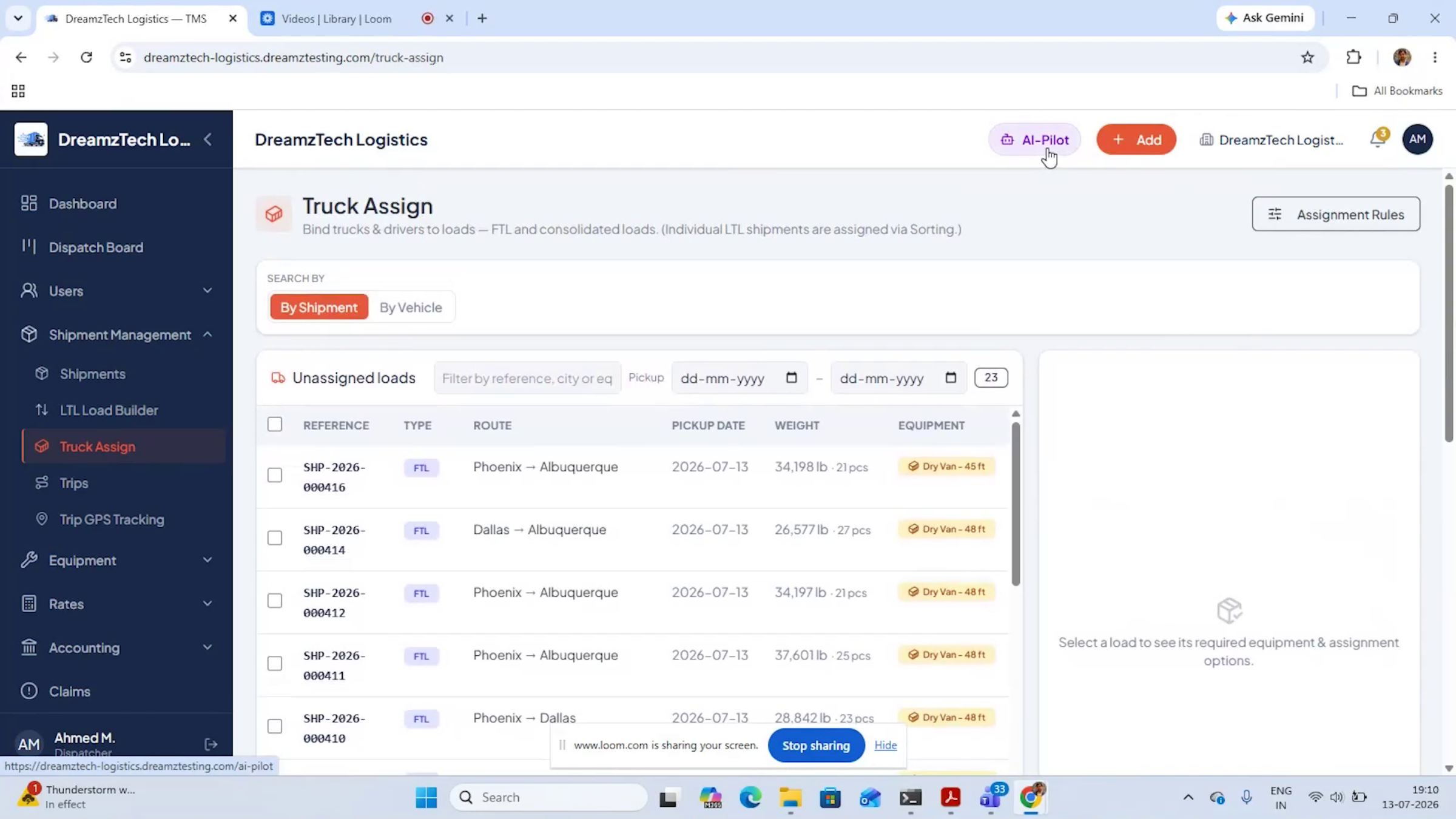
Step 5 – Assign the Right Truck and Driver
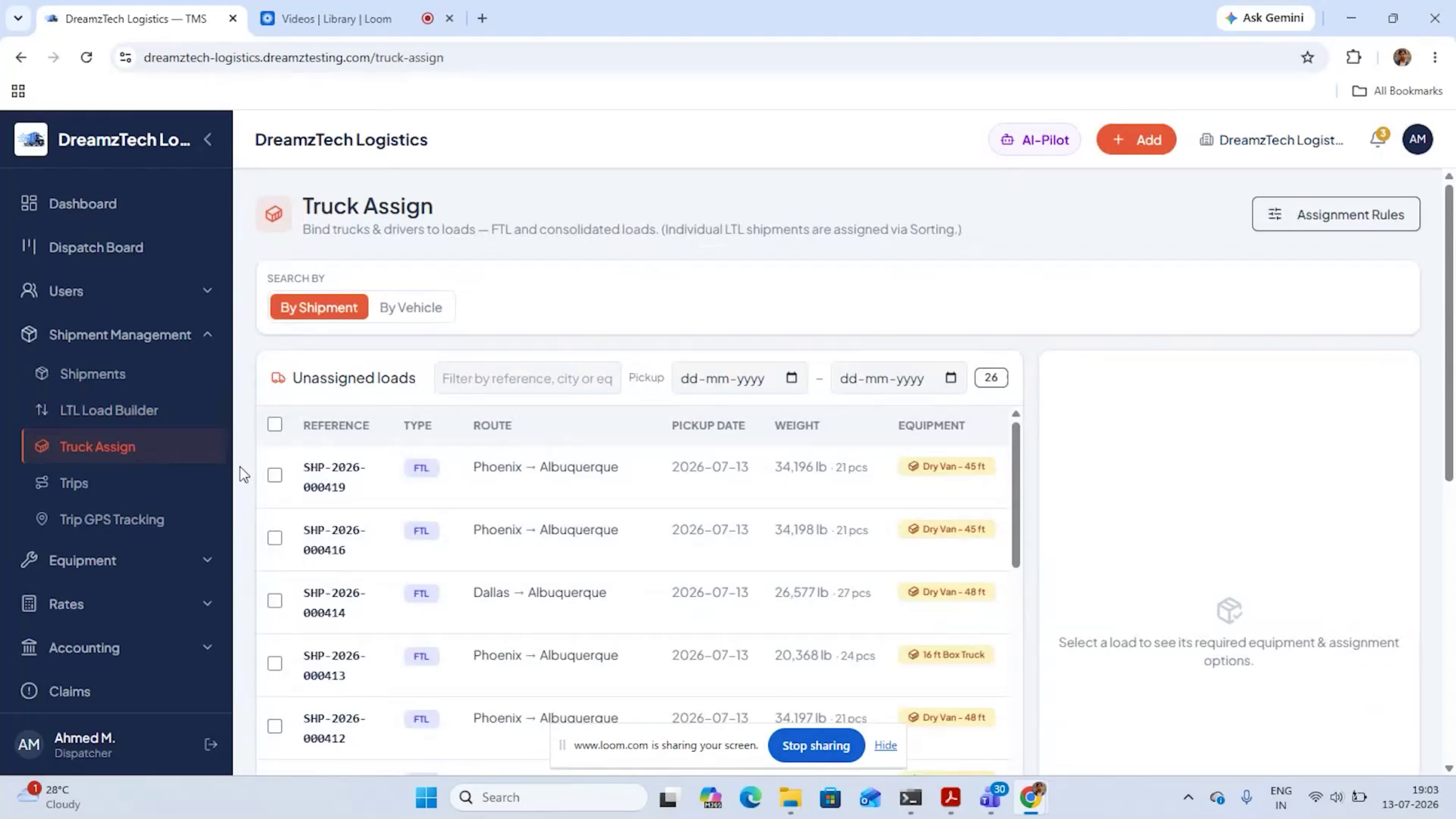
Note: For a single load, TransKit AI analyzes available vehicles and drivers, then ranks the best matches based on capacity, location, availability, route, hours of service (HOS), and configurable business rules. For multiple loads, AI Auto Assignment evaluates all possible combinations and generates an optimized assignment plan that maximizes fleet utilization while minimizing empty miles and costs — with a clear explanation behind every recommendation. Dispatchers can confirm multiple truck assignments in a single action, cutting planning time from hours to minutes.
Step 6 – Ask AI Pilot for a Briefing or Take an Action
AI Pilot is the conversational AI at the core of TransKit. Simply ask for a briefing and it instantly surfaces everything that needs your attention today, including SLA risks, unassigned loads, overdue invoices, and more. Tell it to book a shipment, assign a truck, or add a customer — it will ask for the required information, then present the action as a clear, editable card for your review. Nothing happens until a human confirms, keeping AI fast, accurate, and accountable.
After Setup — What's Next?
One AI can handle most of your transportation operations — from the first shipment email to the last mile. Once you're comfortable with the core workflow, you can:
- Build a library of custom AI Pilot prompts for the shipment types your team creates most often.
- Review AI-generated load and assignment explanations regularly to fine-tune your business rules.
- Use AI Pilot briefings each morning to catch SLA risks and overdue invoices before they escalate.
Ready to simplify your logistics operations? Contact DreamzTech to see how TransKit can streamline your transportation workflows.
Tips for Getting the Most Out of TransKit AI
- Paste emails or upload BOLs directly rather than retyping shipment details — let the AI do the data entry.
- Keep your fleet and driver data (hours of service, availability, location) current so AI recommendations stay accurate.
- Use the AI planning tool for batches of shipments instead of building loads one at a time — it's built for exactly that.
- Always review the editable card AI Pilot presents before confirming — it's your last check before anything is booked or assigned.
Frequently Asked Questions
Do I have to manually fill out shipment forms?
No. You can paste a shipment email or upload a bill of lading, and TransKit AI will extract the details and pre-fill the form automatically.
Can AI Pilot take actions on its own without approval?
No. AI Pilot always presents actions as an editable card for review, and nothing is booked, assigned, or confirmed until a human approves it.
How does TransKit decide which truck to assign to a load?
It ranks available vehicles and drivers based on capacity, location, availability, route, hours of service, and your configurable business rules, then shows you the top recommendations with an explanation.
Can I create shipments by chatting instead of using a form?
Yes. AI Pilot lets you create LTL shipments using natural language chat, including a library of ready-to-use prompts you can customize with your shipment details.
Related Articles
TransKit Driver App: From Pickup to Proof of Delivery