Rent-Out Return Asset Report
The Rent-Out Return Asset Report in DreamzCMMS Asset Rentals provides a detailed view of assets that have been returned after a rental. It includes rental dates, actual return dates, and a rent meter that shows the total duration for which each asset was on rent — making it an essential report for tracking completed rental cycles. Key highlights include:
- View customer name, rent-out date, expected return date, and actual return date
- Track the total rental duration using the rent meter (days and hours)
- Get a clear record of all completed rental cycles
- Export the report in Excel or PDF format
Overview
The Rent-Out Return Asset Report is accessible from the Reports menu in the Asset Rentals module of DreamzCMMS. It provides a post-return summary of completed rentals, displaying the customer name, rent-out date, expected return date, and the actual date the asset was returned. A key feature of this report is the rent meter, displayed on the right-hand side, which indicates the total duration for which each asset was on rent — measured in both days and hours. This makes the report particularly useful for auditing rental durations, verifying billing accuracy, and reviewing historical rental performance. The report supports Excel and PDF export.
Here is a reference video:
Step by Step Description to View the Rent-Out Return Asset Report
Step 1 – Navigate to Reports
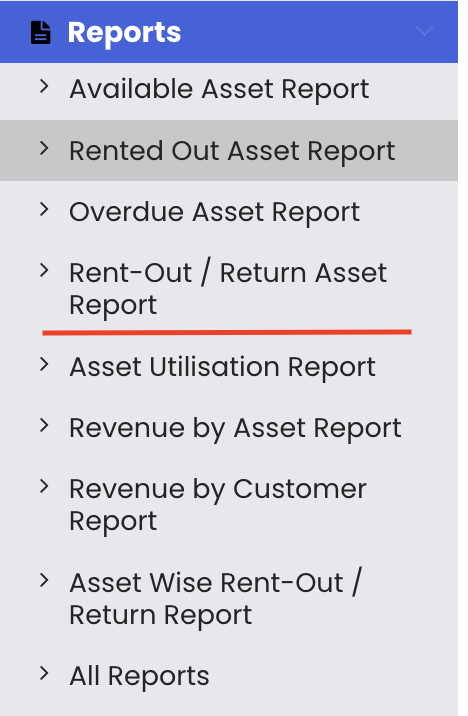
Click on Reports from the left-hand panel to access the reports section of the Asset Rentals module.
Step 2 – Select the Rent-Out Return Asset Report
From the reports list, select "Rent-Out Return Asset Report." The report will load and display all assets that have been returned after a completed rental.
Step 3 – Review Return Details
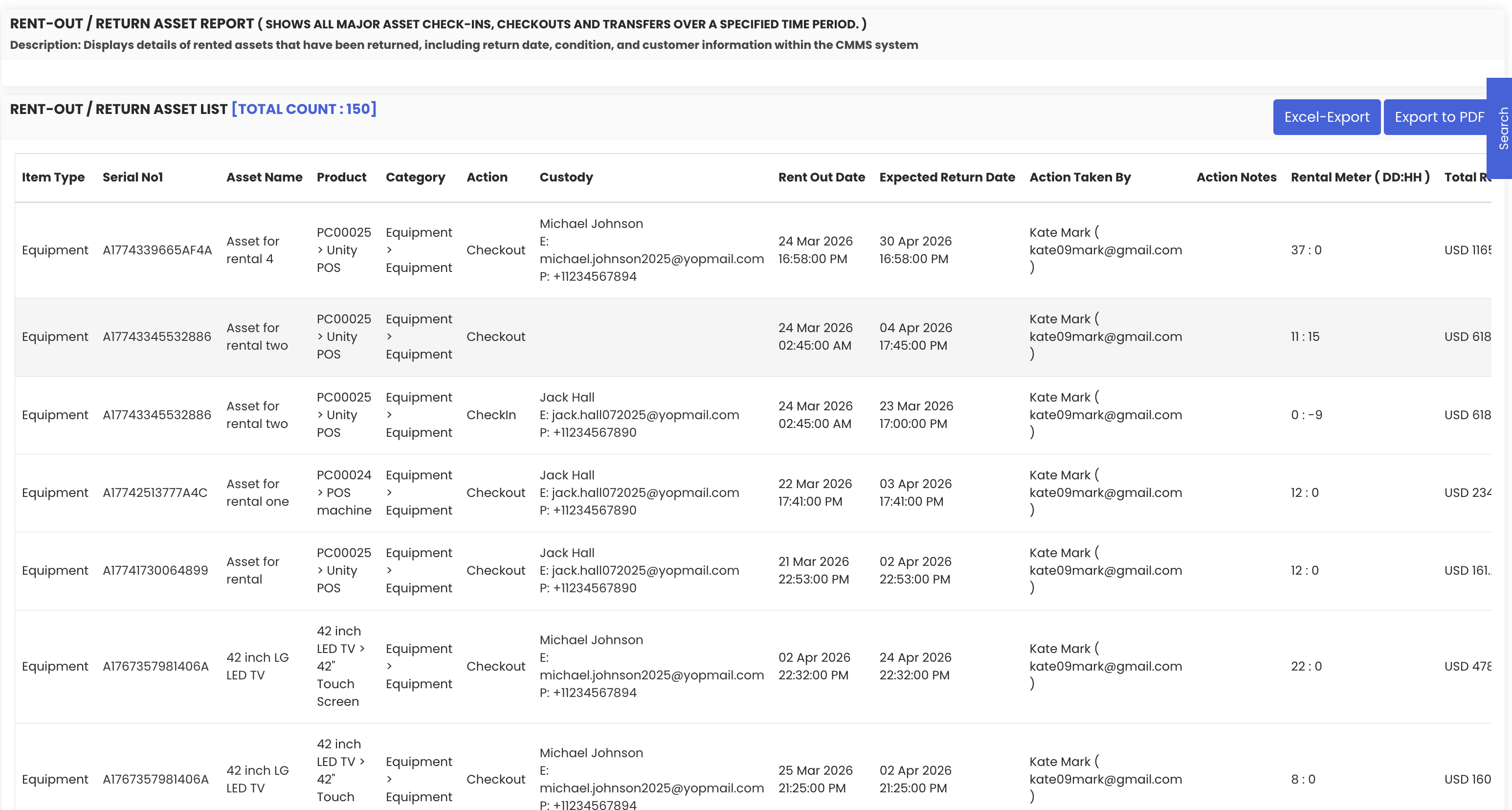
The report displays the following details for each completed rental:
- Customer name – the customer who rented the asset
- Rent-out date – when the rental began
- Expected return date – the originally agreed return date
- Actual return date – the date the asset was actually returned
Step 4 – Review the Rent Meter
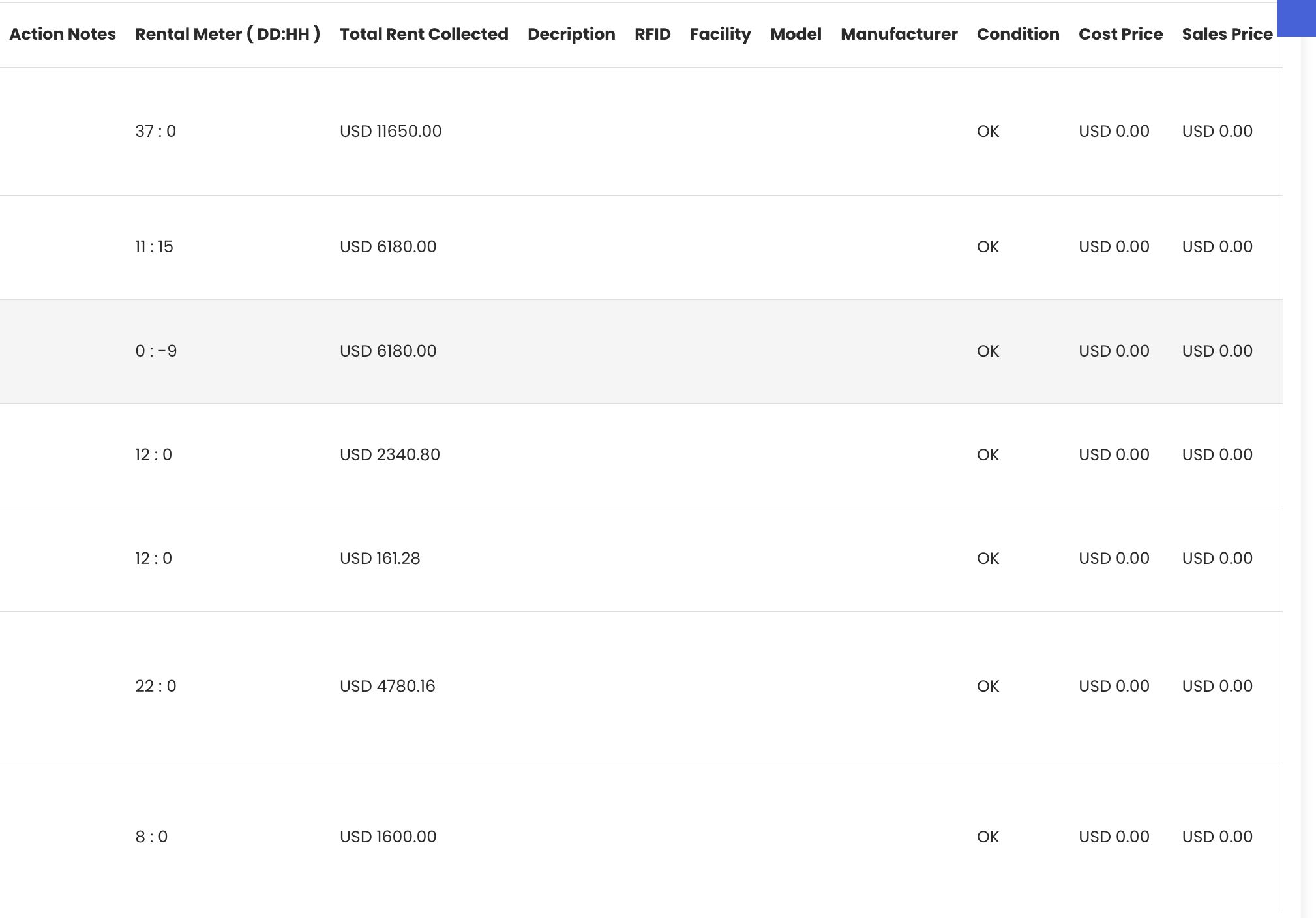
On the right-hand side of the report, the rent meter displays the total duration for which each asset was on rent, expressed in both days and hours. This is particularly useful for verifying the accuracy of billing and confirming the exact rental period for each completed transaction.
Step 5 – Export the Report
Use the available export options to save or share the report:
- Excel export – download the data as a spreadsheet for further analysis
- PDF export – export as a PDF for sharing or archiving

Tips for Using the Rent-Out Return Asset Report
- Use the rent meter to verify that billing is accurate by comparing the actual rental duration against the invoiced amount for each completed rental.
- Compare the expected return date with the actual return date to identify patterns of late returns and assess whether delay charges are being applied correctly.
- Export the report to Excel periodically to build a historical record of completed rentals, which can be used for performance reviews or customer account management.
- Use this report in conjunction with the Revenue by Asset Report to get a complete picture of both rental durations and the revenue generated from each asset.
- Review the report after processing returns to confirm all return details are accurately recorded in the system before closing out a rental cycle.
Frequently Asked Questions
What does the Rent-Out Return Asset Report show?
This report displays completed rentals, including the customer name, rent-out date, expected return date, actual return date, and the total rental duration as shown by the rent meter (in days and hours).
What is the rent meter in this report?
The rent meter is a feature displayed on the right-hand side of the report. It shows the total duration for which each asset was on rent, measured in both days and hours, giving you a precise record of the actual rental period.
How do I access this report?
Click on "Reports" from the left-hand panel in the Asset Rentals module and select "Rent-Out Return Asset Report" from the list.
Can I export the Rent-Out Return Asset Report?
Yes. The report supports both Excel and PDF export options.
How is this report different from the Rented-Out Asset Report?
The Rented-Out Asset Report shows assets that are currently on rent. The Rent-Out Return Asset Report focuses on completed rentals — assets that have already been returned — and includes the actual return date and rent meter duration.
Related Articles
- Rented-Out Asset Report
- Overdue Asset Report
- Asset-wise Rent-Out Return Report
- Revenue by Asset Report
- Rental Return