Equipment Dashboard
The Equipment Dashboard in DreamzCMMS provides a comprehensive overview of all your assets in one place. It brings together key performance metrics, maintenance summaries, asset valuations, and rental activity insights — helping managers make informed decisions about their asset fleet at a glance. Key highlights include:
- View total facilities, total assets, assets under maintenance, and total asset value
- Review asset summaries by working condition and other key parameters
- Analyse asset valuation by location across your operations
- Track the performance of the top five assets
- View rental activity and maintenance summaries for the last six months
Overview
The Equipment Dashboard in DreamzCMMS is accessible from the Equipment menu and serves as the central analytics hub for all asset-related information. It presents a real-time snapshot of your asset portfolio, including total facility and asset counts, the number of assets currently under maintenance, and the overall asset value. The dashboard goes further by providing performance breakdowns, working condition summaries, location-based asset valuation, top-performing asset insights, and a six-month historical view of rental activity and maintenance trends — giving operations and asset managers a complete picture of fleet health and performance.
Here is a reference video:
Step by Step Description to View the Equipment Dashboard
Step 1 – Navigate to the Equipment Dashboard
Click on Equipment from the left-hand menu, then select Dashboard. This will open the Equipment Dashboard with a complete overview of your asset fleet.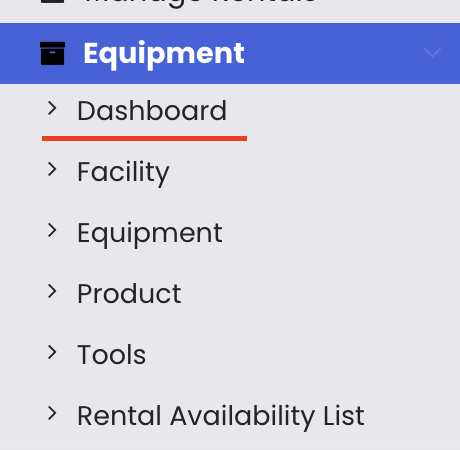
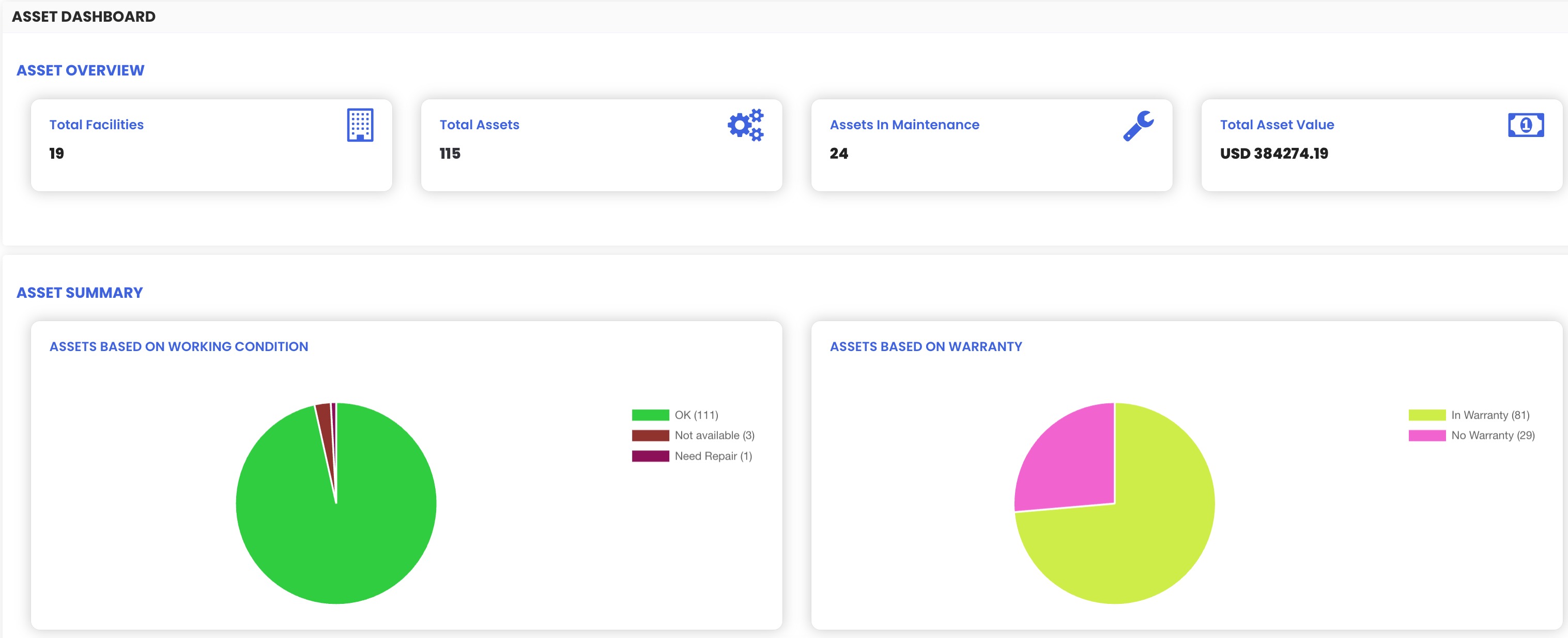
Step 2 – Review the Key Asset Metrics
The top section of the dashboard displays the core asset metrics, including:
- Total number of facilities
- Total number of assets
- Assets currently under maintenance
- Total asset value
Step3 – View Working Condition and Parameter Summaries
The dashboard provides asset summaries broken down by working condition and other key parameters, giving you a clear view of the overall health and operational status of your asset fleet.
Step 4 – Analyse Asset Valuation by Location
The asset valuation by location section shows how the total value of assets is distributed across your different sites or facilities, helping you understand where your capital is concentrated.
Step 5 – Review Top Five Asset Performance
The dashboard highlights the performance of the top five assets, allowing you to quickly identify which assets are generating the most value or activity within your rental operations.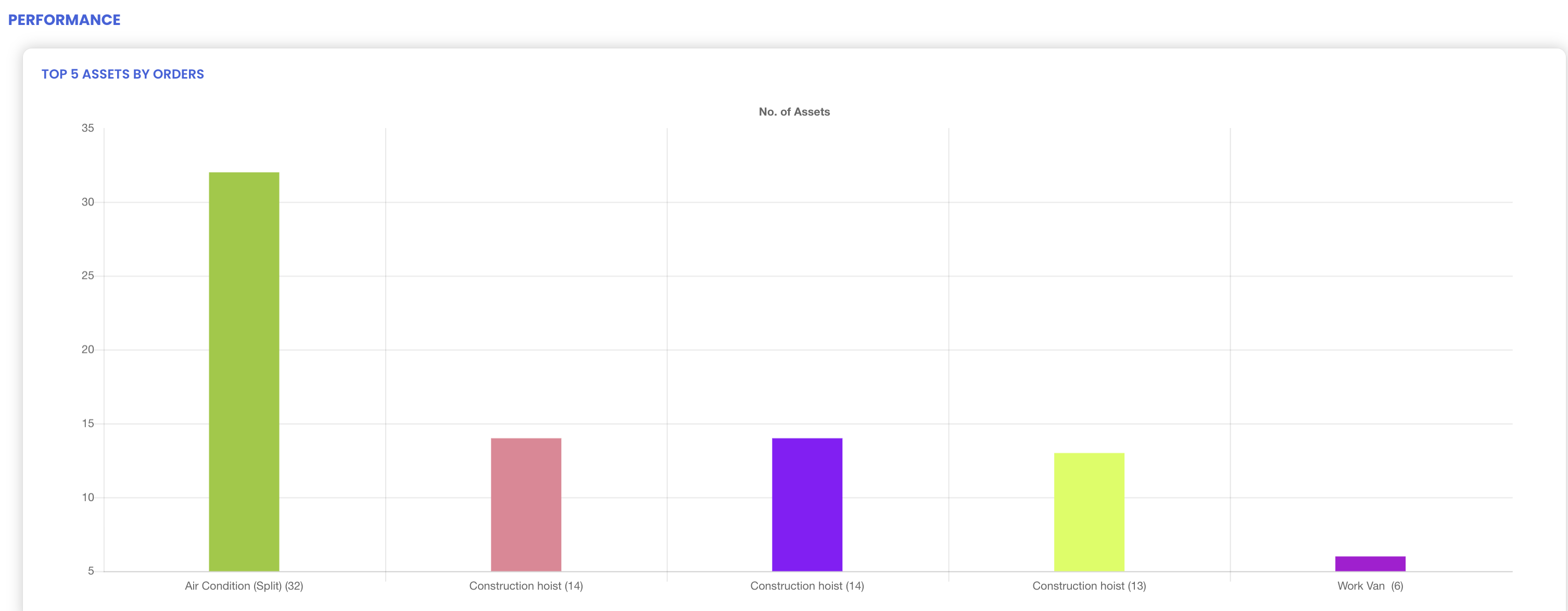
Step 6 – View Six-Month Rental and Maintenance Insights
The historical insights section provides a six-month summary covering how many assets have been rented out over that period, as well as a maintenance summary — helping you spot trends in asset utilisation and maintenance frequency over time.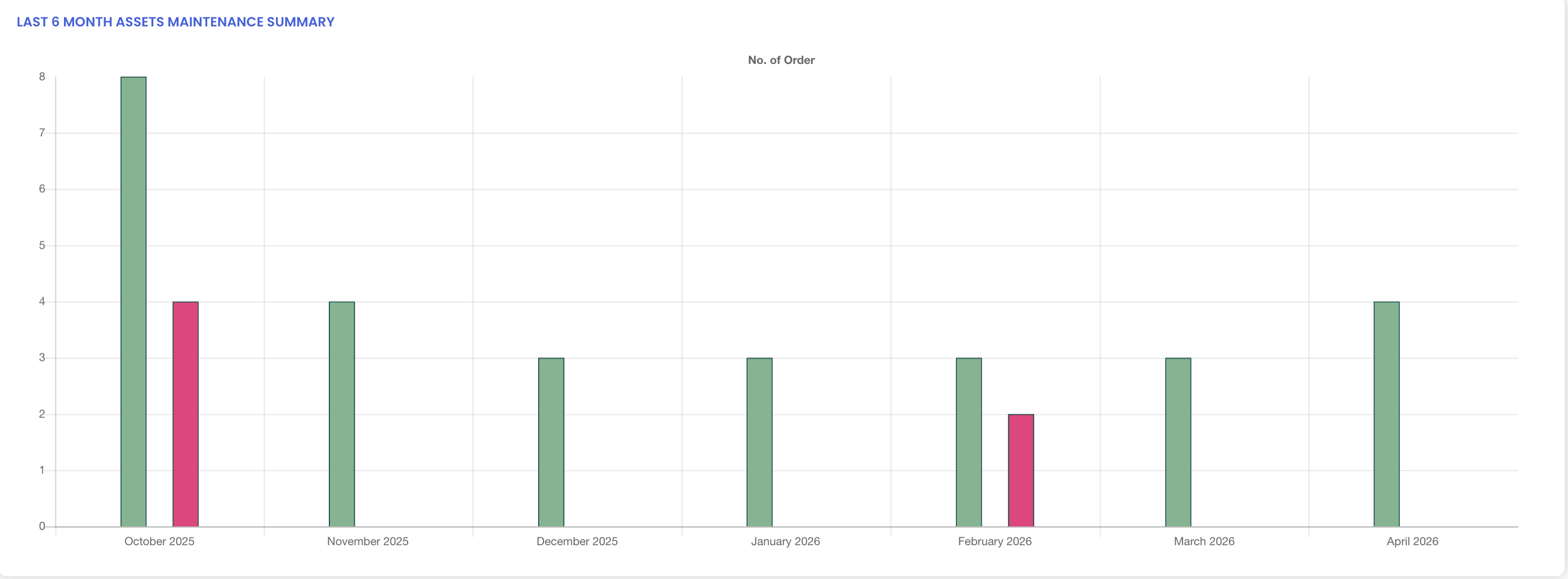
Tips for Using the Equipment Dashboard
- Check the assets under maintenance count regularly to plan availability and ensure maintenance work is not creating bottlenecks in your rental schedule.
- Use the asset valuation by location view to understand how your asset capital is distributed and make informed decisions about fleet reallocation.
- Monitor the top five asset performance section to identify your highest-performing assets and prioritise their maintenance and availability.
- Review the six-month rental and maintenance trends regularly to identify seasonal patterns and plan your resource and maintenance schedules accordingly.
- Use the working condition summaries to quickly assess the overall health of your asset fleet and take proactive action on any assets showing signs of deterioration.
Frequently Asked Questions
What is the Equipment Dashboard and where do I find it?
The Equipment Dashboard is the analytics overview page for all assets in DreamzCMMS. You can access it by clicking on "Equipment" from the left-hand menu and selecting "Dashboard." It provides a comprehensive summary of asset metrics, valuations, performance, and maintenance data.
What key metrics are displayed on the Equipment Dashboard?
The dashboard displays the total number of facilities, total number of assets, the count of assets currently under maintenance, and the total asset value — giving you an immediate picture of your fleet's scale and status.
What does the asset valuation by location section show?
This section shows how the total value of your assets is distributed across different sites or facilities, helping you understand the geographic spread of your asset capital and identify any concentration risks.
What is included in the six-month insights section?
The six-month insights section shows a historical summary of how many assets have been rented out over the past six months, along with a maintenance summary for the same period. This helps managers identify trends in utilisation and maintenance activity.
What does the top five asset performance section show?
This section highlights the five best-performing assets in your fleet based on rental activity or value generated, helping you identify which assets deliver the most value to your operations.
Related Articles
- Rental Dashboard Overview
- Rental Availability List
- Availability Calendar – Asset Rentals
- Rental Return
- How to Manage Assets in DreamzCMMS