Create and Manage Fault or Breakage
In DreamzCMMS, the Fault or Breakage feature allows users to report equipment issues, assign service tasks, and track the repair process until the equipment becomes operational again. This functionality helps maintenance teams quickly identify problems, assign the appropriate personnel, and monitor the repair lifecycle efficiently.
This guide explains how to:
Create a Fault or Breakage record
Assign and manage the service process
Complete the operational check after repair
By managing faults properly, organizations can ensure better asset performance and minimize equipment downtime.
Overview
Fault and breakage records are used to report and track issues related to equipment or assets. When a fault occurs, a record can be created in the system, and the maintenance process can be initiated.
Once the fault is recorded, the issue can be assigned to a technician, subcontractor, or external service provider. The system also allows users to track service progress, update costs, and confirm when the equipment is ready for operation again.
Before You Begin
Before creating and managing a fault or breakage record, ensure the following:
The required equipment or asset is already registered in the system.
You have the necessary permissions to create and manage fault records.
The relevant facility or location is available in the system.
Service users such as technicians or subcontractors are configured if service assignment is required.
Here is a reference video:
How to Access the Fault Breakage
Step 1: Create a Fault or Breakage Record
Follow these steps to create a new fault or breakage entry.
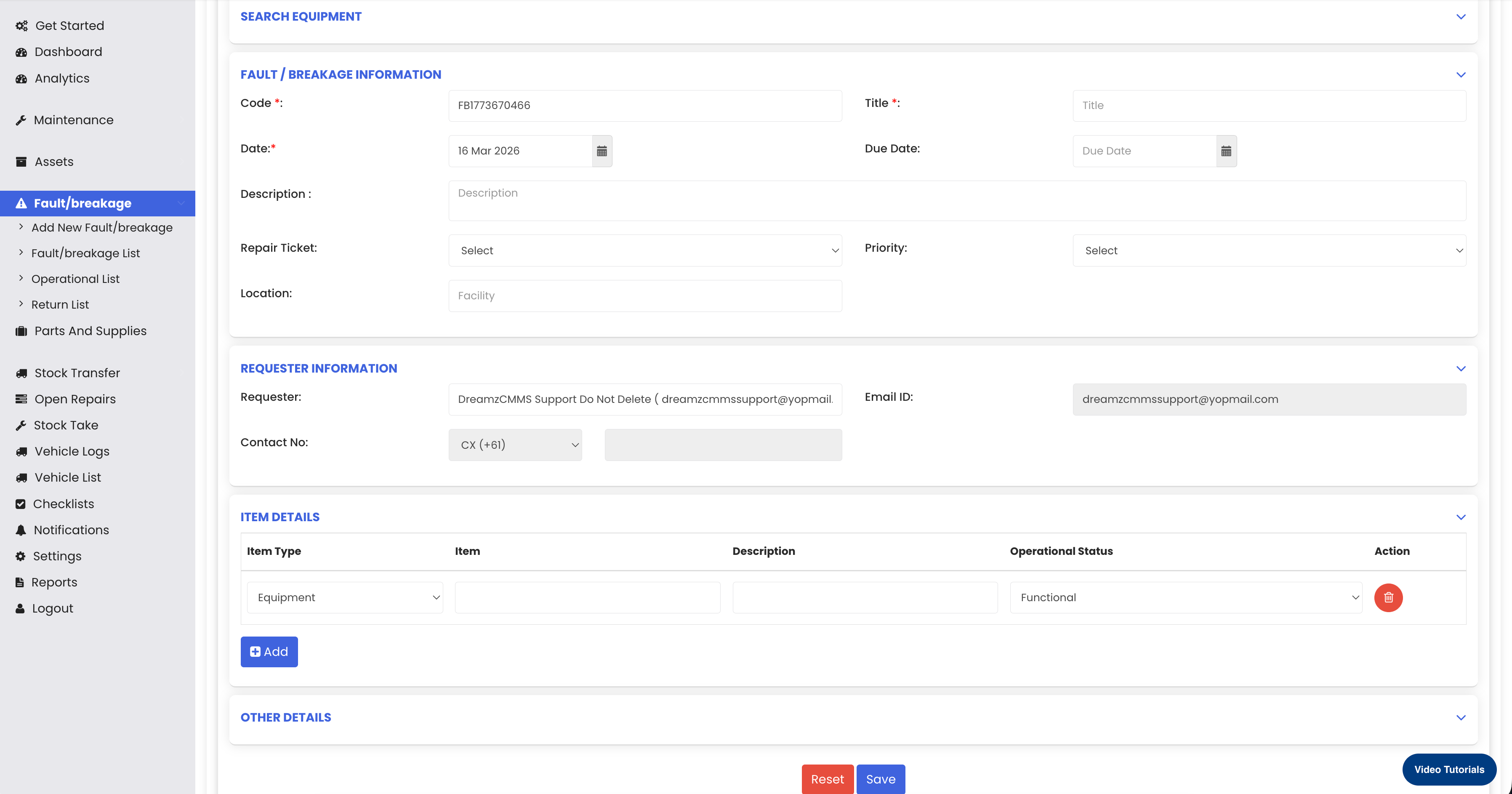
From the left-hand menu, click on Fault & Breakage.
Click on Add New Fault/Breakage.
You will be redirected to the Fault/Breakage Creation Page.
The Fault Code will be automatically generated by the system.
Enter the required details:
Title (Example: Fault for Demo)
Name
Description
Set the Report Ticket Status to Created.
Select the Facility where the fault occurred.
The Requested Information section will already be populated automatically.
Select the Equipment related to the fault from the list.
Set the Operational Status of the equipment to Faulty.
Click Save.
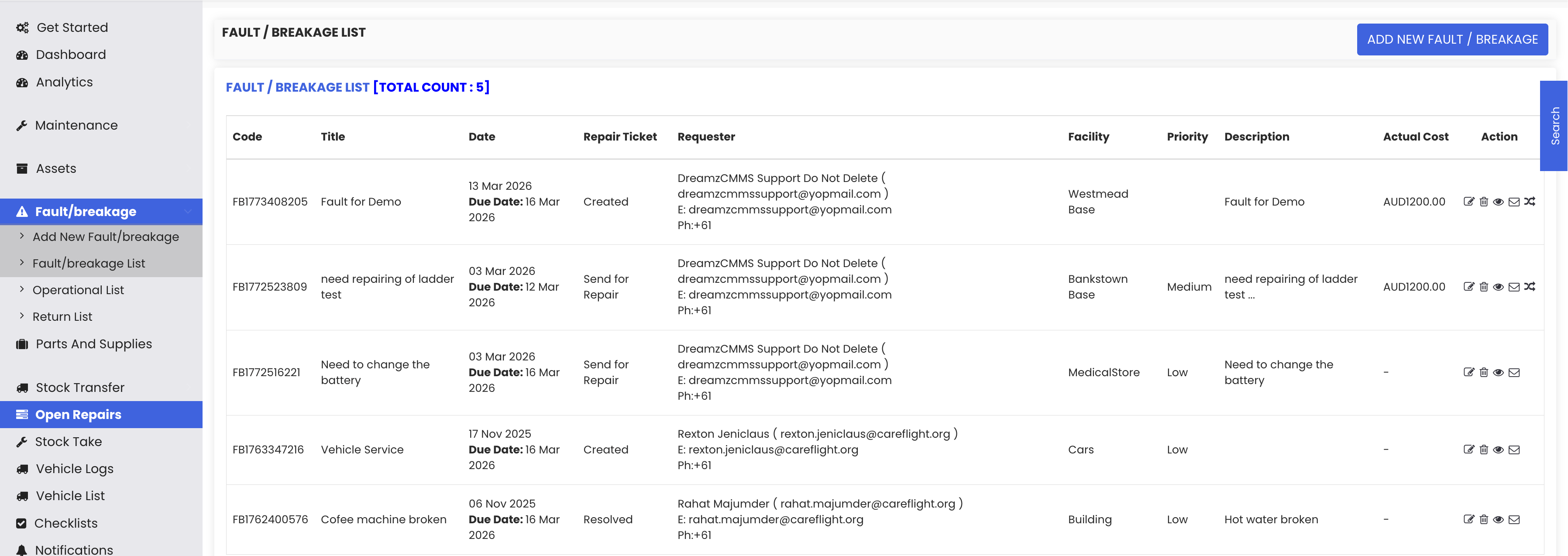
Once saved, the system will redirect you to the Fault Records List, where the newly created fault entry will appear.
Step 2: Manage the Fault Record
After creating the fault record, you can assign and manage the service.
From the Fault Records List, locate the newly created fault record.
Click on the Manage icon for that record.
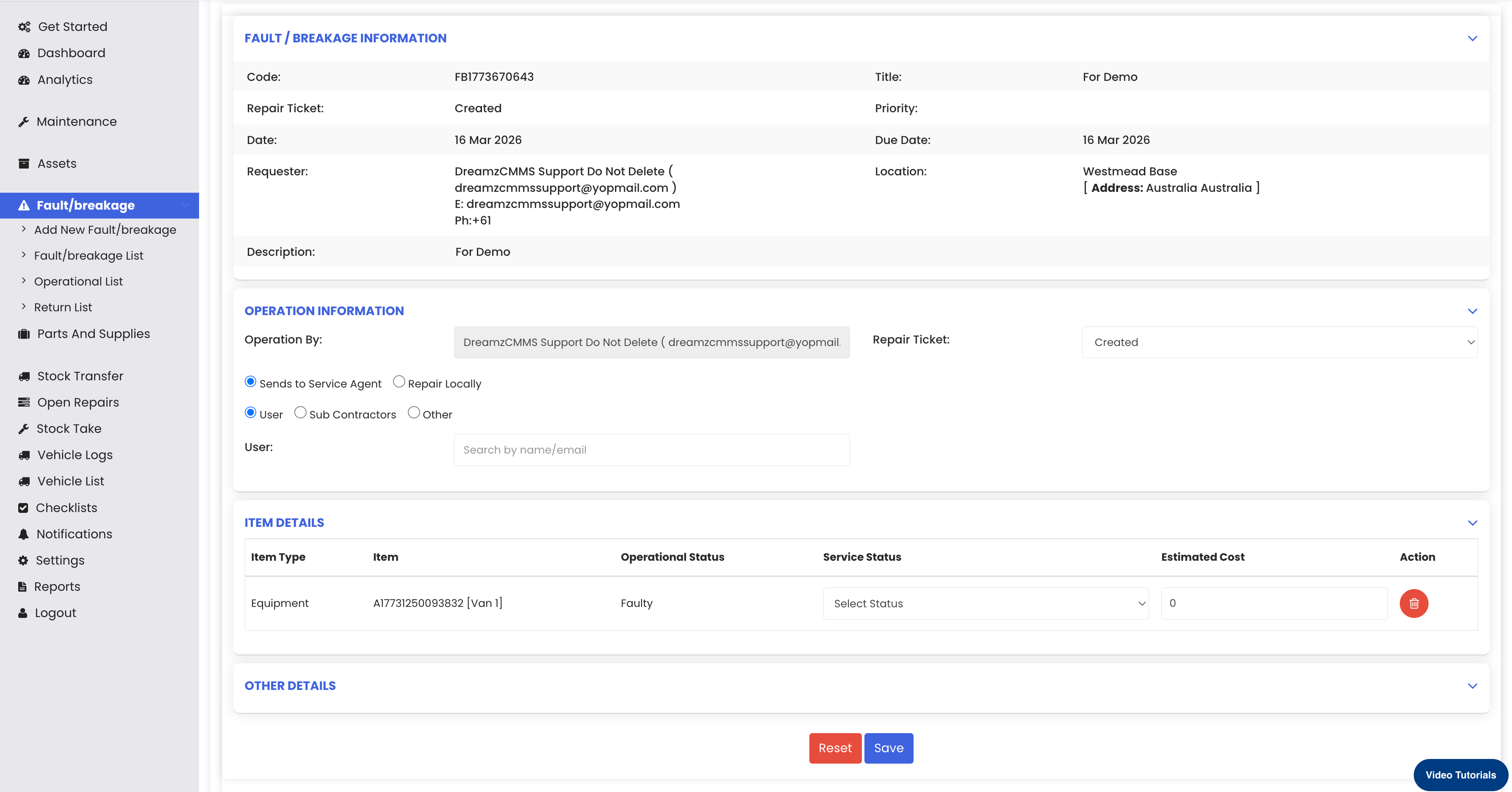
The management page will open, and most details will already be automatically populated.
Assign the Service To an appropriate user. You can choose from:
System User
Subcontractor
External User
Select the Service that needs to be performed.
Update the Service Status to Away for Service.
Enter the Estimated Cost for the service.
In the Other Details section, you can send email notifications if required to yourself or the administrator.
Click Save to update the record.
Step 3: Complete the Service and Return Equipment
Once the service work is completed, the equipment can be marked for operational verification.
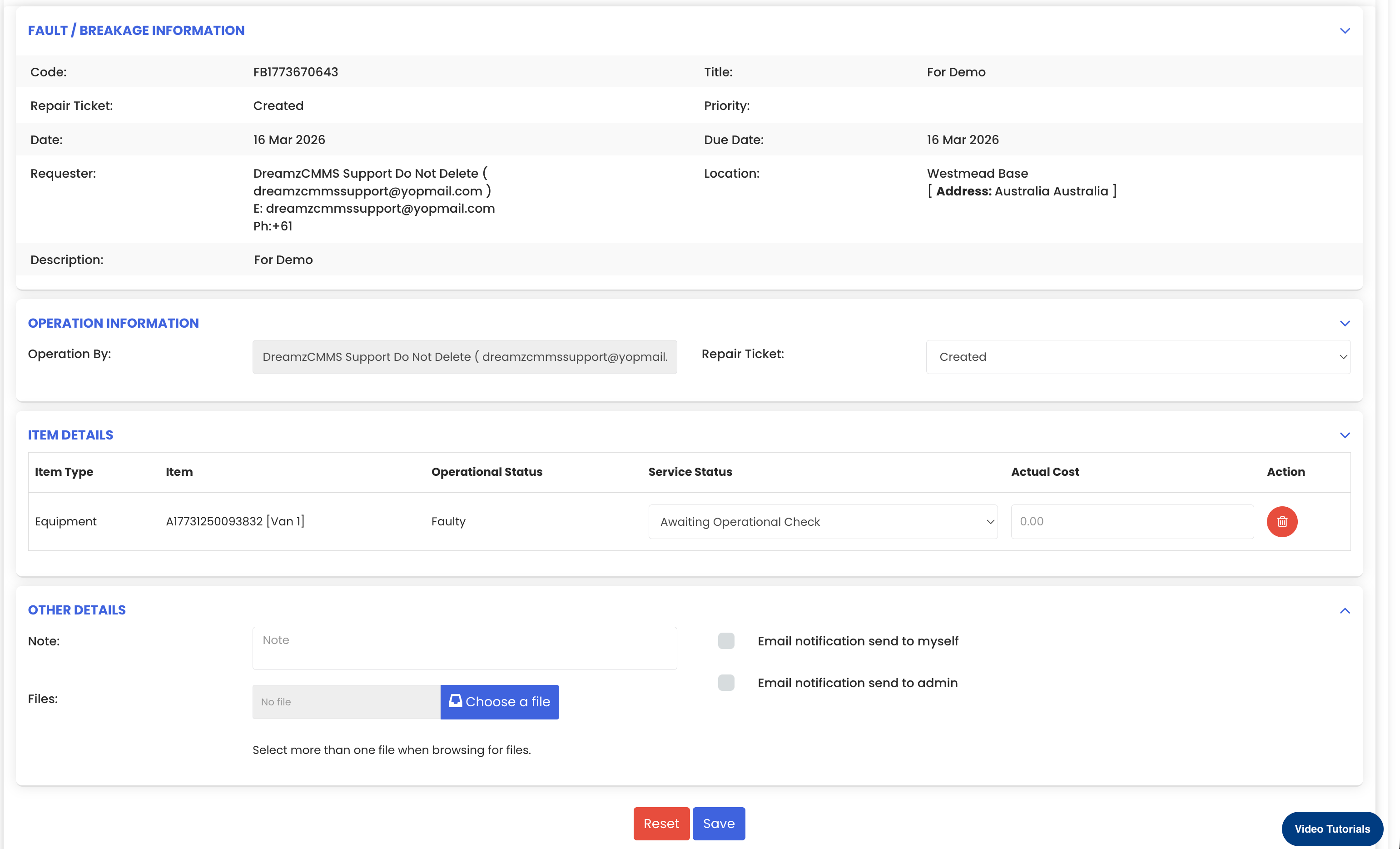
In the fault records list, locate the record.
Click on the Return icon.
The service status will change to Awaiting Operational Check.
Enter the Actual Cost incurred for the service.
Click Save to complete the process.
The fault or breakage process will now be completed, and the equipment can proceed with operational verification.
Tips for Effective Fault and Breakage Management
Report issues immediately
Create a fault record as soon as a problem is identified to prevent further equipment damage.Provide detailed descriptions
Clear descriptions help maintenance teams understand the issue quickly and prepare the correct solution.Assign the right service personnel
Always assign faults to the appropriate technician, subcontractor, or external service provider.Track service costs properly
Enter both estimated and actual service costs to maintain accurate maintenance records.Monitor equipment operational status
Update the operational status during each stage of the repair process to keep asset records accurate.
Frequently Asked Questions (FAQs)
1. What is the purpose of creating a Fault or Breakage record?
A Fault or Breakage record helps report equipment issues and track the entire repair process, including service assignment, repair status, and cost details.
2. Can the fault code be edited manually?
No. The fault code is automatically generated by the system to ensure unique identification of each fault record.
3. Who can be assigned to handle the service?
The service can be assigned to a system user, subcontractor, or external user, depending on who is responsible for repairing the equipment.
4. What happens after the service is completed?
After the service is completed, the record can be marked using the Return option, where the service status becomes Awaiting Operational Check, and the actual service cost can be recorded before completing the process.