Consignment Delivery List in DreamzCMMS
DreamzCMMS allows organizations to track and manage the delivery of items through the Consignment Delivery List. This feature helps users record when consignment or stock transfer items are delivered from one facility to another or to a consignee.
Each delivery record ensures that items issued through consignment orders are properly tracked until they reach the destination. This helps maintain accurate inventory movement records and improves visibility across delivery operations.
By using the Consignment Delivery module, organizations can monitor delivery status, maintain delivery history, and ensure proper documentation of item transfers.
Overview
The Consignment Delivery List page displays all delivery records related to consignment and stock transfer orders. Each entry contains important information such as delivery code, delivery date, consignee, source facility, destination facility, status, and issue type.
This page allows users to:
View all delivery transactions
Track delivery status
Record deliveries against consignment orders
Manage delivery documentation
Administrators and inventory managers can quickly review the movement of goods and ensure that deliveries are completed as expected.
Here is a reference video:
How to Access the Consignment Delivery List
Step 1 – Navigate to Consignment
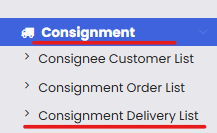
From the main menu, locate the Consignment module.
Click Consignment Delivery List.
Step 2 – View Delivery Records
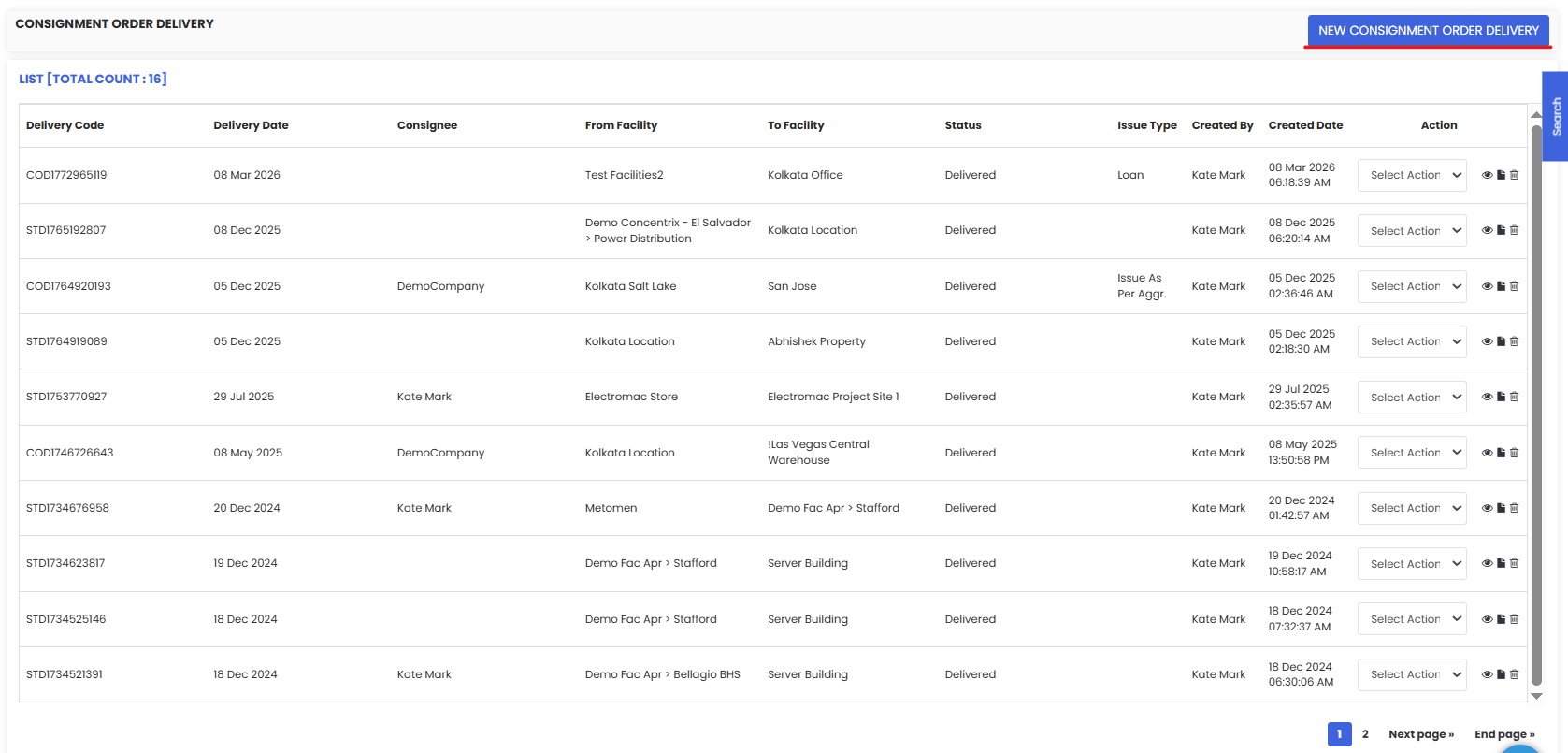
The Consignment Order Delivery page will display a list of all deliveries recorded in the system.
The list includes the following details:
Delivery Code
Delivery Date
Consignee
From Facility
To Facility
Status
Issue Type
Created By
Created Date
Users can also perform actions such as viewing or editing delivery records using the Select Action menu.
How to Create a New Consignment Delivery
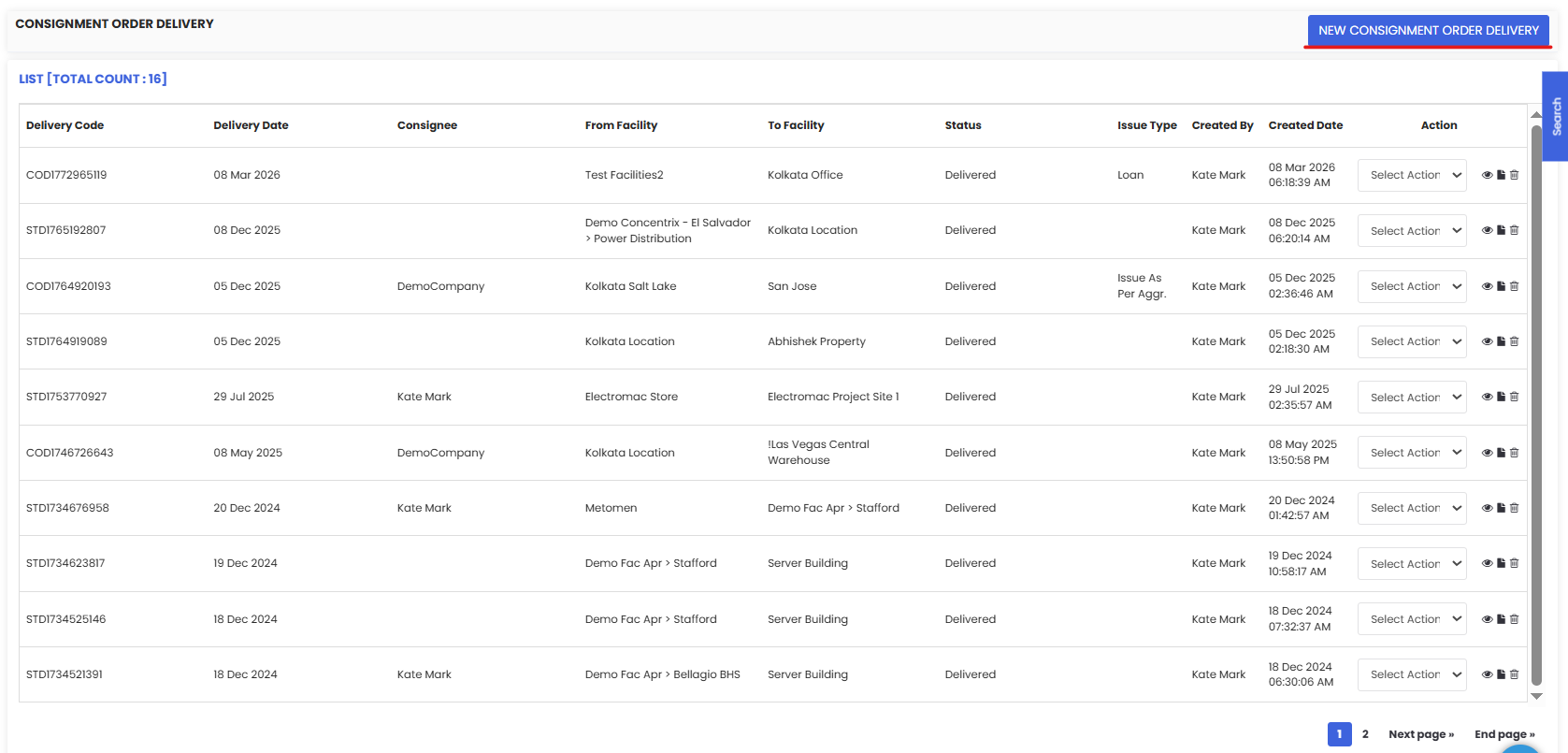
Step 1 – Click New Consignment Order Delivery
On the Consignment Order Delivery page, click New Consignment Order Delivery located at the top-right corner.
This will open the delivery creation form.
Consignment Delivery Form
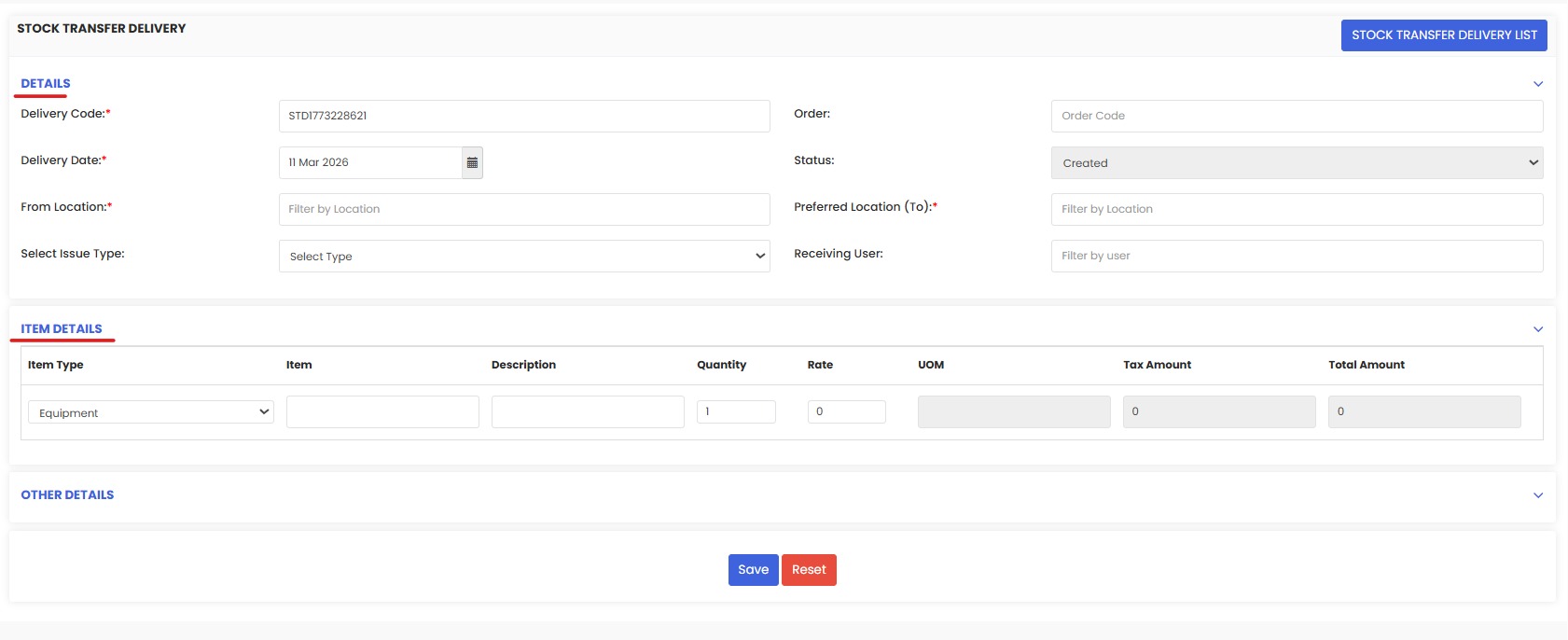
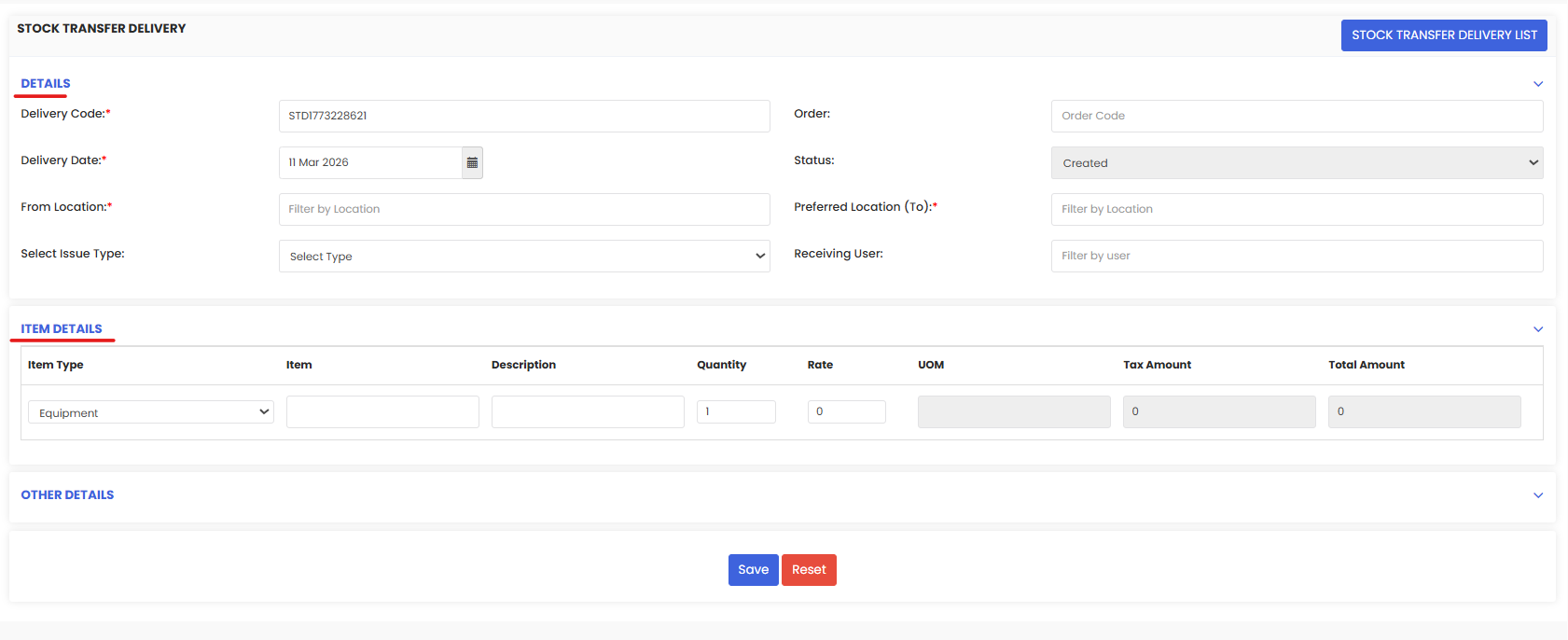
The delivery form contains several sections where delivery details must be entered.
Delivery Details
This section captures the basic information for the delivery record.
Fields include:
Delivery Code – Unique identifier for the delivery
Delivery Date – Date when the delivery occurs
Order – Reference order associated with the delivery
Status – Current delivery status
From Location – Facility where items are dispatched
Preferred Location (To) – Destination facility
Select Issue Type – Type of item issue
Receiving User – User responsible for receiving the delivery
Item Details
The Item Details section allows users to define the items being delivered.
For each item, the following details can be specified:
Item Type
Item Name
Description
Quantity
Rate
Unit of Measure (UOM)
Tax Amount
Total Amount
Multiple items can be added to a delivery record if needed.
Other Details
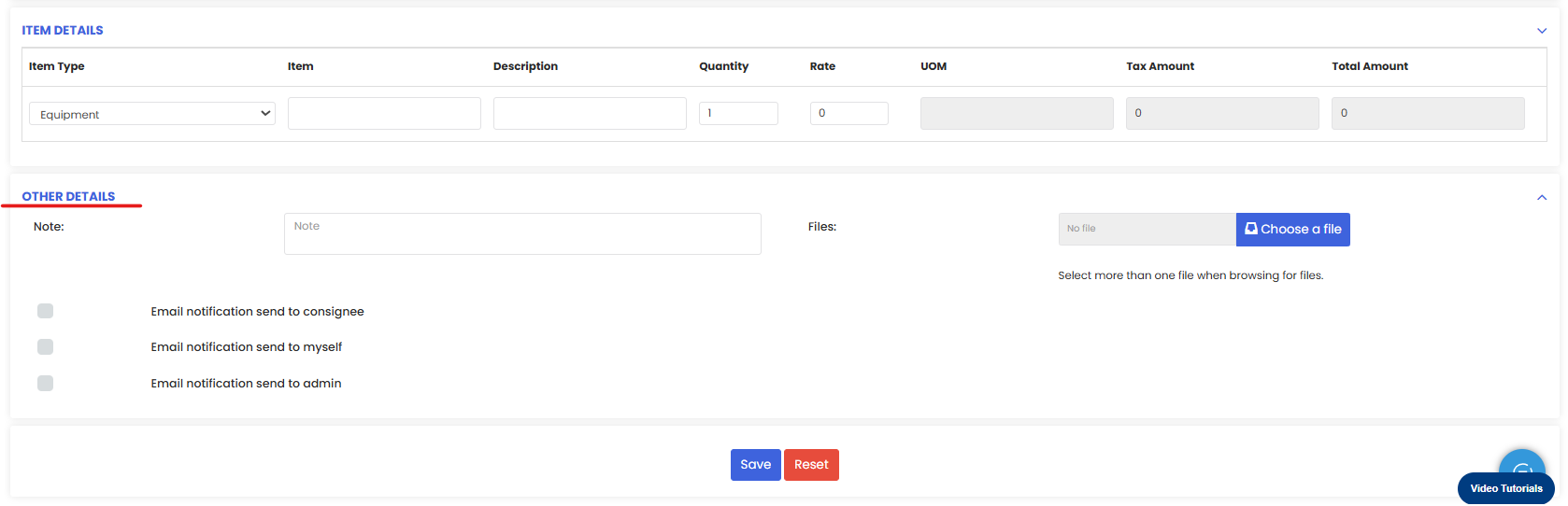
The Other Details section allows users to add supporting information to the delivery record.
This section includes:
Notes – Additional delivery information
File Attachments – Upload delivery-related documents
Email Notifications – Send notifications to:
Consignee
Yourself
Admin
These options help ensure that all relevant stakeholders are informed about delivery activities.
Step 3 – Save the Delivery Record
After entering all required details:
Review the delivery information
Click Save
The new delivery record will now appear in the Consignment Delivery List, allowing users to track and manage delivery progress.
Tips for Managing Consignment Deliveries
Always verify the order reference before creating a delivery record.
Confirm source and destination facilities to avoid inventory discrepancies.
Include detailed item descriptions for better traceability.
Use email notifications to keep stakeholders informed about deliveries.
Maintaining accurate delivery records helps organizations ensure smooth inventory movement and improve operational transparency.
Frequently Asked Questions
What is a consignment delivery in DreamzCMMS?
A consignment delivery records the actual transfer of items from a facility to a consignee or another facility after a consignment order has been created.
Can a delivery be linked to an existing consignment order?
Yes. Deliveries are typically created based on existing consignment orders to ensure accurate tracking.
Can multiple items be included in a single delivery?
Yes. The Item Details section allows users to add multiple items within the same delivery record.
Can files be attached to delivery records?
Yes. Supporting documents such as delivery notes or attachments can be uploaded in the Other Details section.