Consignee Customer List in DreamzCMMS
DreamzCMMS allows organizations to manage external customers or partners through the Consignment module. The Consignee Customer List helps you maintain records of companies that receive consignment stock, including their credit limits, payment terms, contact information, and delivery details.
By creating consignee customers, businesses can efficiently track consignment orders, deliveries, and inventory movement associated with specific customers.
Overview
The Consignee Customer List page displays all registered consignment customers in the system. Each consignee record contains key information such as company name, customer code, contact details, and status.
Administrators can use this page to:
View all consignee customers
Add new consignees
Edit existing consignee records
Manage consignment-related customer information
This centralized list helps organizations manage customer relationships and maintain accurate records for consignment transactions.
Here is a reference video:
How to Access the Consignee Customer List
Step 1 – Navigate to Consignment
From the main menu, scroll down to the Consignment section.
Click Consignee Customer List.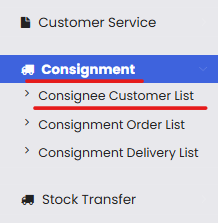
Step 2 – View the Consignee Customer List
Once opened, the All Consignee List page will display all existing consignee customers along with their details.
Information displayed typically includes:
Company
Customer Code
Name
Phone
Email
Status
Available Actions
You can also manage records using the Select Action dropdown.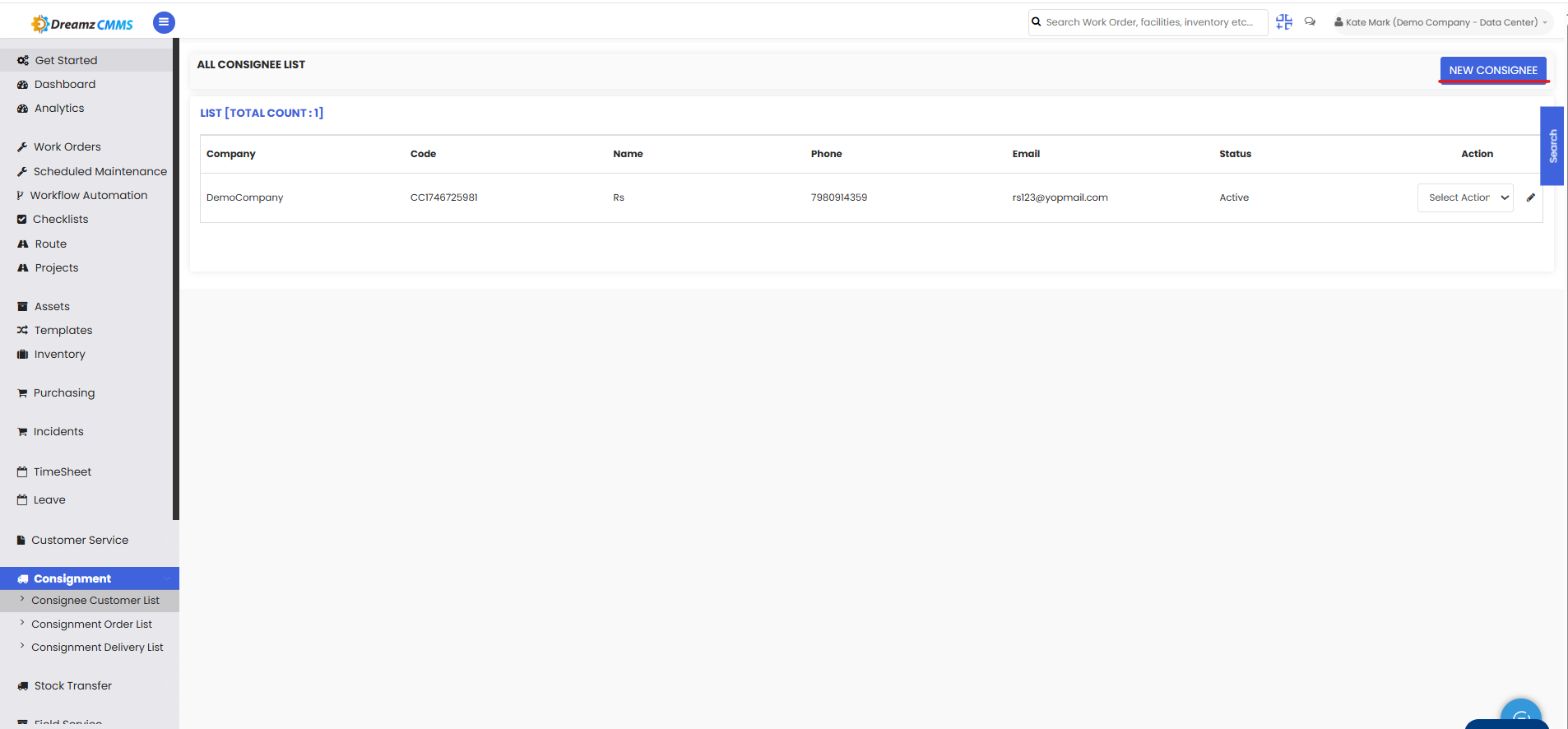
How to Create a New Consignee Customer
Step 1 – Click New Consignee
On the Consignee Customer List page, click the New Consignee button located in the top-right corner.
This will open the consignee creation form.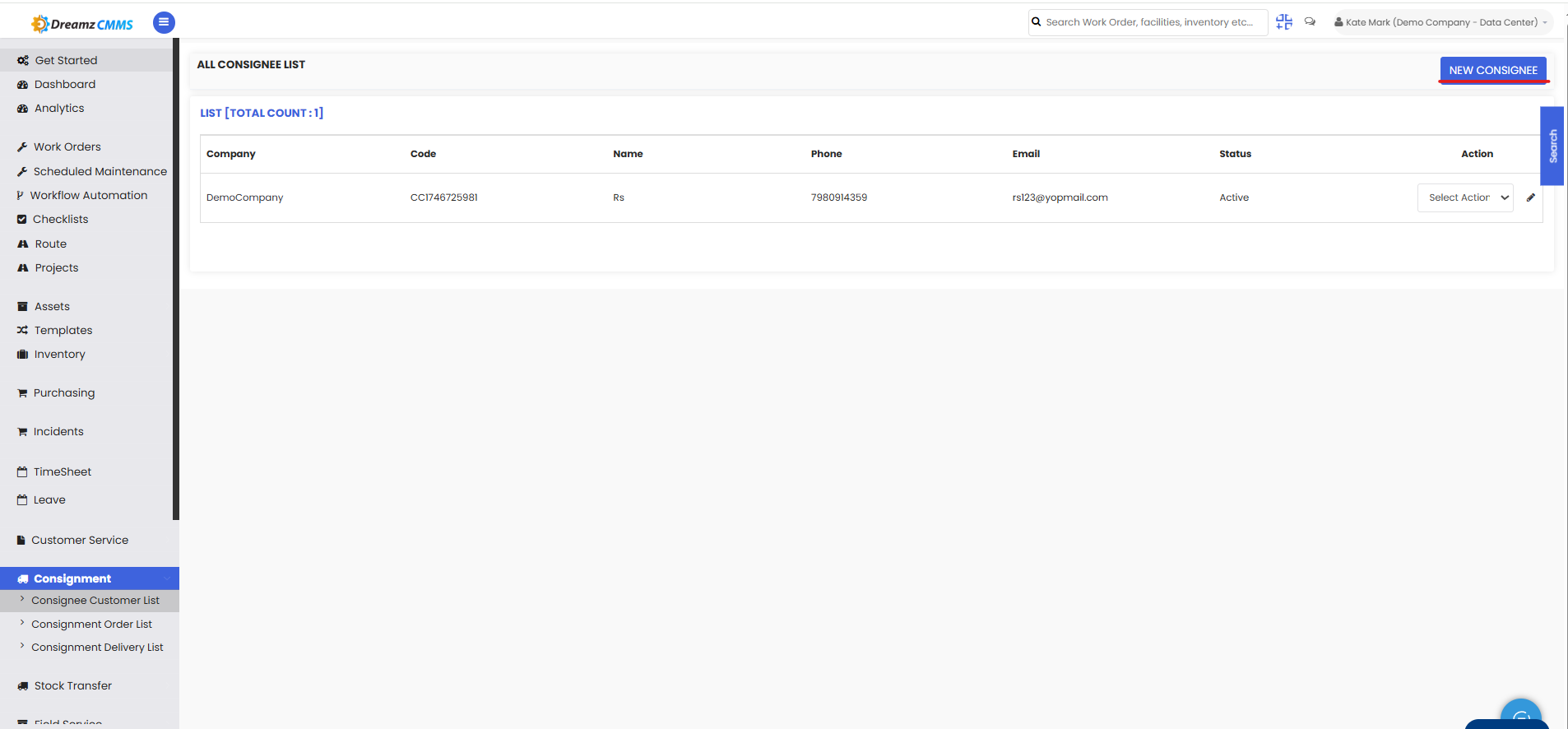
Step 2 – Enter Consignee Information
In the Consignee Information section, enter the required details such as:
Consignee Code
Company Name
Credit Limit
Credit Period
Overdue Limit
Shipping Mode
Payment Terms
Preferred User
Preferred Location
Department
Currency
Active Status
These details help define the business relationship and credit rules for the consignee.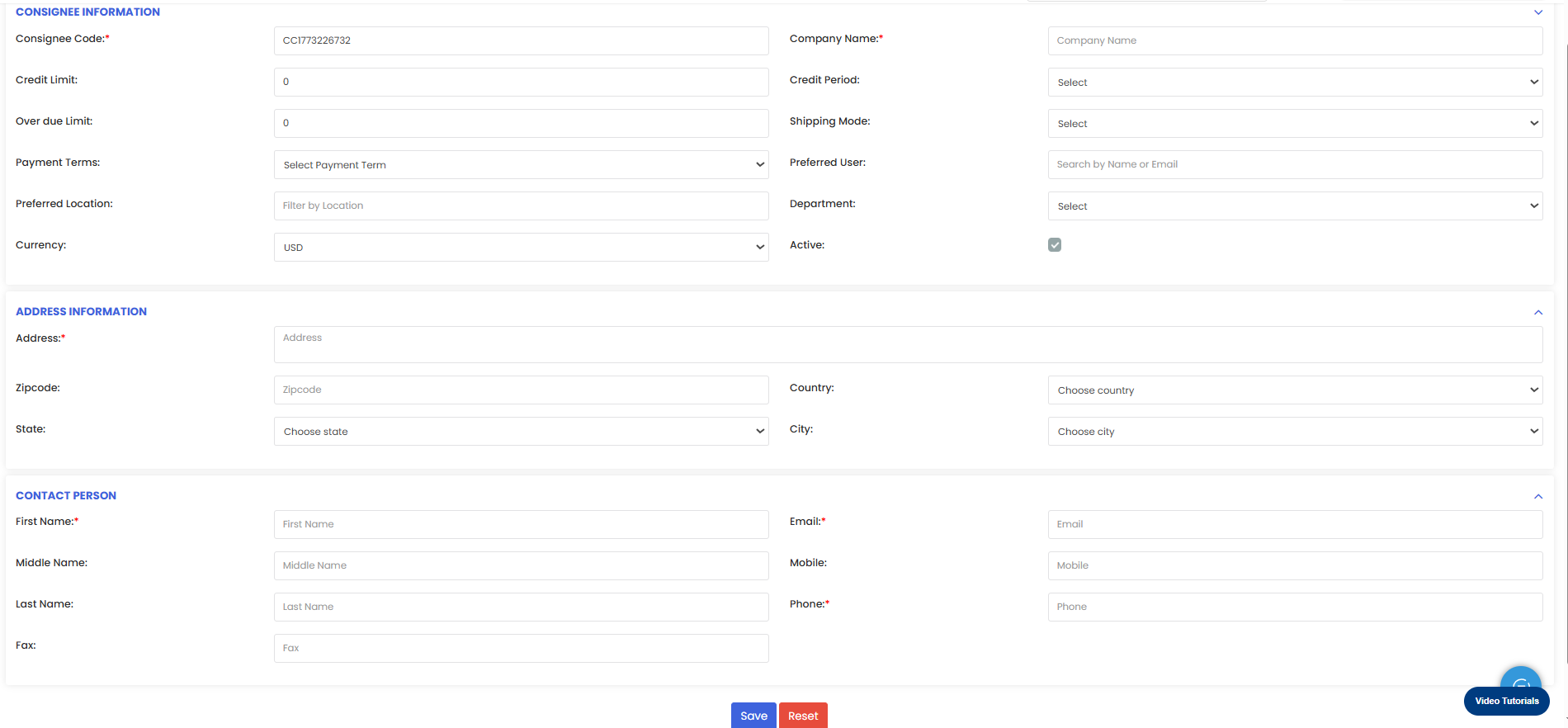
Step 3 – Enter Address Information
Under Address Information, provide the consignee’s address details:
Address
Zipcode
Country
State
City
This information is used for shipment and delivery tracking.
Step 4 – Enter Contact Person Details
In the Contact Person section, add the primary contact information for the consignee:
First Name
Middle Name
Last Name
Email
Mobile
Phone
Fax
This ensures there is a designated point of contact for communication regarding orders and deliveries.
Step 5 – Save the Consignee
After entering all required details:
Review the information
Click Save
The new consignee will now appear in the Consignee Customer List and can be used in consignment orders and deliveries.
Tips for Managing Consignee Customers
Assign clear consignee codes for easy identification.
Configure credit limits and credit periods carefully to control financial exposure.
Ensure contact information is kept up to date for smooth communication.
Regularly review consignee records to maintain accurate business data.
Proper consignee management helps organizations streamline consignment operations and maintain accurate customer records.
Frequently Asked Questions
What is a consignee in DreamzCMMS?
A consignee is a customer or partner who receives goods through consignment. Their details are stored in the Consignee Customer List for tracking orders and deliveries.
Can I edit consignee information after creation?
Yes. Existing consignee records can be edited from the Consignee Customer List using the available actions.
Why is a credit limit required for a consignee?
The credit limit helps control how much credit a consignee can use when placing consignment orders.
Can multiple contact persons be added for a consignee?
Typically, one primary contact person is defined in the consignee record, but additional communication contacts can be maintained through internal records if needed.