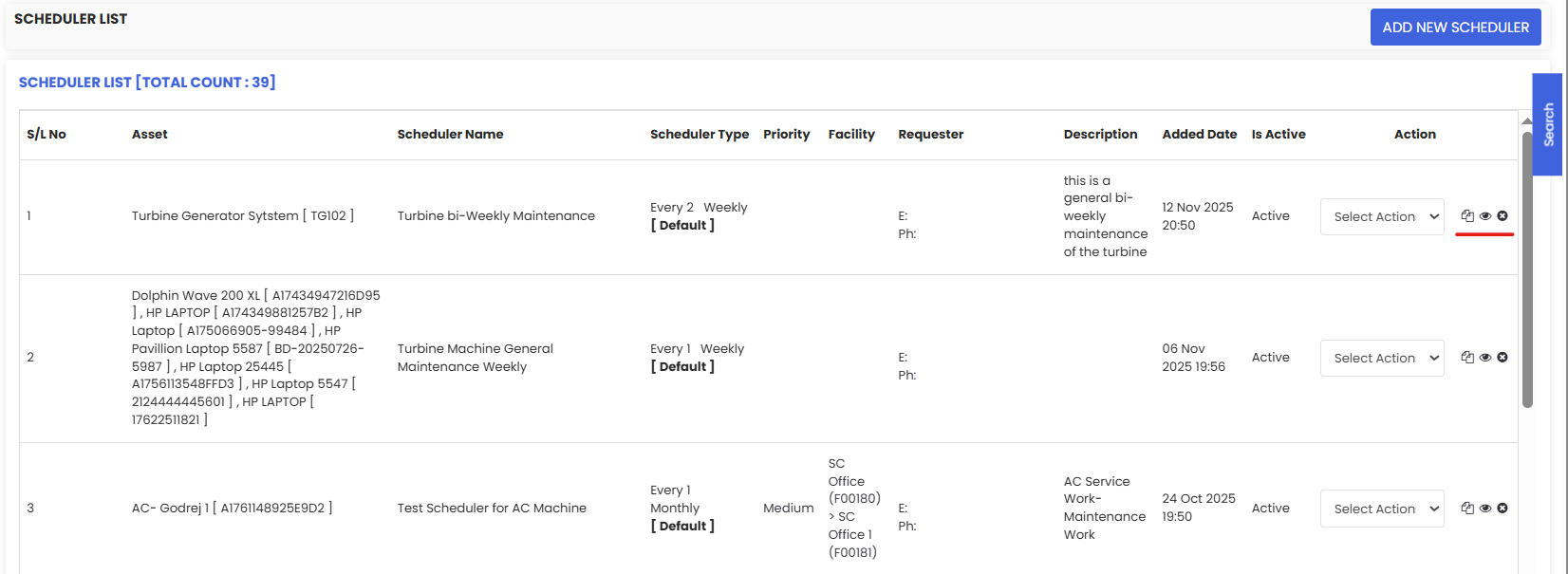
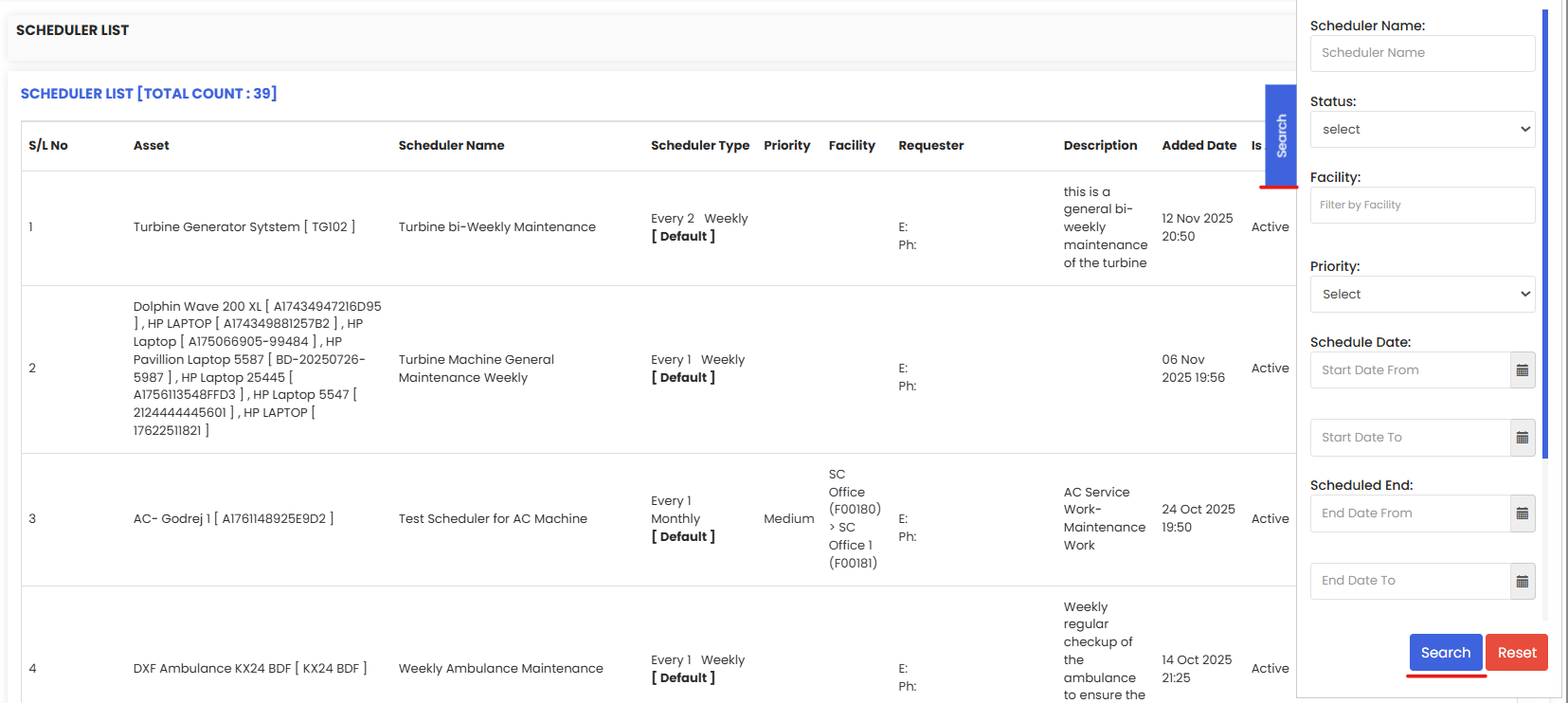
Scheduled Maintenance List shows all active PM schedulers in DreamzCMMS one row per plan with the asset/facility, scheduler name and type (time/meter), frequency, priority, requester, description, added date, and status. From this page you can search/filter, copy a plan, activate/deactivate, view history, and use Select Action to edit or delete. It’s your control panel to keep preventive tasks generating work orders on time.
Here is a reference video:
1. From the menu click on Scheduled Maintenance and then click on the Scheduled Maintenance sub-menu.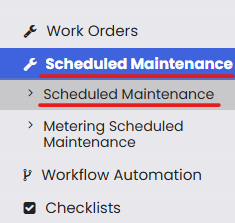
2. You will see the scheduled maintenance list.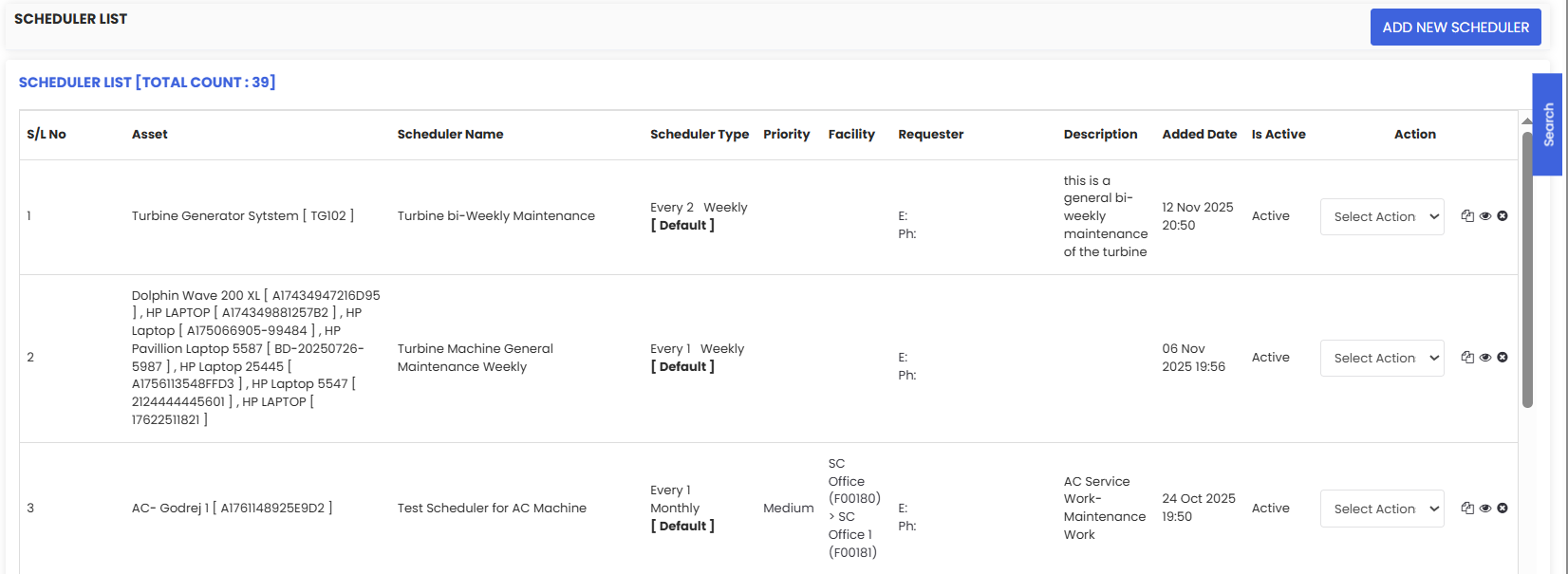
3. The list shows details of scheduler for asset/facility, scheduler name and type (time/meter), frequency, priority, requester, description, added date, and status. From this page you can search/filter, copy a plan, activate/deactivate and view the scheduler.