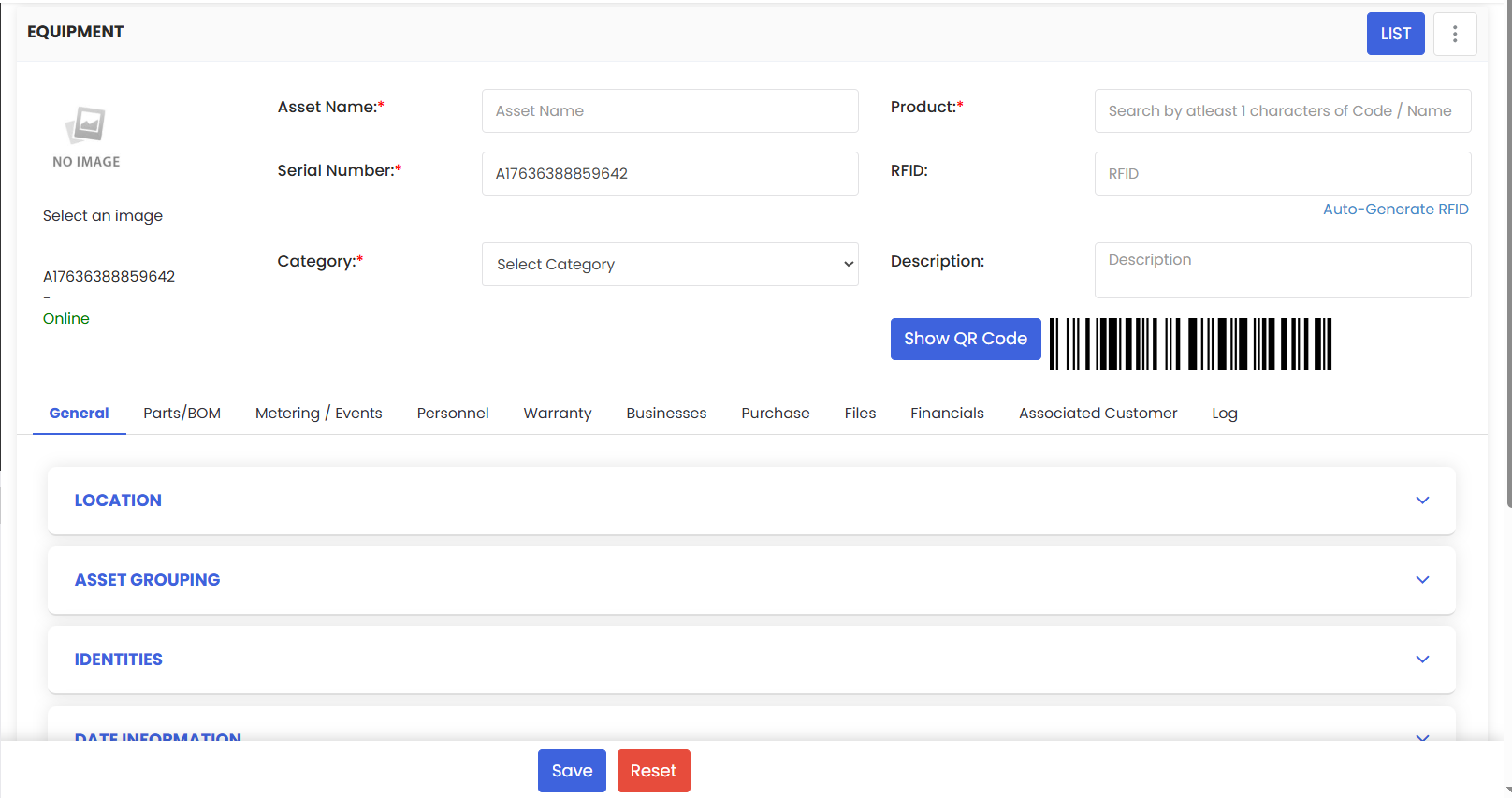
Manual Equipment Add lets you create a new asset record from scratch. Go to Assets → New Asset (Equipment), then enter the required basics Asset Name, Product, Serial Number, Category—and optionally add RFID (scan or auto-generate), description, and a photo. Expand the panels to set Location, Grouping, Identities/Barcodes, Dates & Warranty, Business/Vendor & Purchase details, Files, Financials, and any Associated Customer. Click Save to create the asset and use Show QR Code to print or tag it immediately.
Here is a reference video:
Follow these steps:
1. From the menu click on Assets and then click on Equipment.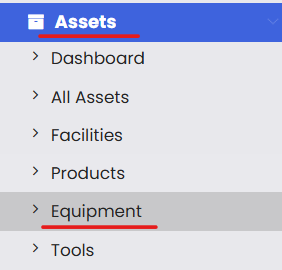
2. From the equipment list click on New Asset and then click on Equipment or Machines.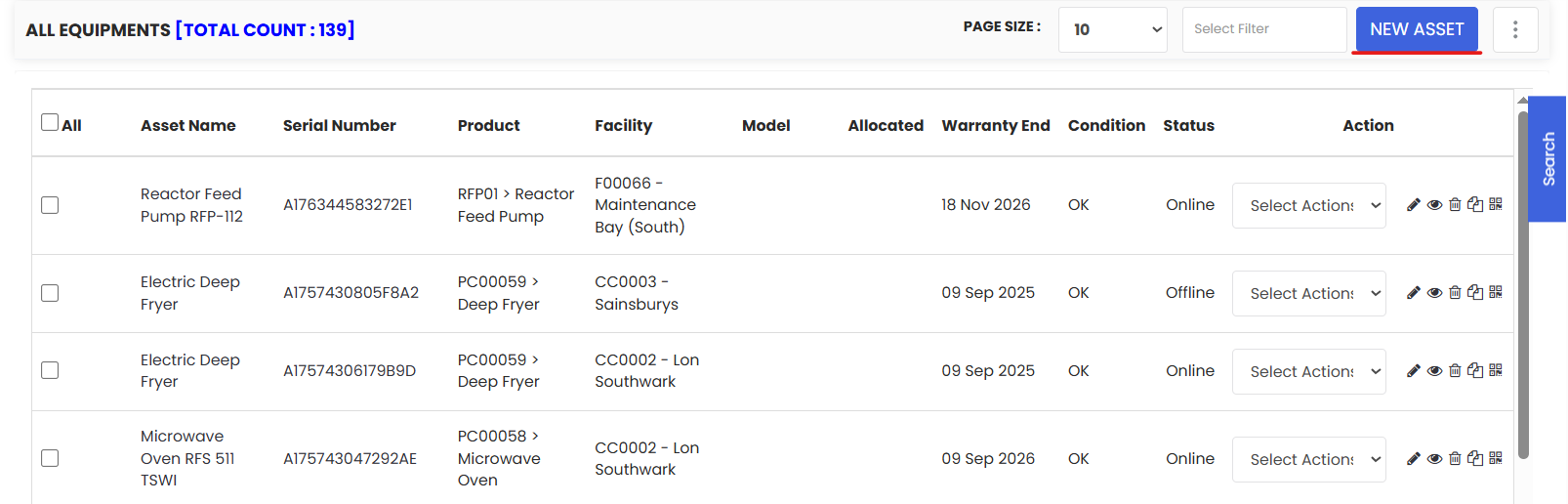
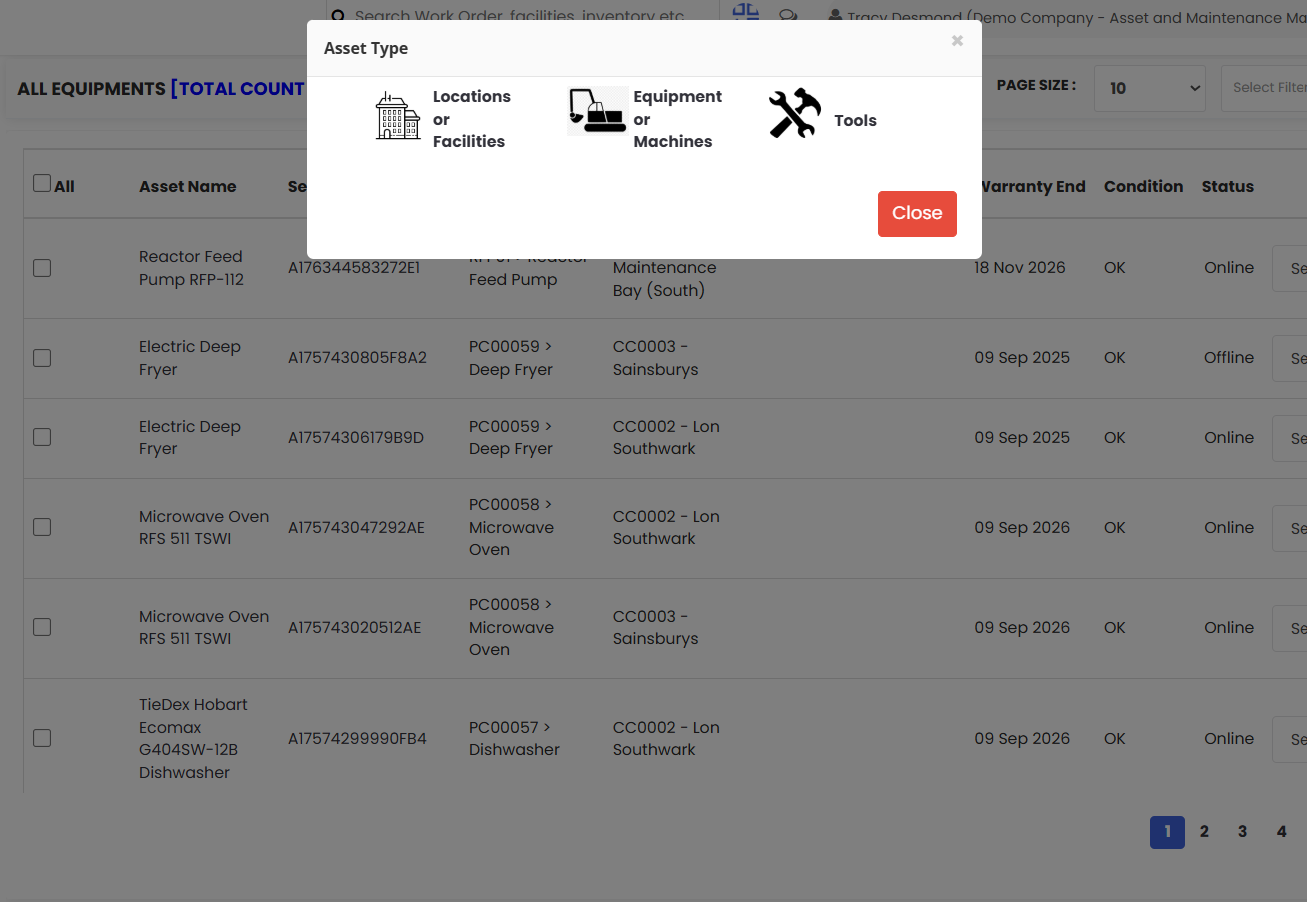
3. Fill up the necessary information and then click on Save.