You can label your assets with barcode or QR code labels containing unique identifiers linked to their location information in the asset management system. This facilitates easy scanning and tracking of asset locations.
Here is a reference video:
To Print QR for Equipments and Tools from excel click on Assets and then select the Equipment or Tools option.

2. Click on More option at the RIght Hand Top section of the equipment listing page and click on Print Tags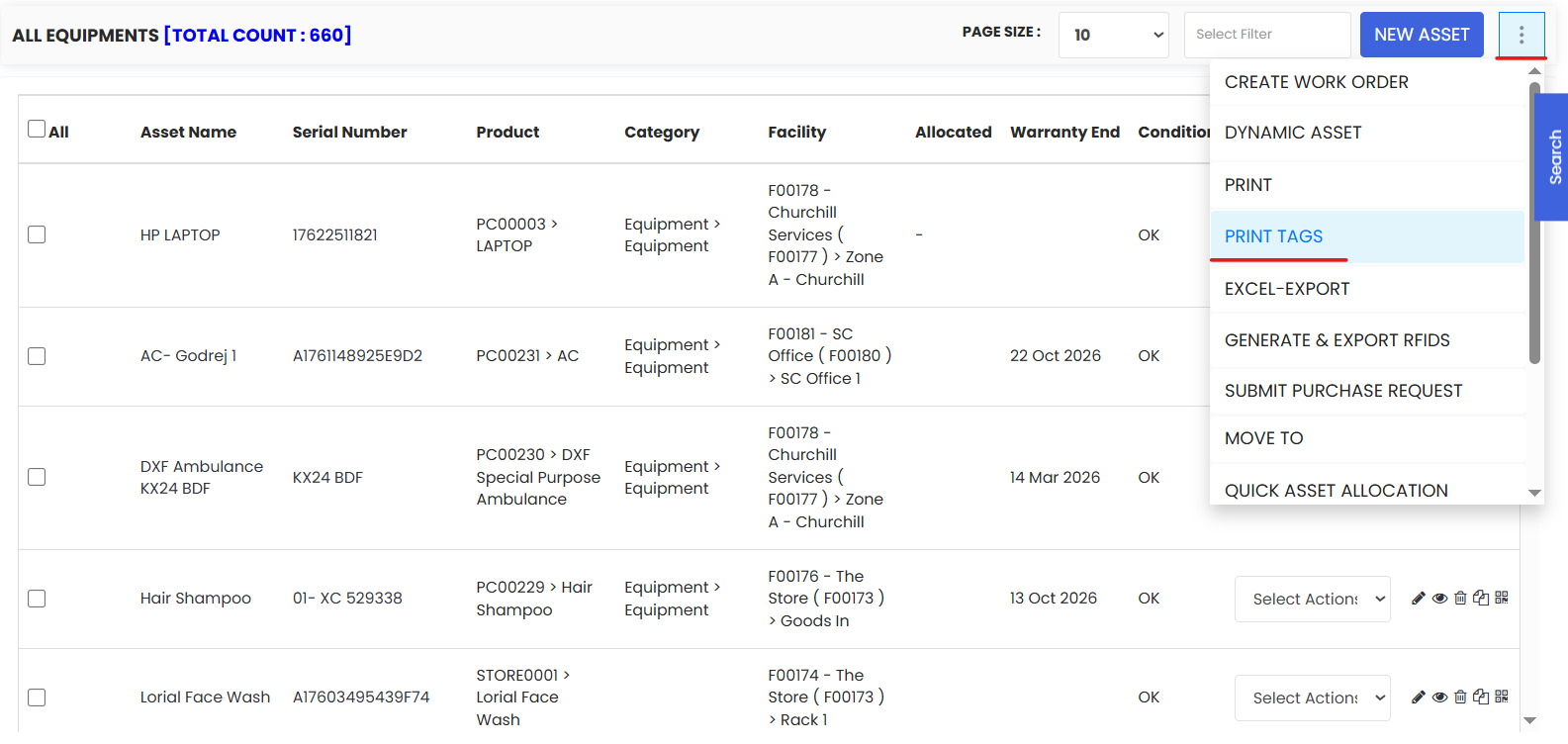
3. Choose whether you want to print barcodes or QR code and select the assets for which you want to print the barcodes and QR codes.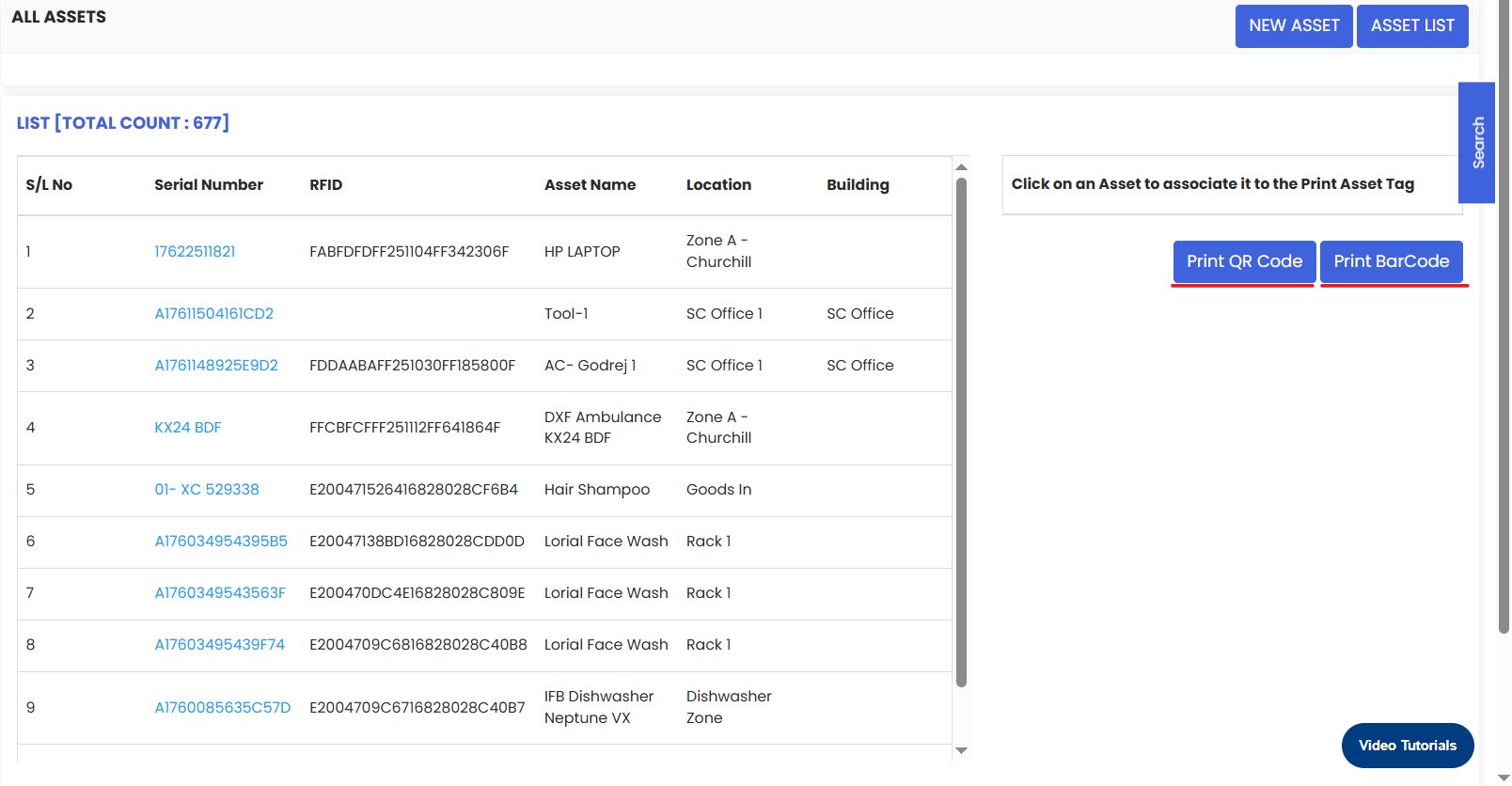
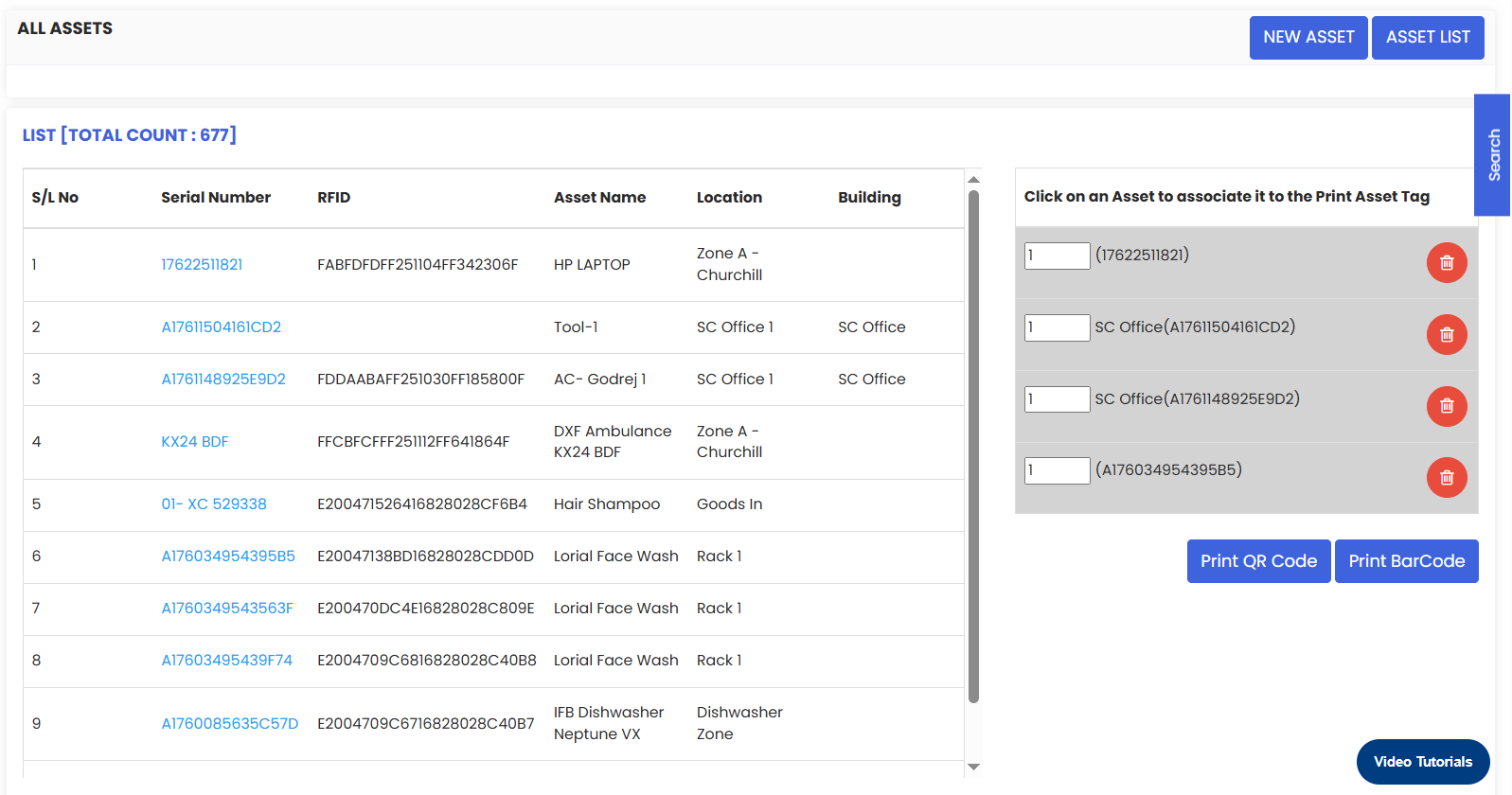
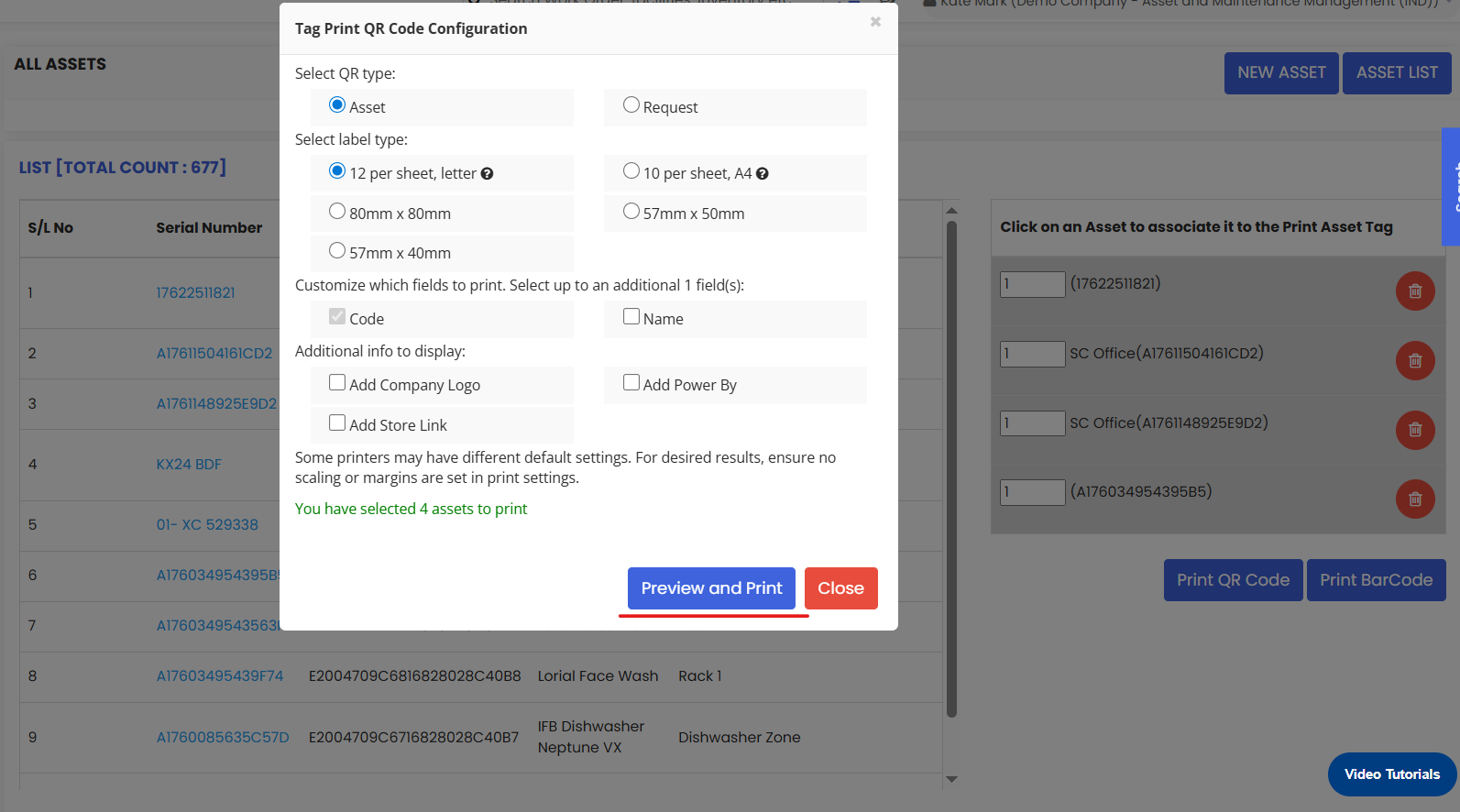
4. Set the printing details in the popup.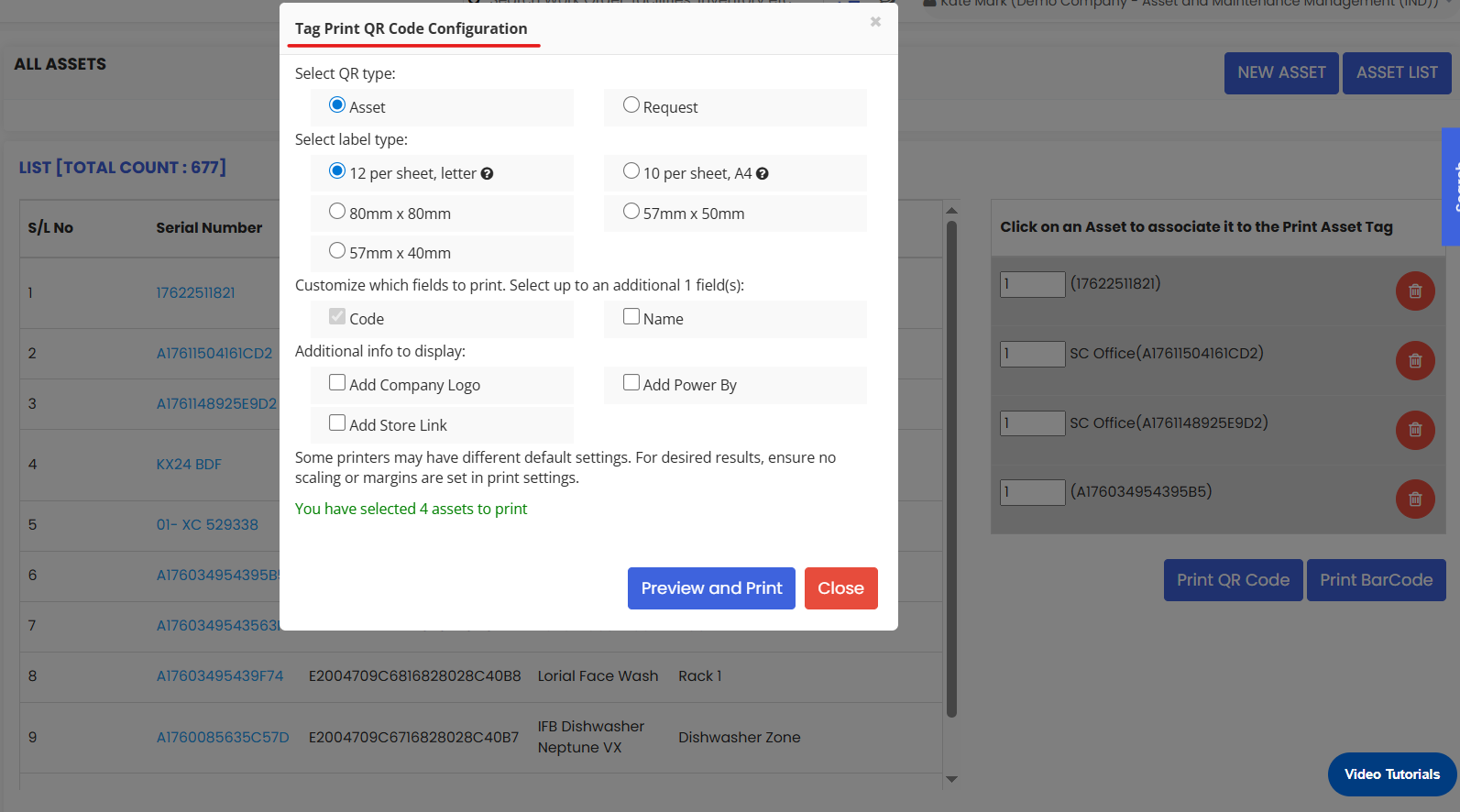
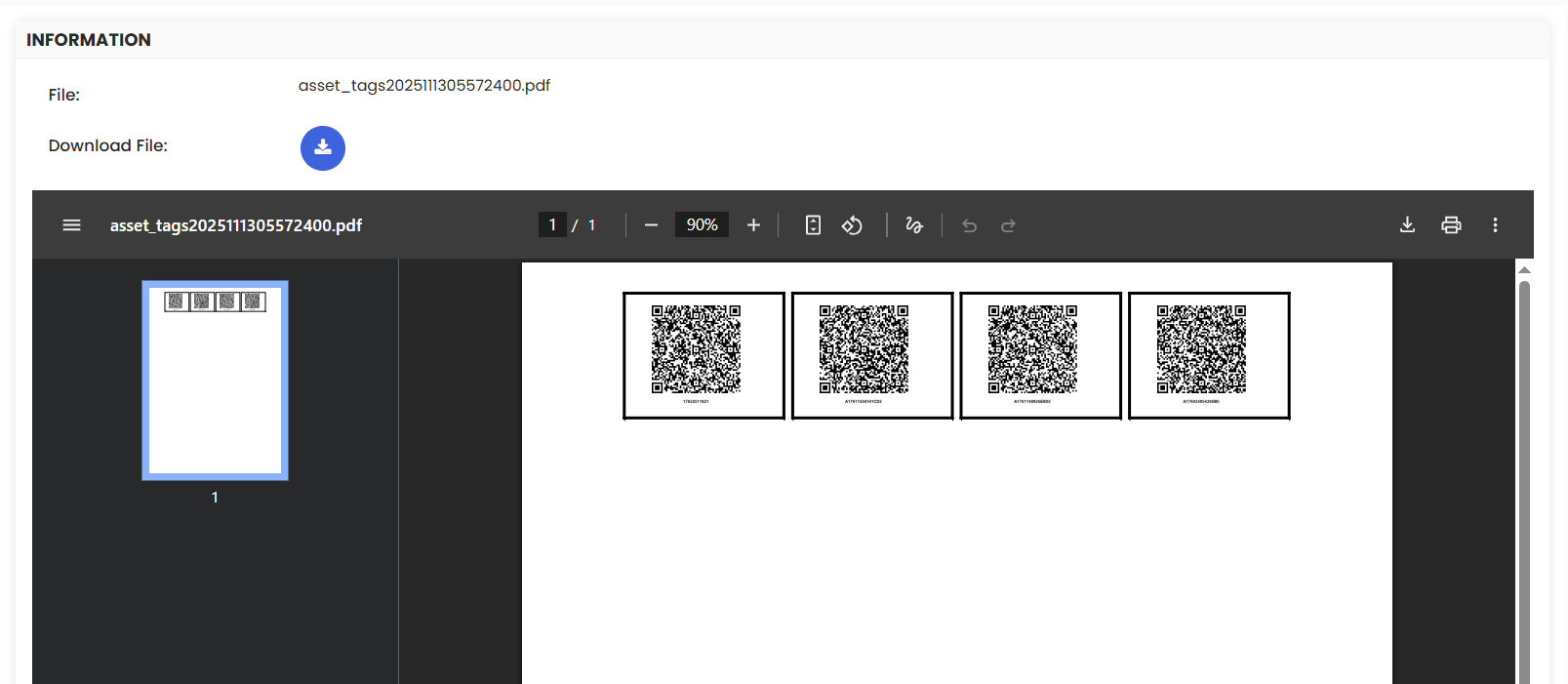
5. Then click on the Preview and Print button in the popup and print the QRs or barcodes.