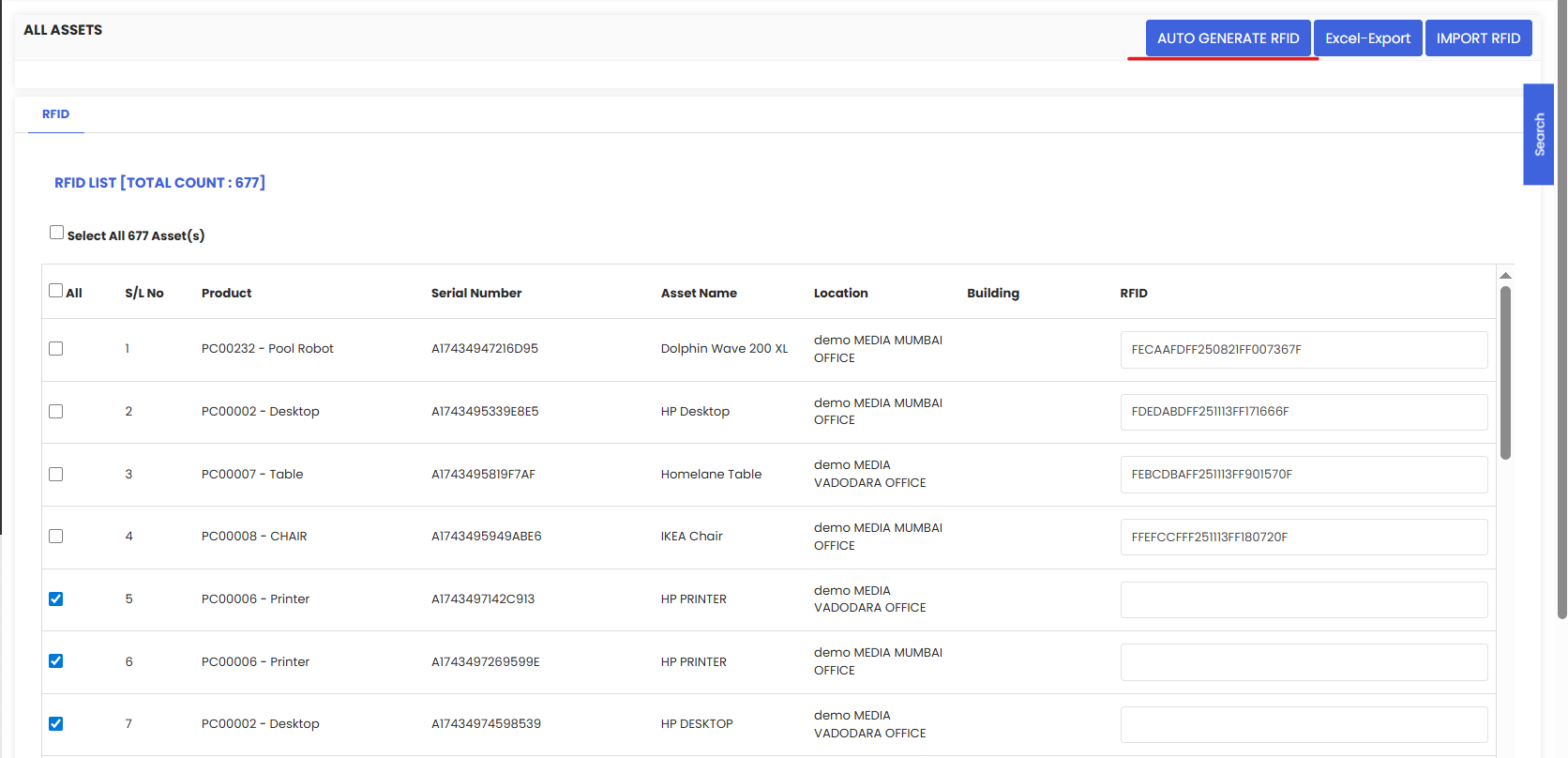
Generate & Export RFIDs (Assets) in DreamzCMMS lets you bulk create unique RFID tag IDs for selected assets, link them to each record, and export the tag list for printing/encoding.
Here is a reference video:
Follow these steps:
1. From the menu click on Assets and then click on Equipment.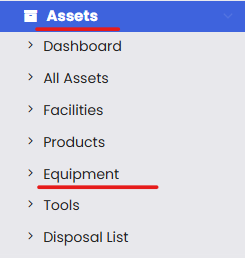
2. From the listing page, click on the 3 dots on the top right and click on Generate and Export RFIDs.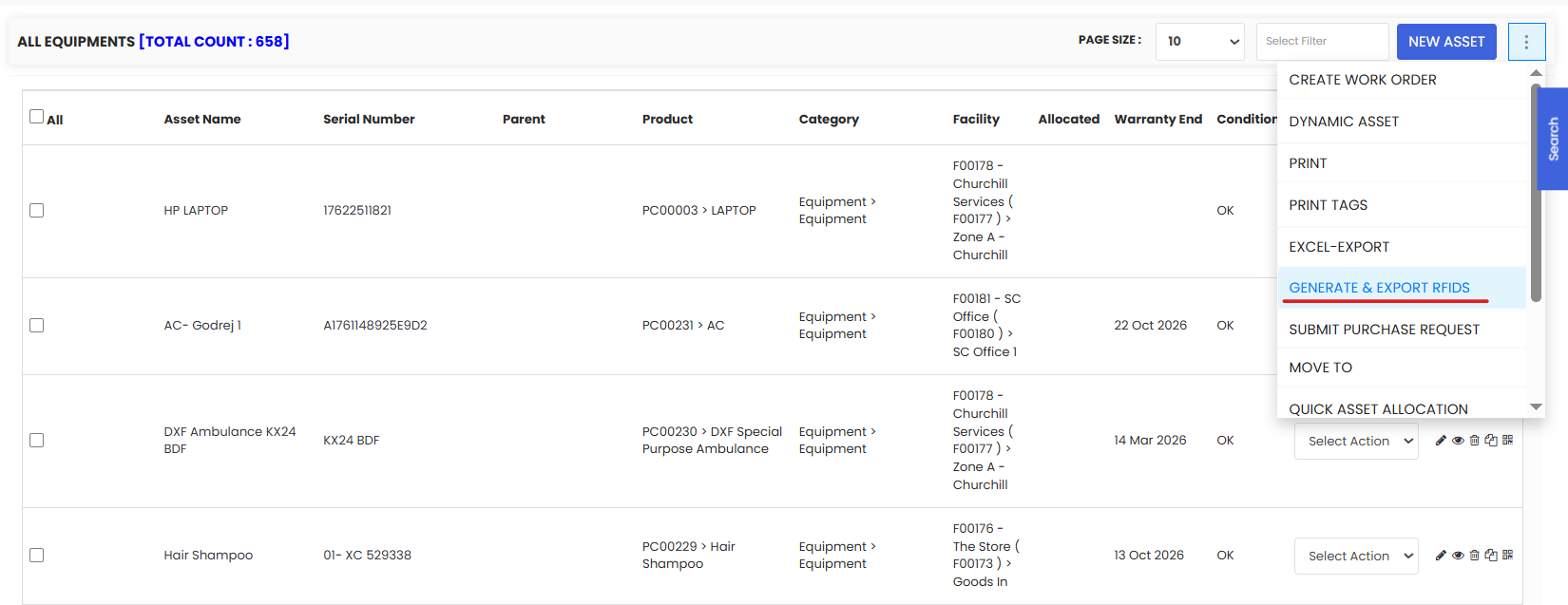
3. From the listing, select the assets for which you want to generate the RFID code and click on Auto-Generate RFID button. You will see that the RFIDs for the selected assets are generated.