Asset Movement in DreamzCMMS records transfers of assets between people, locations, or cost centers—keeping custody and location always accurate.
Here is a reference video:
Follow these steps:
1. From the menu click on Assets and then click on Equipment.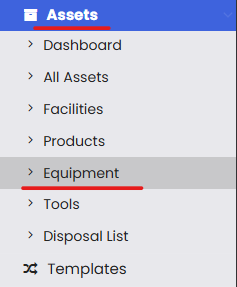
2. From the listing page select an asset that you want to move then go to the 3 dots and then click on Move To.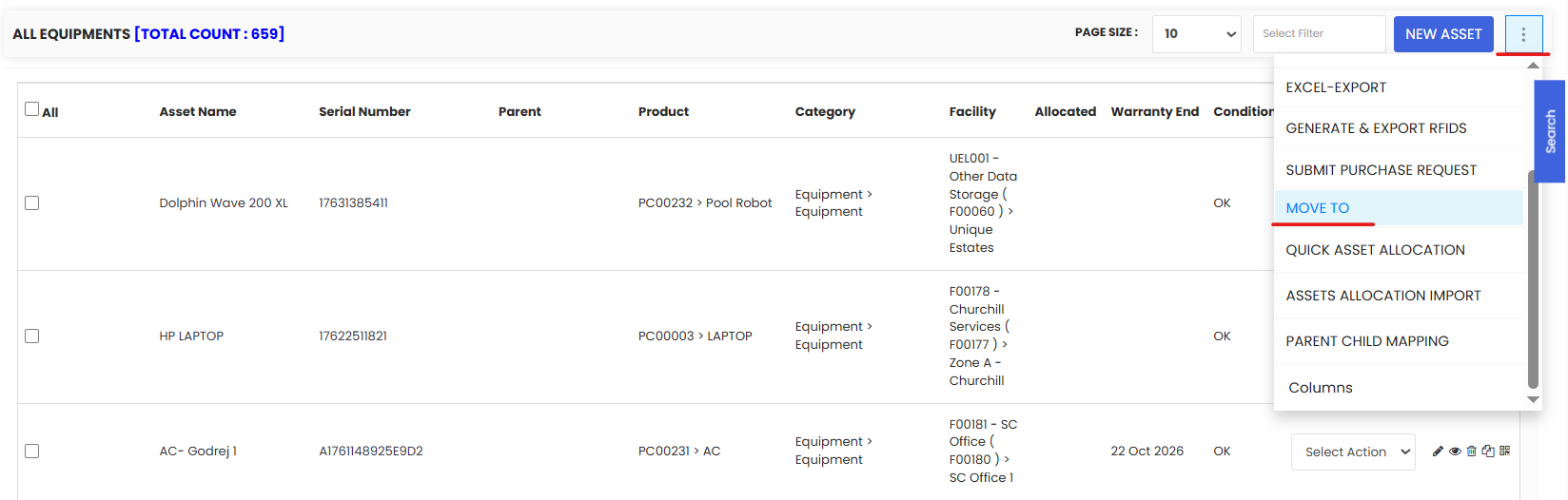
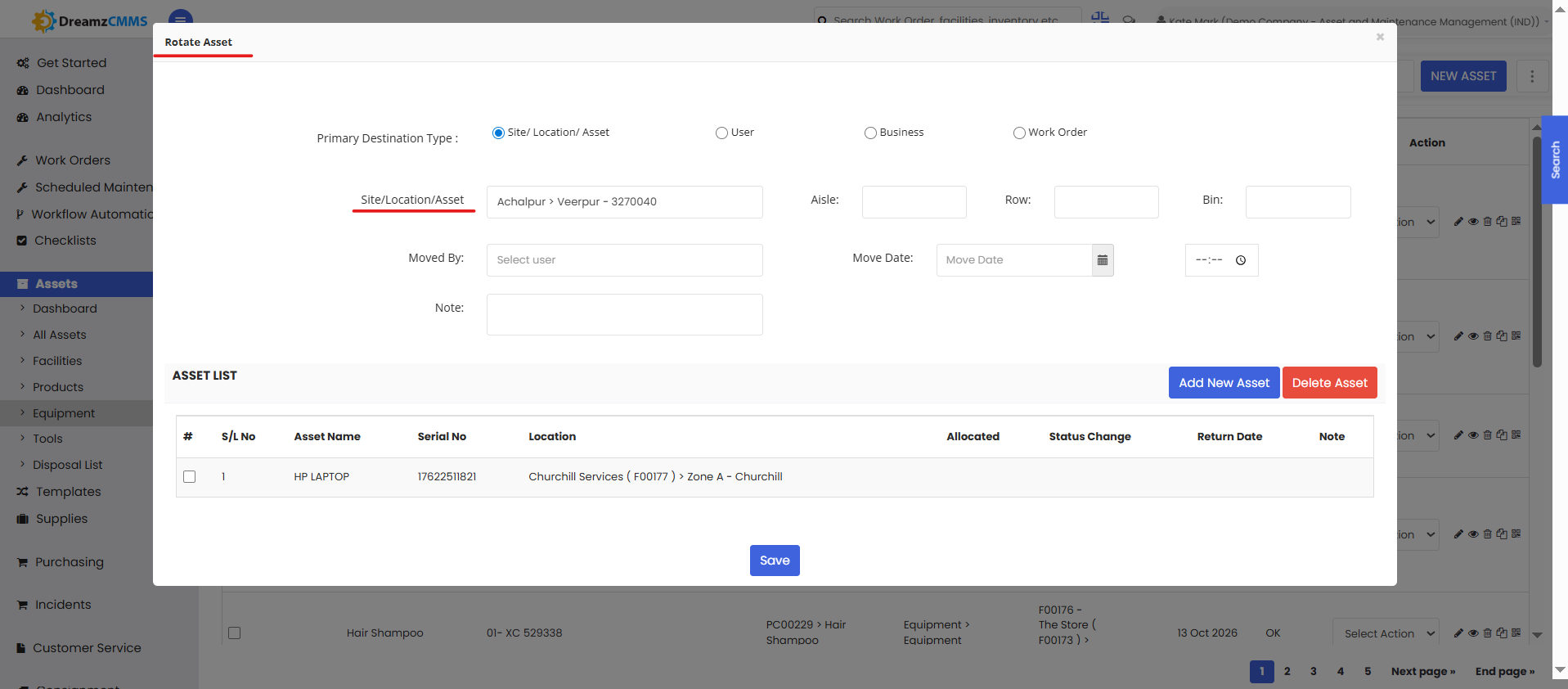
3. Upon clicking, the asset rotation pop-up opens up as shown. Now choose the location where you want to move this asset and fill up other details and click Save.