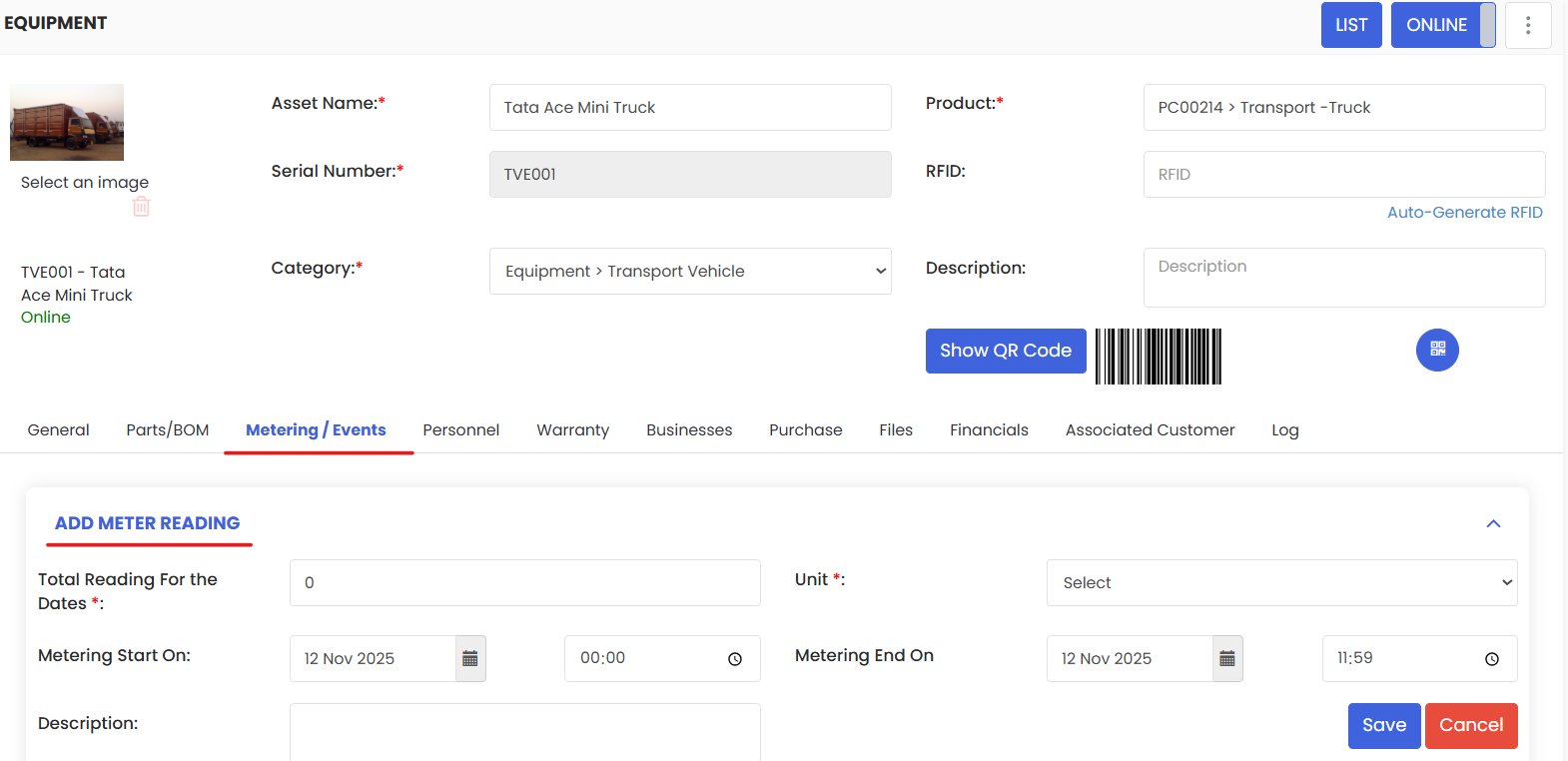
Meter readings in DreamzCMMS, involve tracking asset usage metrics like runtime and energy consumption to monitor utilization and schedule preventive maintenance. Regular input of these readings enables data-driven decisions, enhances asset reliability, and extends equipment lifespan.
Here is a reference video:
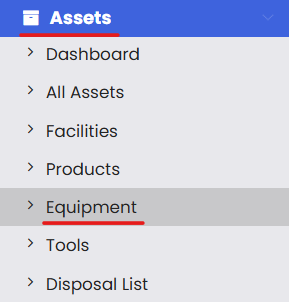
- Click on Assets and then select the Equipment option.
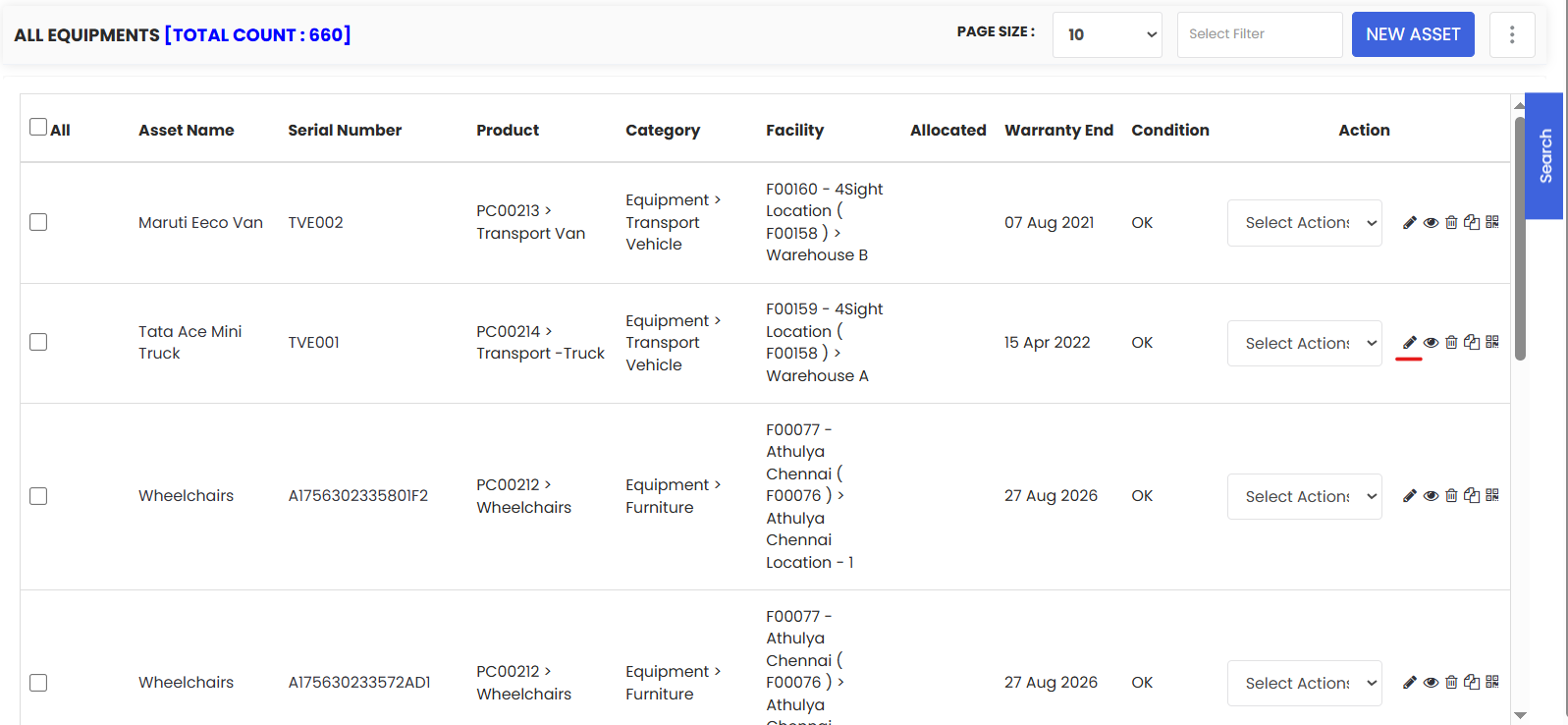
- Select the equipment for which you want to save the meter readings and click on Edit.
- Go to the Metering/Events tab and add the metering details for that equipment from this section shown below and click on Save.
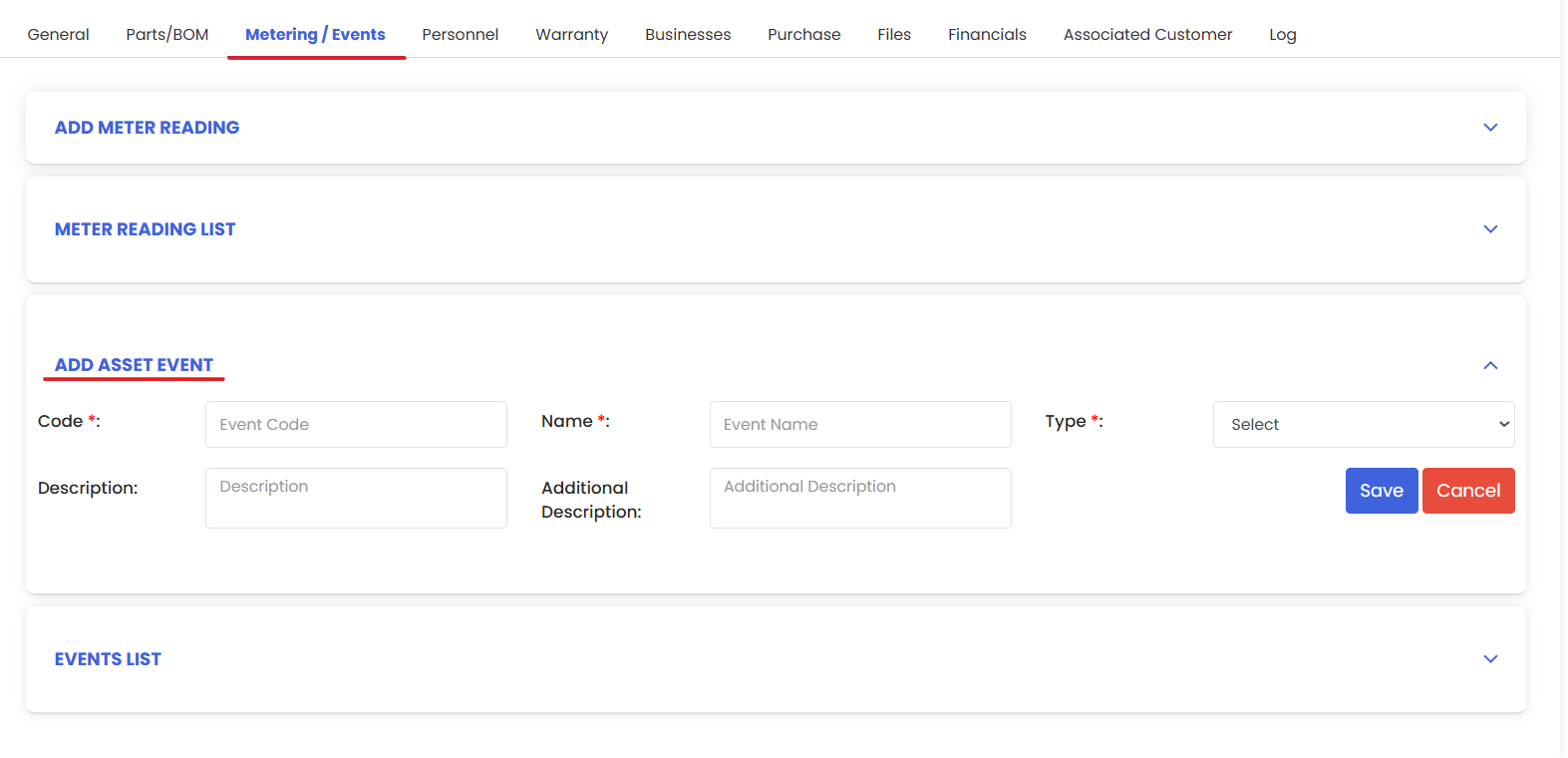
- You can also add events for that equipment if necessary from Add Asset Event section and click on Save.