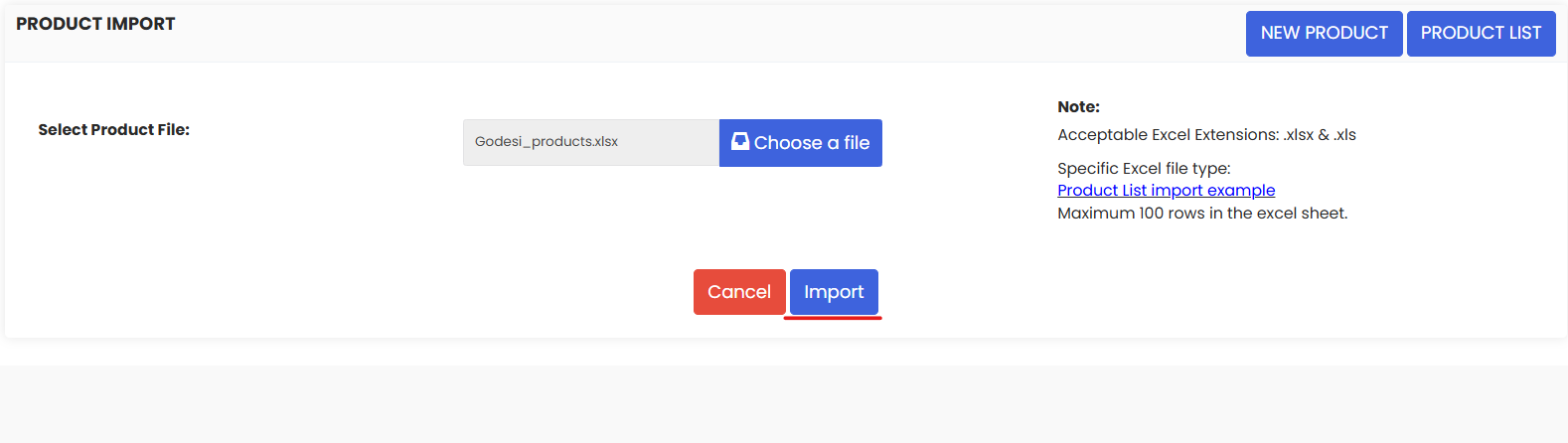
Use Product Import to bulk add or update products in DreamzCMMS via an excel file.
Here is a reference video:
Follow the steps to know how:
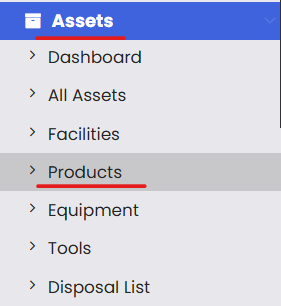
1. From the menu click on Assets and then click on Products.
2. From the top right corner click on the 3 dots and click on Import Products.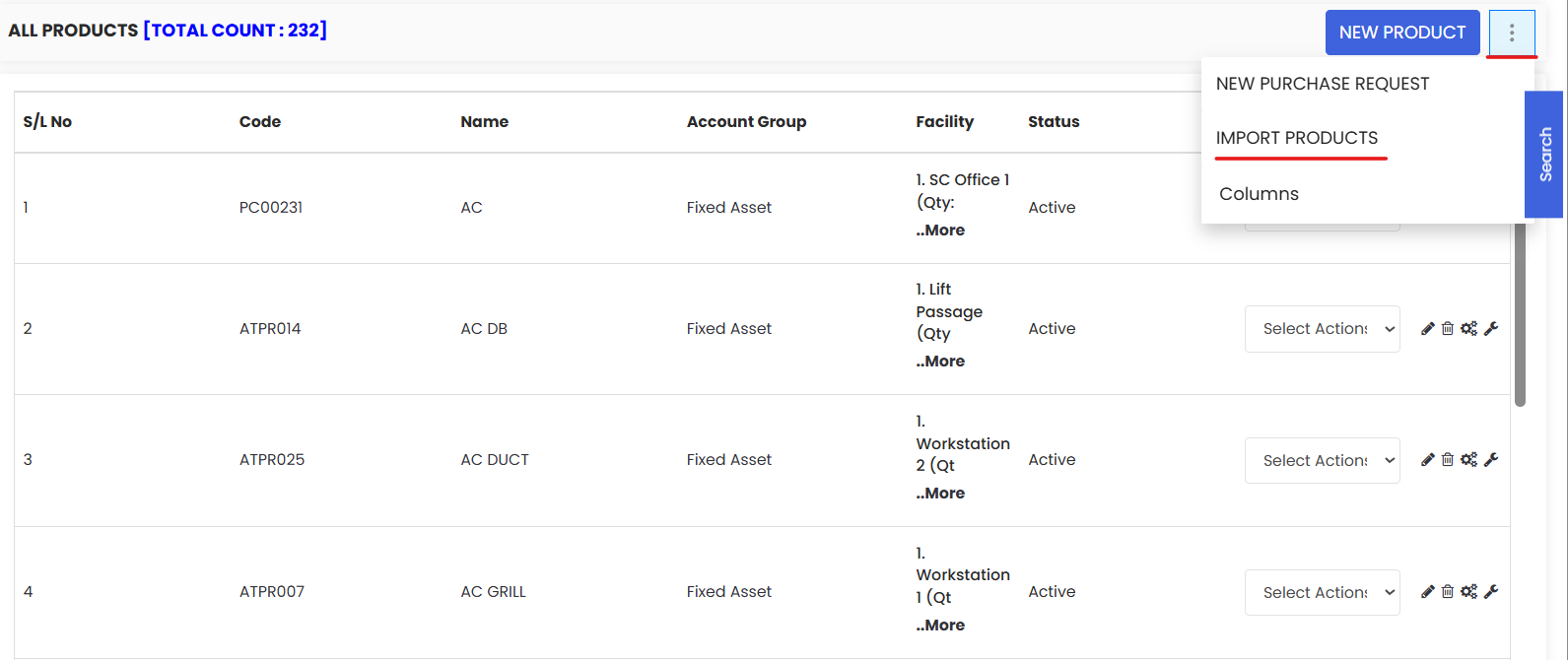
3. Download the sample excel file provided in the highlighted link and set up your data in the same format as the sample file.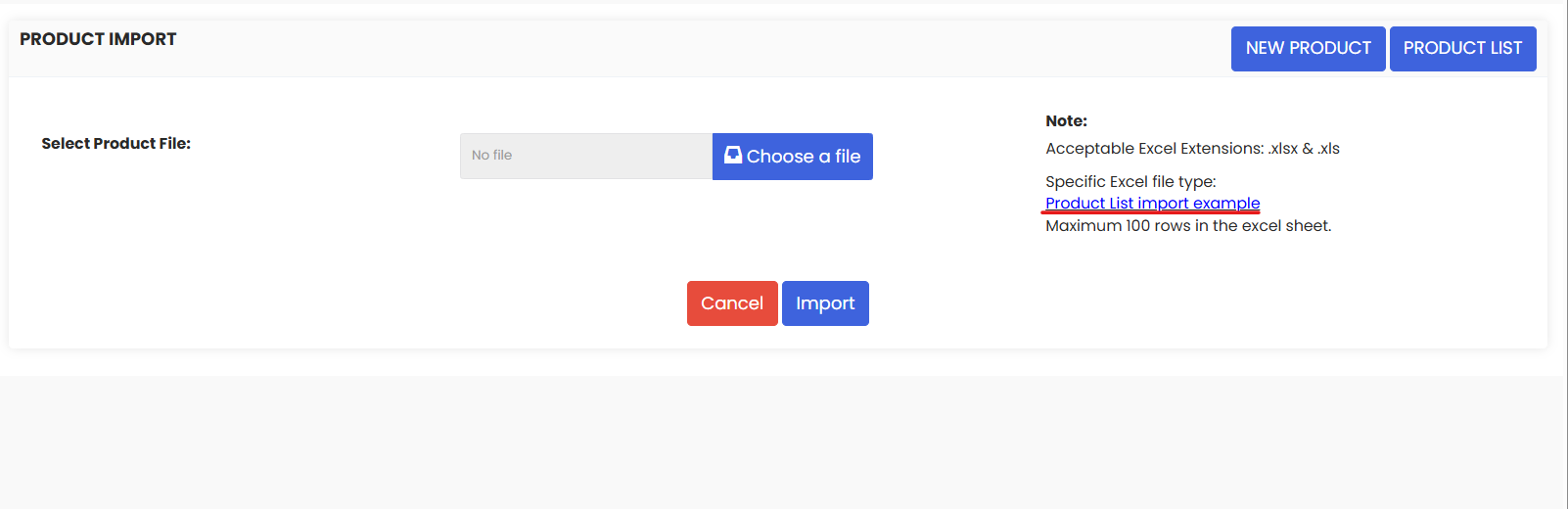
4. Now you are ready to upload the file from your system.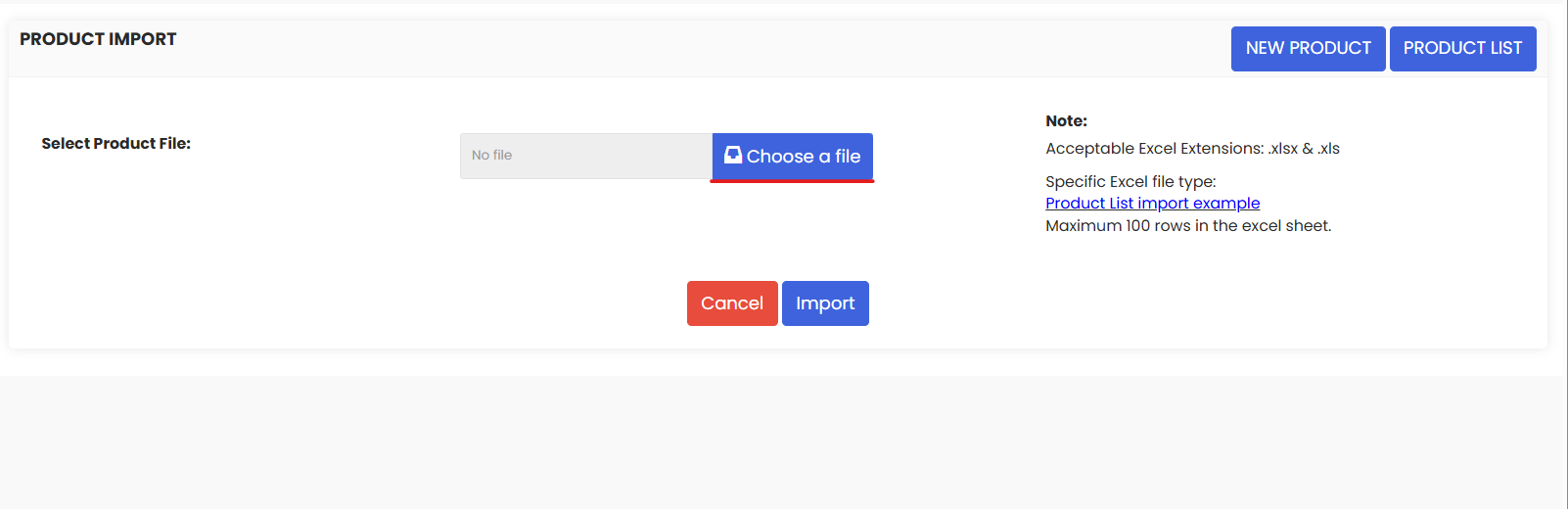
5. Once the sheet is uploaded click on Import to import the products in the system.