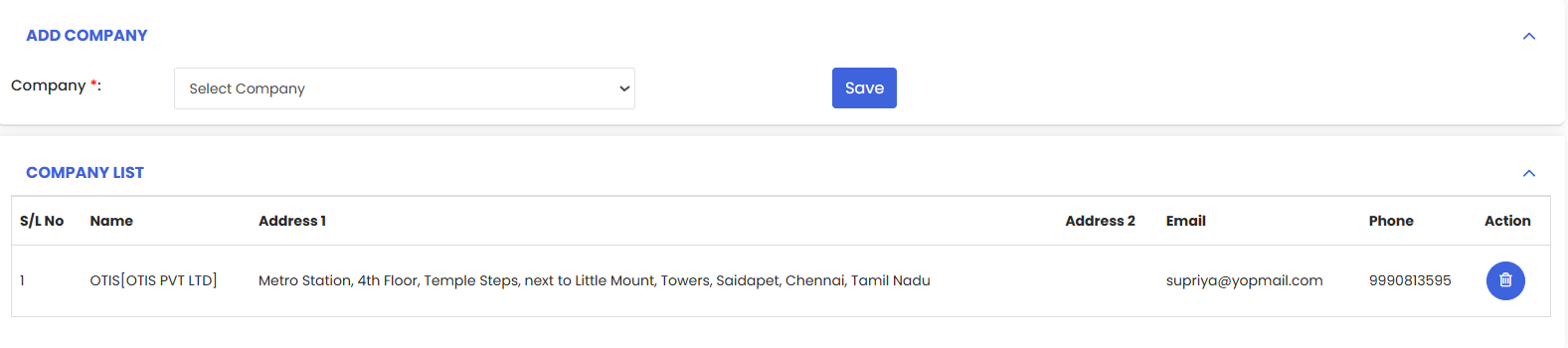
Use the Personnel tab to link internal users and service companies to this facility. Add people for work-order visibility and notifications, attach vendors for onsite work, and manage contacts in the lists below.
Here is a reference video:
Follow the steps below to add personnel:
1. Open the facility and go to Personnel tab.
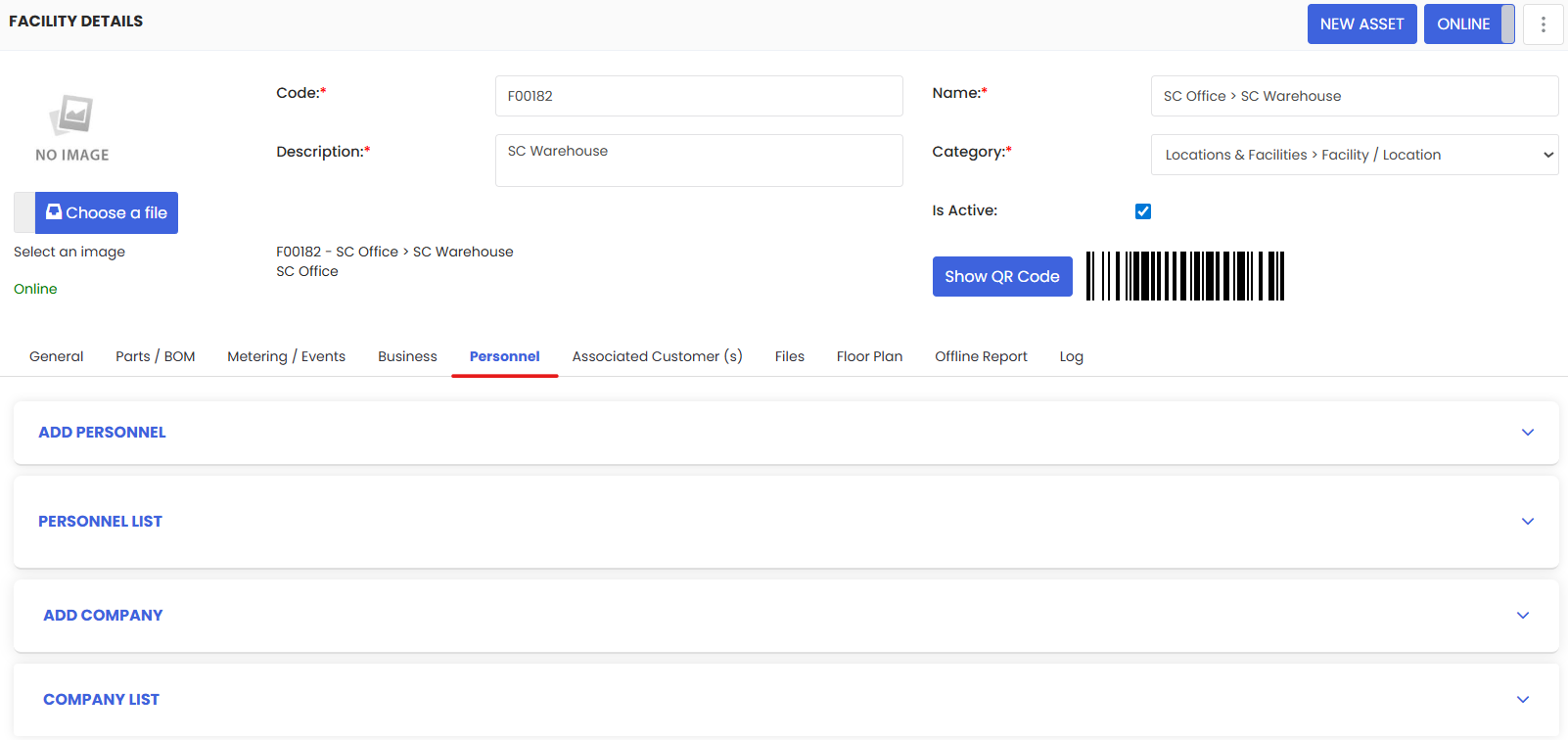
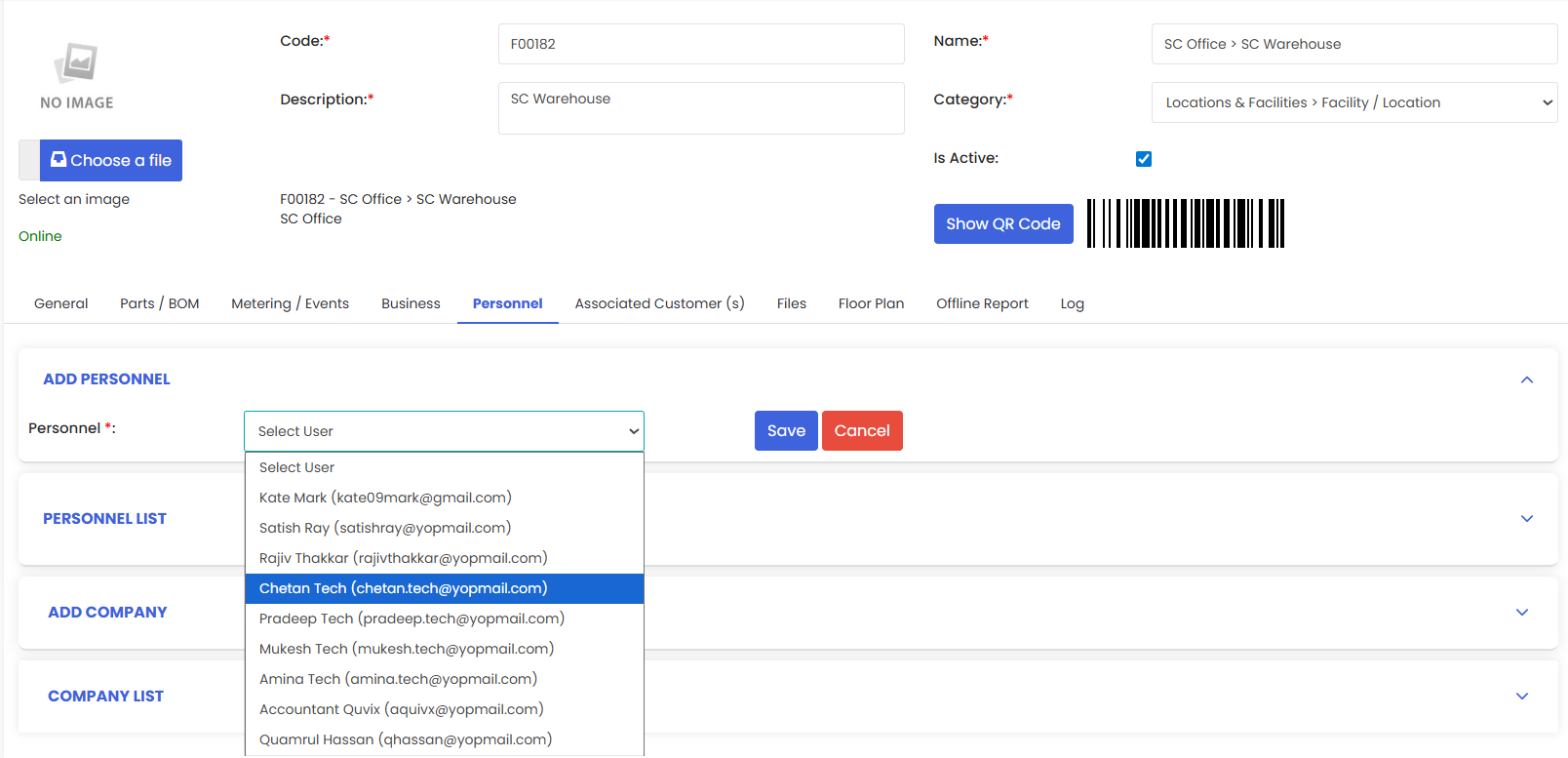
2. In Add Personnel, choose a user from Select User. Click Save.
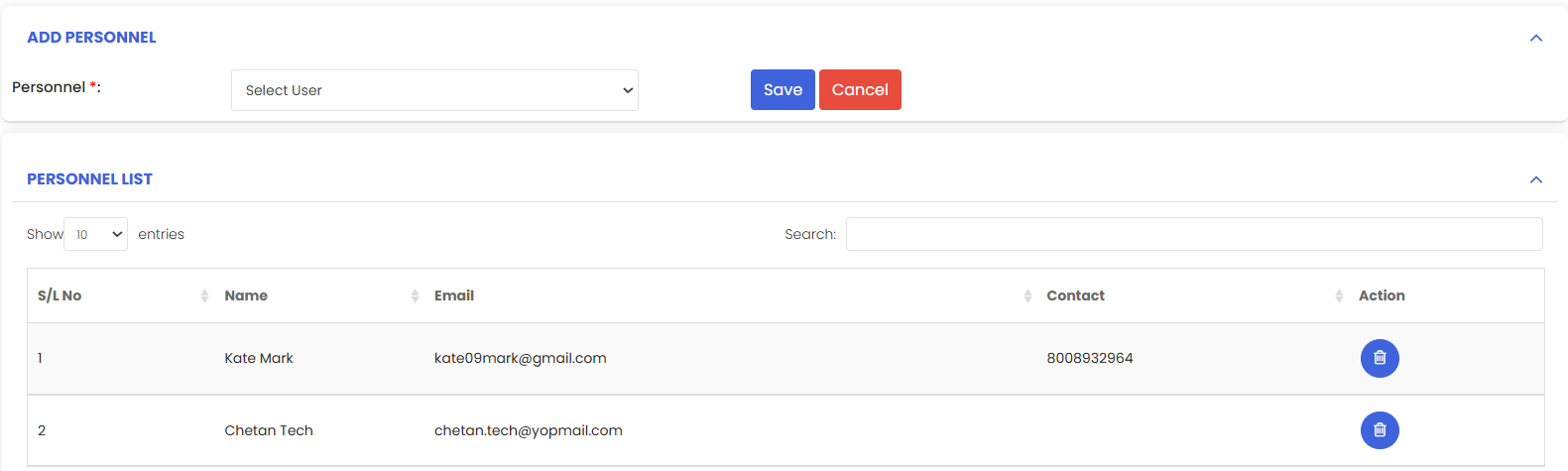
3. Verify they appear in Personnel List. To remove, use the trash icon.
Add a Company
1. In Add Company, choose a vendor from Select Company. Click Save.
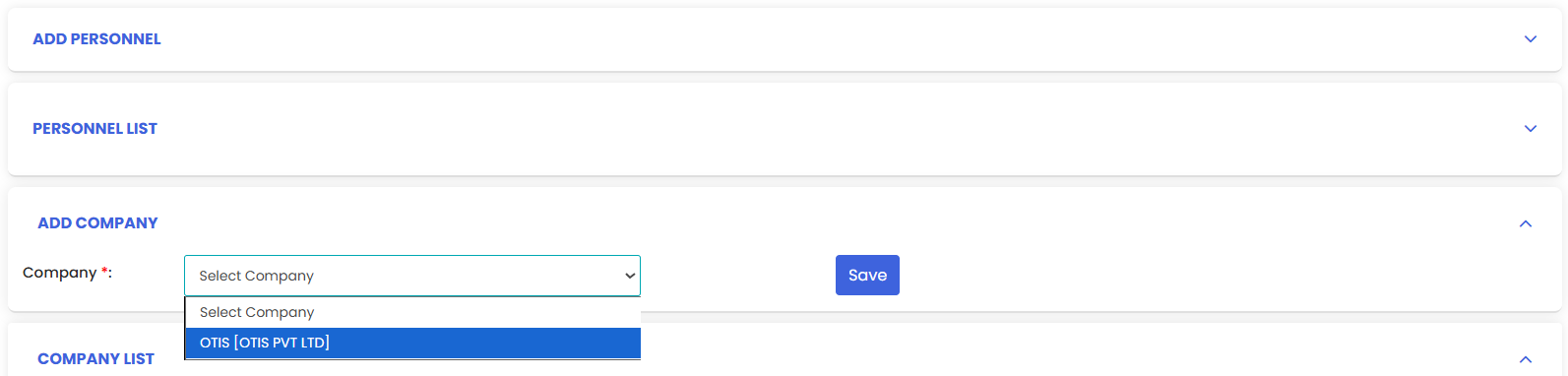
2. Verify it appears in Company List. Use the trash icon to remove.