Navigate and Explore Bestbrains Features
This tutorial guides you through accessing and exploring key Bestbrains features within DreamzCMMS. You will learn how to navigate to specific modules and integrations to better utilise the platform’s capabilities.
Overview
Bestbrains is an intelligent module within DreamzCMMS that brings together AI-powered features and advanced integrations to enhance your field service operations. This guide walks you through opening the BestBrain module, accessing the AI Work Order Completion Summary to convert technician notes into professional reports, and navigating the Xero Integration for accounting and financial management. Together, these features help teams streamline documentation and financial workflows directly within the platform.
Here is a reference video:
Steps to Navigate and Explore Bestbrains Features
Step 01 – Navigate and Explore Bestbrains Features
This tutorial guides you through accessing and exploring key Bestbrains features within DreamzCMMS. You will learn how to navigate to specific modules and integrations to better utilise the platform’s capabilities.
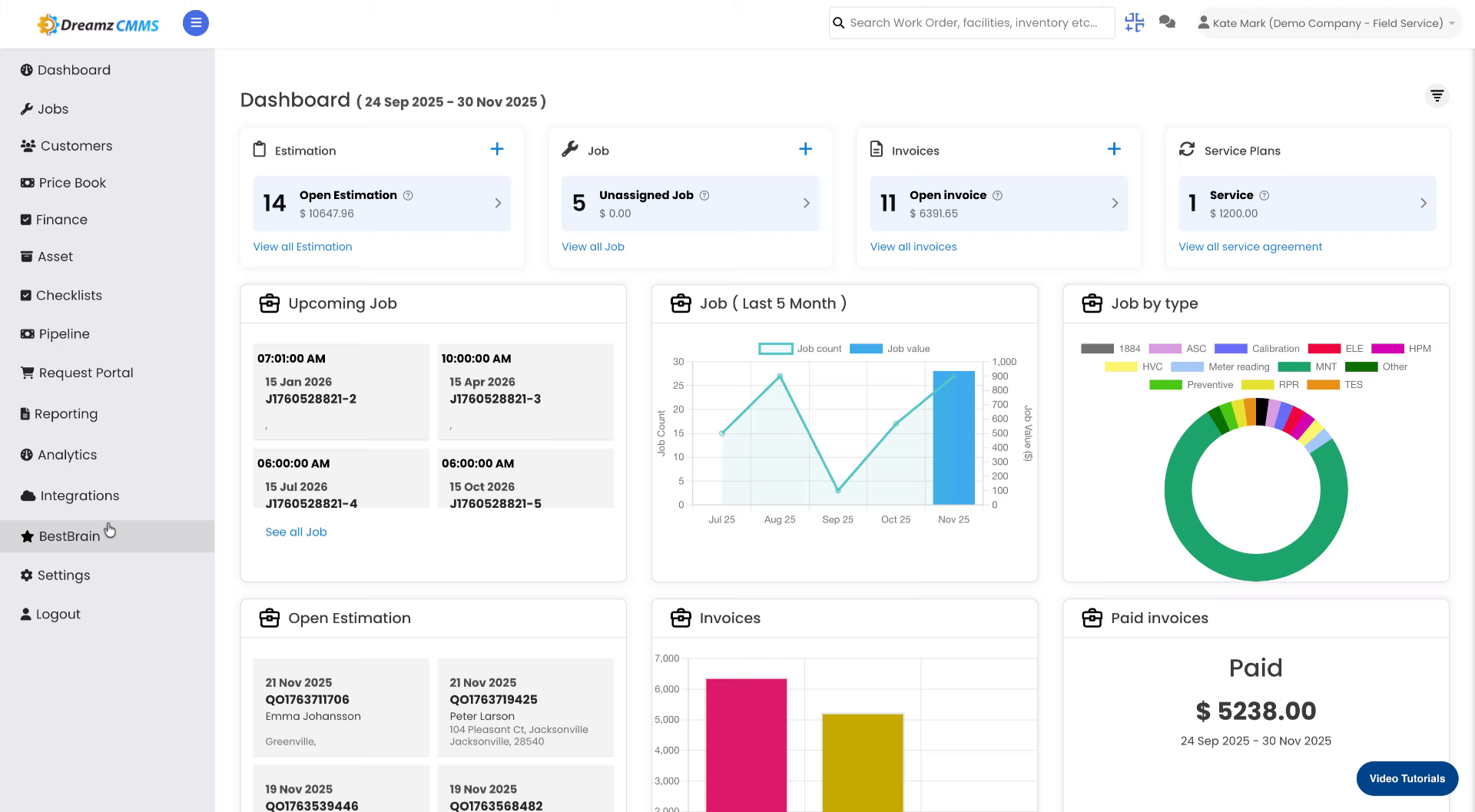
Step 02 – Open BestBrain Module
Click the BestBrain module to begin accessing its features within DreamzCMMS.
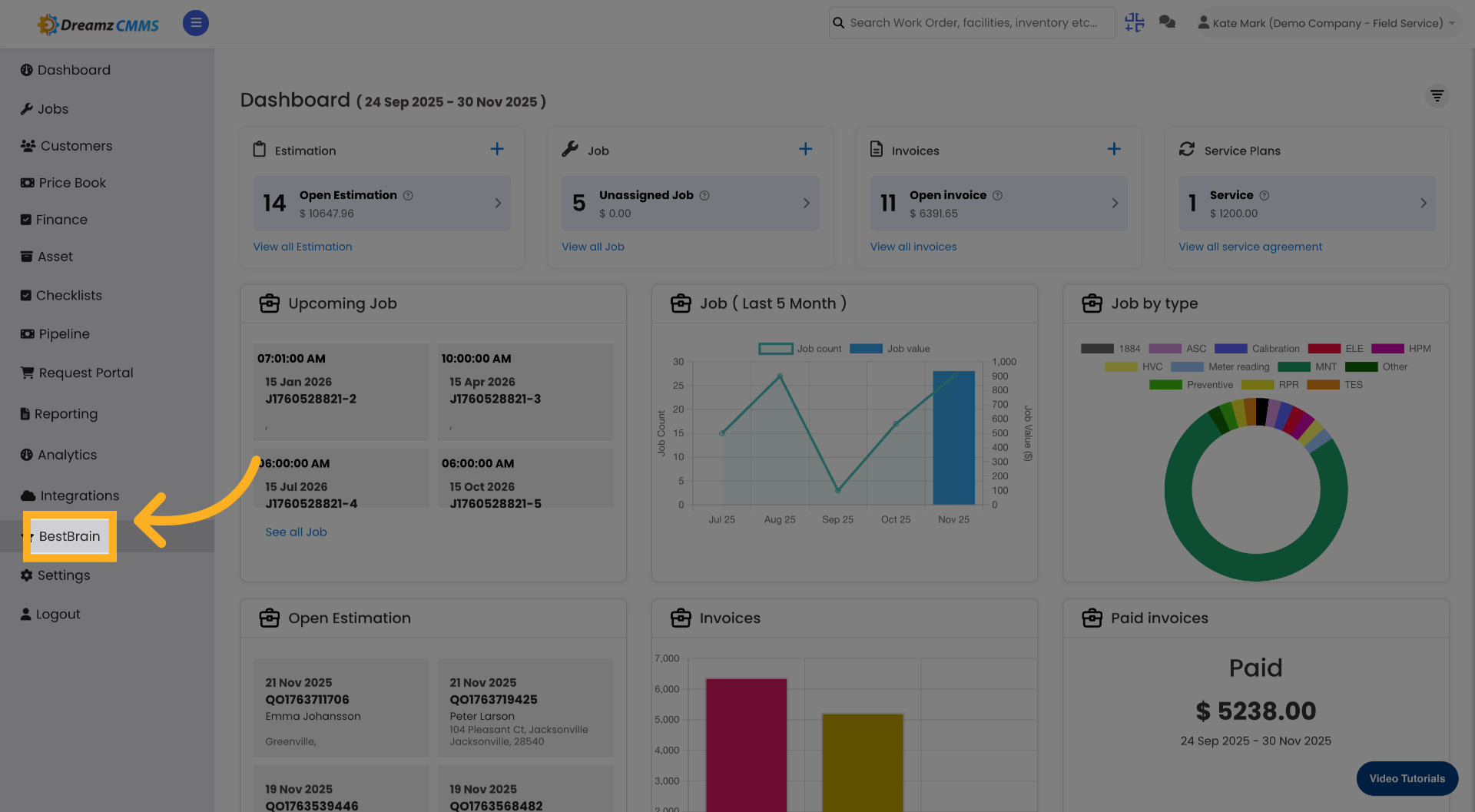
Step 03 – Access AI Work Order Summary
Click the AI Work Order Completion Summary to view technician notes converted into structured, professional reports.
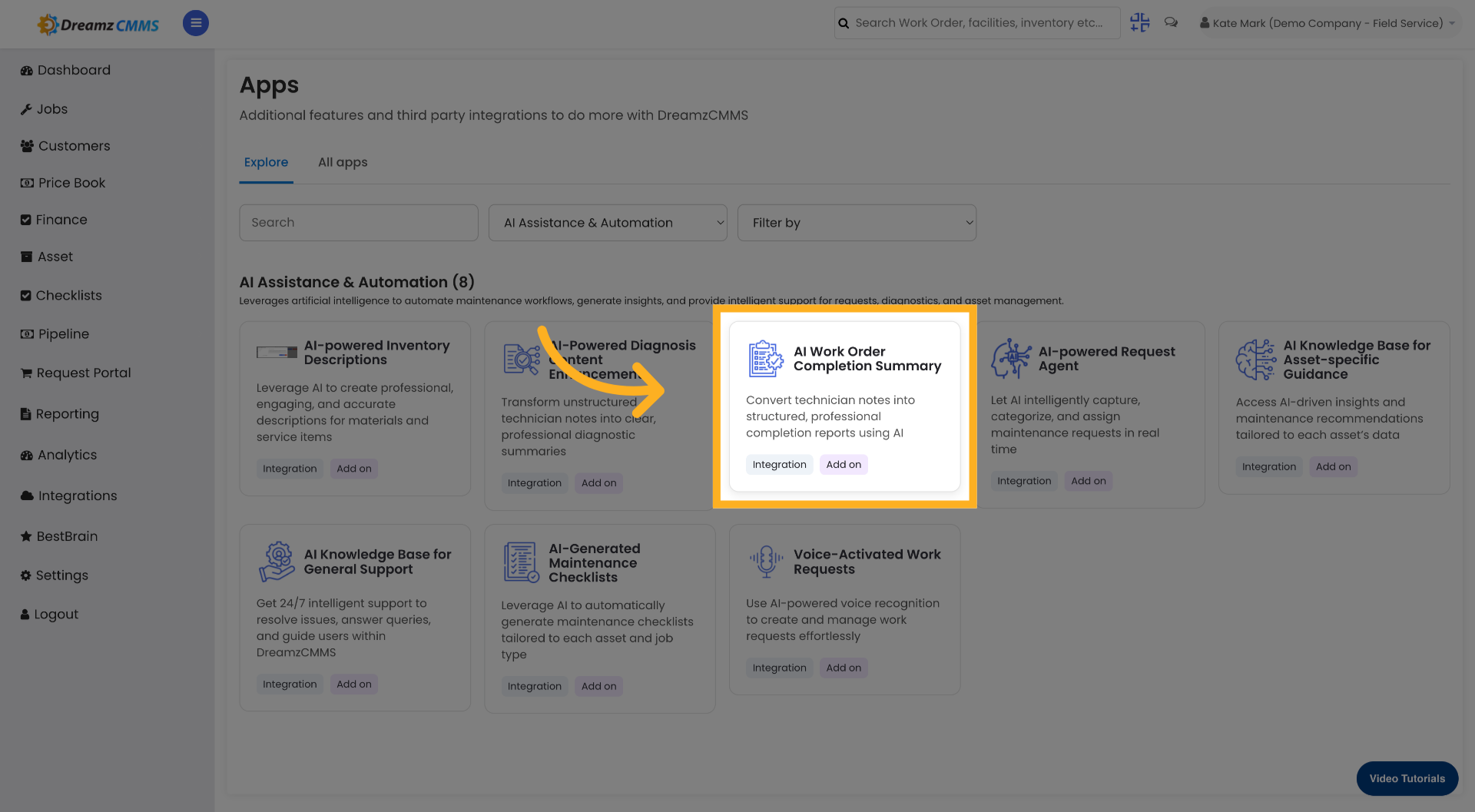
Step 04 – Explore AI Work Order Features
Click Explore to go back to the integration listing from the chosen integration and review the full feature details.
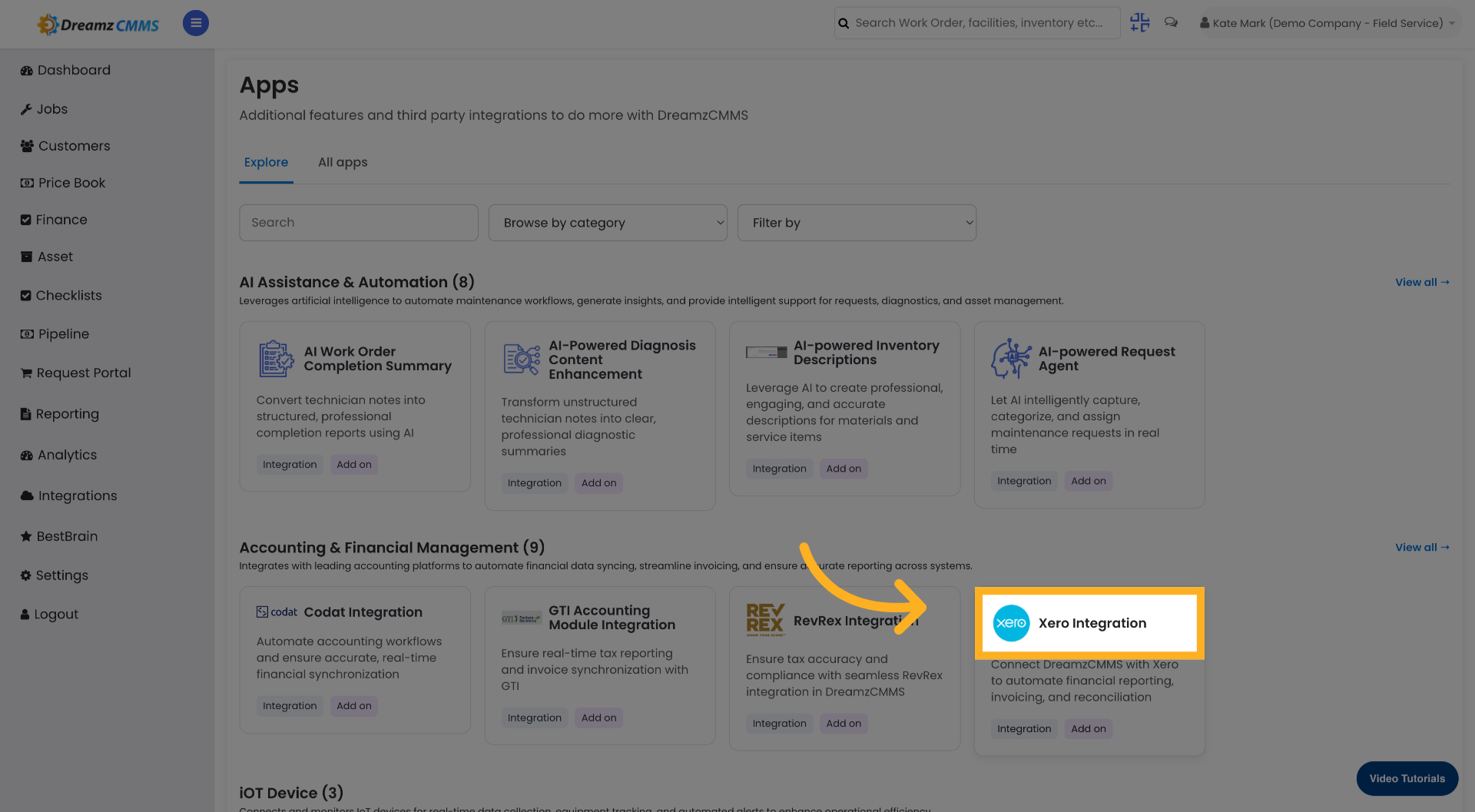
Step 05 – Select Xero Integration
Click Xero Integration to access accounting and financial integration settings within Bestbrains.
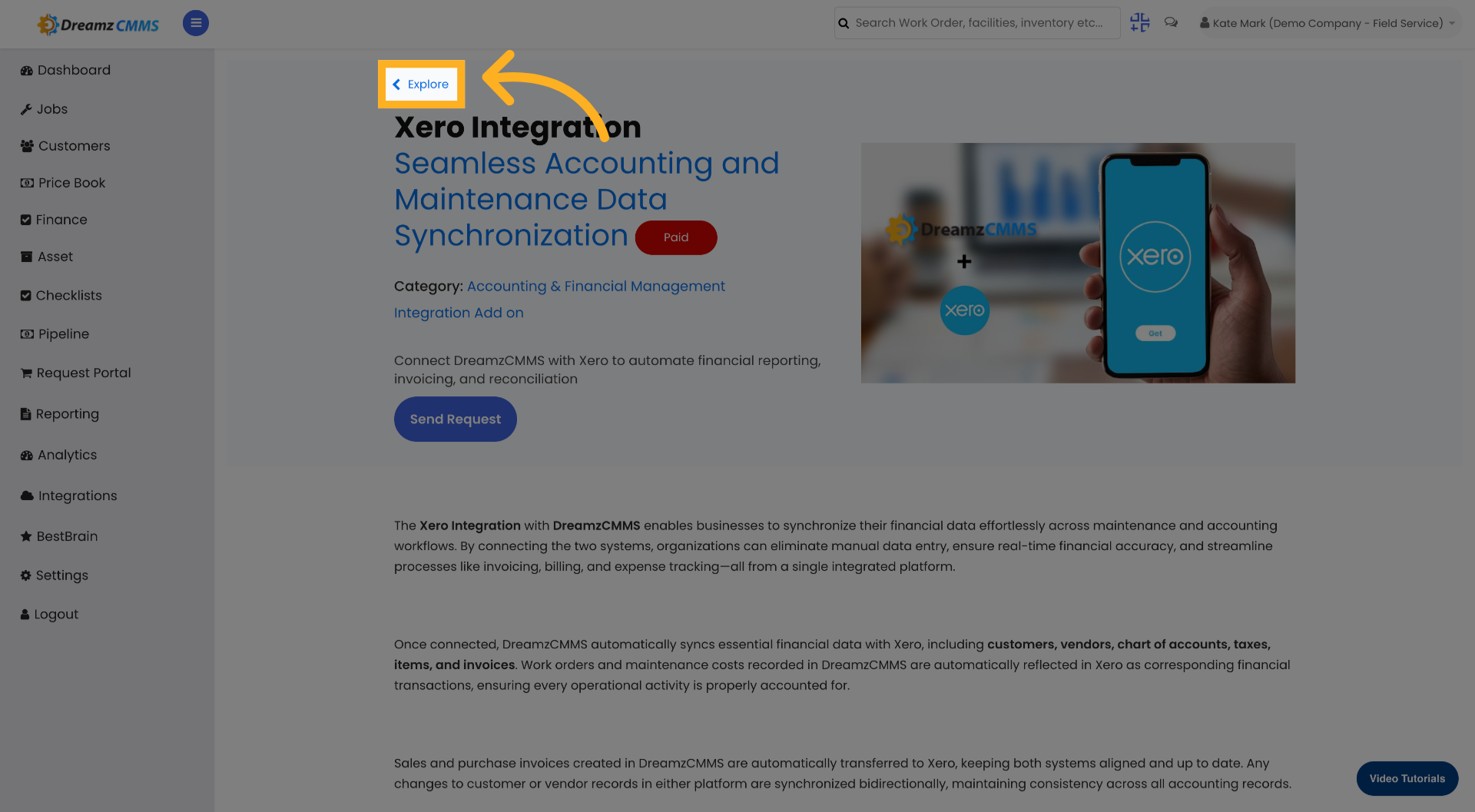
Step 06 – Explore Xero Integration Options
Click Explore to go back to the integration listing from the chosen Xero integration and review all available options.
Tips for Using Bestbrains Features
- Access the BestBrain module from the main navigation to quickly reach all AI-powered features and integrations available within DreamzCMMS.
- Use the AI Work Order Completion Summary to automatically transform unstructured technician field notes into clear, professional reports, saving time and improving documentation quality.
- Click Explore on any integration card to return to the full integration listing, where you can compare options and review the details of all available features before making a selection.
- Use the Xero Integration to synchronise your DreamzCMMS financial data with Xero, streamlining invoicing, billing, and accounting workflows without manual data entry.
- Explore the full range of Bestbrains features regularly to stay up to date with new AI-powered capabilities and integrations that can further enhance your field service operations.
Frequently Asked Questions
How do I access the BestBrain module in DreamzCMMS?
Click the BestBrain module from the main navigation within DreamzCMMS to begin accessing all Bestbrains features, including AI-powered tools and integrations.
What does the AI Work Order Completion Summary do?
The AI Work Order Completion Summary converts unstructured technician notes into structured, professional reports. This helps improve the quality and consistency of work order documentation across your team.
How do I navigate back to the integration listing after selecting an integration?
Click the Explore button on the selected integration to return to the full integration listing, where you can browse and review all available integrations and features.
What is the Xero Integration in Bestbrains?
The Xero Integration allows you to connect DreamzCMMS with Xero to access accounting and financial integration settings. This enables seamless synchronisation of financial data between the two platforms.
Are there other integrations available within the BestBrain module?
Yes. The BestBrain module includes multiple features and integrations. You can browse all available options from the integration listing by clicking Explore on any individual integration card.
Related Articles
- Configure Integration Settings with DreamzCMMS
- FSM Dashboard View
- Analytics Report for FSM
- Analytics Report for Work Orders
- How to Create Jobs