The Incident Dashboard in DreamzCMMS provides a centralized overview of all incidents reported within the system. It helps users quickly monitor incident status, priorities, and trends, allowing maintenance teams and administrators to respond efficiently to issues across facilities.
The dashboard displays key incident metrics in graphical and tabular formats so that users can easily identify unresolved incidents, track progress, and monitor the overall incident management performance. Using this dashboard, organizations can gain real-time insights and make informed decisions to improve response time and operational efficiency.
Overview
The Incident Dashboard gives users a quick summary of incident-related activities in the system. It provides visual insights into incident counts, status distribution, and trends across facilities and equipment.
By using the dashboard, users can:
Monitor the total number of incidents in the system.
View incidents categorized by status, priority, and type.
Analyze incident trends through graphs and charts.
Track pending, resolved, and in-progress incidents.
Improve response time by identifying critical issues quickly.
Dashboards in DreamzCMMS present operational information visually, enabling teams to monitor incidents and make faster data-driven decisions.
Before You Begin
Before accessing the Incident Dashboard, ensure the following:
You have the necessary user permissions to access the Incident Management module.
Incident records have already been created or logged in the system.
You have access to the dashboard or reporting modules in DreamzCMMS.
Here is a reference video:
Step 1: Access the Incident Dashboard
Follow these steps to open the Incident Dashboard.
Log in to the DreamzCMMS platform.
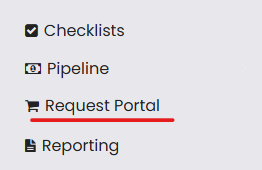
From the left-hand navigation menu, click on Request Portal.
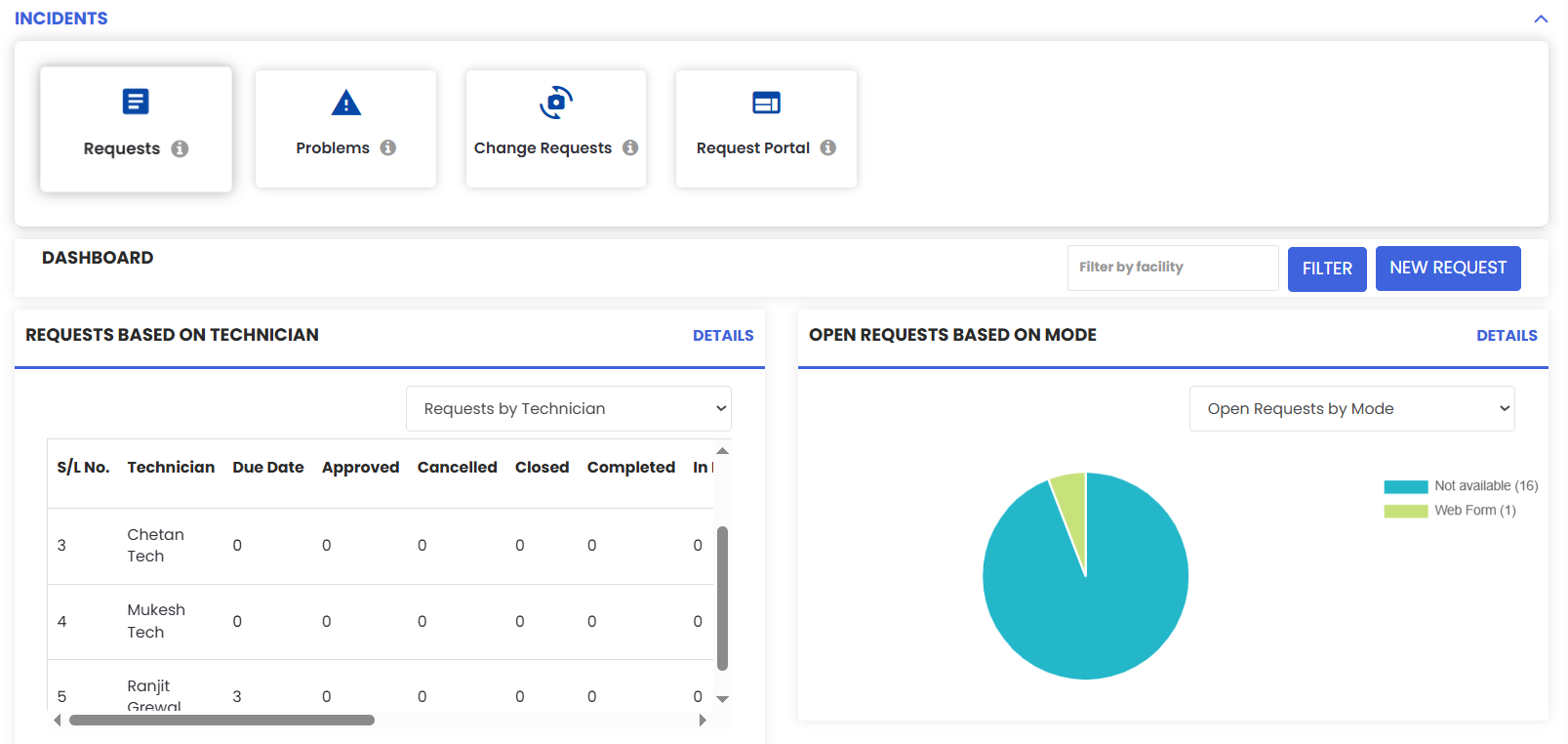
The Incident Dashboard page will open, displaying key incident metrics and graphical reports.
Step 2: View Incident Metrics
Once the dashboard opens, you can view multiple metrics related to incidents.
The dashboard displays the total number of incidents recorded in the system.
It shows incidents categorized by status such as:
Open
In Progress
Pending
Resolved
Users can also see incident distribution based on priority levels and categories.
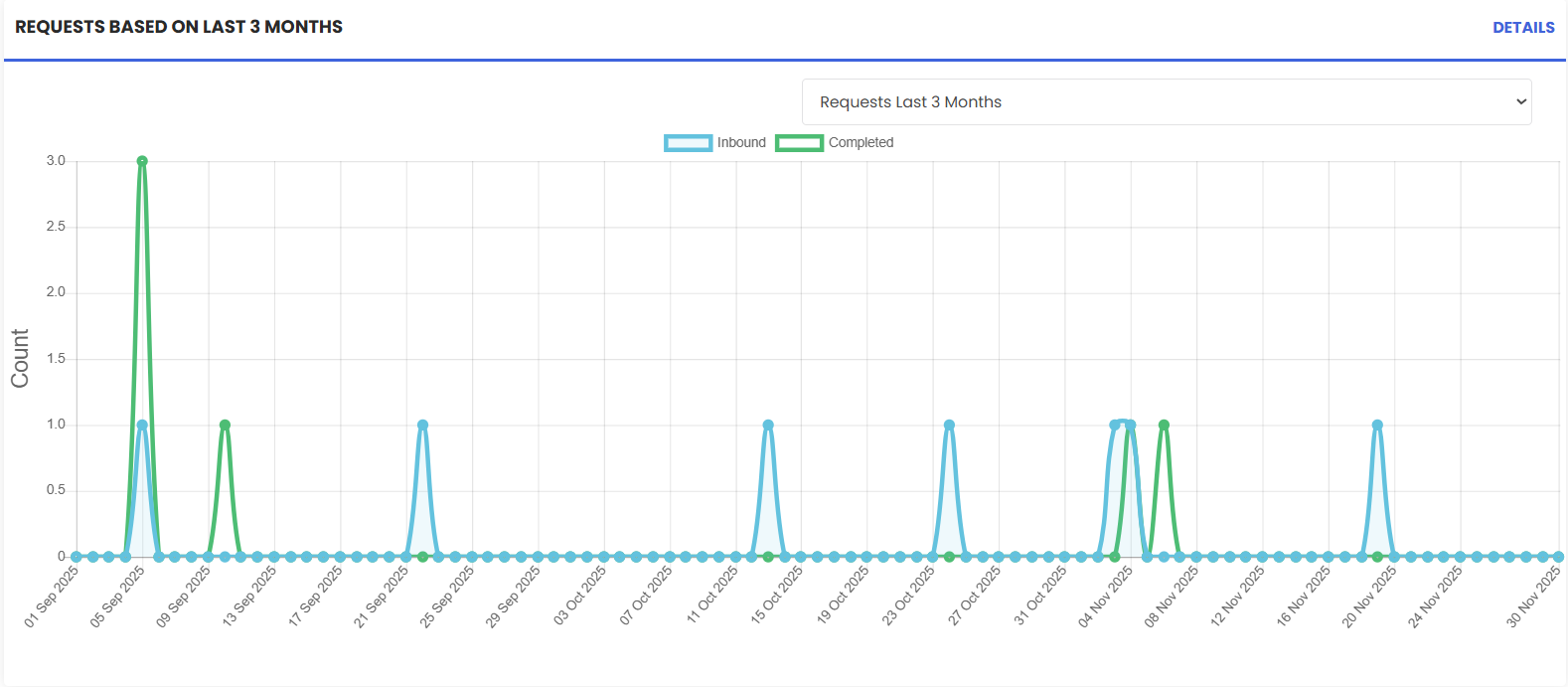
Graphical charts provide a visual representation of incident trends and status changes.
These visual reports help users quickly understand the current condition of incidents across the organization.
Step 3: Analyze Incident Trends
The dashboard provides charts and graphs that help users analyze incident patterns.
View graphical representations of incidents across different time periods.
Analyze trends related to incident types, categories, and priority levels.
Identify recurring issues and areas that require immediate attention.
With these insights, maintenance teams can take proactive actions to reduce downtime and improve system reliability.
Step 4: Monitor Incident Status
Users can monitor the progress of incidents directly from the dashboard.
View the number of pending, resolved, or in-progress incidents.
Identify incidents that require immediate response.
Track updates and ensure incidents are resolved within the required timeframe.
Real-time monitoring ensures better coordination between maintenance teams and management.
Tips for Effective Incident Dashboard Usage
Monitor the dashboard regularly Checking the dashboard frequently helps teams respond quickly to newly reported incidents.
Prioritize critical incidents Use the dashboard to identify high-priority incidents and assign resources immediately.
Analyze trends for preventive action Incident trends can reveal recurring problems that require preventive maintenance.
Use graphical insights for decision-making Charts and graphs provide valuable insights that help managers make informed operational decisions.
Ensure incident records are updated Accurate and updated incident records improve dashboard visibility and reporting accuracy.
Frequently Asked Questions (FAQs)
1. What is the purpose of the Incident Dashboard in DreamzCMMS?
The Incident Dashboard provides a visual overview of all incidents in the system, allowing users to track incident status, priorities, and trends in real time.
2. Who can access the Incident Dashboard?
Users who have the necessary permissions for the Incident Management module can access and view the Incident Dashboard.
3. Can the Incident Dashboard help identify recurring issues?
Yes. The dashboard displays trends and historical incident data, which helps identify recurring problems related to equipment or facilities.
4. Does the Incident Dashboard update automatically?
Yes. The dashboard reflects real-time data from the incident management system, ensuring that users always see the latest incident information and status updates.