Convert a Lead to Opportunity
In DreamzFSM, Opportunities in field sales represent qualified leads that have progressed to a stage where there is a real chance of closing a sale. They are crucial because they allow sales teams to focus on prospects with higher potential, prioritize resources, and efficiently manage the sales pipeline — ultimately improving conversion rates and driving revenue growth.
Overview
You can convert a lead and add it as an Opportunity directly from the Lead List in DreamzFSM, or create a new opportunity independently. Converting a lead to an opportunity carries all relevant lead details forward into the opportunity record, allowing you to continue managing the deal through your pipeline without re-entering information.
Here is a reference video:
Steps to Convert a Lead to an Opportunity
Step 1 – Navigate to the Lead List
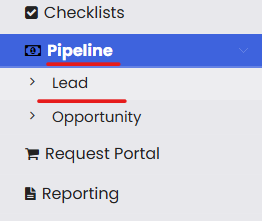
From the menu, click on Pipeline and then click on Leads to open the Lead List.
Step 2 – Select a Lead and Convert to Opportunity
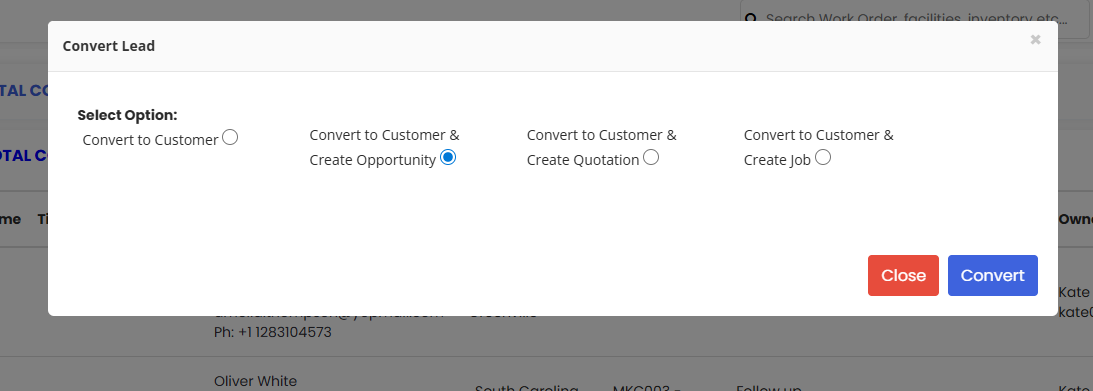
Select the lead you wish to convert and use the Convert action icon to convert it to an Opportunity.
Step 3 – Review the Lead Details and Save
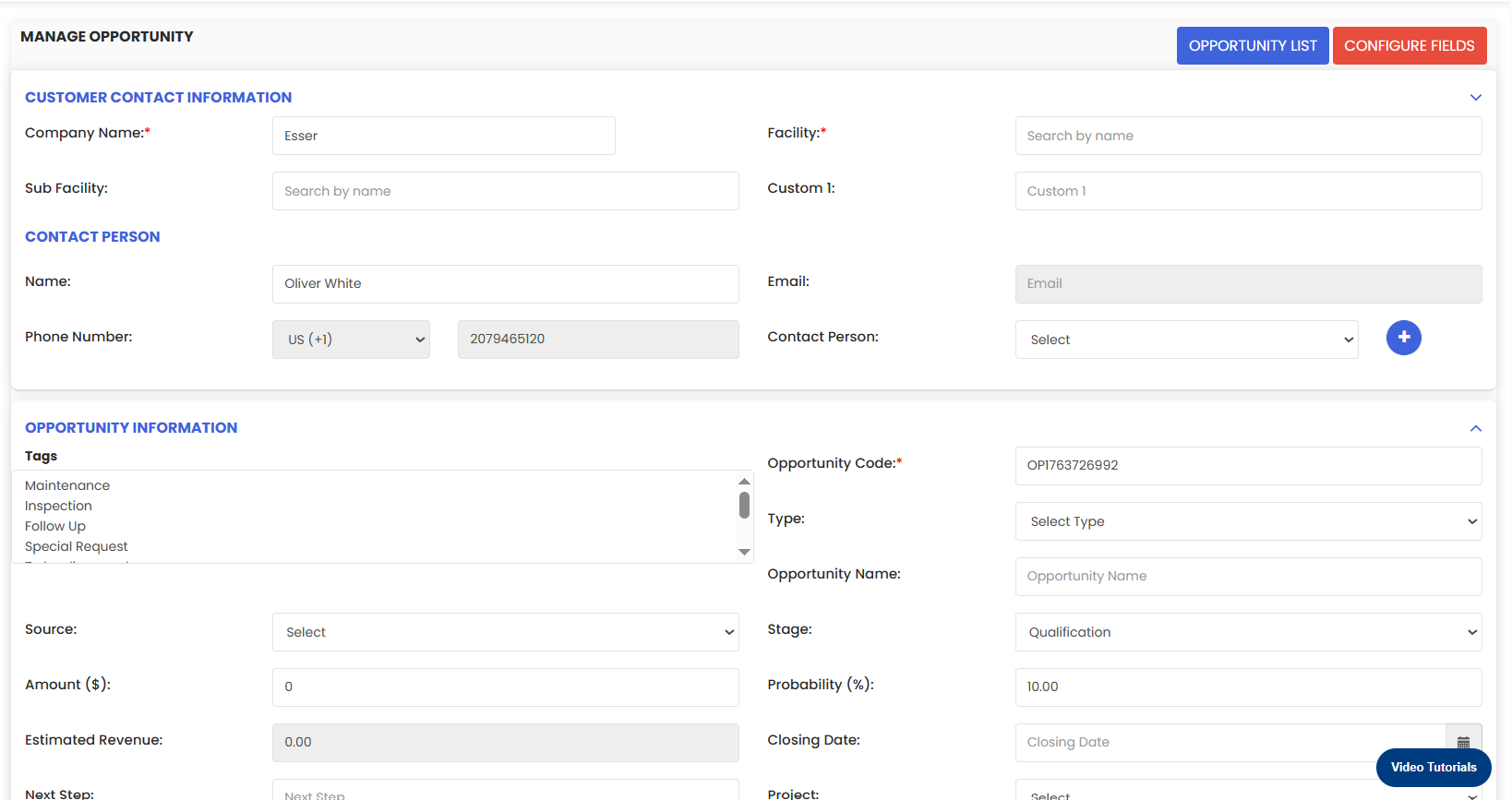
Check all the lead details that have been carried over into the opportunity form. Make any necessary updates, then click Save to complete the conversion. The opportunity will now appear in your pipeline.
Tips for Converting Leads to Opportunities
- Only convert leads that are genuinely qualified — i.e., those where there is a realistic chance of closing a sale. Converting too early can clutter the opportunity pipeline with low-potential records.
- Before saving, review all lead details that have been carried over and update fields such as opportunity name, stage, value, probability, and expected close date to reflect the current deal status accurately.
- Use the Convert to Opportunity path when the deal still requires nurturing before a quotation or job is needed. If the deal is ready for a formal proposal, consider using Convert to Customer & Create Quotation instead.
- After conversion, assign the opportunity to the correct sales owner immediately so accountability and follow-up tasks are in place from the start.
- You can also create a new opportunity directly without converting a lead — useful when a deal arises from an existing customer or a channel that bypasses the lead capture process.
Frequently Asked Questions
What is the difference between a Lead and an Opportunity in DreamzFSM?
A Lead is an unqualified prospect that has been captured in the system. An Opportunity represents a qualified lead that has progressed to a stage where there is a realistic chance of closing a sale. Converting a lead to an opportunity moves it into the active sales pipeline for tracking and management.
How do I convert a lead to an opportunity?
Navigate to Pipeline → Leads, locate the lead you want to convert, and click the Convert action icon. Select the Convert to Opportunity option, review the carried-over details, and click Save to complete the conversion.
Are the lead details automatically carried over when converting?
Yes. When you convert a lead to an opportunity, all relevant lead details are pre-populated in the opportunity form. You can review and update any fields before saving.
Can I create an opportunity without converting a lead?
Yes. You can create a new opportunity directly by navigating to Pipeline → Opportunity and clicking Add Opportunity. This is useful for deals that come through existing customers or channels that do not go through the lead capture process.
Where does the opportunity appear after the conversion is saved?
The converted opportunity immediately appears in the Opportunity List under Pipeline → Opportunity, where it can be managed, updated, and progressed through the sales pipeline.