Import Lead from Excel
The Lead Import tool lets you bulk-add leads from an Excel file so your team doesn't have to create them one by one.
Overview
Go to Leads → Import Lead, click Choose a file, and upload an .xlsx or .xls sheet (use the provided Lead import example template to ensure your data is in the correct format). After you click Import, DreamzFSM validates the data and creates all the leads in one go — saving significant time when onboarding large volumes of prospects.
Here is a reference video:
Steps to Import Leads from Excel
Step 1 – Navigate to the Leads Section
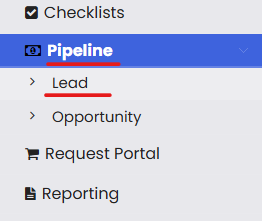
From the menu, click on Pipeline and then click on Leads.
Step 2 – Click on Import Lead
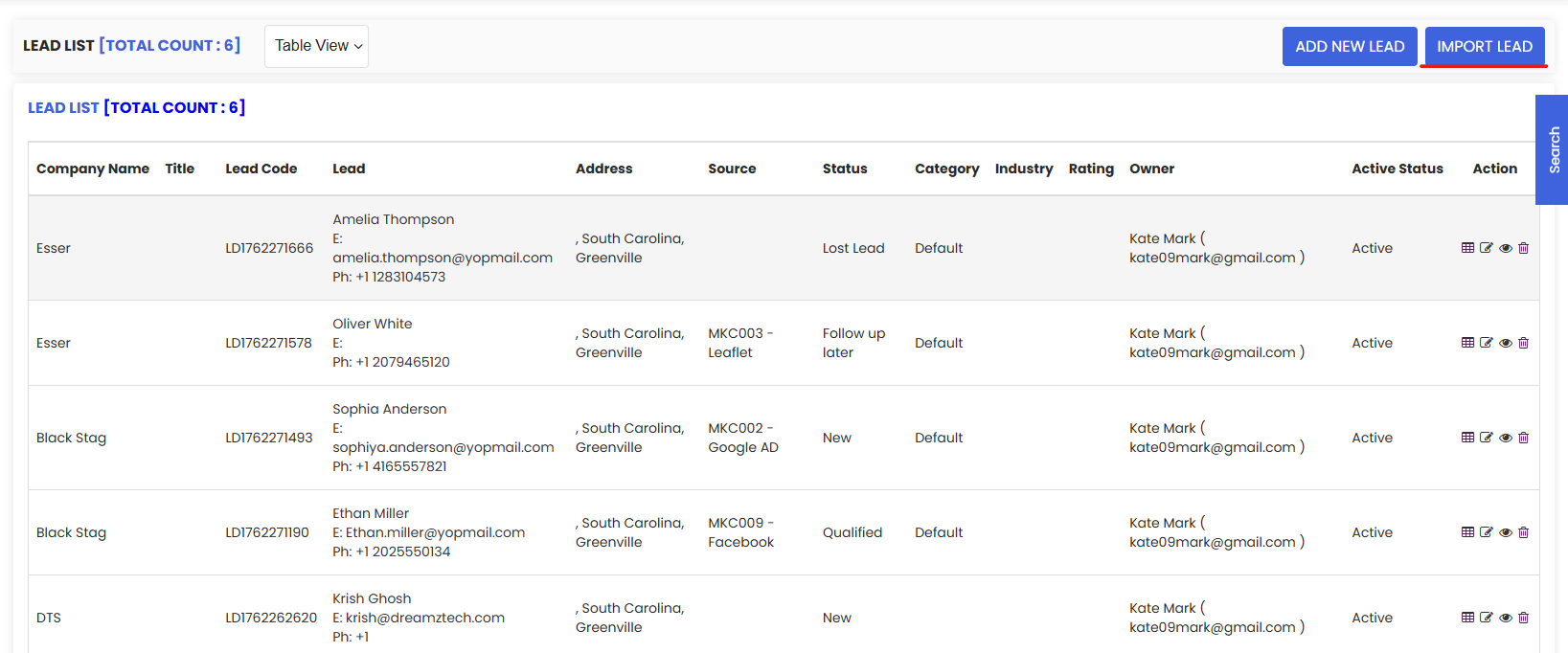
From the lead list, click on the Import Lead button.
Step 3 – Download the Sample File and Prepare Your Data
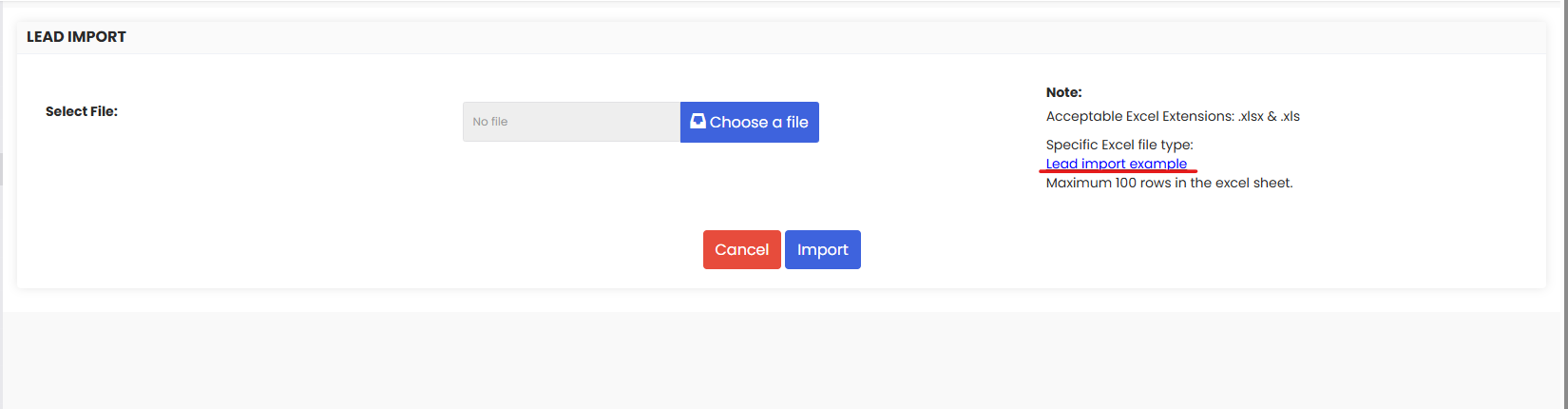
On the import page, you will find a sample file link which you can download. Set up your lead data based on the downloaded sample file format, ensuring all required columns are correctly filled in before saving the file.
Step 4 – Upload the File and Import
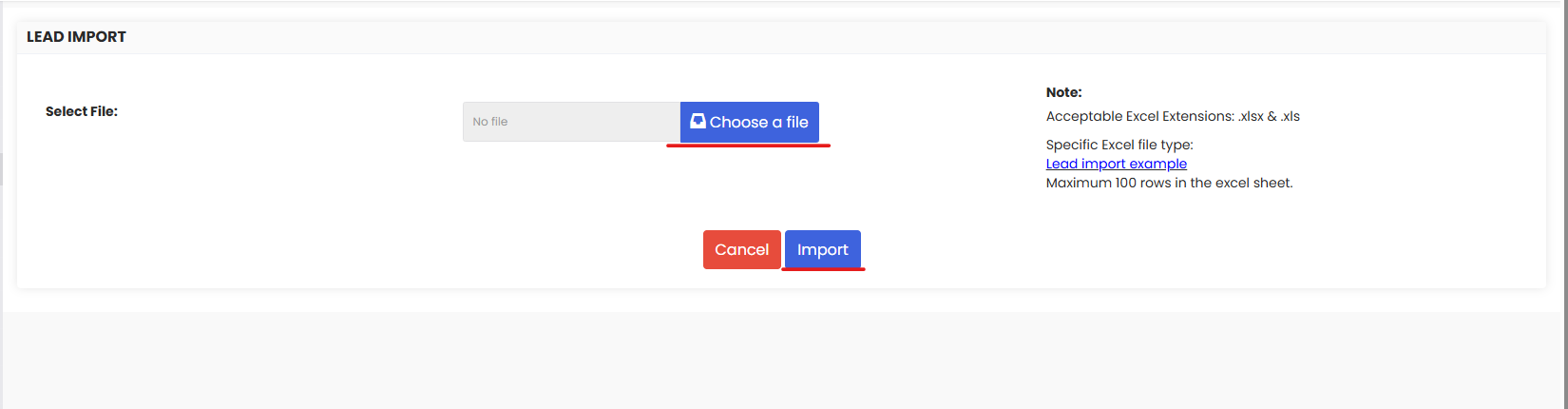
Once the file is prepared, save it and upload it using the Choose a file option. Then click the Import button. DreamzFSM will validate the data and all leads will be imported into the system at once.
Tips for Importing Leads from Excel
- Always download and use the provided sample file as your template. It ensures your data is structured in the exact format DreamzFSM expects, reducing import errors.
- Make sure all required fields — such as Company Name and at least one contact detail — are filled in for every row before uploading the file.
- Only .xlsx and .xls Excel file formats are supported. Do not use .csv or other formats, as they may not be accepted by the import tool.
- Double-check column headers in your file match the sample template exactly — even minor differences in header names can cause the import to fail or skip records.
- After importing, navigate to the Lead List to verify all records have been created correctly and review any leads that may need further enrichment or status updates.
Frequently Asked Questions
How do I access the Import Lead feature in DreamzFSM?
Click on Pipeline in the main menu, select Leads to open the Lead List, and then click the Import Lead button to open the import page.
Where can I find the sample file for lead imports?
A sample file link is available directly on the Import Lead page. Download it, fill in your lead data following the provided format, and then upload the completed file.
What file formats are supported for lead import?
DreamzFSM supports .xlsx and .xls Excel file formats for lead imports. Make sure your file is saved in one of these formats before uploading.
What happens after I click Import?
DreamzFSM validates the uploaded file data and creates all the leads in one go. The imported leads will immediately appear in the Lead List, ready for assignment, follow-up, and conversion.
What should I do if some leads fail to import?
If any records fail during import, review the error messages returned by the system. Common issues include missing required fields, incorrect column headers, or unsupported data formats. Correct the affected rows in your file and re-import.