Add New Lead
The Add Leads feature lets you capture new prospects in a few clicks and keep their details organized for follow-up.
Overview
Go to Leads → Add New Lead, enter the required basics — Company Name plus at least one contact (email or phone) — then enrich the record with name/title, status (e.g., New, Qualified), source (campaign, referral), category/rating, and industry. You can also add address, website/socials, notes, attach files, and mark the lead Active. Hit Save to create the lead; it immediately appears in the Lead List for assignment, nurturing, and conversion to opportunities or customers.
Here is a reference video:
Steps to Add a New Lead
Step 1 – Navigate to the Leads Section
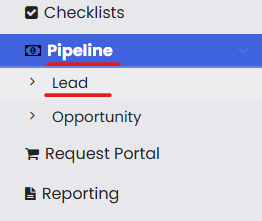
From the menu, click on Pipeline and then click on Leads.
Step 2 – Click on New Lead
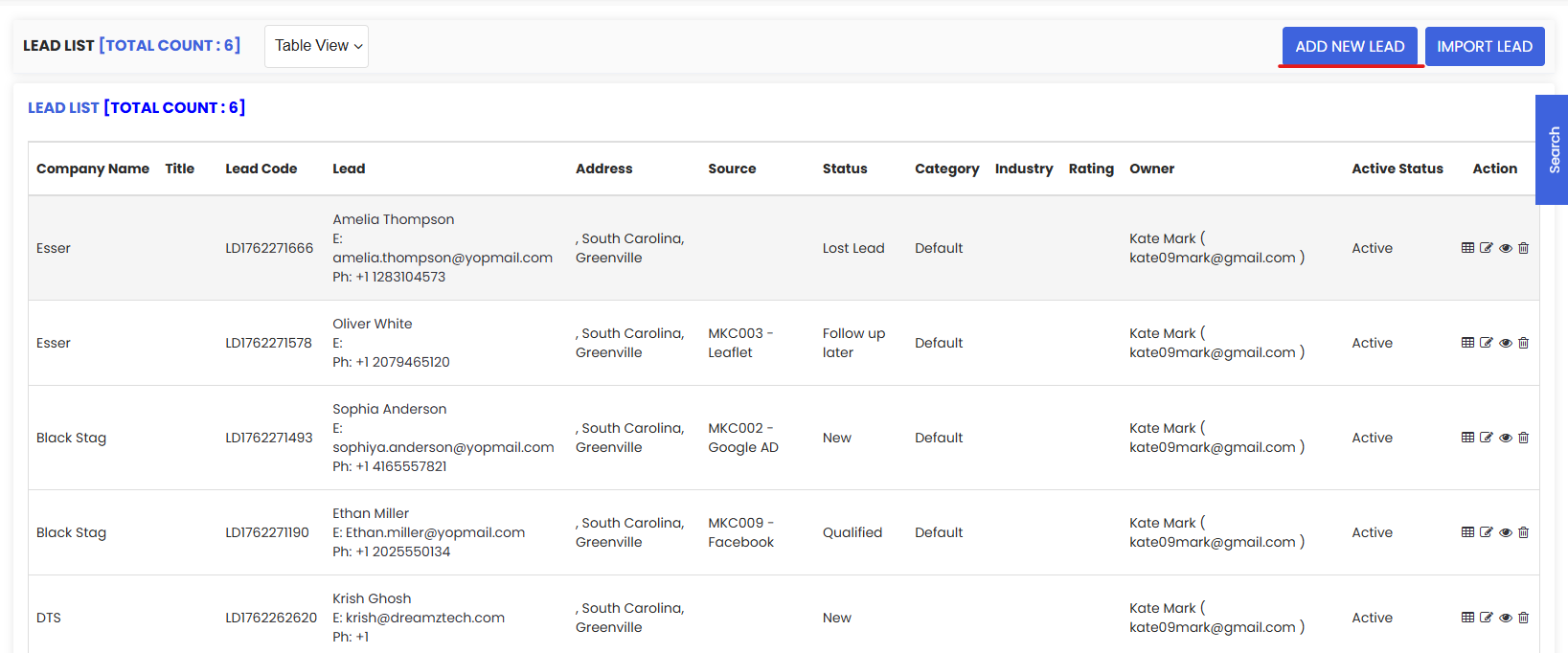
From the lead listing page, click on New Lead to open the lead creation form.
Step 3 – Fill in the Lead Details
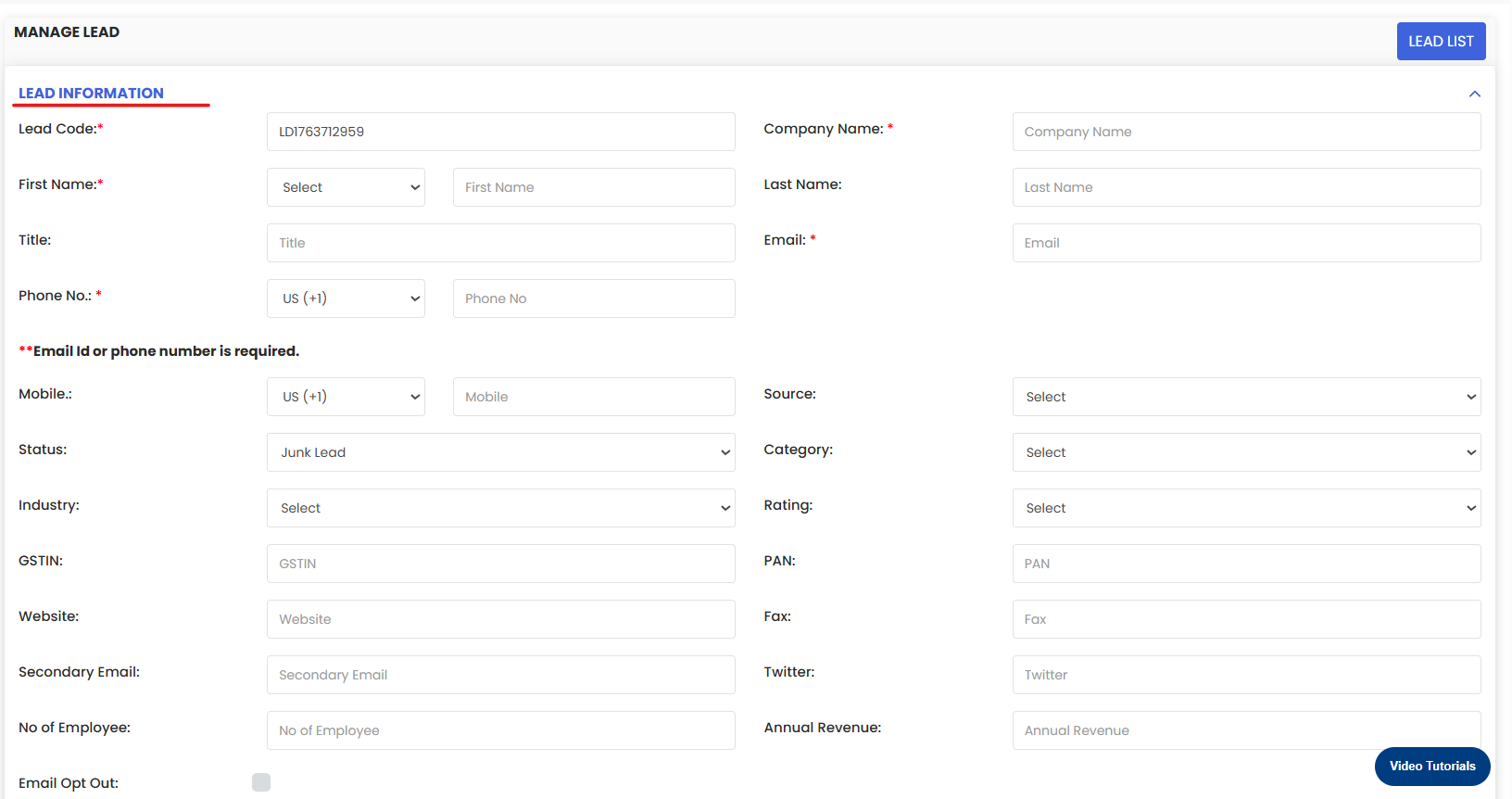
Fill in the necessary lead details. At minimum, enter the Company Name and at least one contact detail (email or phone). You can also enrich the record with the contact's name and title, Status (New, Qualified, Junk, Follow-up Later), Source (campaign, referral, etc.), Category, Rating, and Industry. Additional fields include address, website, social media links, notes, and file attachments.
Step 4 – Save the Lead
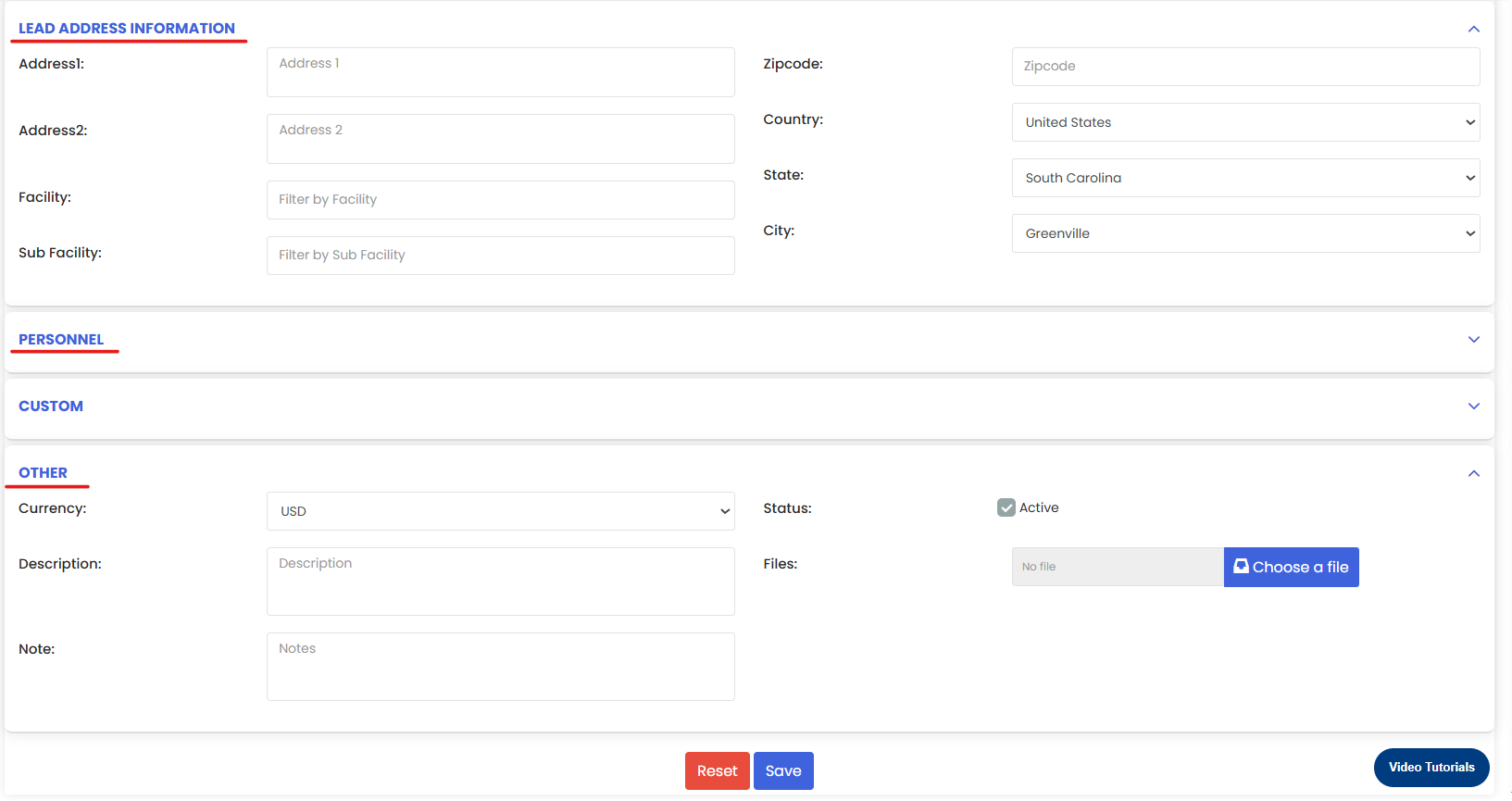
Once all details are entered, click Save. The lead will immediately appear in the Lead List, ready for assignment, nurturing, and conversion to an opportunity or customer.
Tips for Adding New Leads
- Always enter at least the Company Name and one contact method (email or phone) to ensure the lead record is complete enough for follow-up actions.
- Set the correct Status (New, Qualified, Junk, Follow-up Later) at the time of creation to immediately categorize the lead within the pipeline and avoid misclassification later.
- Use the Source field to track which marketing channel or campaign generated the lead — this data helps measure the performance of your acquisition efforts over time.
- Assign a Rating and Category to help your team prioritize high-value prospects and focus efforts where they are most likely to convert.
- Add notes and file attachments (e.g., proposals, email threads) directly to the lead record so all relevant context is accessible in one place.
- Mark the lead as Active during creation to ensure it appears correctly in filtered views and pipeline reports across your team.
Frequently Asked Questions
How do I create a new lead in DreamzFSM?
Click on Pipeline in the main menu, select Leads, then click New Lead. Fill in the required fields and click Save to add the lead to the Lead List.
What information is required to create a new lead?
At minimum, you need to enter the Company Name and at least one contact detail — either an email address or phone number. All other fields such as status, source, category, rating, and industry are optional but recommended for a complete record.
What lead status options are available?
You can assign one of the following statuses to a lead: New, Qualified, Junk, or Follow-up Later. Selecting the correct status helps categorize leads within the pipeline for better prioritization and tracking.
Can I attach files or add notes to a lead?
Yes. The Add New Lead form includes fields for notes and file attachments, allowing you to store relevant documents, email threads, or other context directly on the lead record.
Where does the lead appear after saving?
Once saved, the lead immediately appears in the Lead List, where it can be assigned to a team member, followed up on, and eventually converted into an opportunity or customer.