Custom Jobs Columns
Custom Columns in DreamzFSM lets you tailor each list view — such as Jobs, Work Orders, and Invoices — to show exactly the fields you care about. By choosing which columns are visible, you can reduce clutter, surface the information most relevant to your team, and make the Job List easier to work with at a glance.
Overview
The Custom Columns feature gives each user control over which data fields are displayed in the Job List. Columns can be shown or hidden with a simple checkbox, and the changes are saved so your preferred layout persists across sessions. This is particularly useful for teams with different roles — dispatchers, technicians, and finance users can each configure the view to match their specific needs without affecting anyone else's layout.
Here is a reference video:
How to Customise Job List Columns
Step 1 – Navigate to Jobs
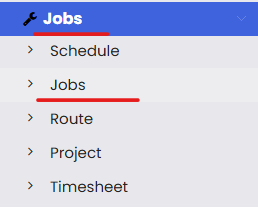
From the main menu, click Jobs, then click Jobs from the sub-menu. This opens the Job List page.
Step 2 – Open the Columns Menu
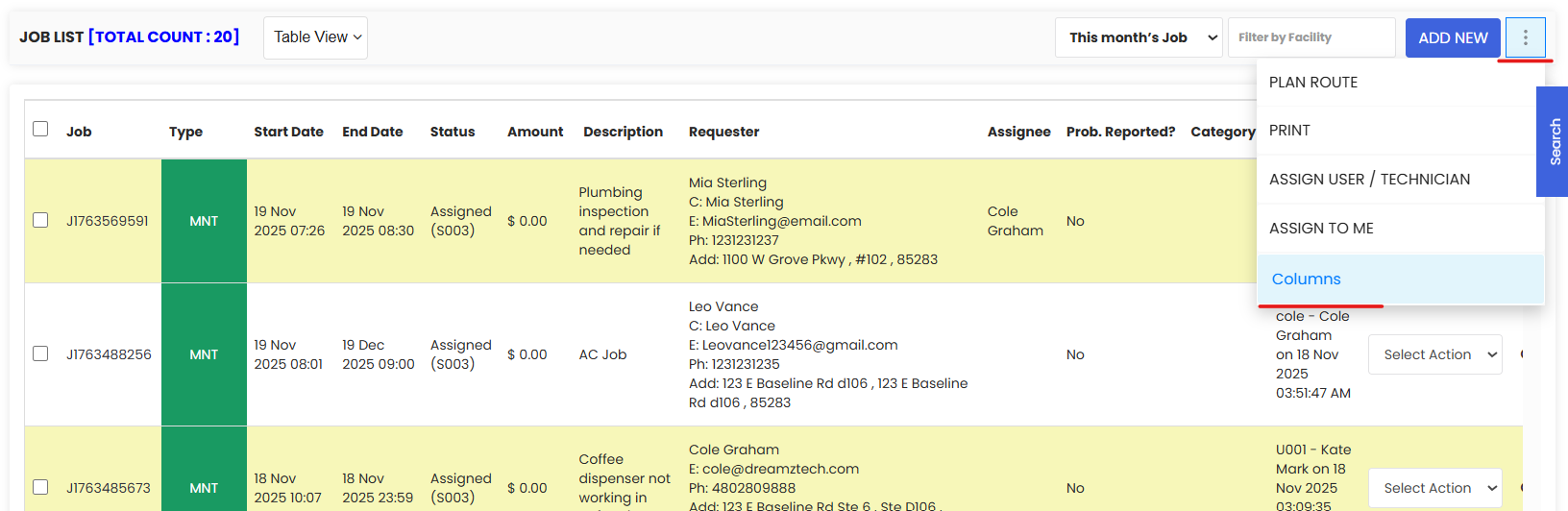
From the Job List, click the three dots (⋯) menu in the top right corner of the page. From the dropdown, click Columns to open the column customisation panel.
Step 3 – Show or Hide Columns and Save
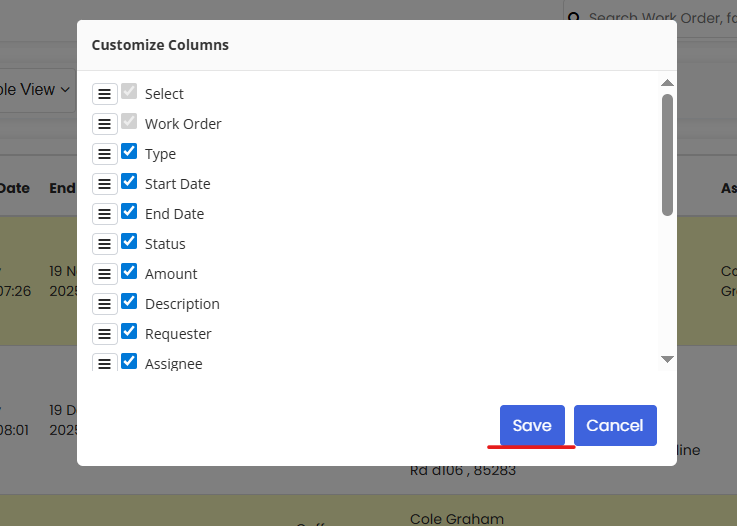
In the column customisation panel, check the boxes next to any columns you want to show, and uncheck any columns you want to hide from the Job List. Once you have made your selections, click Save. The Job List will immediately update to display only the columns you have chosen.
Tips for Using Custom Columns
- Configure columns to match your role and daily workflow — dispatchers may prefer to see Assignee and Status, while finance users may focus on Amount and Invoice columns.
- Keep the column list concise by hiding fields you rarely use — this reduces scrolling and makes the list faster to read at a glance.
- Your column preferences are saved between sessions, so you only need to configure them once and they will persist each time you return to the Job List.
- Use the three dots menu as your go-to for list-level customisation — it also contains other useful options like bulk actions and assign technician.
- If you need to reset your columns to the default view, simply open the Columns panel again and restore the default checkboxes before saving.
Frequently Asked Questions
Can I customise columns in list views other than the Job List?
Yes. The Custom Columns feature is available across multiple list views in DreamzFSM, including Jobs, Work Orders, and Invoices. The same steps apply — open the three dots menu and select Columns from the relevant list page.
Will my column settings affect other users?
No. Column preferences are saved per user, so your custom layout will not affect the view seen by other members of your team. Each user can configure their own column preferences independently.
Where is the Columns option located?
The Columns option is found in the three dots (⋯) menu in the top right corner of the Job List page. Click the three dots and select Columns from the dropdown to open the customisation panel.
Do my column preferences save automatically?
No. You must click Save after making your column selections for the changes to take effect and persist across sessions. If you close the panel without saving, your changes will not be applied.
Can I hide all columns?
While technically possible, it is recommended to keep at least the essential columns visible — such as Job Code, Status, and Assignee — to ensure the Job List remains functional and useful for day-to-day operations.
Related Articles
- Job List
- Quickly Assign Technicians to Jobs
- Job Views in DreamzFSM
- How to Create Jobs
- Create User/Employee