Add a New Expense
Use the New Expense form in DreamzFSM to quickly capture spend details — who it is for, how and when it was paid, the amount, and supporting documents — so finance can track costs, reconcile receipts, and optionally bill them back to a customer or job. It keeps every expense auditable, linked to the right business or work, and ready for reports.
Overview
The New Expense form allows you to log any cost incurred during field operations directly within DreamzFSM. Expenses can be classified as a business expense or a default expense, linked to a job or project, and accompanied by receipts or supporting documents. Once saved, the expense appears in the Expense List for review, reconciliation, and reporting.
Here is a reference video:
How to Add a New Expense
Step 1 – Navigate to Expenses
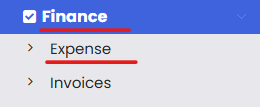
From the main menu, click Financials, then click Expenses. This opens the Expense List page.
Step 2 – Click "New Expense"
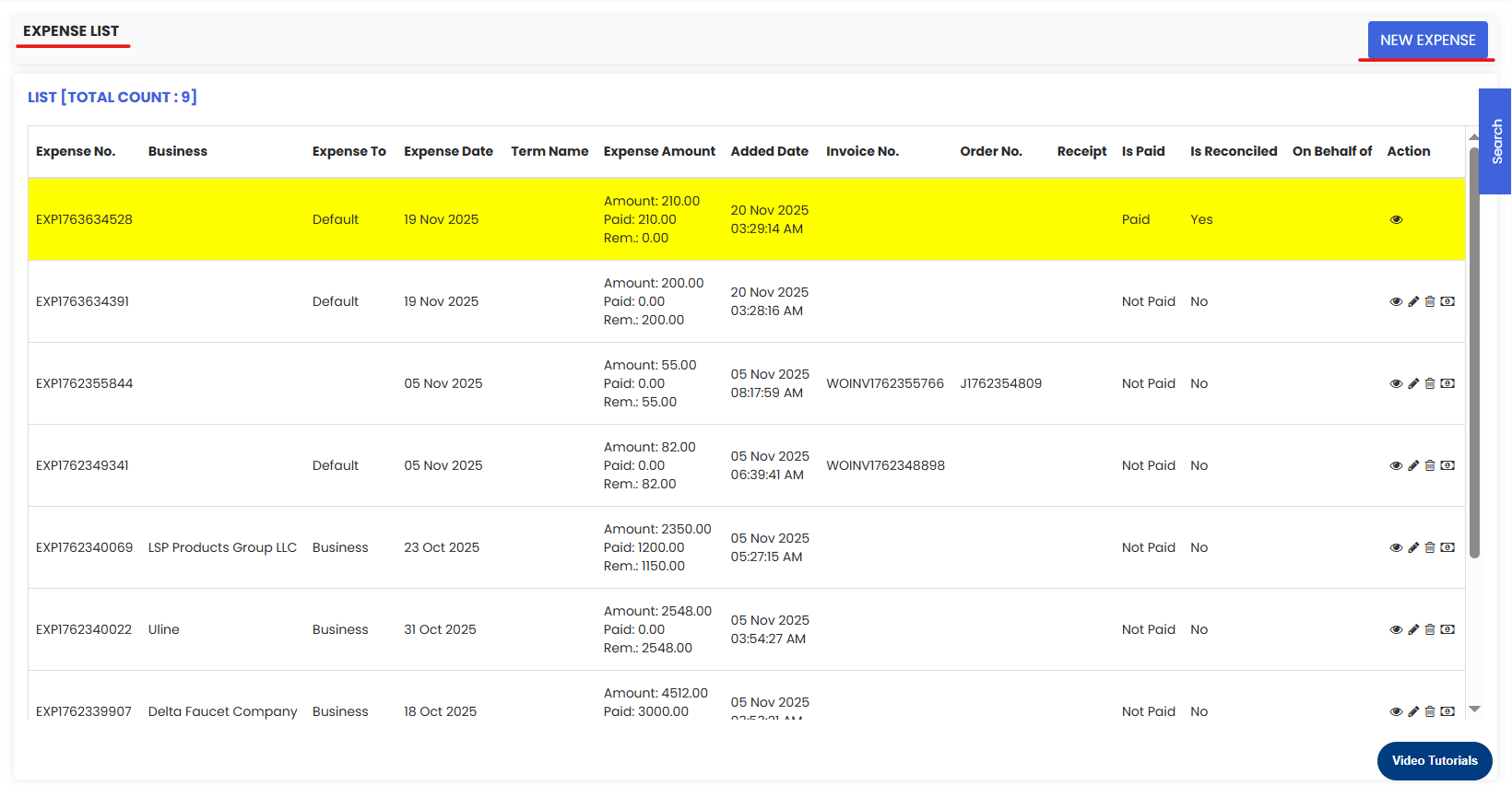
From the Expense List, click the New Expense button. This opens the New Expense form as a pop-up.
Step 3 – Fill In the Expense Details and Save
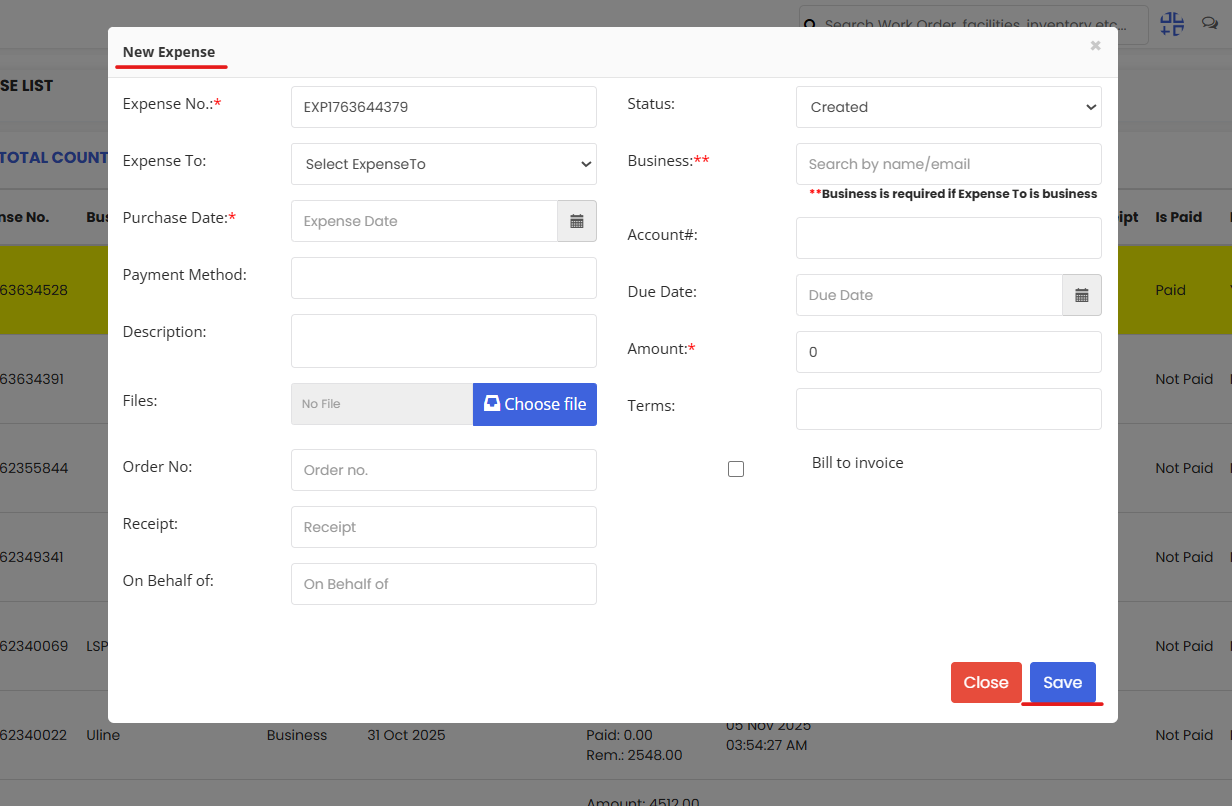
In the pop-up form, fill in the required expense details including who the expense is for, the payment method, date, and amount. You can also specify whether the expense is a Business Expense or a Default Expense. Attach any supporting documents or receipts as needed. Once all details are entered, click Save to record the expense.
Tips for Adding Expenses
- Select the correct expense type — Business Expense or Default Expense — at the time of creation to ensure costs are categorised accurately for reporting and billing.
- Attach receipts or supporting documents at the point of entry to save time and keep your expense records audit-ready from the start.
- Always link the expense to the correct job, project, or customer so costs are attributed properly and can be billed back if required.
- Record the correct payment date and method to ensure accurate reconciliation in the Expense List later.
- Once saved, review the expense in the Expense List to confirm all details are correct before submitting for reconciliation.
Frequently Asked Questions
What is the difference between a Business Expense and a Default Expense?
A Business Expense is linked to a specific business or vendor and is typically used for costs that can be attributed to a particular company or supplier. A Default Expense is a general expense entry not tied to a specific business entity.
Can I attach a receipt when adding a new expense?
Yes. The New Expense form allows you to attach supporting documents or receipts at the time of entry. You can also attach receipts later from the Expense List using the Attach action on the relevant row.
Can I link an expense to a job or project?
Yes. When filling in the expense details, you can link the expense to the relevant job, project, or customer using the charge-to field. This ensures the cost is tracked and attributed correctly for reporting and billing.
Where can I view an expense after saving it?
Once saved, the expense will appear in the Expense List under Financials → Expenses. From there you can view, edit, reconcile, or take any further action on the expense.
Can expenses be billed back to a customer?
Yes. DreamzFSM allows you to optionally bill expenses back to a customer or job. Ensure the correct charge-to details are set when creating the expense so it can be included in the relevant invoice.