Asset Fields Configuration
Asset Fields Configuration allows administrators to control exactly which fields are visible, required, or hidden when creating or editing assets in DreamzCMMS. By standardizing data entry across your organization, you ensure asset records are complete, consistent, and audit-ready from the moment they are created — reducing missing information and improving the quality of your maintenance and financial reporting.
Overview
The Asset Configuration settings give admins granular control over every field on the asset creation and editing form, organized across six configuration panels:
- General Configuration — Core asset fields such as name, product, category, and description.
- Location Configuration — Site, building, floor, and room selection rules.
- Grouping Configuration — Tags, departments, cost centers, and asset groups.
- Identities Configuration — Serial numbers, barcodes, QR codes, RFID, and external IDs.
- Date Configuration — Installation, commissioning, warranty, and expiry date fields.
- Depreciation Configuration — Depreciation method, useful life, and start date settings.
Changes made here apply system-wide and affect all users creating or editing assets in DreamzCMMS.
Looking to configure Product fields instead? See Product Fields Configuration
Before You Begin
- Only users with Admin permissions can access and modify System Configuration settings.
- Plan your field requirements carefully before making changes — setting a field to Required means users cannot save an asset record without filling it in.
- Consider the impact on your team before hiding fields that may currently contain data. Hidden fields are not deleted — they are simply not visible on the form.
- Communicate configuration changes to your team before applying them to avoid confusion during asset creation.
How to Access Asset Fields Configuration
Step 1 – Go to Settings
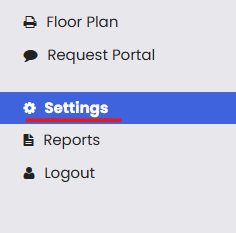
From the left-hand navigation menu, click on Settings.
Step 2 – Open System Configuration
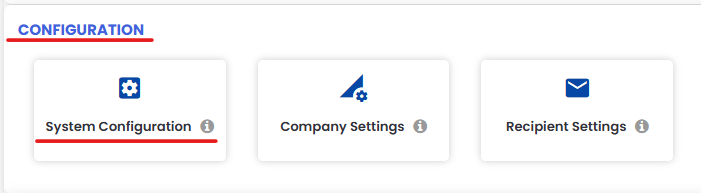
Under the Configuration section, click on System Configuration.
Step 3 – Click the Asset Configuration Tab
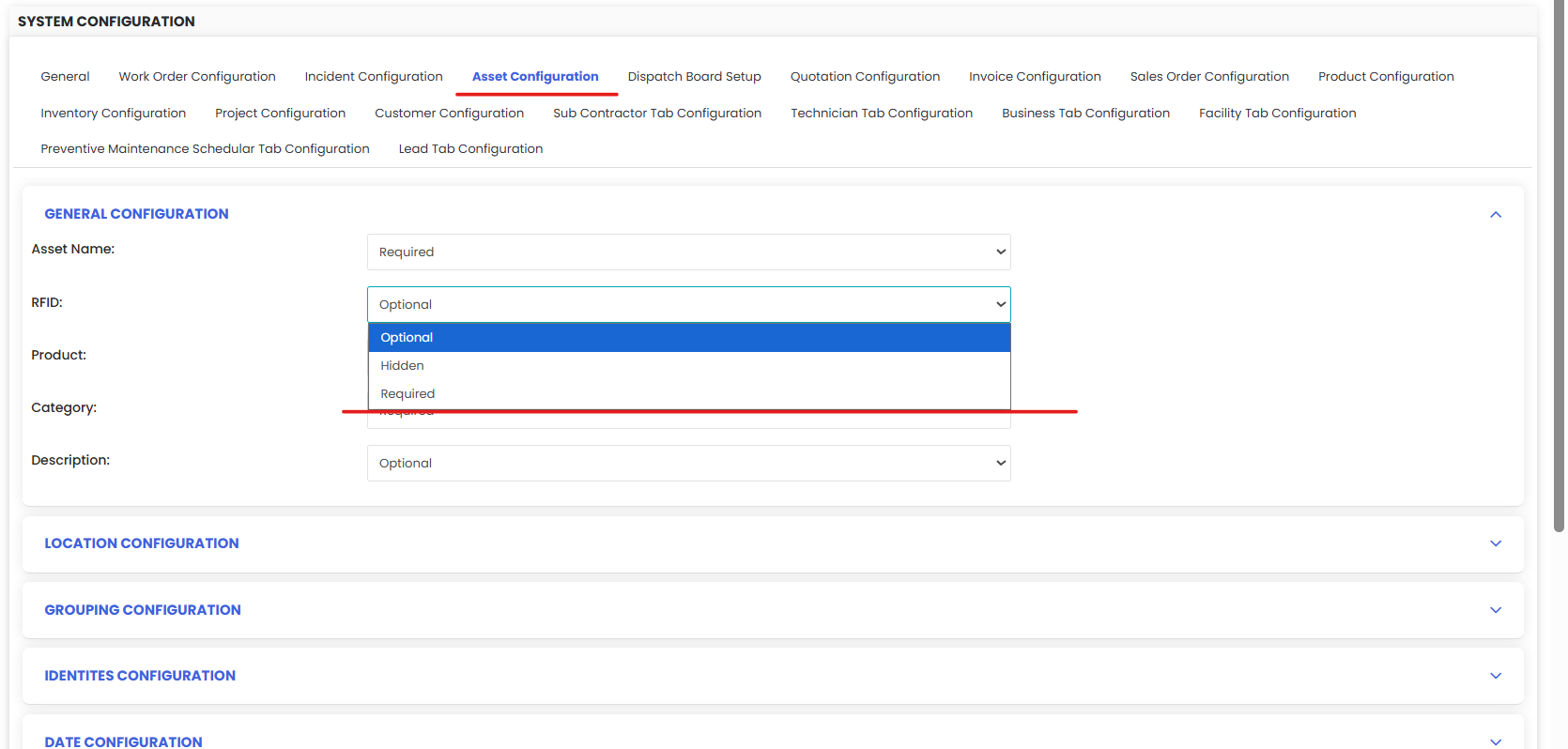
On the System Configuration page, click the Asset Configuration tab. This is where all asset fields and display settings are managed.
Field Visibility Options
For each field across all configuration panels, you can set one of three states:
- Required — The field must be filled in before an asset can be saved. Use this for fields that are critical to your operations, compliance, or reporting — such as Asset Name, Serial Number, or Location.
- Optional — The field is visible on the form but not mandatory. Users can choose to fill it in or leave it blank.
- Hidden — The field is not visible on the asset form. Use this to remove fields that are not relevant to your workflow, keeping the form clean and focused.
Configuration Panels
General Configuration
Controls the core identity fields of an asset record. Use this panel to set rules for fields such as:
- Asset Name — The primary identifier for the asset.
- Product — The product master record that the asset is linked to.
- Category — The asset category for filtering and reporting.
- RFID — Radio frequency identification tag for asset tracking.
- Description — Free-text field for additional asset details.
Making critical fields like Asset Name and Category required here ensures every asset record has the minimum information needed for tracking and reporting.
Location Configuration
Controls how location information is captured when creating or editing an asset. Use this panel to enforce the selection of:
- Site / Facility — The top-level location.
- Building / Floor / Room — Sub-location levels within the facility.
- Parent Asset — Whether this asset is a child of another asset (for hierarchy tracking).
Making location fields required ensures every asset is always tied to a physical location, which is essential for accurate tracking, work order routing, and facility reporting. See Create Asset Locations for location setup.
Grouping Configuration
Controls fields used to categorize and group assets for reporting, cost allocation, and organizational management. This includes:
- Tags — Flexible labels for custom grouping and filtering.
- Department — The organizational department responsible for the asset.
- Cost Center — The financial cost center to which asset expenses are allocated.
- Asset Group — A defined grouping for related assets (e.g., "Production Line A", "Fleet Vehicles").
Enforcing grouping fields ensures your financial and operational reports can be accurately filtered and segmented by department or cost center.
Identities Configuration
Controls the identifiers used to uniquely track and scan assets. This includes:
- Serial Number — The manufacturer's unique serial number for the asset.
- Barcode / QR Code — Auto-generated unique codes for scanning and quick access.
- RFID — Radio frequency tag identifier for automated tracking.
- External IDs — Any third-party or legacy system reference numbers.
Making the serial number required is strongly recommended for Equipment to ensure each physical asset can be uniquely identified and traced. See the Print QR Code or Barcode of Equipment
Date Configuration
Controls date fields related to the asset's lifecycle and warranty tracking. This includes:
- Installation Date — When the asset was physically installed.
- Commissioning Date — When the asset was officially put into service.
- Warranty Start Date / Warranty End Date — Coverage period for the asset warranty.
- Expiry Alerts — Notifications triggered as warranty or certification dates approach.
Making warranty date fields required ensures your team always has coverage information on hand before authorizing repairs. See How to Manage Asset Warranty
Depreciation Configuration
Controls the financial fields used to track asset value over time. This includes:
- Depreciation Method — The accounting method used (e.g., Straight-Line, Reducing Balance).
- Useful Life — The expected lifespan of the asset for depreciation purposes.
- Depreciation Start Date — The date from which depreciation begins to be calculated.
Configuring these fields as required for high-value assets ensures your financial register stays aligned with your accounting and GL policies. See How to Revaluate an Asset for managing asset values.
Saving Your Configuration
Once you have finished configuring all panels, click the Save button to apply your changes. The updated configuration will take effect immediately for all users creating or editing assets.
Tips for Configuring Asset Fields
- Start with the minimum required fields — Only make a field required if its absence genuinely causes operational or compliance problems. Too many required fields slow down asset creation and frustrate users.
- Hide fields that don't apply to your business — A simpler form means faster data entry and fewer errors. If your organization doesn't use RFID or cost centers, hide those fields.
- Make Location required — Knowing where every asset is located is fundamental to any CMMS. Always require at least the top-level facility field.
- Require Serial Number for Equipment — Serial numbers are essential for warranty claims, vendor communications, and lifecycle tracking. Make this required for all physical equipment.
- Use Date Configuration to enforce warranty tracking — Requiring warranty start and end dates at asset creation ensures your team never discovers a warranty has expired, only when a repair bill arrives.
- Align Depreciation Configuration with your finance team — The depreciation fields must match your organization's accounting policies. Involve your finance team when configuring this panel.
Frequently Asked Questions
Who can access Asset Fields Configuration?
Only users with Admin permissions can view and modify System Configuration settings, including Asset Fields Configuration.
Will changing a field to Required affect existing asset records?
No. The Required setting applies only when creating new assets or editing existing ones going forward. Existing saved records are not retroactively affected.
What happens if I hide a field that already has data?
The data is not deleted — it is simply hidden from the asset form. If you make the field visible again in the future, the existing data will reappear.
Can I configure fields differently for Equipment and Tools separately?
Asset Fields Configuration applies to all asset types system-wide. For type-specific requirements, use the Required/Optional/Hidden settings to find the right balance across all asset types.
Can I revert my configuration changes after saving?
Yes. Return to the Asset Configuration tab in System Configuration and manually revert the settings to their previous state, then click Save again.
How does Asset Fields Configuration relate to Product Fields Configuration?
Asset Fields Configuration controls the fields on individual asset records (Equipment, Tools). Product Fields Configuration controls the fields on product/item master records.
Related Articles
How to Manage Various Asset Information