Manage Inventory Cycle Counts
This tutorial guides you through managing inventory cycle counts in DreamzCMMS. You will learn how to navigate, filter, and create cycle counts to maintain accurate inventory records.
Overview
Inventory Cycle Counts let you periodically verify your on-hand inventory against system records for a specific facility. You can assign a counter, tag the count for tracking, choose a counting method, and either process the count immediately or save it as a draft to finish later.
Before You Begin
- You must have access to the Supplies section in your account.
- Know which facility you're counting and who will perform the count before you start.
How to View and Filter Cycle Counts
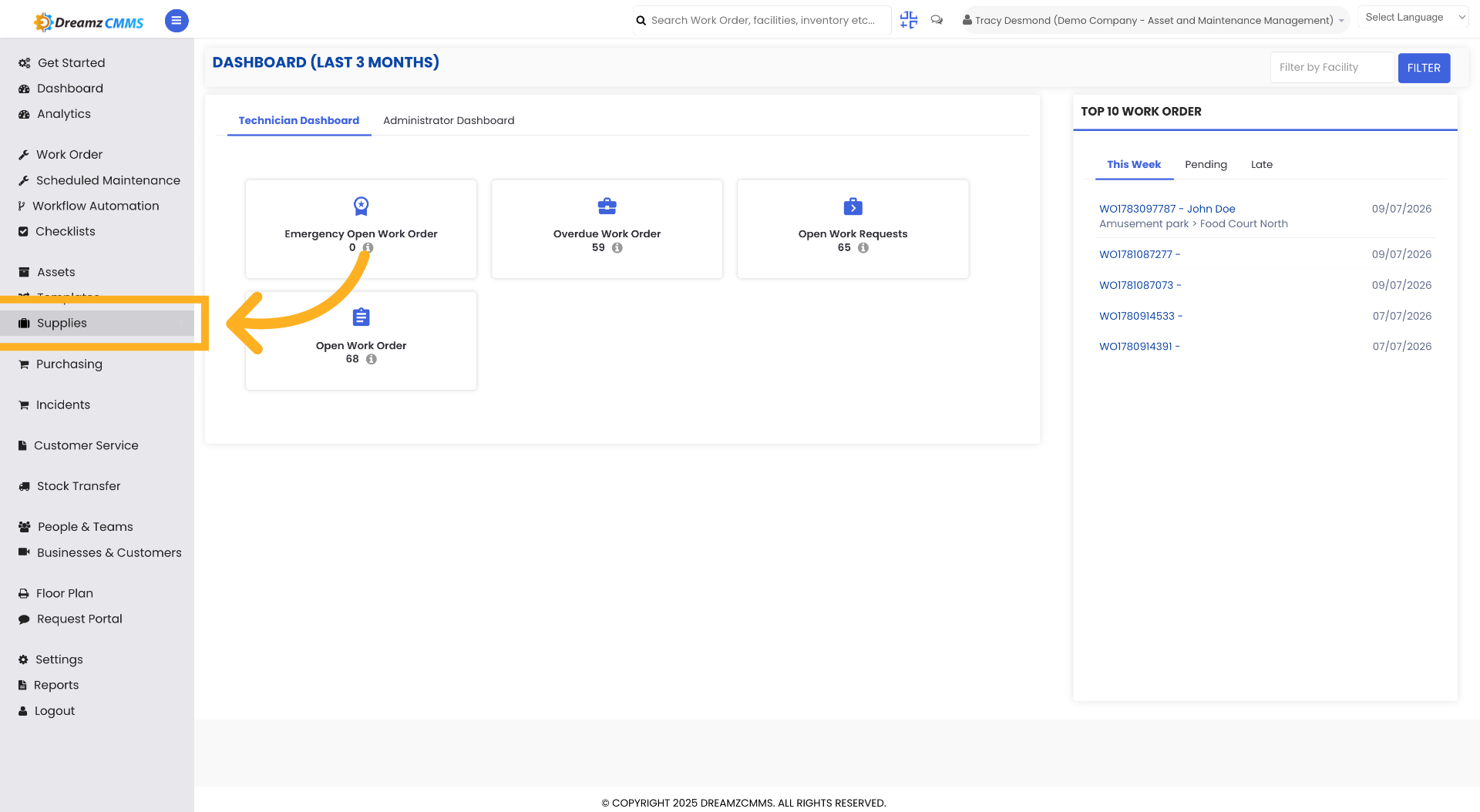
Step 1 – Access Supplies Section
Click "Supplies" to open the supplies management area.
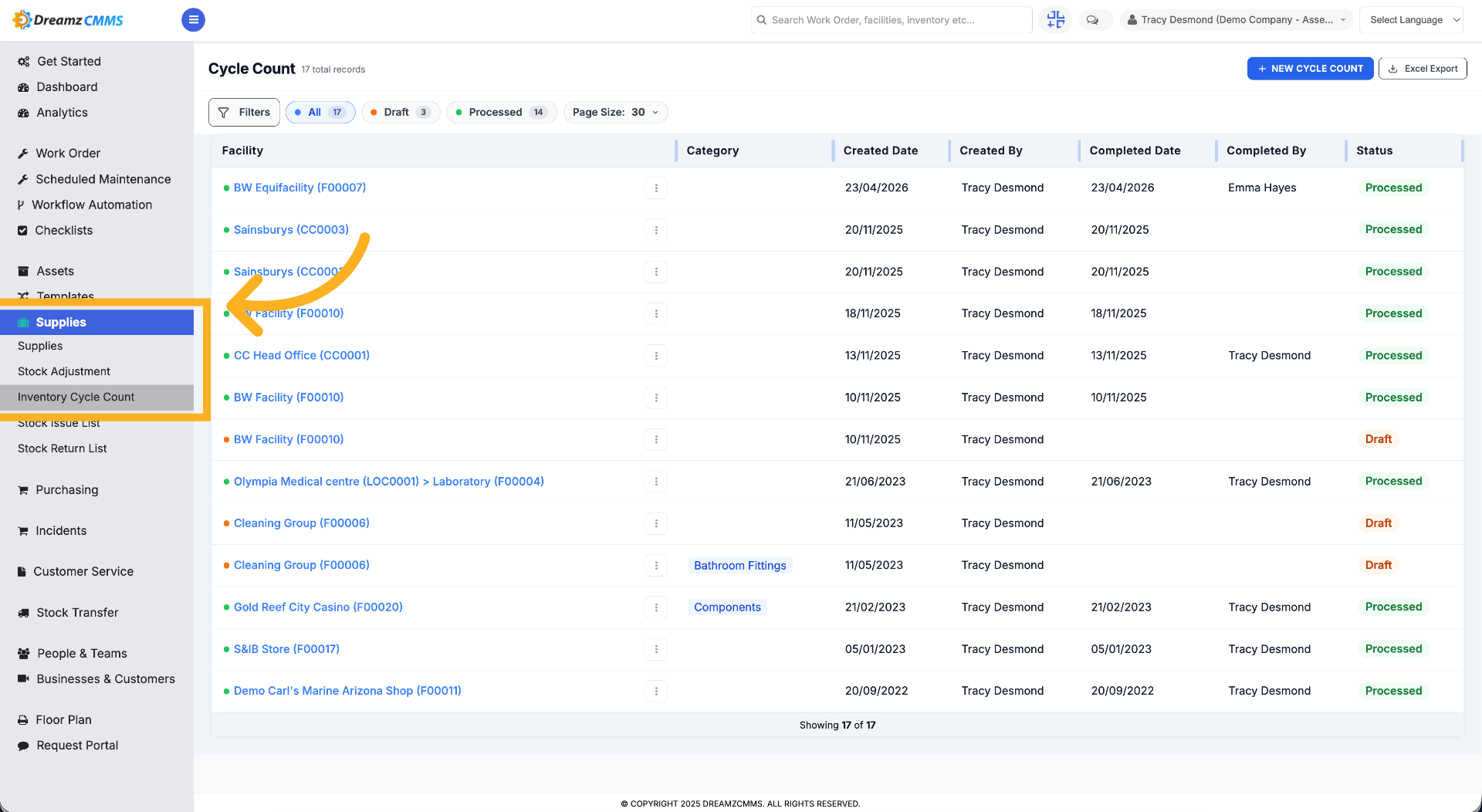
Step 2 – Open Inventory Cycle Count
Click "Inventory Cycle Count" to view cycle count listings.
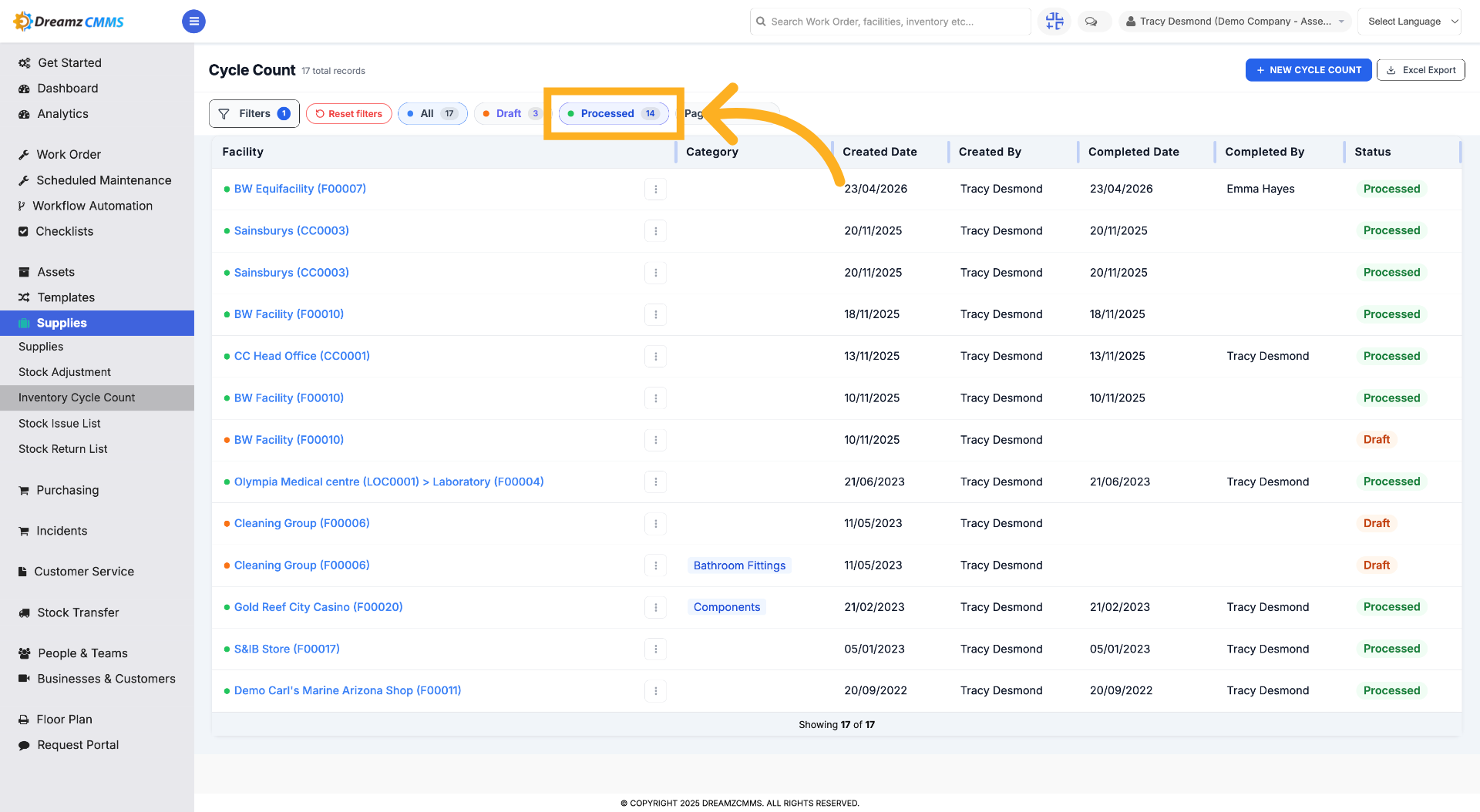
Step 3 – View Processed Cycle Counts
Click the Processed filter to see the list of processed cycle counts.
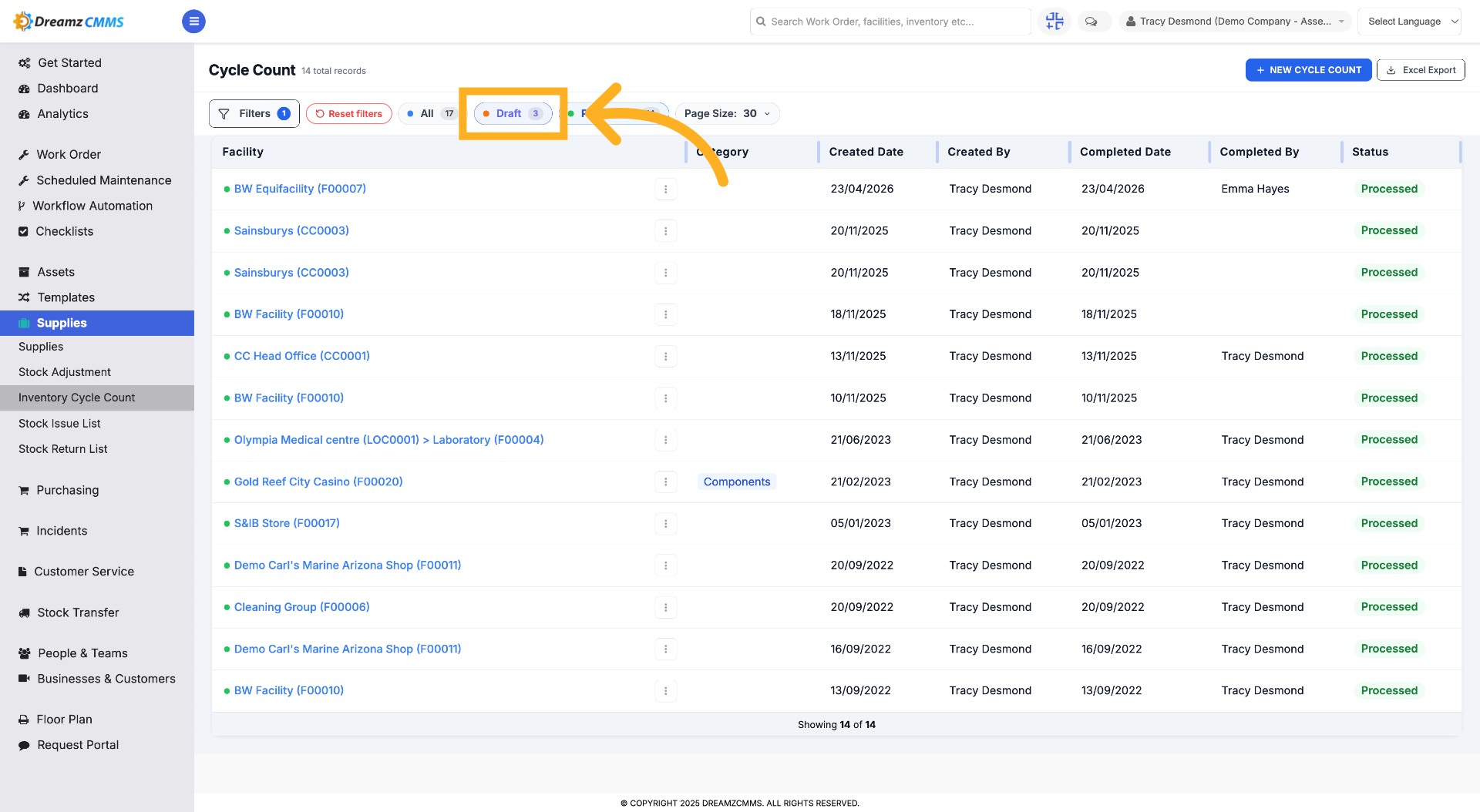
Step 4 – Access Draft Cycle Counts
Click the Draft filter to view cycle counts currently in draft status.
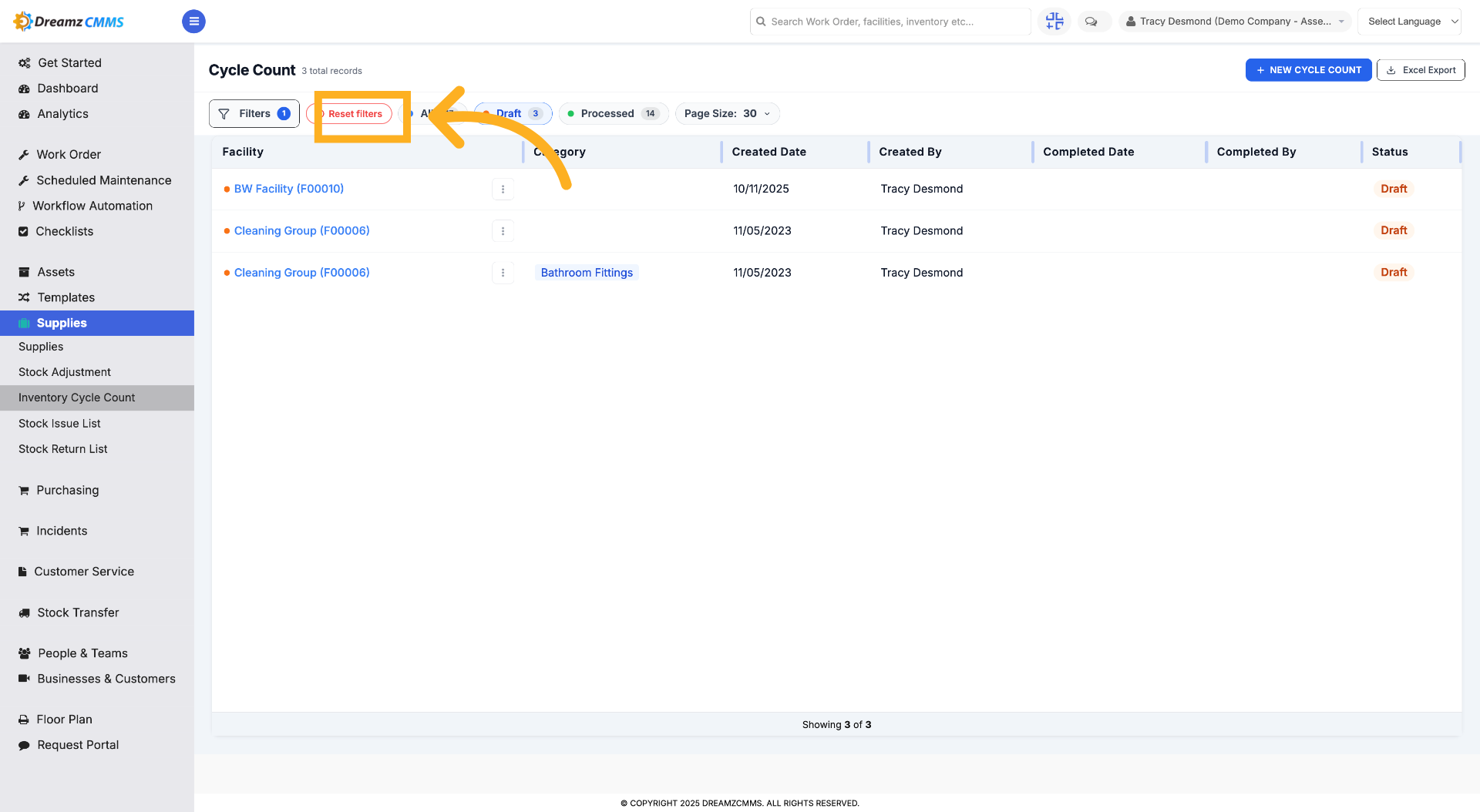
Step 5 – Reset Applied Filters
Click "Reset filters" to clear all current filter settings and view all cycle counts.
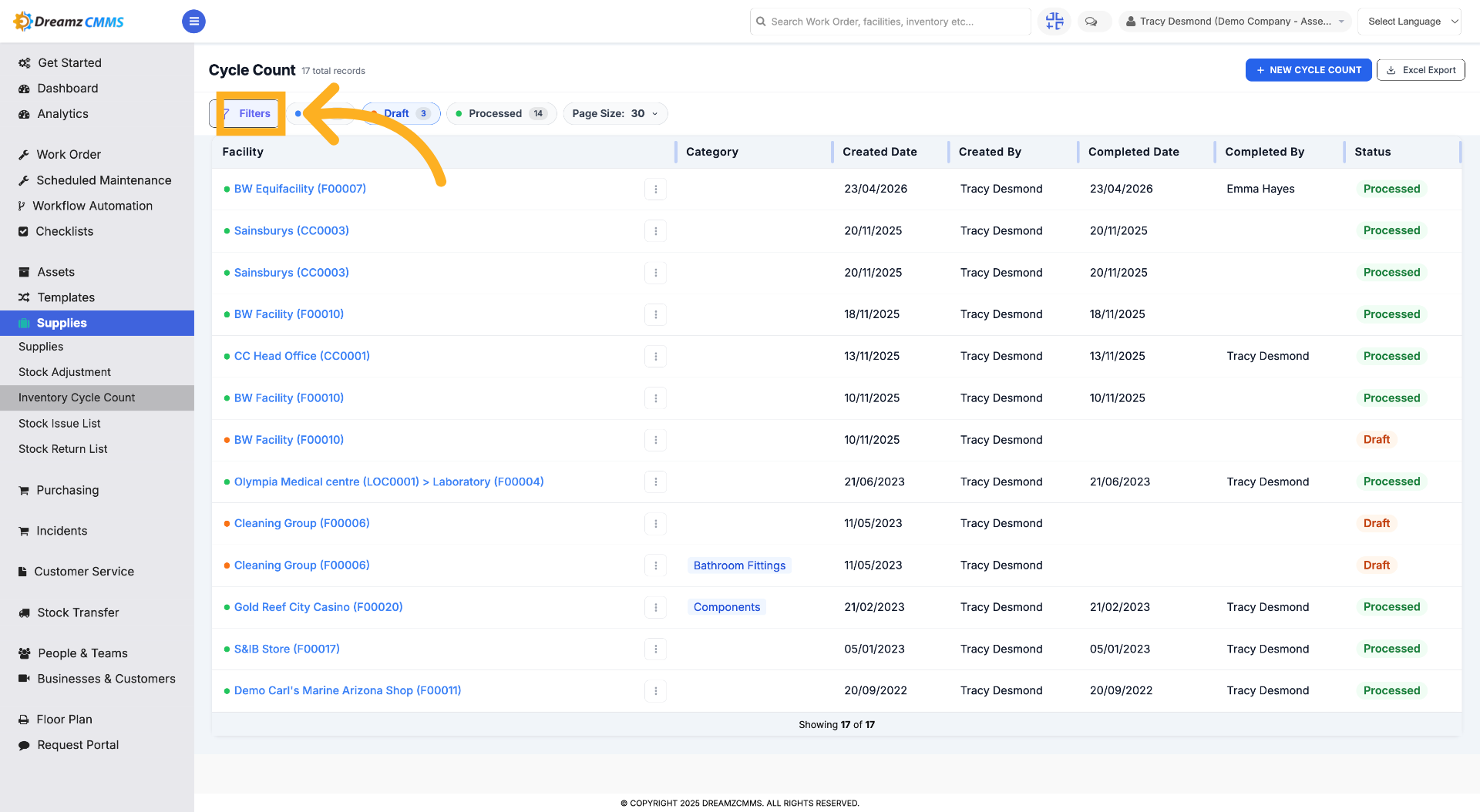
Step 6 – Open Filter Options
Click "Filters" to access filtering options for cycle counts.
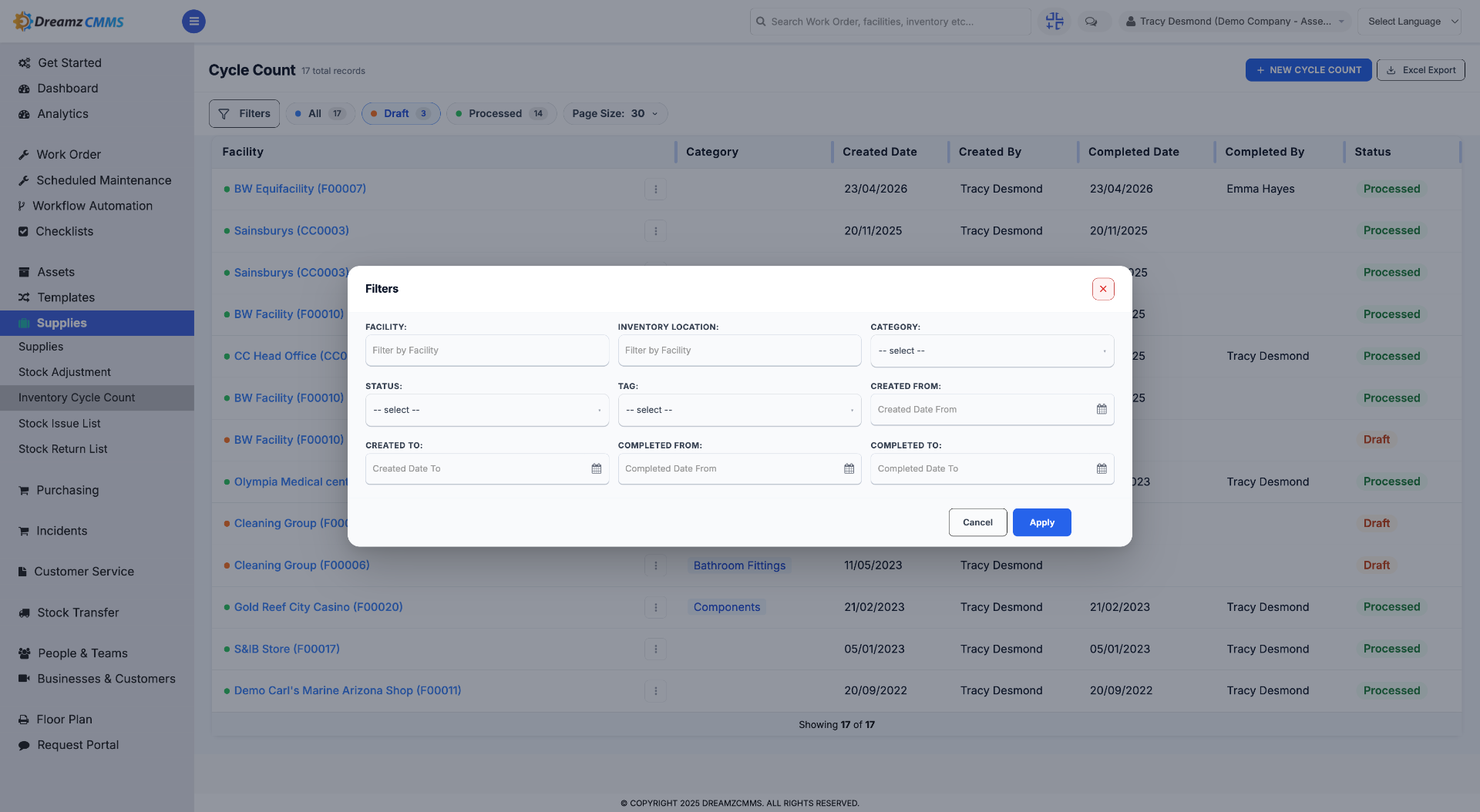
Step 7 – Interact with the Filter Control
Click here to interact with the filter control and adjust your search criteria.
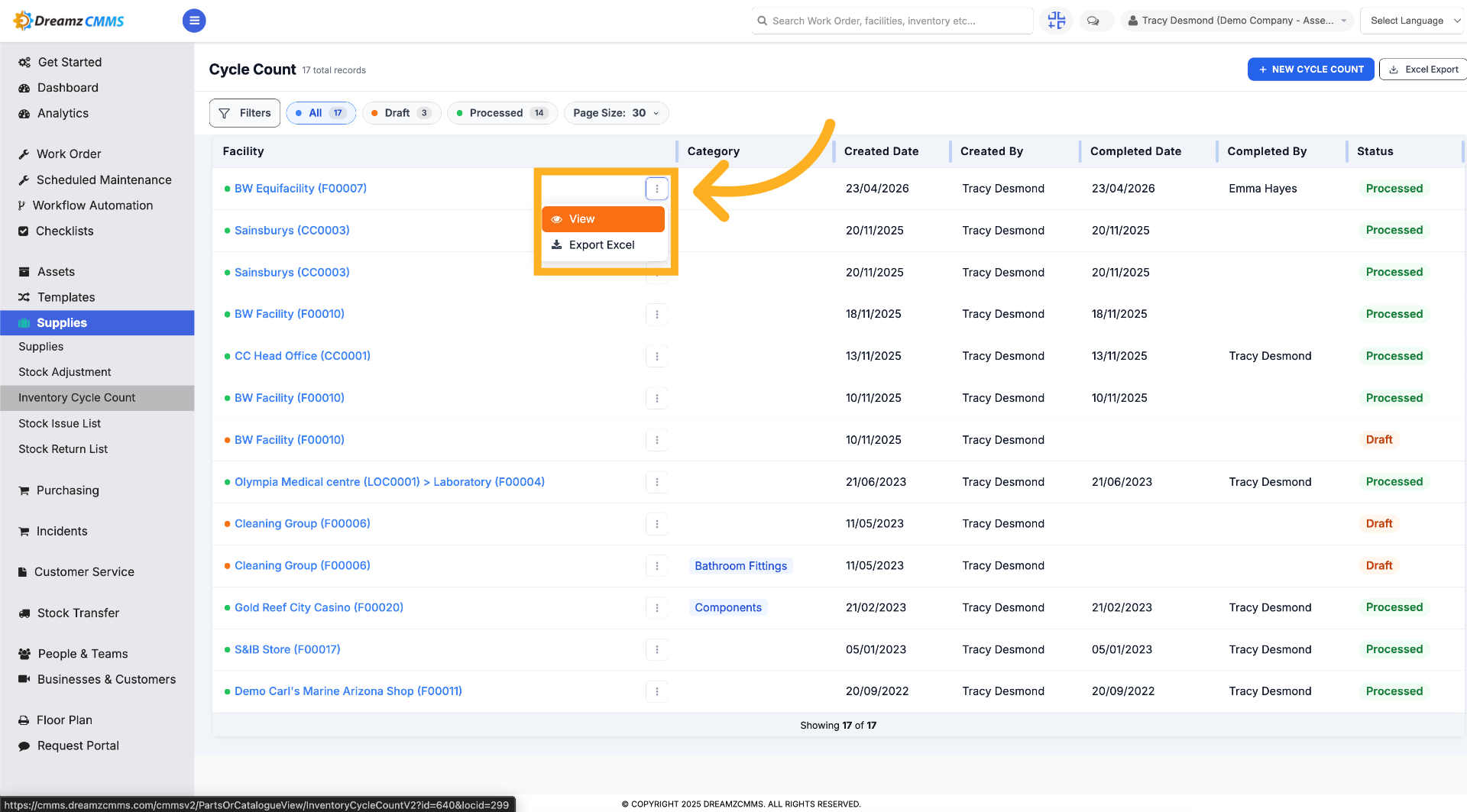
Step 8 – Use the 3-Dot Menu
Click the three dots menu to view or export an inventory cycle count to Excel.
How to Create a New Cycle Count
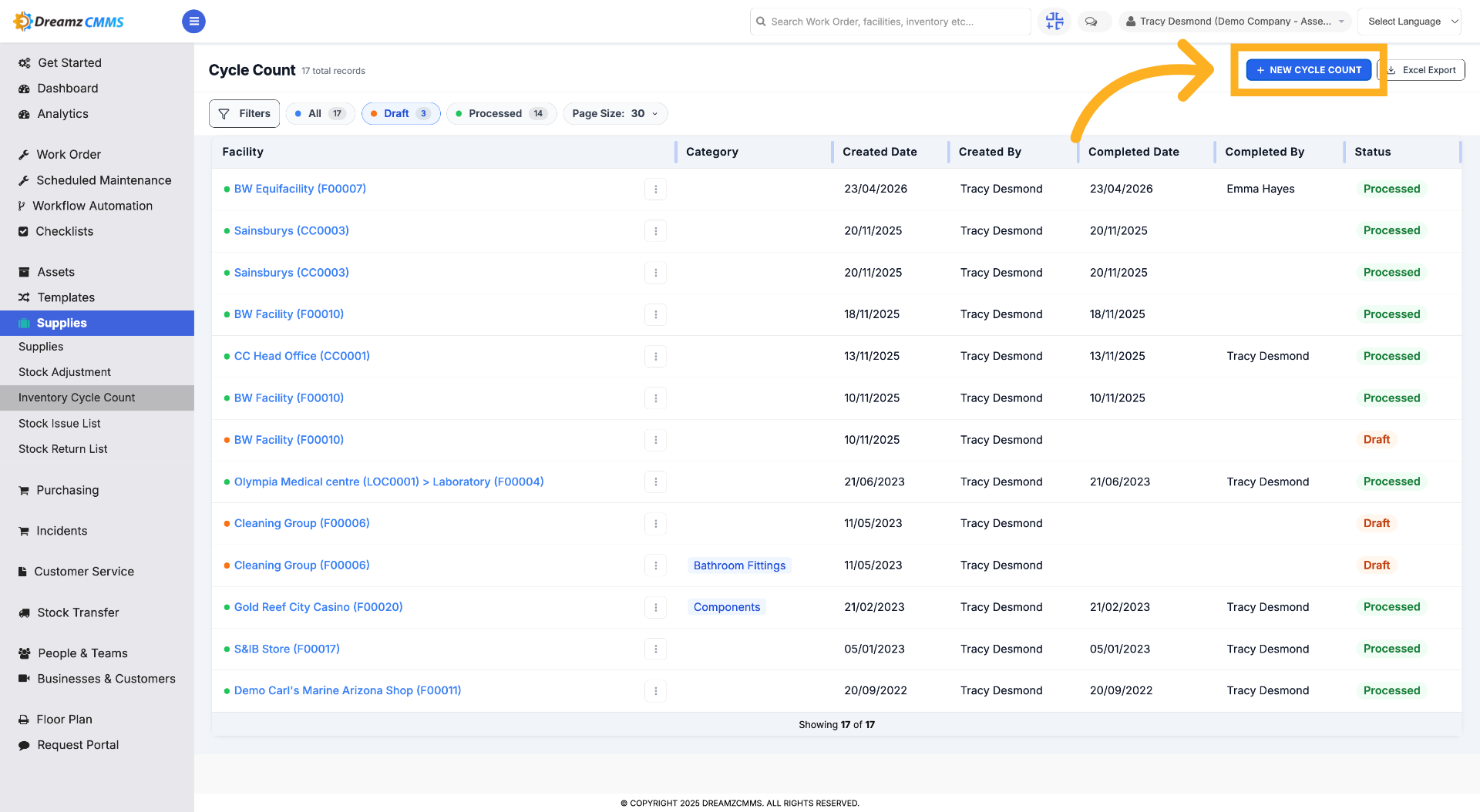
Step 1 – Create New Cycle Count
Click "New Cycle Count" to start creating a new inventory cycle count record.
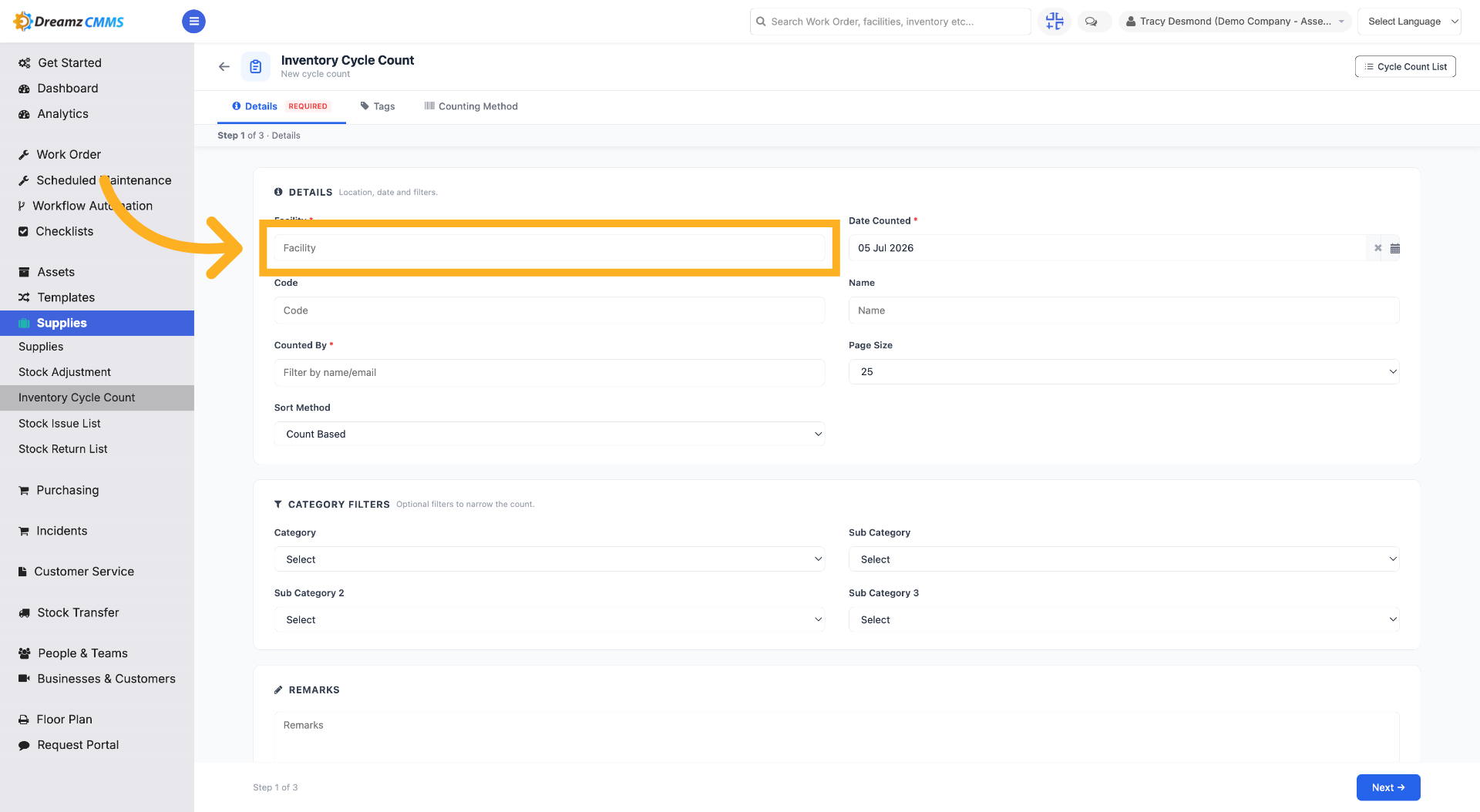
Step 2 – Select Facility Field
Click "Facility" to choose the facility for the new cycle count.
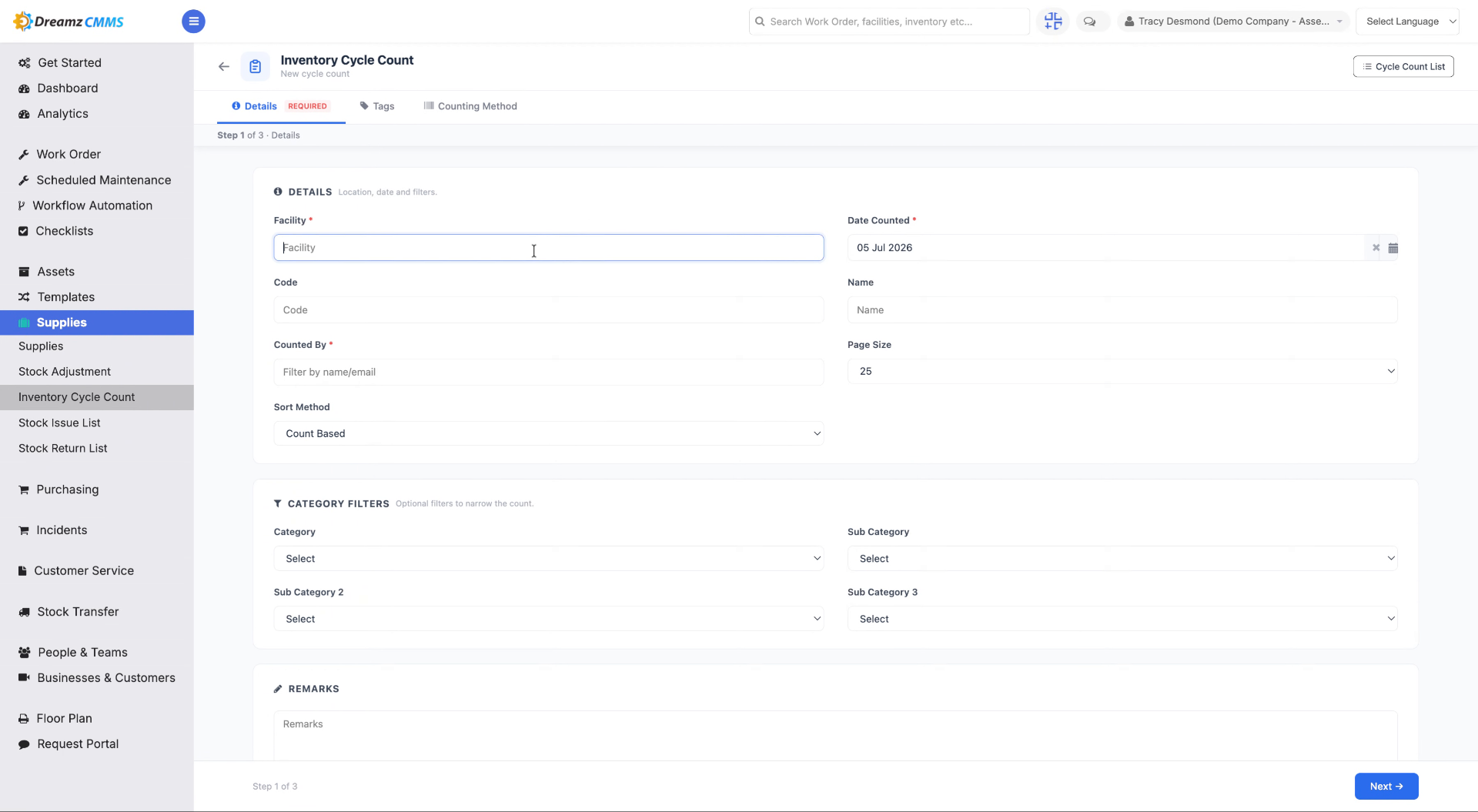
Step 3 – Enter Facility Code
Fill in the facility code to specify the facility for the cycle count.
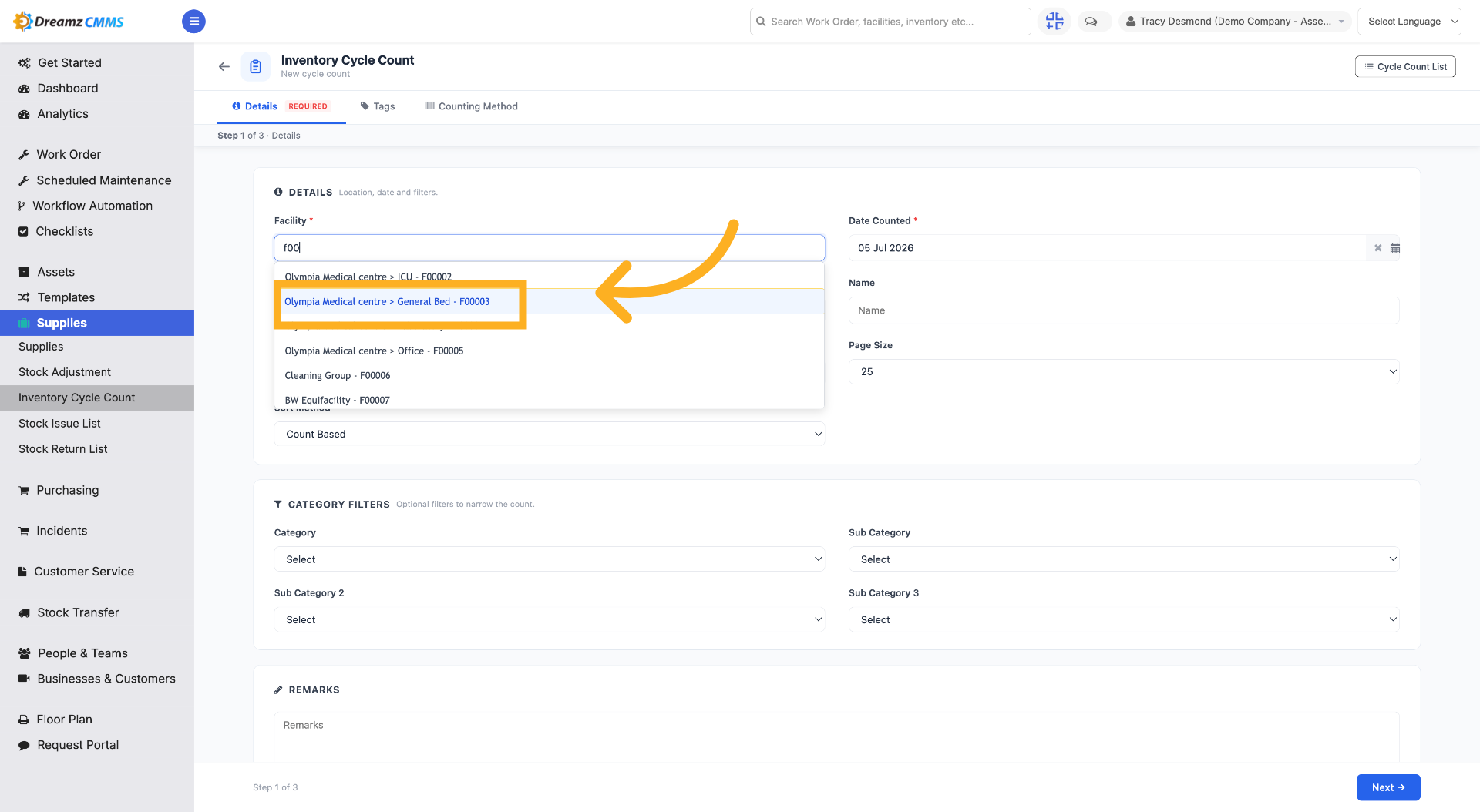
Step 4 – Choose Facility Location
Select the facility from the list where the inventory cycle count will take place.
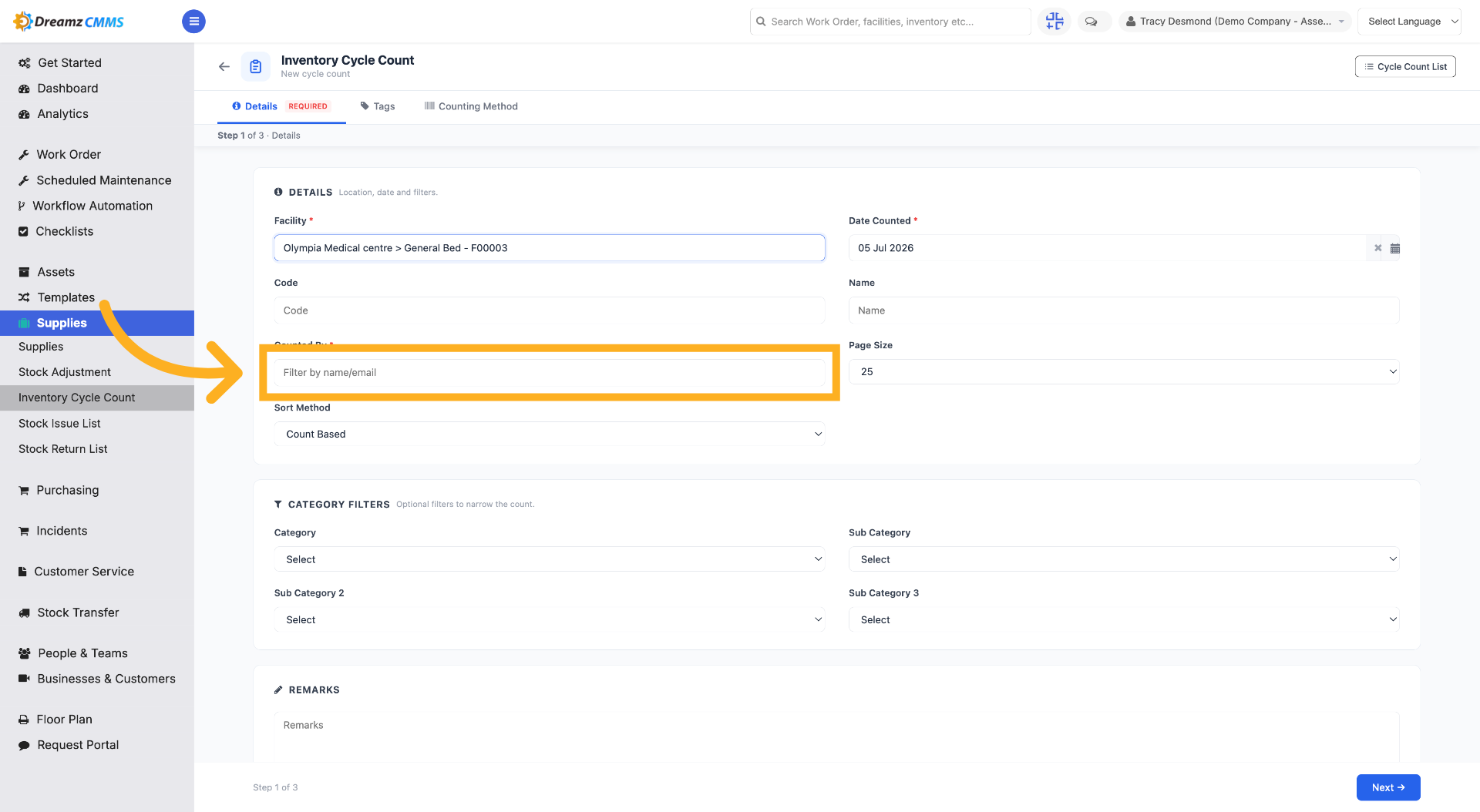
Step 5 – Select the Counter
Select the user who will be performing the inventory cycle count.
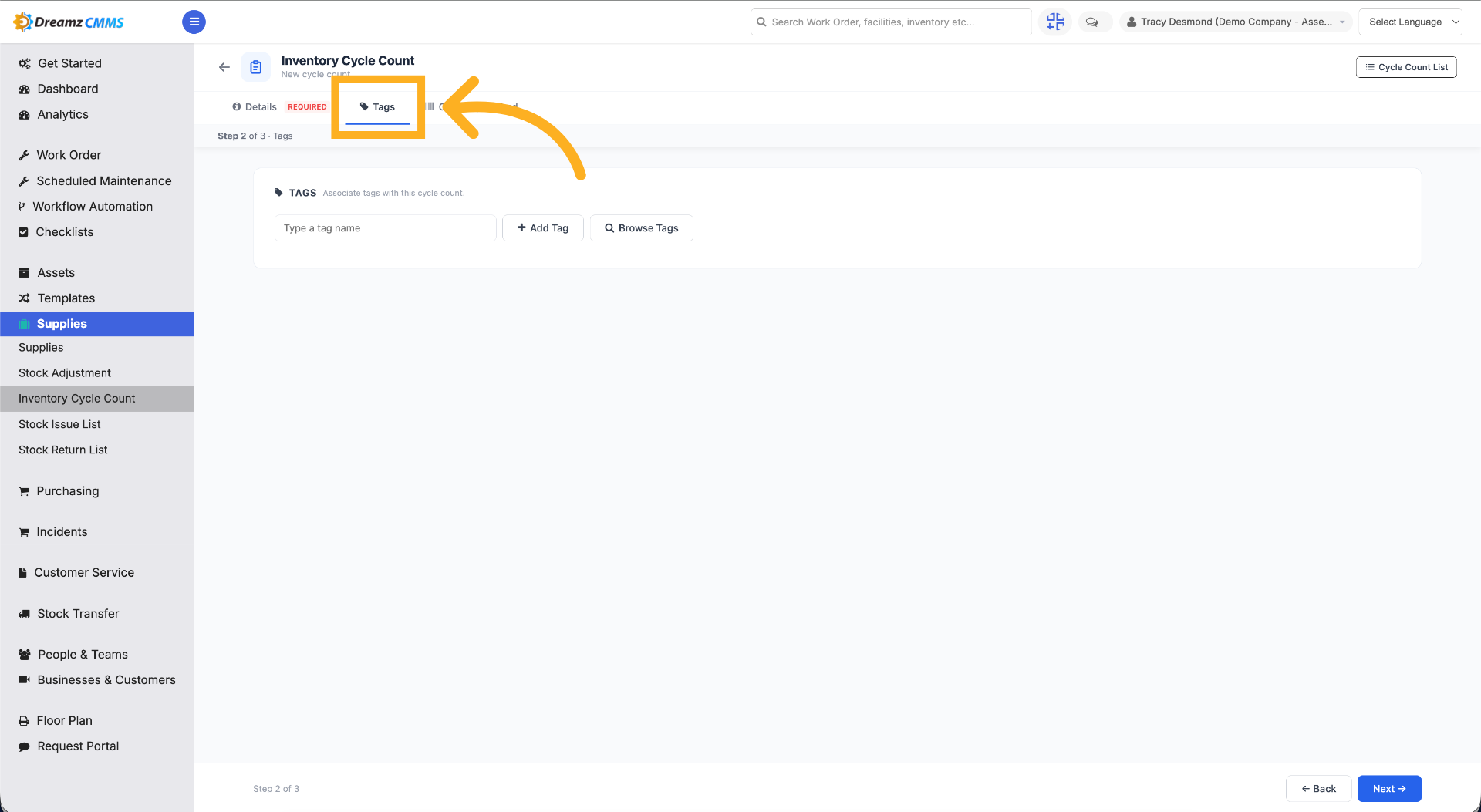
Step 6 – Access Tags Section
Click "Tags" to manage tags associated with the cycle count.
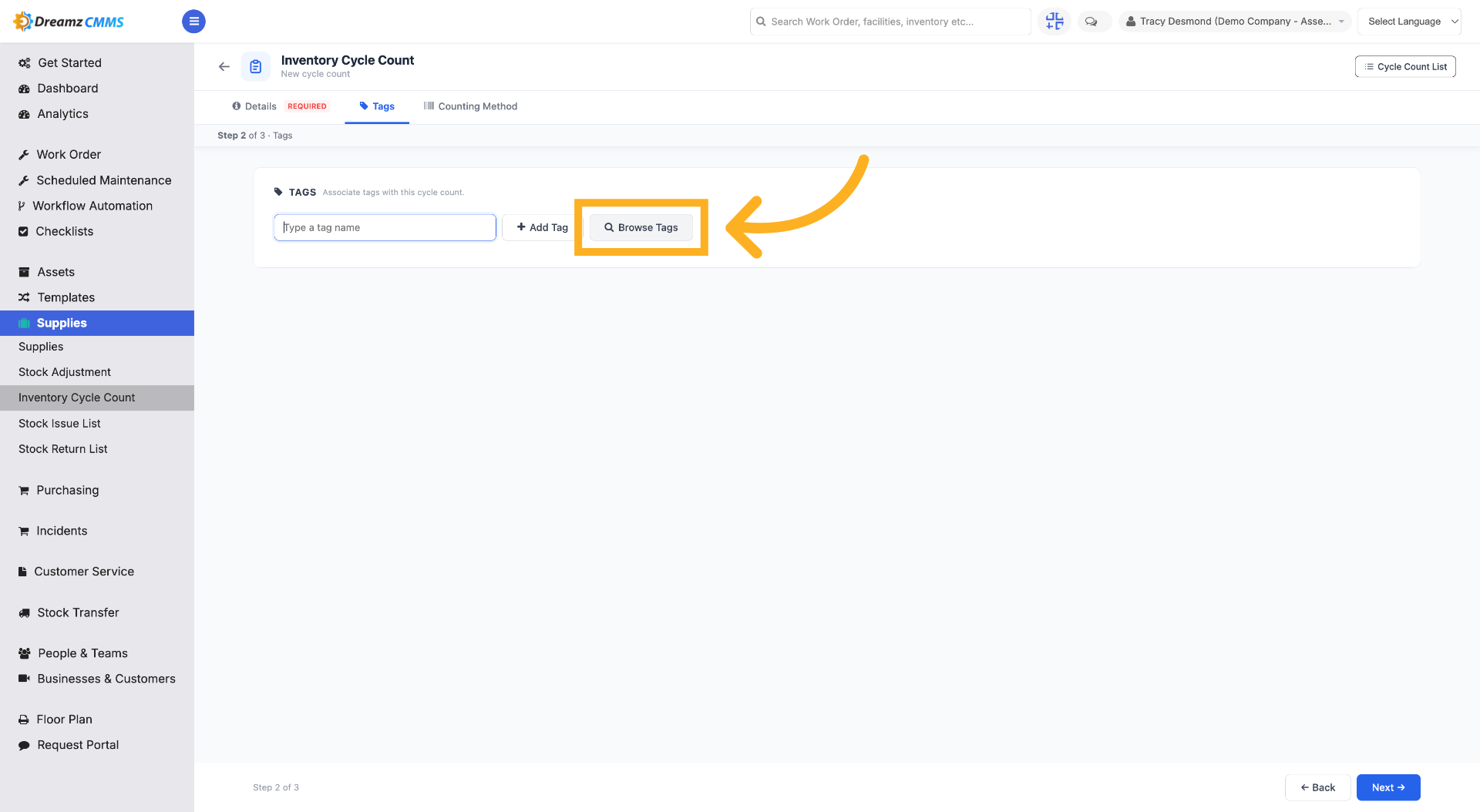
Step 7 – Browse Available Tags
Click "Browse Tags" to view existing tags you can apply.
Step 8 – Select a Tag
Check the checkbox to select the tag.
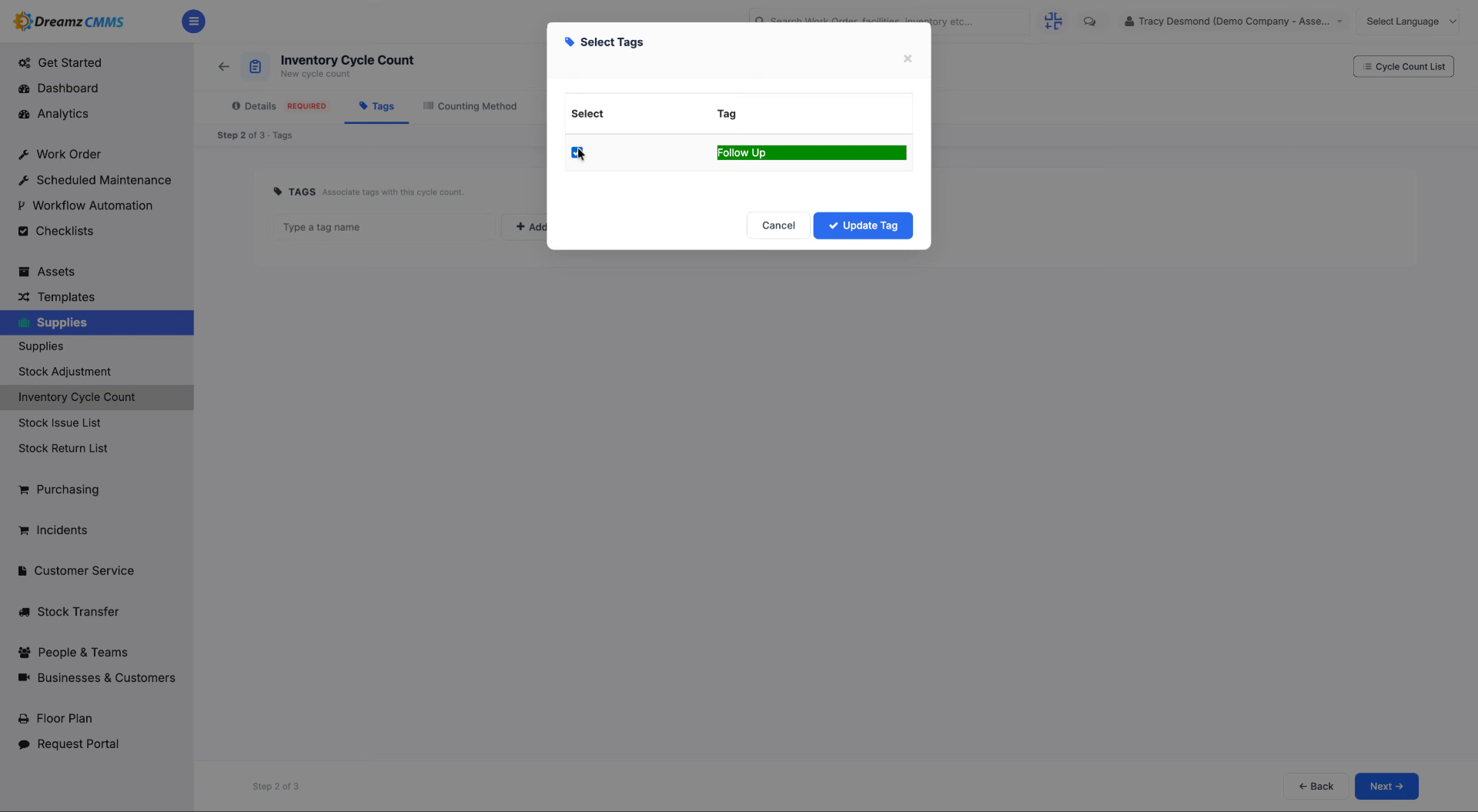
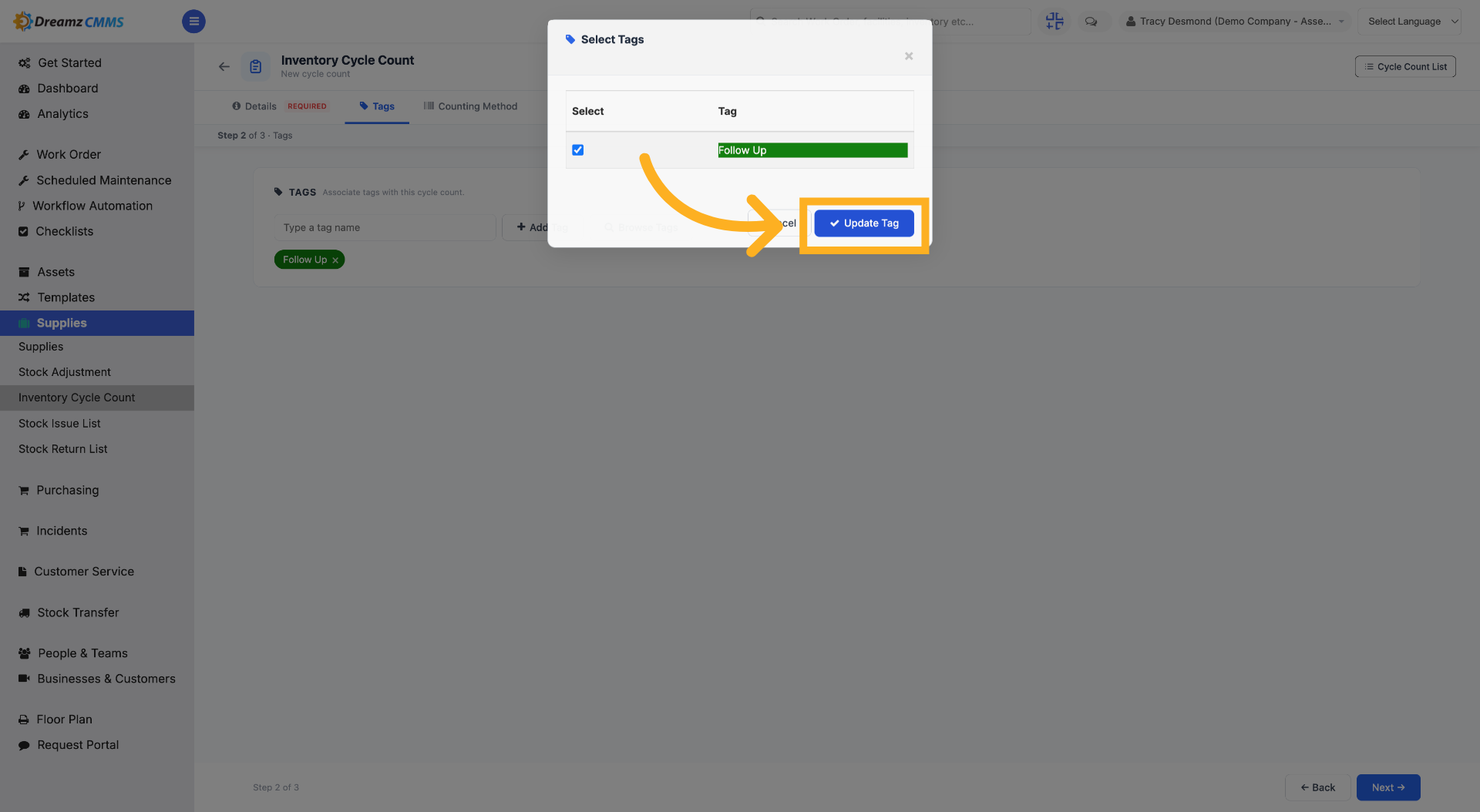
Step 9 – Update Tag Settings
Click "Update Tag" to save changes made to the tag configuration.
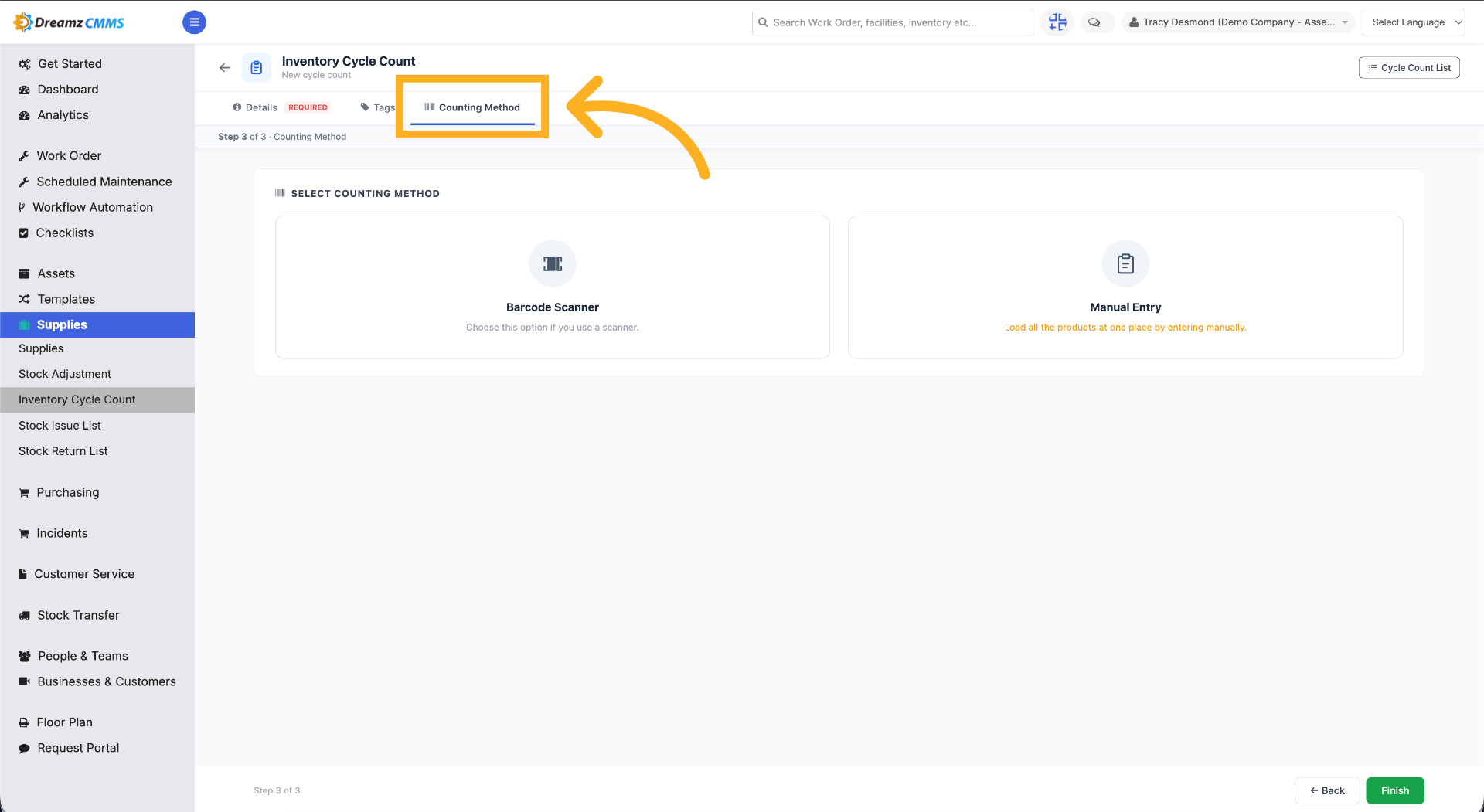
Step 10 – Select Counting Method
Click "Counting Method" to choose how the cycle count will be conducted.
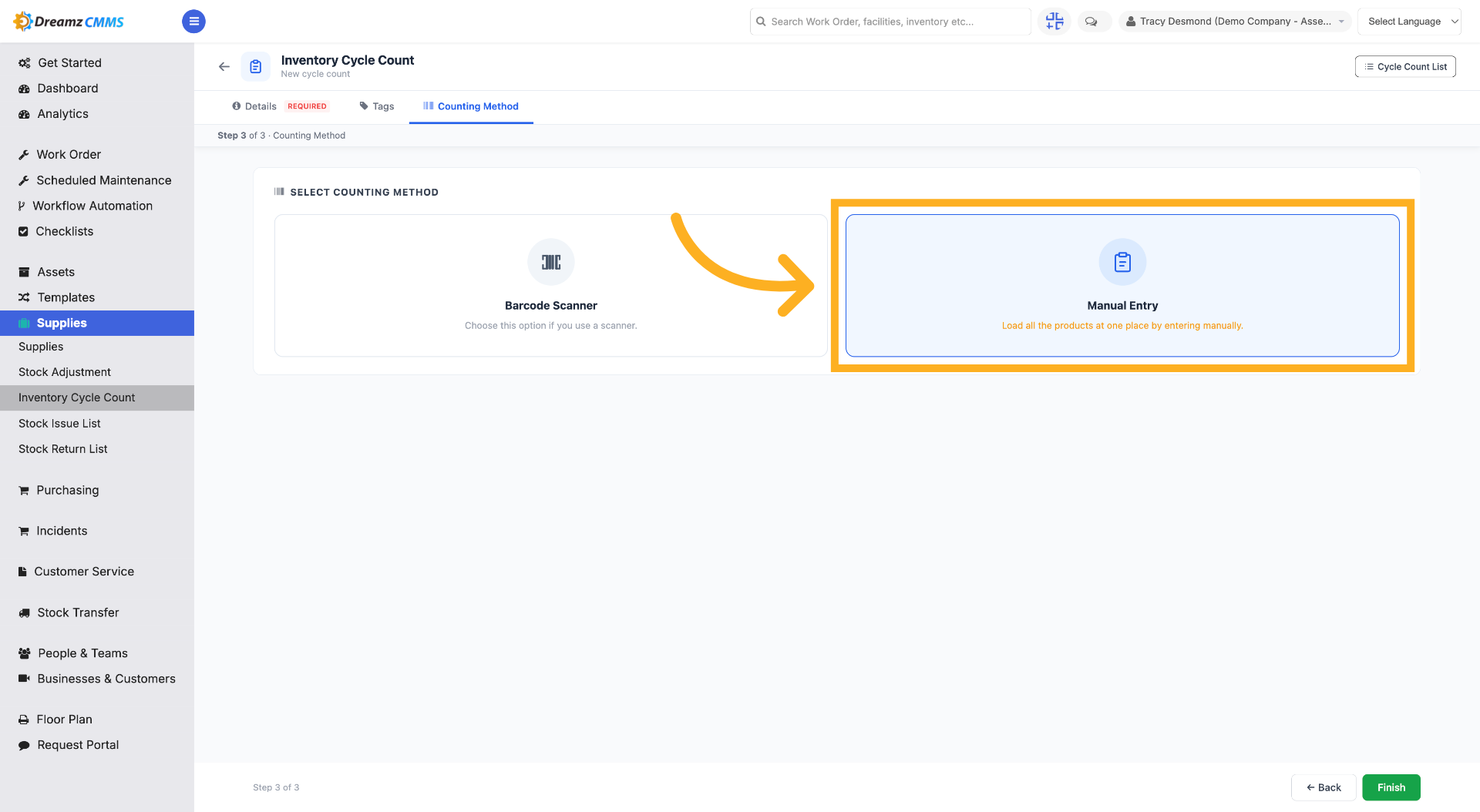
Step 11 – Choose Manual Entry
Click "Manual Entry" to load all the products from the previously selected facility into one place for counting.
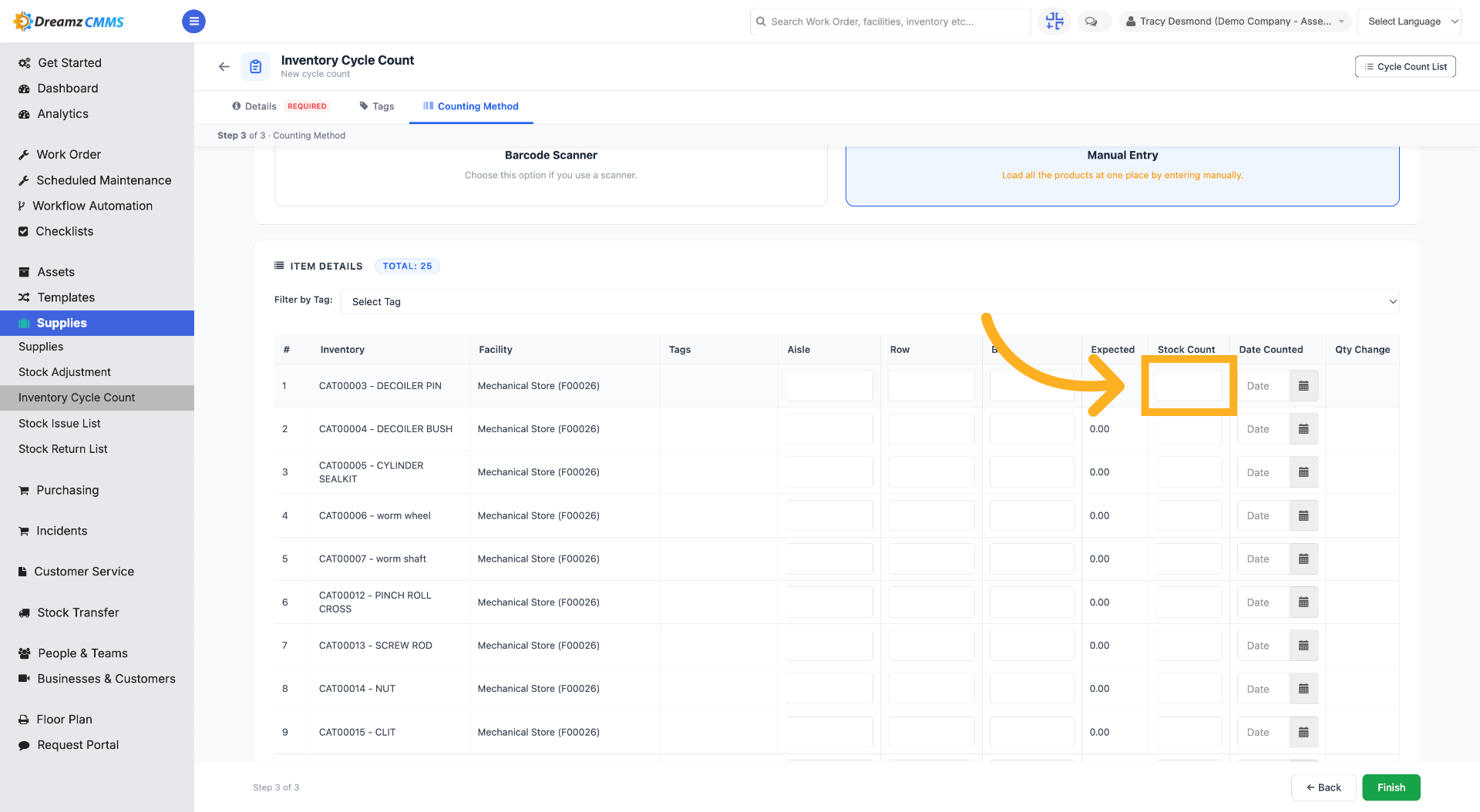
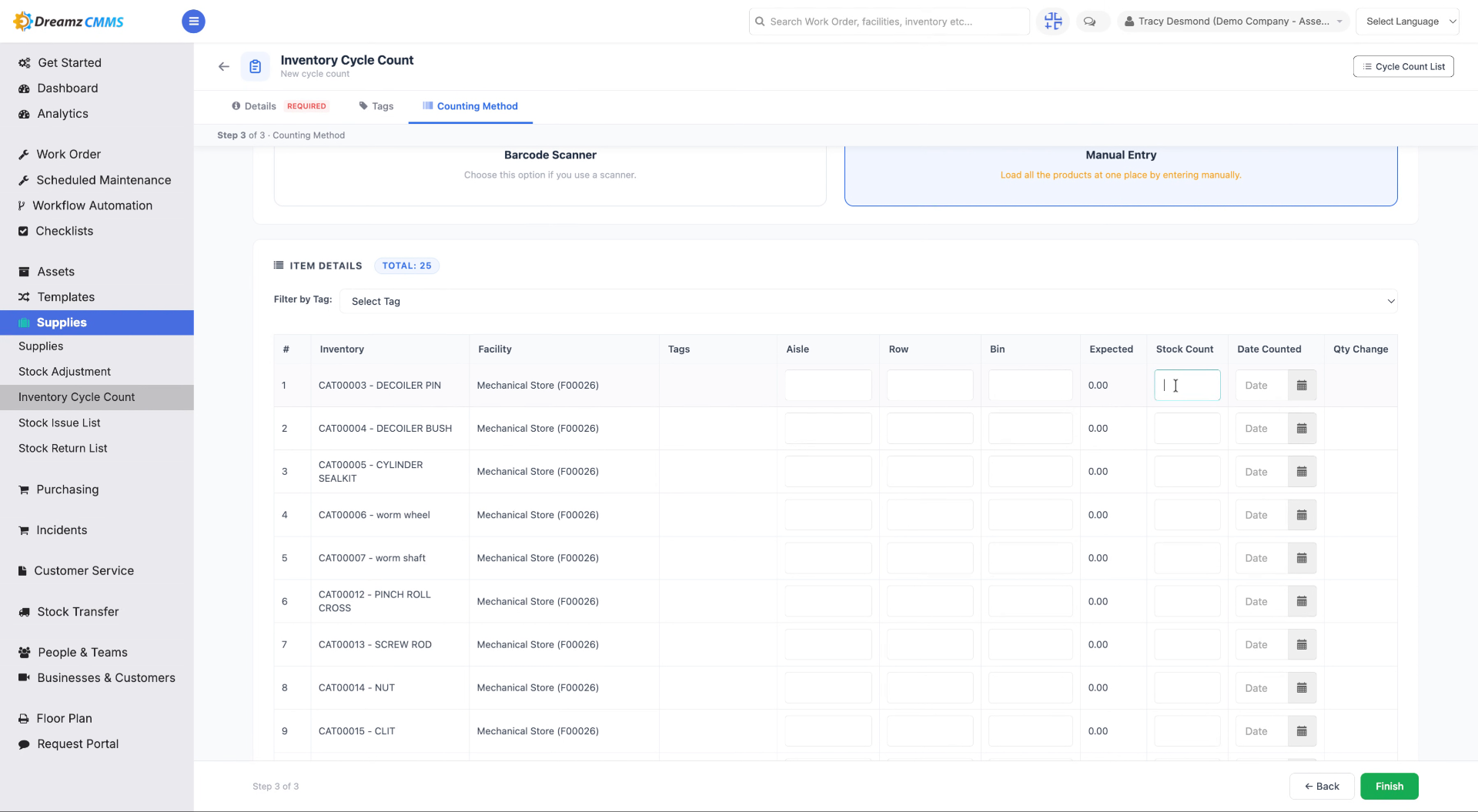
Step 12 – Interact with the Input Field
Click here to focus on the input field for entering count details.
Step 13 – Enter Quantity Value
Fill in the counted quantity (for example, "25") to specify the amount for the selected product or item.
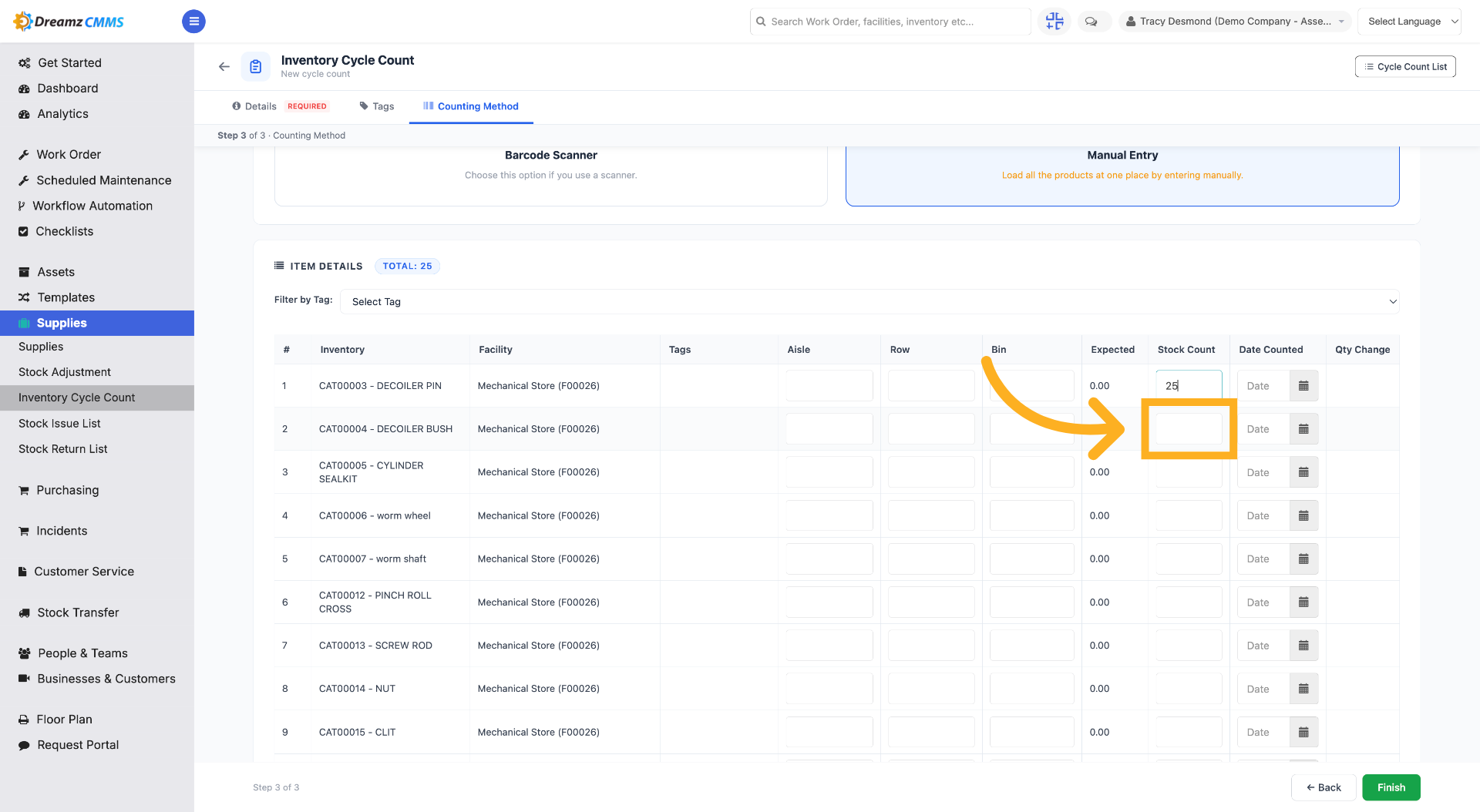
Step 14 – Move to the Next Input
Click here to move to the next input field for additional details.
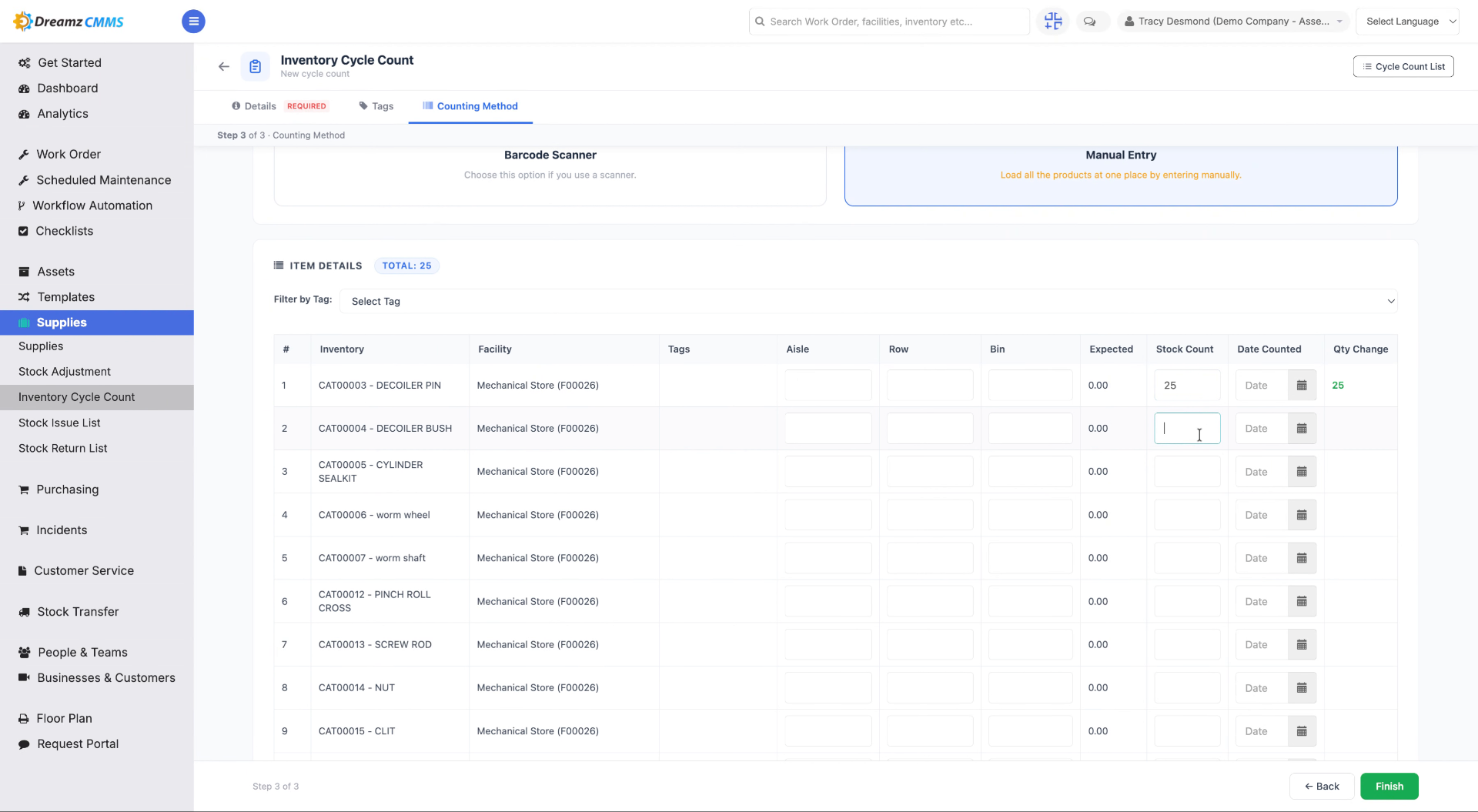
Step 15 – Enter Additional Quantity
Fill in the counted quantity (for example, "10") for that particular inventory item.
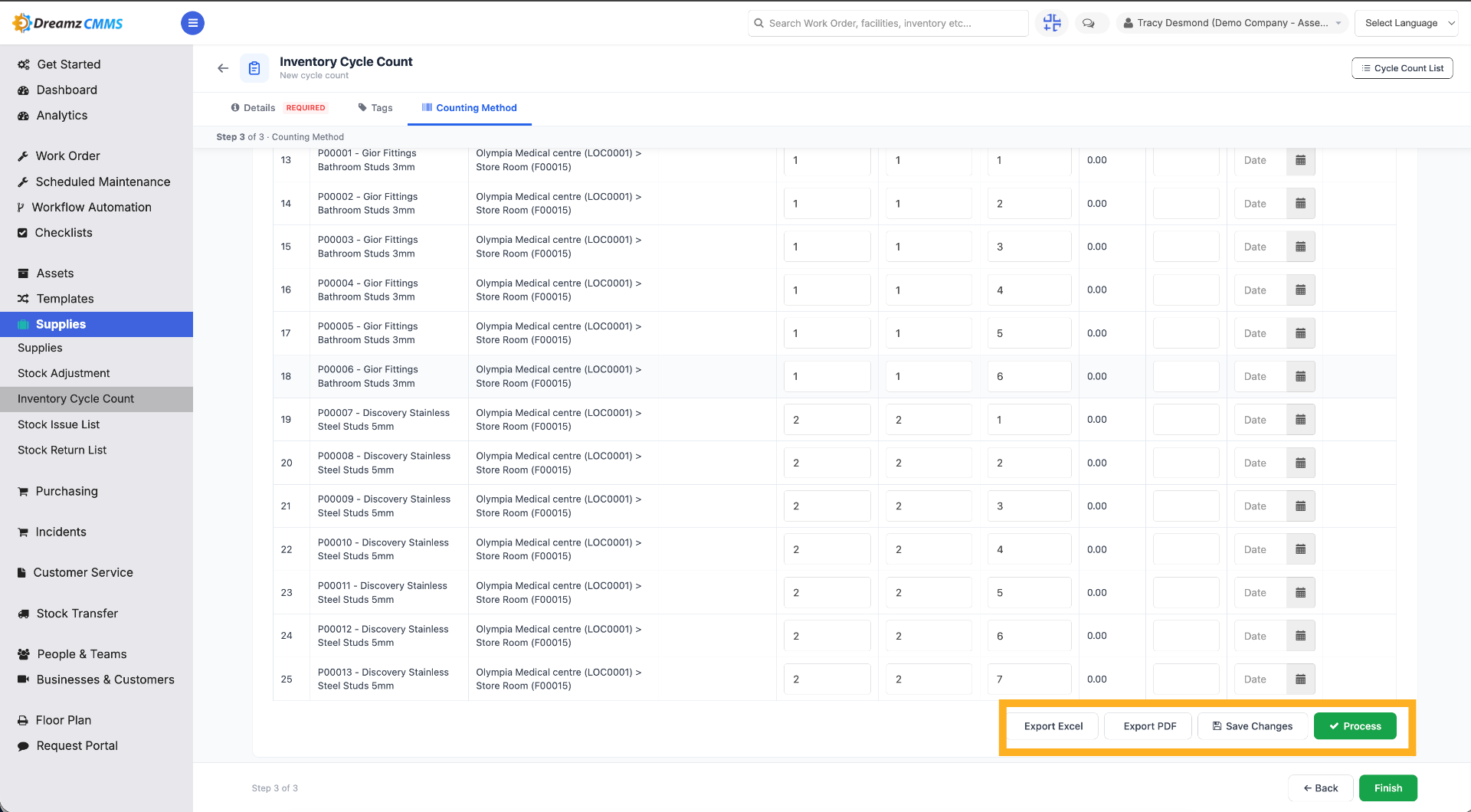
Step 16 – Save or Process the Cycle Count
After completing the inventory cycle count, click Process to process the cycle count, or click Save Changes to save it in draft mode. You can also export it to Excel or PDF.
Tips for Managing Inventory Cycle Counts
- Use the Processed and Draft filters to quickly find cycle counts at different stages of completion.
- Assign a specific counter to each cycle count so accountability is clear.
- Use tags to group or track related cycle counts for easier reporting later.
- Save a count as a draft if you need to pause and resume counting instead of processing it immediately.
Frequently Asked Questions
What's the difference between saving as draft and processing a cycle count?
Saving as draft keeps the count editable for later, while processing finalizes the count and updates inventory records.
Can I export a cycle count?
Yes. You can export a cycle count to Excel or PDF, or use the three-dot menu on the listing page to export directly to Excel.
Can I filter cycle counts by status?
Yes. Use the Processed or Draft filters, or open the Filters menu for more options, and use Reset Filters to clear them.
What counting methods are available?
You can choose a counting method such as Manual Entry, which loads all products from the selected facility for counting.