Explore Global Checklist Library
The application has a global library of checklists which can be reused. Instead of building a checklist from scratch, you can browse the library, preview available checklists, and copy them directly into your system with a single click.
Overview
The Global Checklist Library in DreamzFSM provides a collection of ready-made checklists that can be filtered by industry and type. Users can preview any checklist before copying it into their system, saving time and ensuring consistency across common job types and workflows.
Here is a reference video:
How to Explore the Global Checklist Library
Step 1 – Navigate to the Checklists Section
From the left-hand menu, click on the Checklist option to open the Checklists module.

Step 2 – Open the Global Checklist Library
Click the Use a Template icon to open the Global Checklist Library and browse the existing checklists available.
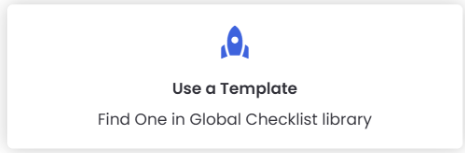
Step 3 – Preview or Copy a Checklist
Clicking the icon will open a list of all available checklists in the library. From here you can:
- Click Preview to review the checklist contents before deciding to use it.
- Click Copy to download and add the checklist directly into your system. You can always preview a checklist before copying.
Step 4 – Search by Industry and Type
Use the Search button to filter the library and find checklists based on Industry and Type, making it easier to locate the most relevant checklist for your needs.

Tips for Using the Global Checklist Library
- Always use the Preview option before copying a checklist to confirm it contains the tasks and structure relevant to your job type.
- Use the Industry and Type filters when searching the library to quickly narrow down results and avoid scrolling through unrelated checklists.
- Once copied, a checklist becomes fully editable in your system — you can customise it further to match your specific operational requirements.
- Reusing library checklists for common job types ensures consistency across your team and reduces the time spent creating checklists from scratch.
- If a suitable checklist exists in the library, copy and adapt it rather than building from scratch to save time and maintain best-practice task structures.
Frequently Asked Questions
What is the Global Checklist Library?
The Global Checklist Library is a built-in collection of ready-made checklists available within DreamzFSM. Users can browse, preview, and copy these checklists directly into their system for use on jobs and work orders.
Can I edit a checklist after copying it from the library?
Yes. Once a checklist has been copied into your system, it becomes fully editable. You can add, remove, or modify tasks to suit your specific requirements.
How do I find a checklist relevant to my industry?
Use the Search function within the Global Checklist Library and filter by Industry and Type. This helps you quickly locate checklists designed for your specific field of work.
Does copying a checklist from the library remove it for other users?
No. Copying a checklist from the Global Checklist Library creates a copy in your system only. The original checklist remains in the library and is still available for all other users to access and copy.
Can I preview a checklist before copying it?
Yes. Each checklist in the library has a Preview option that allows you to review all tasks and details before deciding to copy it into your system.
Related Articles
- Create a Checklist From Scratch
- Assign a Checklist to a Job
- How to Create Jobs
- Schedule Jobs and Kanban View
- Plan Routes & Assign Jobs